Flameshot: Add default folder for saving image
I want to click on Save and automatically save photos to specified folder. Thanks.
 renat2985
All 5 comments
You can do that with -p or --path, as in: flameshot gui -p ~/Downloads
 tastytea
on 26 Jan 2019
tastytea
on 26 Jan 2019
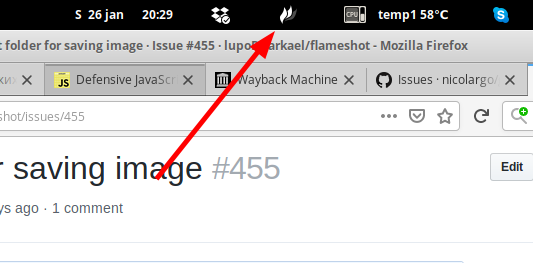
I use this icon to create screenshots. How can I put this flameshot gui -p ~/Downloads there?
renat2985
on 26 Jan 2019
It seems that isn't possible yet. The issue was previously raised in #207.
tastytea
on 28 Jan 2019
I use this icon to create screenshots. How can I put this
flameshot gui -p ~/Downloadsthere?
Hi @renat2985!
I have resolved it not by clicking on the icon but with a keyboard shortcut, that is also really fast and handy.
Just assign the command flameshot gui -p ~/Pictures/Screenshots/ as a keyboard shortcut for the _prntscr_ key. Replace the folder for whichever directory you want and that's it :smiley:
And don't forget to click on the "Save" icon, if you press enter the screenshot will be only copied on your clipboard!
Many thanks to @tastytea :wink:
 call0fcode
on 22 Feb 2019
call0fcode
on 22 Feb 2019
Thank you @call0fcode it helped me to get rid of all the pain with screenshots!
In addition, at least on Ubuntu 18.04 it expects the path to be absolute so ~/Pictures/Screenshots/ should be /home/youruser/Pictures/Screenshots/
 srgpsk
on 11 Nov 2020
srgpsk
on 11 Nov 2020
Related issues
 ElijahLynn
·
3Comments
ElijahLynn
·
3Comments
 mmesnjak
·
4Comments
mmesnjak
·
4Comments
 szszoke
·
4Comments
szszoke
·
4Comments
 kylewill
·
4Comments
kylewill
·
4Comments
 soundsbeard
·
4Comments
soundsbeard
·
4Comments