Describe the bug
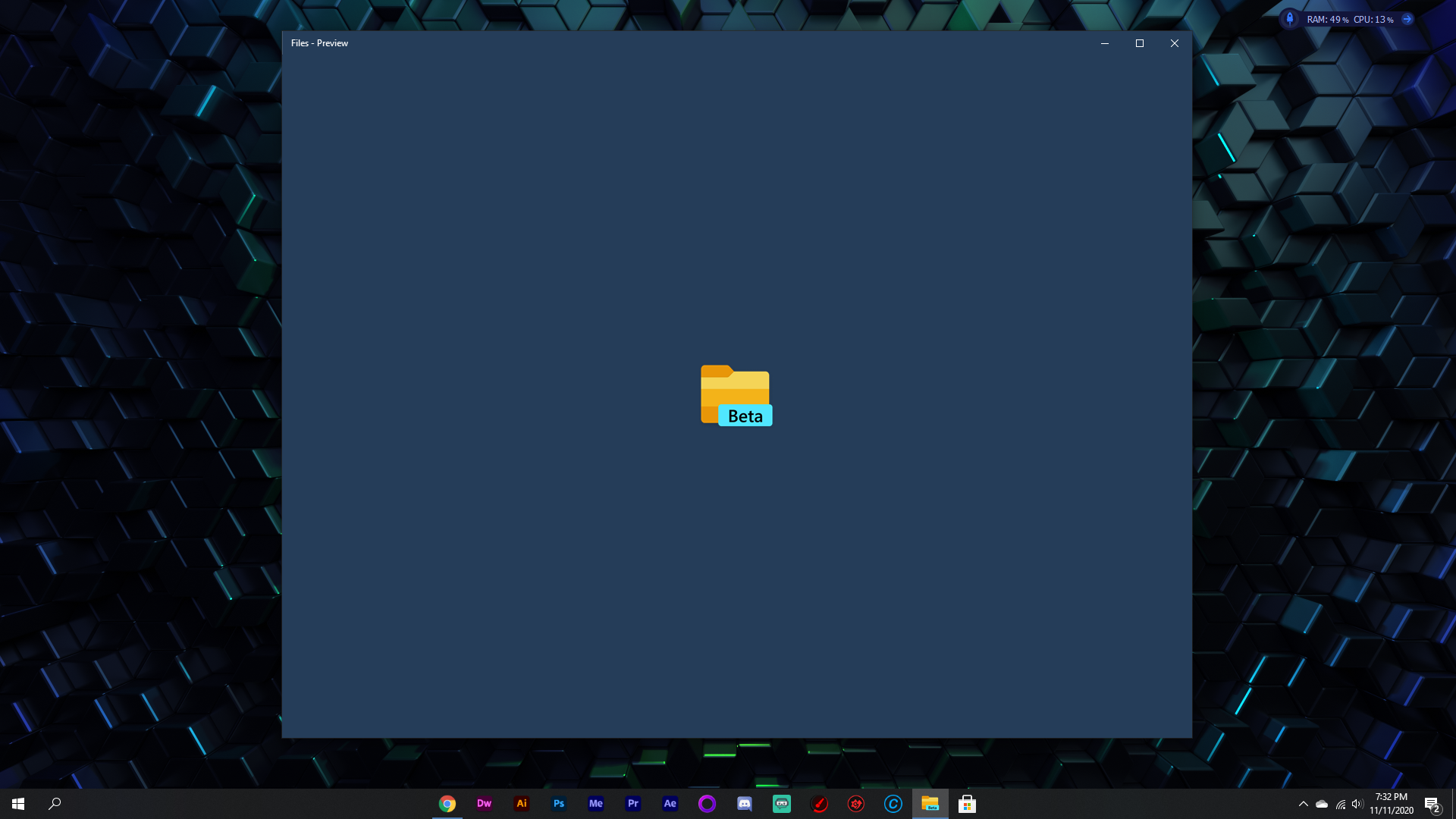
When I open Files UWP it just shows the logo and then is stuck on the loading screen where it just shows the logo forever.
To Reproduce
Steps to reproduce the behavior:
- Open Files UWP
- The screen will just show the logo forever and no buttons appear or anything
Expected behavior
For it to open and let me do stuff
Screenshots
If applicable, add screenshots to help explain your problem.
Desktop (please complete the following information):
- OS: Windows 10 1909 18363.1139
- App version: v0.20
Additional context
Add any other context about the problem here. For instance, are you building from source or using a precompiled build/snapshot?
Log file
Please post the log file here so that we can understand your problem better. You can access it from Settings->About->Open log location.
 DogeLord081
All 15 comments
Issue-Label Bot is automatically applying the label bug to this issue, with a confidence of 0.85. Please mark this comment with :thumbsup: or :thumbsdown: to give our bot feedback!
Links: app homepage, dashboard and code for this bot.
![issue-label-bot[bot] picture](https://avatars2.githubusercontent.com/in/27079?v=4&s=40) issue-label-bot[bot]
on 12 Nov 2020
issue-label-bot[bot]
on 12 Nov 2020
@DogeLord081 Can you please upload the log file?
 yaichenbaum
on 12 Nov 2020
yaichenbaum
on 12 Nov 2020
It wont work when i go into settings about i dont see a log thing
DogeLord081
on 12 Nov 2020
yaichenbaum
on 12 Nov 2020
K ill try this tomorrow
DogeLord081
on 12 Nov 2020
@yaichenbaum I didn't find a debug.txt i think its because it didn't crash or anything, it just didn't open
DogeLord081
on 13 Nov 2020
@DogeLord081 Can you check if resetting the app fixes the issue?
yaichenbaum
on 18 Nov 2020
Thanks again for your feedback.
_Since we didn't hear from you on this topic for 7+ days, we'll assume everything is worked out and close this feedback item. If you had more feedback to provide, please re-open this and help the owners by describing the current status and any steps taken to troubleshoot this._
yaichenbaum
on 20 Nov 2020
@yaichenbaum how do I reopen it? also I already tried resetting it. It didn't work
DogeLord081
on 22 Nov 2020
can someone put this in the to do list? its in the closed right now because it got reopened
DogeLord081
on 22 Nov 2020
@DogeLord081 Can you try resetting the app again?
yaichenbaum
on 22 Nov 2020
@yaichenbaum ok i just tried. It didnt work
DogeLord081
on 23 Nov 2020
Well, isnt anyone going to work on this? Also, @yaichenbaum can u put the triage approved label on it again?
DogeLord081
on 29 Nov 2020
Well, isnt anyone going to work on this? Also, @yaichenbaum can u put the triage approved label on it again?
We need to investigate this, being that we can't reproduce this on our end, we can't start working on a fix yet. Can you try updating to v0.21 to see if the issue is fixed?
yaichenbaum
on 29 Nov 2020
Well, isnt anyone going to work on this? Also, @yaichenbaum can u put the triage approved label on it again?
We need to investigate this, being that we can't reproduce this on our end, we can't start working on a fix yet. Can you try updating to v0.21 to see if the issue is fixed?
I tried to install the new version but it keeps getting stuck at 16%
DogeLord081
on 29 Nov 2020
Related issues
 Dylan-Osborne
·
3Comments
Dylan-Osborne
·
3Comments
 jbvc97
·
3Comments
yaichenbaum
·
3Comments
jbvc97
·
3Comments
yaichenbaum
·
3Comments
 alialix2
·
3Comments
alialix2
·
3Comments
 ChenShihuan
·
3Comments
ChenShihuan
·
3Comments
Most helpful comment
Issue-Label Bot is automatically applying the label
bugto this issue, with a confidence of 0.85. Please mark this comment with :thumbsup: or :thumbsdown: to give our bot feedback!Links: app homepage, dashboard and code for this bot.