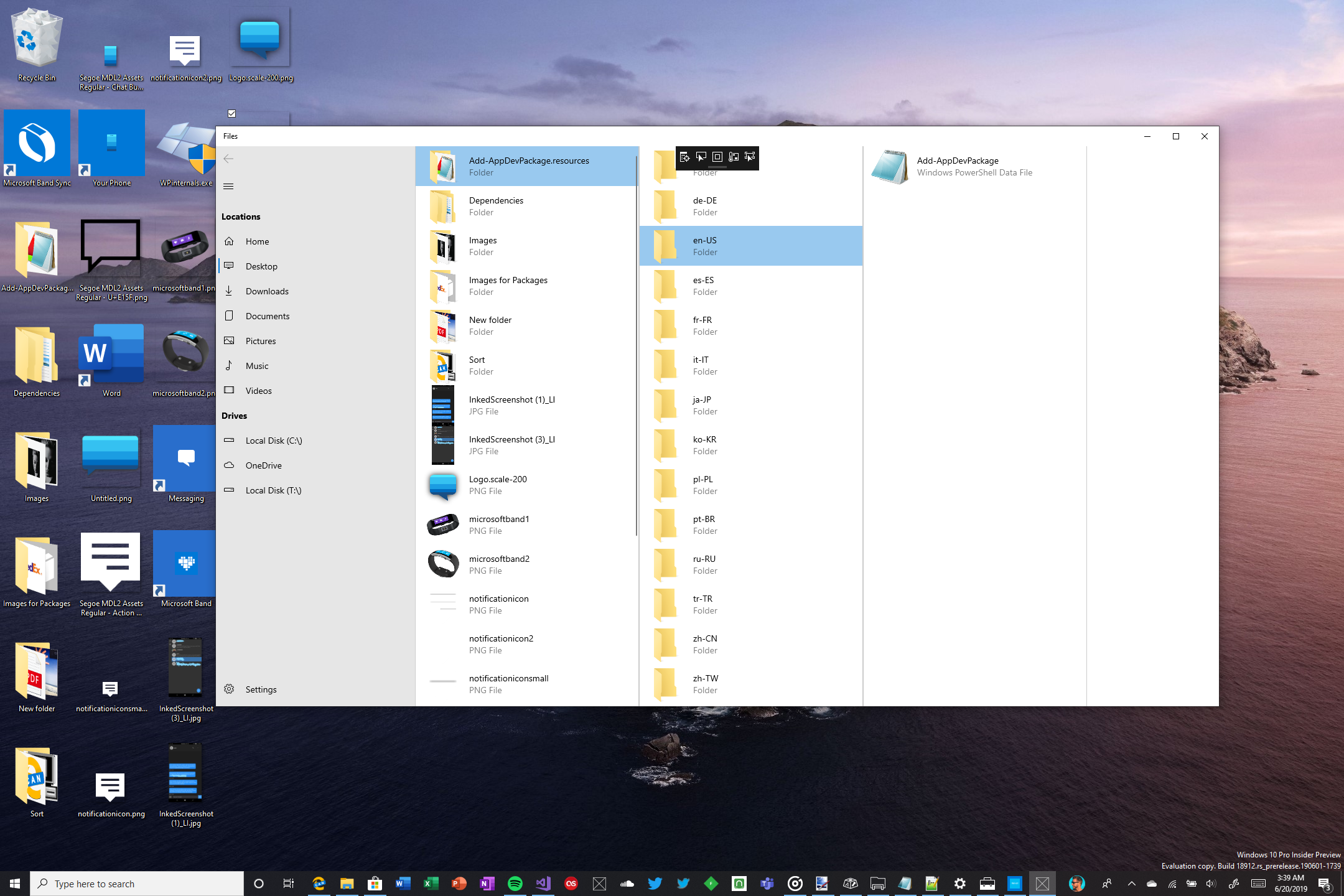
Files: Does anyone want a macOS/iPadOS like column view?
 TyJOrtiz
All 36 comments
Definitely not by default but having it as an extra option would be welcome.
 yaichenbaum
on 20 Jun 2019
yaichenbaum
on 20 Jun 2019
This can be part of the eventual tablet-optimized UI
 duke7553
on 20 Jun 2019
duke7553
on 20 Jun 2019
Great idea!
duke7553
on 20 Jun 2019
Yes, please!
 Telescuffle
on 20 Jun 2019
Telescuffle
on 20 Jun 2019
@imthewiseguy Were you going to build this? I can assign it to you.
duke7553
on 21 Jun 2019
@duke7553 yeah
TyJOrtiz
on 21 Jun 2019
to preserve the existing functionality ill have the app to launch the column view in a new window, until i can integrate it without breaking anything
TyJOrtiz
on 22 Jun 2019
sorry
TyJOrtiz
on 22 Jun 2019
If you need any help finding your way around the code please let me know. I’m going to be AFK for one week, but I’ll try my best.
duke7553
on 22 Jun 2019
I would recommend detecting if the device is in tablet mode and then navigate to the appropriate layout on startup.
duke7553
on 22 Jun 2019
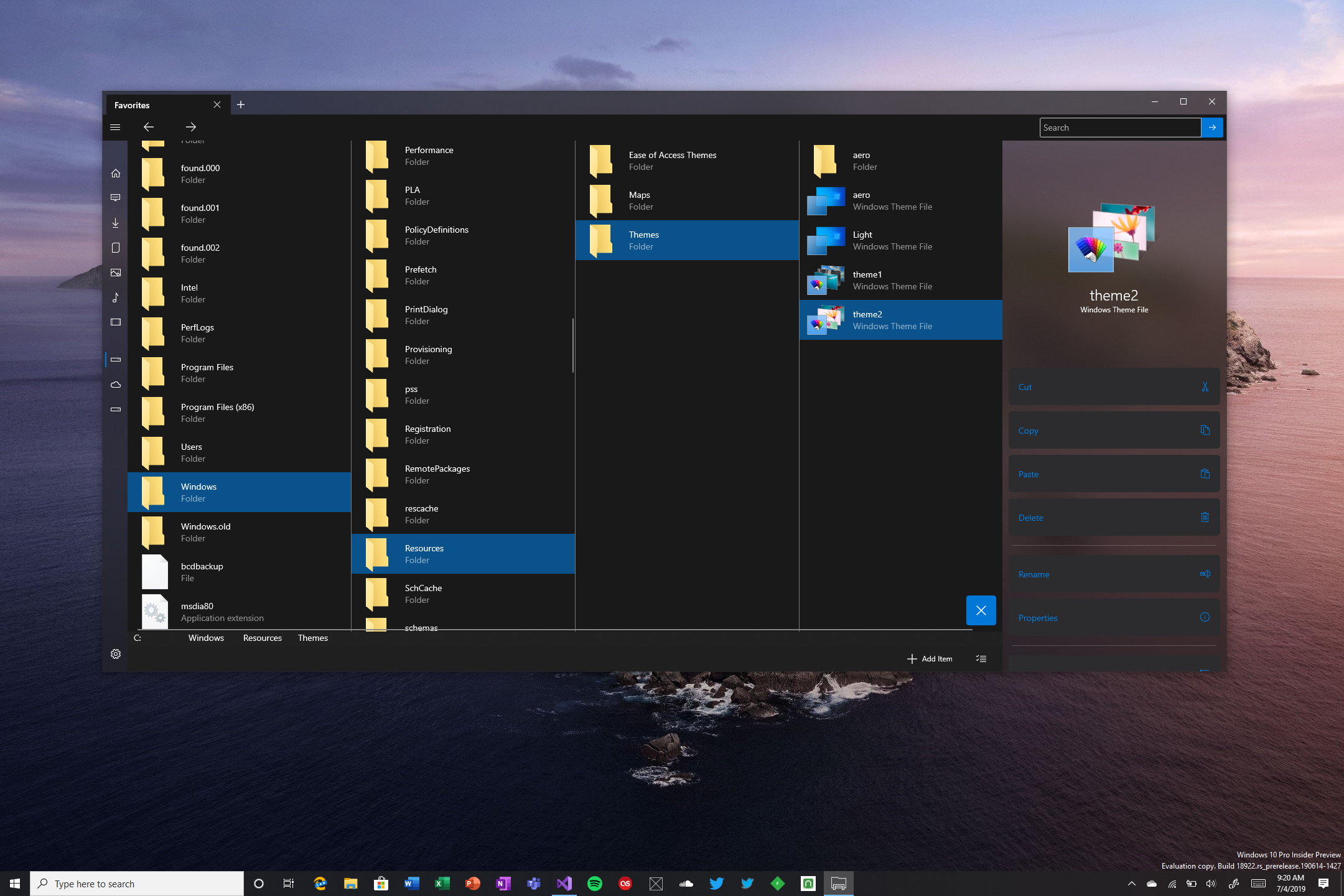
I wanted to see what people thought of this. I put the context menu commands in the preview pane (I was playing around with styles, i wont leave it iOS-like lol)
TyJOrtiz
on 4 Jul 2019
TyJOrtiz
on 5 Jul 2019
@imthewiseguy Are these changes open sourced yet? I'd like to help you work on them.
duke7553
on 16 Jul 2019
i'm desperate for this feature.....
 mukundshah
on 25 Jul 2019
mukundshah
on 25 Jul 2019
I’m sorry everyone, i haven’t had much progress on this because I’ve been dealing with a death in the family among other things. I’ll try to make headway on this project soon
TyJOrtiz
on 27 Jul 2019
@imthewiseguy I'm really sorry to hear that. There's no rush at all for this. Take as long as you need.
duke7553
on 28 Jul 2019
HI,
I need to get the latest version of the project. and then change some code and then integrate it. I'm going to be working on that today
TyJOrtiz
on 8 Nov 2019
here's the source code for the column view if anyone wants to do any change to it
TyJOrtiz
on 17 Nov 2019
The work we've done should streamline some of the process of adding new layouts. Expect to hear more about this after Launch. 😉
duke7553
on 4 May 2020
That sounds cool! I've been working on this feature in the meantime just on a separate app so i don't break anything
TyJOrtiz
on 5 May 2020
My vision is to allow contributors to work on/maintain their layouts without having to worry about breakage. We're in the process of abstracting away some of the tedious details of layout modes. I'm still using the work you submitted above to test against 😃
duke7553
on 5 May 2020
Yes, great work. I also wanted to add this feature right after I found thi great tool here 😀. Glad that still some other people are thinking about it :)
 Chris2011
on 25 Nov 2020
Chris2011
on 25 Nov 2020
https://docs.microsoft.com/en-us/windows/communitytoolkit/controls/bladeview
With some added shadows would be great. There will also need to be some horizontal scrolling
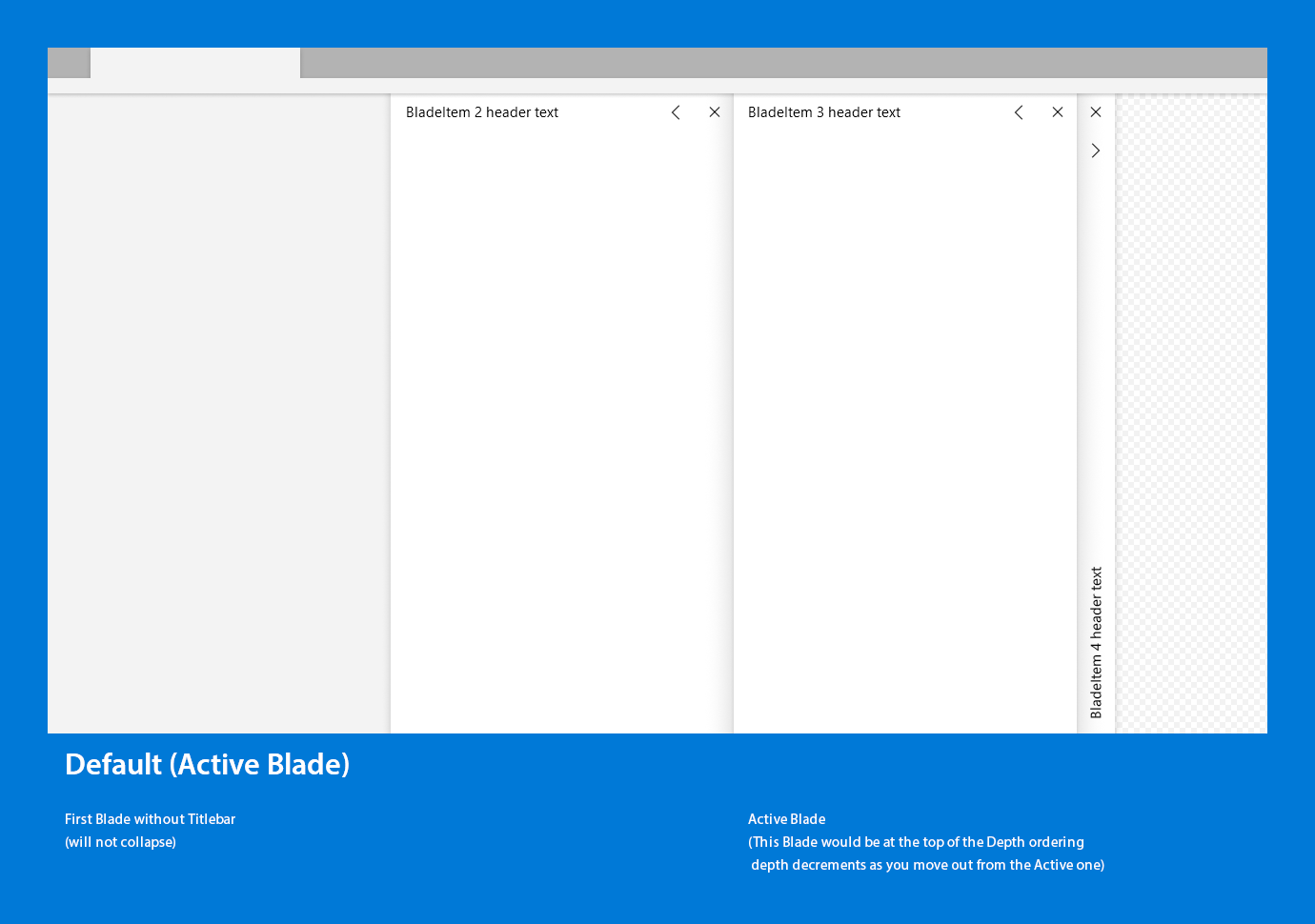
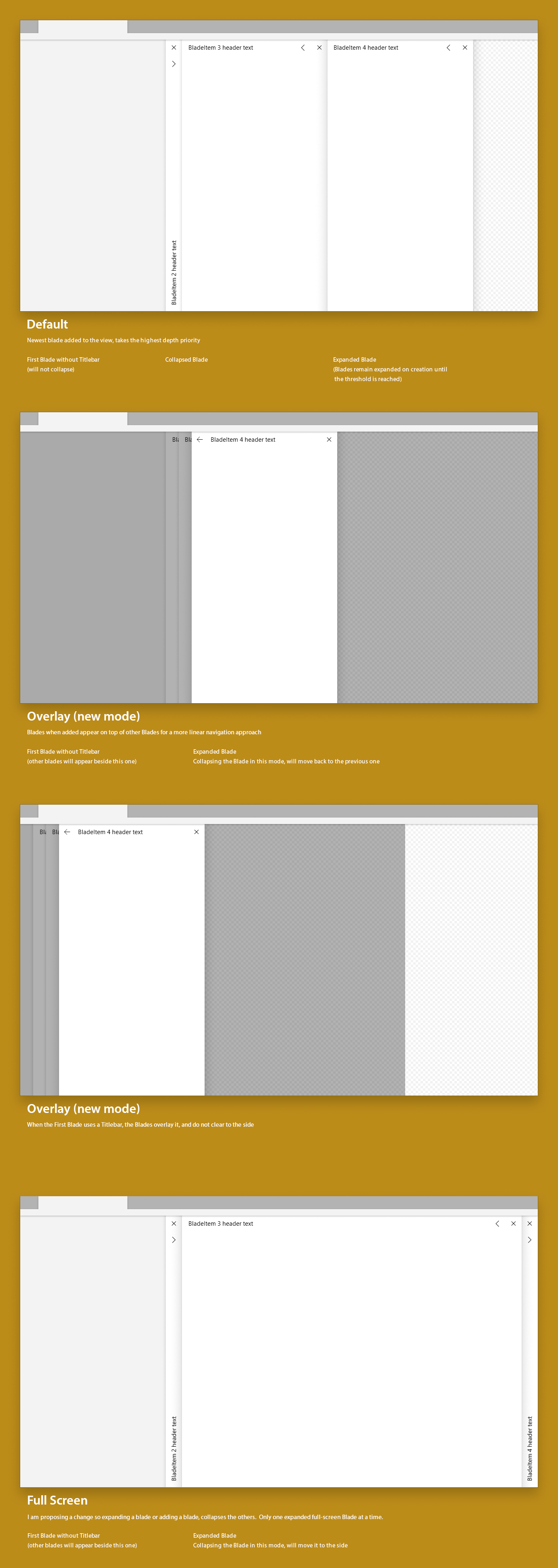
_These were mockups I did when a version 2 of the BladeView control was being discussed_
https://github.com/windows-toolkit/WindowsCommunityToolkit/issues/2243
 mdtauk
on 25 Nov 2020
mdtauk
on 25 Nov 2020
Definitely, I don't like autoshrinking. I think the Mac OS finder has a setting for fixed width and if you have more columns than space on the screen, it get's a scrollbar.
Chris2011
on 25 Nov 2020
I'll be back on working on it then
TyJOrtiz
on 27 Nov 2020
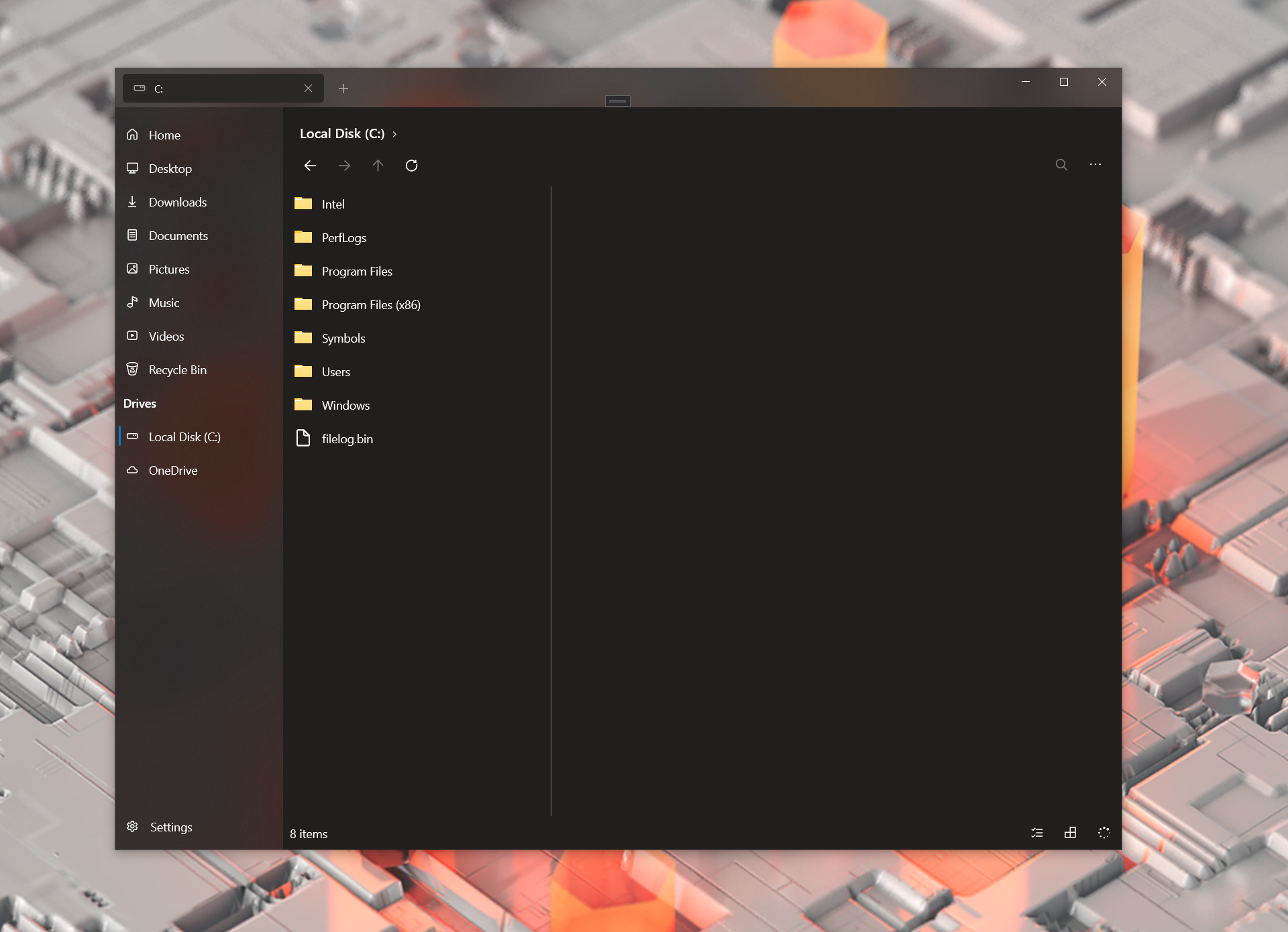
I'm getting the ColumnView working, I just need to know how can I create a dynamic list of items in a selected folder to open another column?
TyJOrtiz
on 1 Dec 2020
@TyJOrtiz You should be able to get the path of the selected item with listedItem.ItemPath.
yaichenbaum
on 1 Dec 2020
I see that but I need to know how to create an ObservableCollectionlistedItem.ItemPath
TyJOrtiz
on 1 Dec 2020
@TyJOrtiz ItemViewModel has both EnumerateItemsFromStandardFolderAsync and EnumerateItemsFromSpecialFolderAsync.
fyi @duke7553
yaichenbaum
on 1 Dec 2020
I got the column view working (sorta, none of the menu options except Layout Mode work)
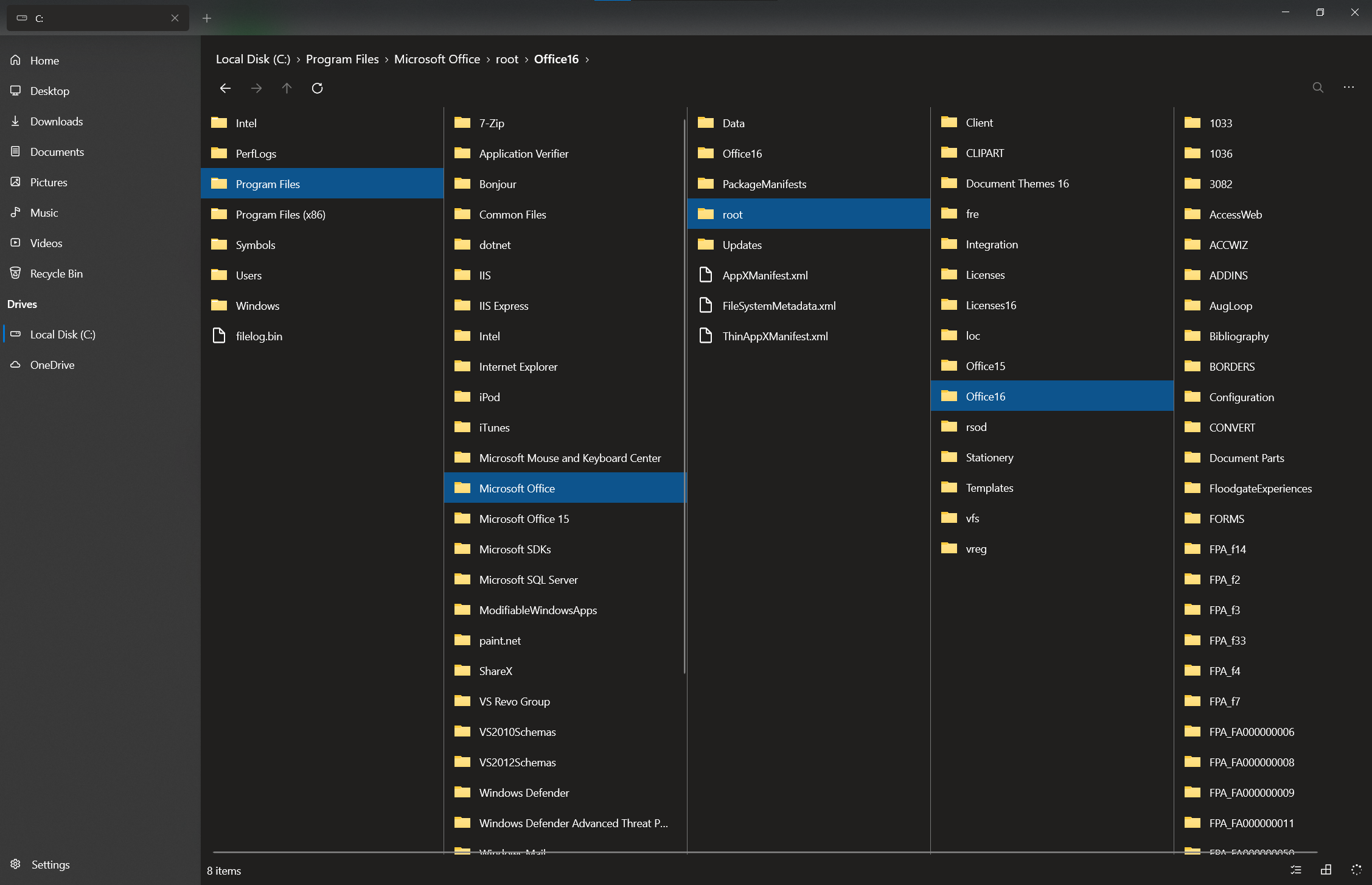
I'll create a pull request
TyJOrtiz
on 1 Dec 2020
You may want to consider the selected item styling for the inactive columns. I believe only the active Colin should use the filled in accent colour style, whilst the inactive columns could use an accent coloured border instead, or filled in a grey colour.
It will help those with accessibility issues, and those using keyboarding to navigate, to tell where the active view is.
Also this should function properly when the app's FlowDirection is set to RightToLeft
mdtauk
on 1 Dec 2020
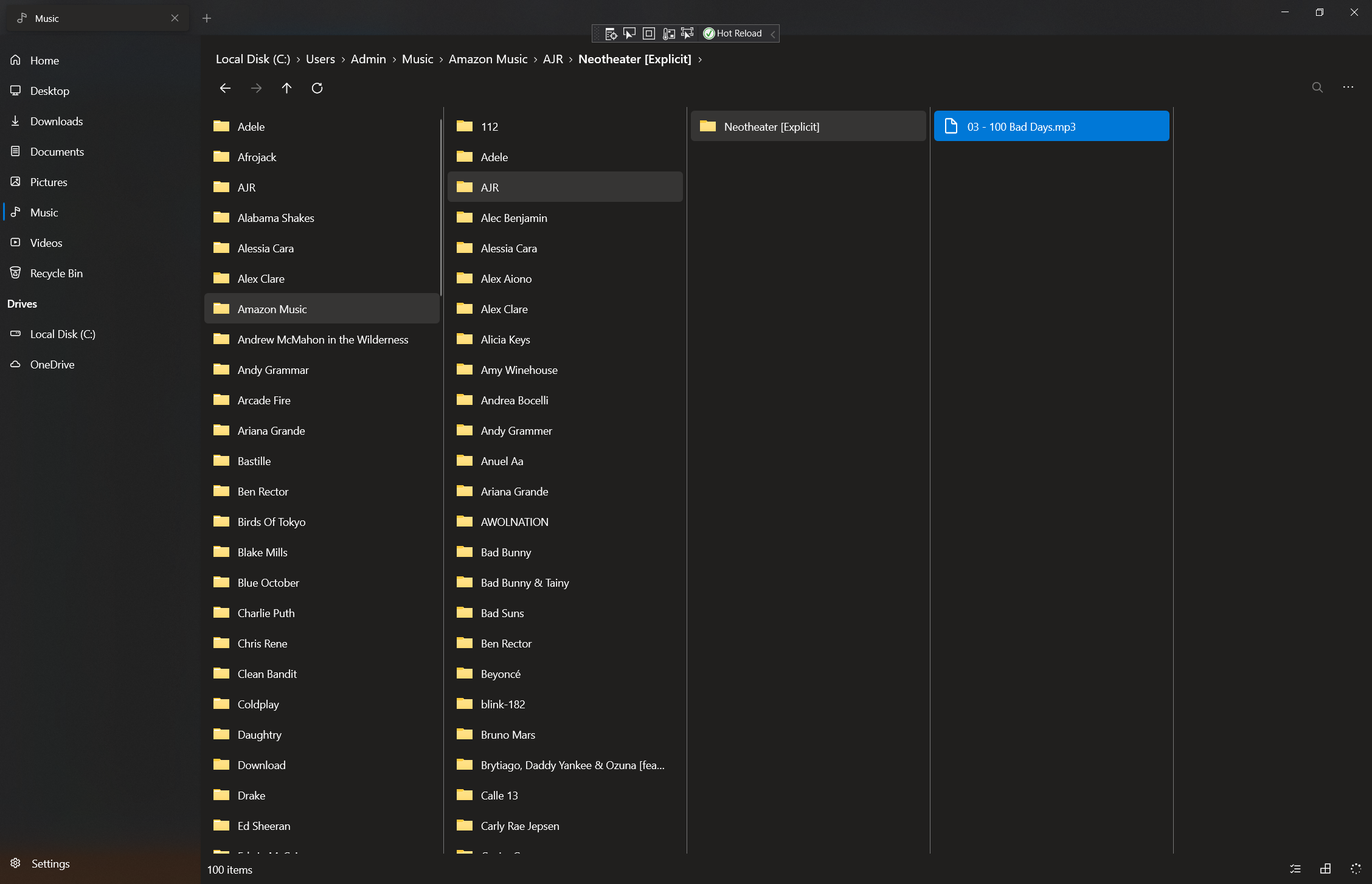
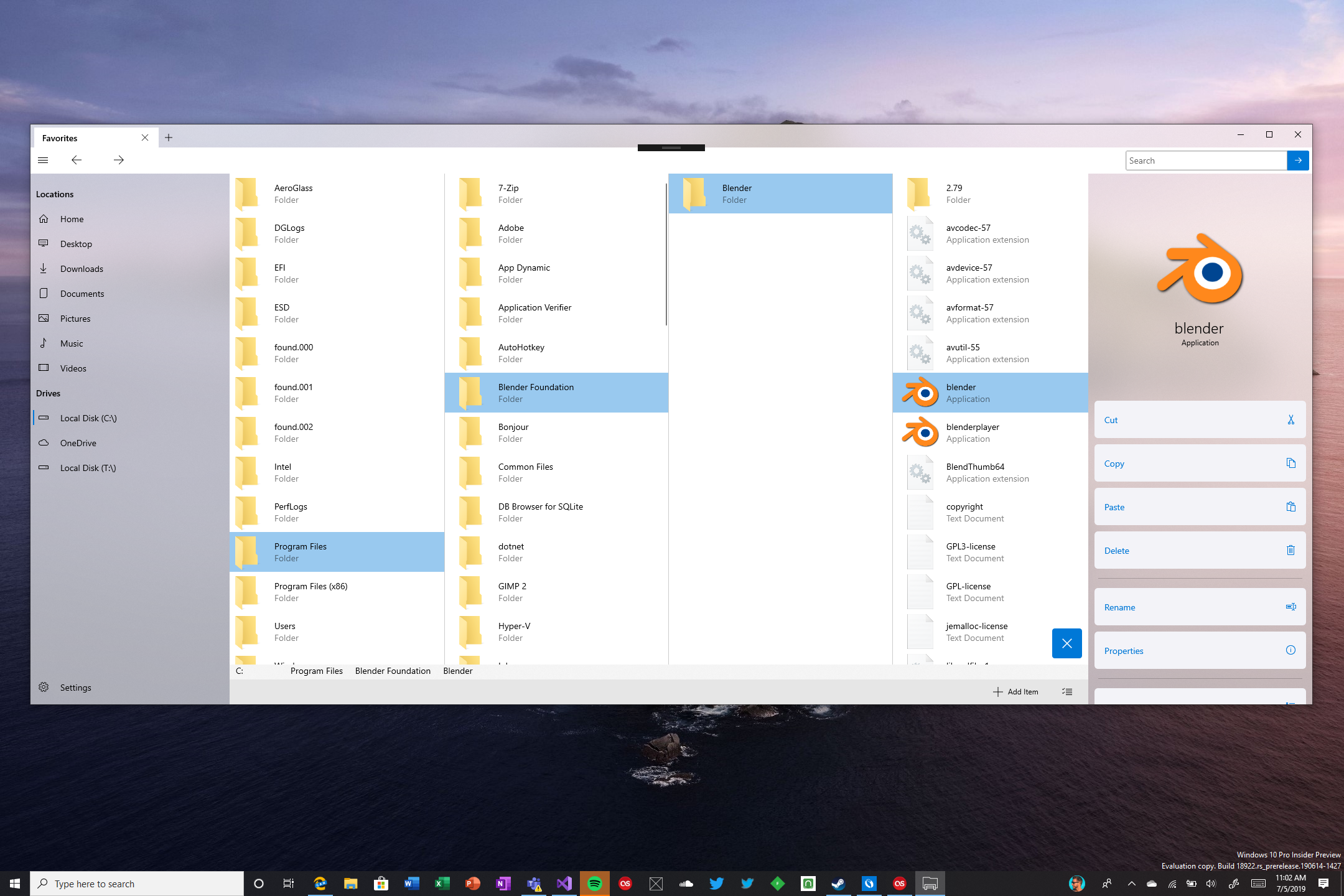
like this?
TyJOrtiz
on 1 Dec 2020
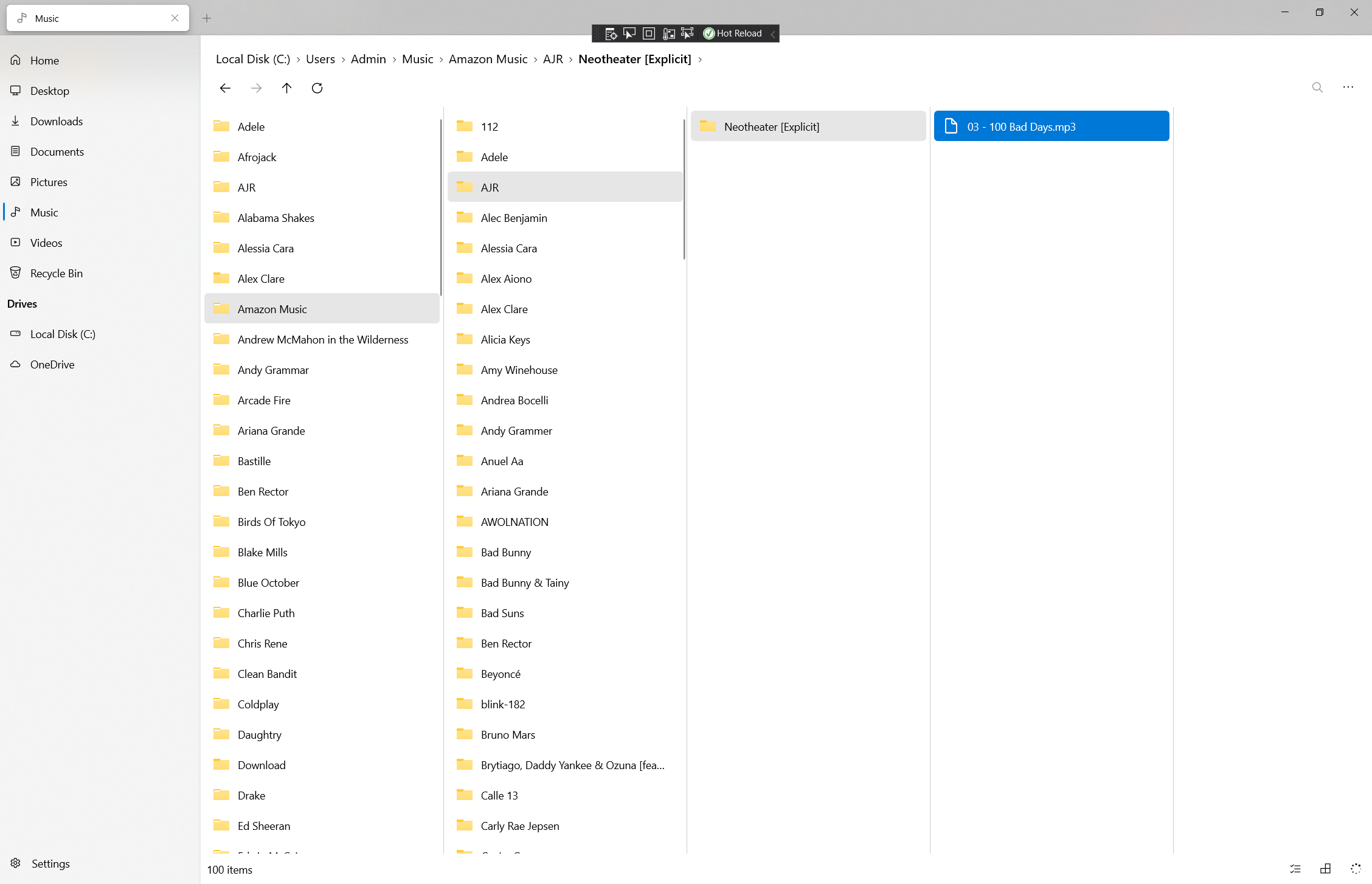
Light mode
TyJOrtiz
on 1 Dec 2020
That fits the bill yes!
mdtauk
on 1 Dec 2020
@TyJOrtiz Currently, we only have support for populating the read only observable collection FilesAndFolders which can be accessed from an instance of ItemViewModel. To populate the observable collection, the layout modes internally call RefreshItems().
If your layout mode has any specific needs from ItemViewModel, we can help you with that 🙂
duke7553
on 1 Dec 2020
That would be great if there was a way to get an observable Collection like FilesAndFolders from a selected folder, the way I'm doing it now doesn't have support for OneDrive File availability or file icons.
TyJOrtiz
on 1 Dec 2020
Related issues
 tsvietOK
·
30Comments
tsvietOK
·
30Comments
 XPoppyX
·
18Comments
XPoppyX
·
18Comments
 ArttuLai
·
24Comments
ArttuLai
·
24Comments
 Jaiganeshkumaran
·
24Comments
XPoppyX
·
36Comments
Jaiganeshkumaran
·
24Comments
XPoppyX
·
36Comments
Most helpful comment
Definitely not by default but having it as an extra option would be welcome.