Files: Remote thumbnail option not discoverable
Despite being a long-time elementary user, I only recently figured out that the Files app indeed does have the ability to show previews/thumbnails of remote drives.
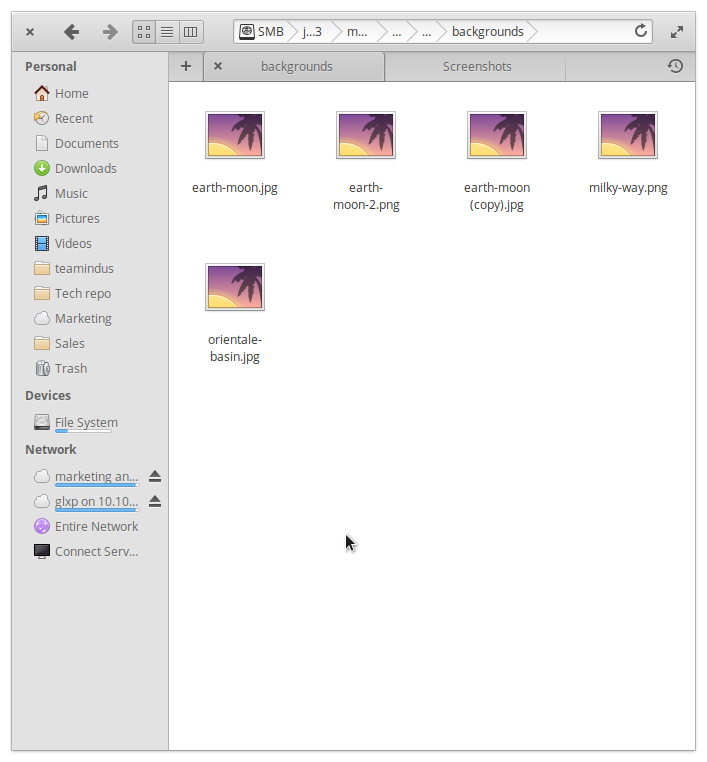
It didn't occur to me too look for the setting in the right-click context menu, because I was under the impression that the menu is for actions.
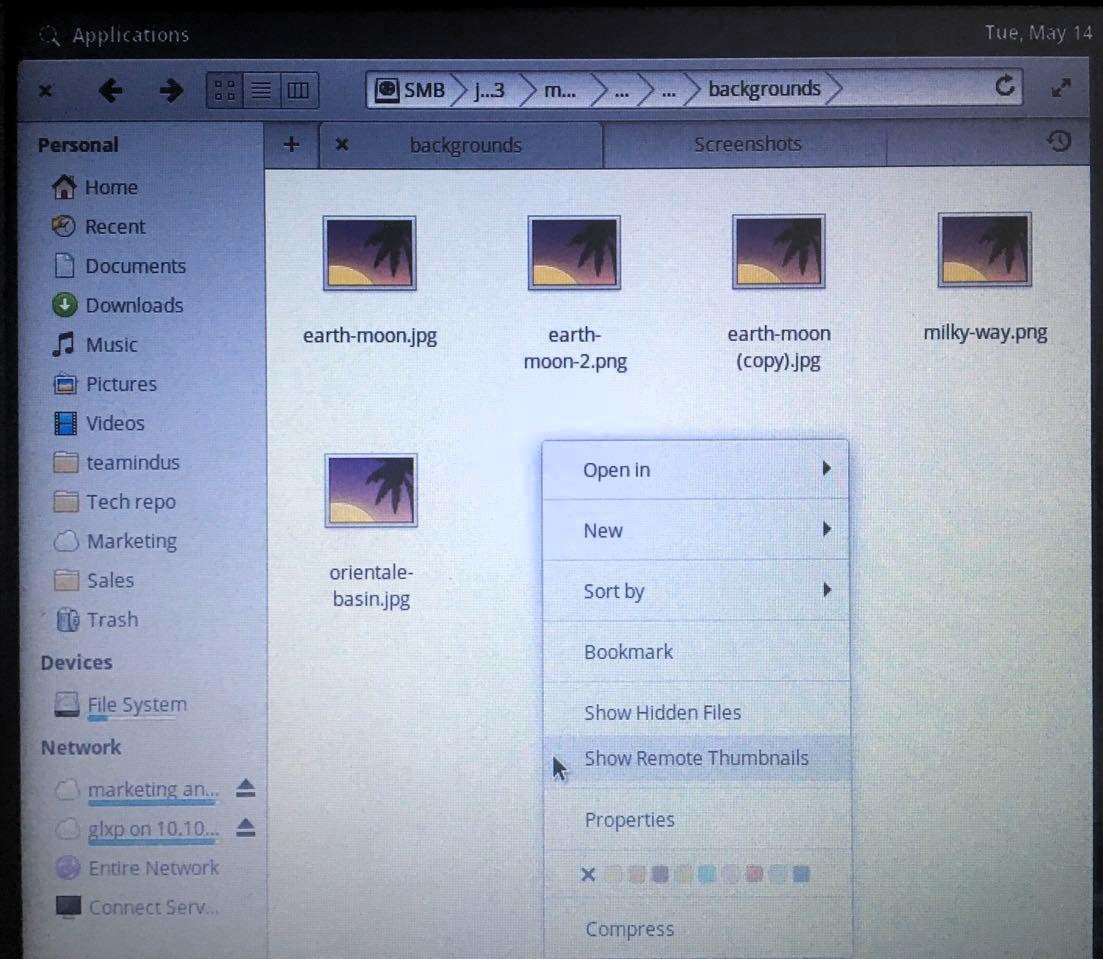
I feel the option should be more discoverable.
Want to back this issue? Post a bounty on it! We accept bounties via Bountysource.
 uncertainjatan
All 16 comments
Because a settings menu in Files is considered contrary to elementary's design principles, there are limited possibilities for exposing this option in the ui. It seems to fit with the "Show hidden files" option though.
It is also context sensitive in that the option changes depending on whether you are in a local or remote folder (ie you can also hide local thumbnails) so its presence in a context menu is not unreasonable.
There has been a suggestion to reorganise the context menu to make things clearer #629 which could help.
 jeremypw
on 14 May 2019
jeremypw
on 14 May 2019
@jeremypw is there a strong reason to not enable that setting by default?
 cassidyjames
on 14 May 2019
cassidyjames
on 14 May 2019
@cassidyjames It could mean transferring a lot of data over what might be a slow or expensive link if the thumbnails are not cached. At least one other filemanager does not even offer the option.
jeremypw
on 14 May 2019
Nautilus defaults to not showing remote thumbnails but they can be turned on using the settings menu.
jeremypw
on 14 May 2019
Is it a good idea to expose a "Show thumbnails" button on the File manager header bar?
uncertainjatan
on 15 May 2019
I do not think the ux team would accept adding any more widgets to the header bar without an exceptionally good reason.
jeremypw
on 15 May 2019
@cassidyjames I do not object to changing it to show remote thumbnails by default if you think that, these days, most remote connections are fast enough for this not to adversely affect the UI in most cases.
jeremypw
on 15 May 2019
@jeremypw I'd be interested in trying it out. Users expect thumbnailing on remote services like Dropbox and Google Drive on the web, which also spends a bit of bandwidth to preview the files. But it's worth it, especially in our case if users can still toggle it off. In the future on bandwidth-constrained networks (which network manager knows about), we could even turn it off but have an infobar telling the user why it's off and offering to turn it back on.
Edit: I'm reporting that second bit as a new issue. :smile:
cassidyjames
on 15 May 2019
If the location bar is brought below the header bar, It would give more breathing space to both the location bar as well as the action buttons that can be put in the header bar. What do you guys think?
uncertainjatan
on 21 May 2019
@uncertainquark I don't think there's much compelling reasoning to completely redesign Files for this one feature. Instead, we should be smarter about enabling it by default.
cassidyjames
on 21 May 2019
I've added this issue to the AppMenu project as showing remote thumbnails is a candidate for such a menu (it has global effect).
jeremypw
on 25 Aug 2019
Maybe we should enable thumbnails by default for external storage devices at least as they aren't to be fetched online or anything. It will make the experience of browsing pendrives and Android phones nicer.
uncertainjatan
on 21 Mar 2020
@uncertainquark Which protocols are the external devices using? USB memory and drives should already be regarded as local anyway as they are mounted at /media/username/device and therefore be thumbnailed.
MTP devices do not support thumbnailing (at least my old one does not).
jeremypw
on 21 Mar 2020
It's MTP. I'm using a Nokia 6.1 Plus on Android 10 and I don't see any other protocol option.
uncertainjatan
on 21 Mar 2020
However, I am able to show the thumbnails once I right-click and turn them on. So the support is certainly there.
uncertainjatan
on 21 Mar 2020
Update - on modern Android devices MTP and PTP connections do support thumbnailing. It seems the trouble I had was because I was using a very old device. The linked PR #1265 implements the necessary changes to show thumbnails by default and to treat locally connected MTP and PTP devices as being "local", not "remote".
jeremypw
on 21 Mar 2020
Related issues
 GammaGames
·
3Comments
GammaGames
·
3Comments
 sprite-1
·
8Comments
sprite-1
·
8Comments
 marbetschar
·
6Comments
marbetschar
·
6Comments
 mdalch
·
5Comments
mdalch
·
5Comments
 jnnkB
·
4Comments
jnnkB
·
4Comments
Most helpful comment
Update - on modern Android devices MTP and PTP connections do support thumbnailing. It seems the trouble I had was because I was using a very old device. The linked PR #1265 implements the necessary changes to show thumbnails by default and to treat locally connected MTP and PTP devices as being "local", not "remote".