Filament: Please support glTF PBR Next Phase 1 extension
Is your feature request related to a problem? Please describe.
A clear and concise description of what the problem is.
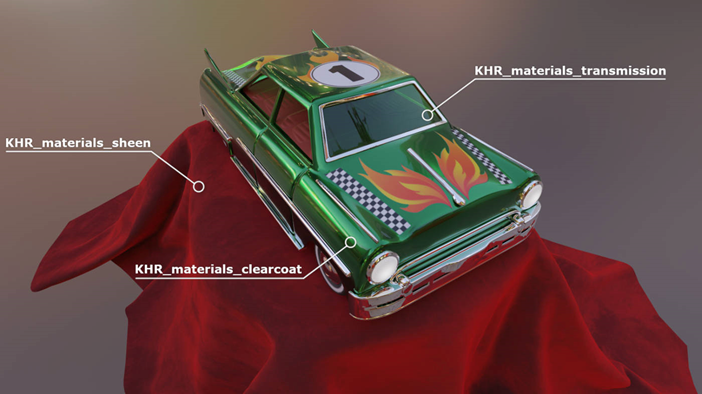
I tried out the new ToyCar model introduced in the press release of glTF PBR Next with Filament.
https://github.com/KhronosGroup/glTF-Sample-Models/tree/master/2.0/ToyCar
However, the sheen part seemed to be unsupported, yet.
Filament + new ToyCar.gltf result:

Describe the solution you'd like
As stated in the press release of glTF PBR Next Phase 1, the ToyCar model uses three extensions.
The three extensions used are KHR_materials_clearcoat, KHR_materials_transmission, and KHR_materials_sheen.
I think Filament already supports two extensions, so I would like to see support for the KHR_materials_sheen extension.
https://www.khronos.org/news/press/khronos-releases-wave-of-new-gltf-pbr-3d-material-capabilities
Describe alternatives you've considered
So far, I think only Babylon.js supports the three extensions. I would be happy if Filament could be supported as well.
OS and backend
WebGL
 cx20
cx20
All 16 comments
Sheen is not supported yet but planned (we were part of the Khronos discussions on sheen btw, and Filament's "cloth" material model is effectively the sheen model of glTF, we just need to wire things up the right way). We're also adding _ior and _specular.
 romainguy
on 4 Dec 2020
romainguy
on 4 Dec 2020
Note: we already added support for those extensions to cgltf :)
romainguy
on 4 Dec 2020
@romainguy Thank you for supporting this extension. I have confirmed that this feature is now available in the latest build.

BTW, one thing that bothered me was that the result of SheenCloth seems to be different from the sample. In the sample, the color is purple, but the result of Filament is blue. Is there something I'm missing?
|Library|result (small)| result (large)|
|:----:|:----:|:----:|
|Sample screenshot|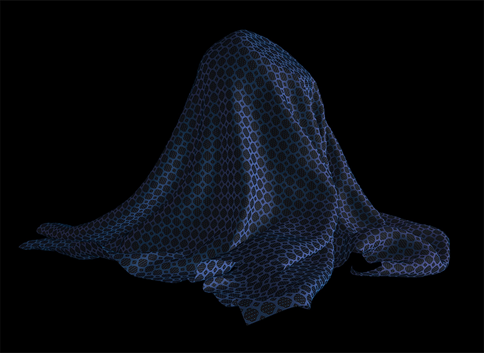 ||
||
|Babylon.js|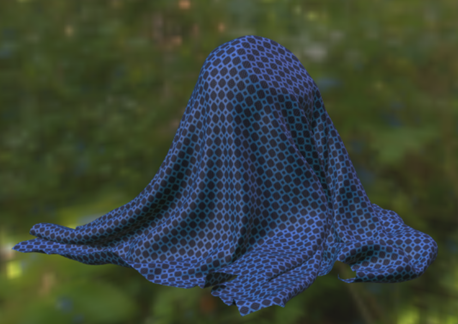 |
| |
|
|Filament| |
| |
|
cx20
on 13 Dec 2020
I've noticed differences in how Babylon handles IBLs. I've been chatting with one of the authors already and we couldn't figure out why.
romainguy
on 13 Dec 2020
Note that filament assumes the color texture is sRGB as per the spec. Maybe there's a difference here in Babylon?
romainguy
on 13 Dec 2020
@cx20 Another thing to check btw is the tone mapping. I believe Babylon.js doesn't tone map by default?
romainguy
on 13 Dec 2020
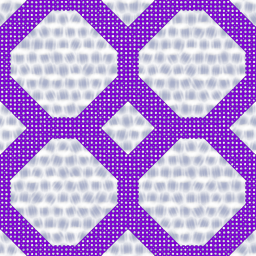
At least Filament seems to match the source texture more closely:
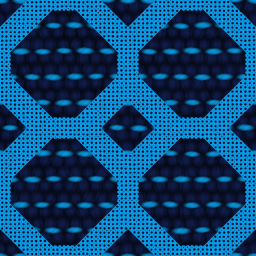
The sheen color is purple, as seen in both renderers:
romainguy
on 13 Dec 2020
Hmm there may be an issue with how the sheen roughness is applied from glTF file in Filament. Looking deeper…
romainguy
on 13 Dec 2020
@PatrickRyanMS @bghgary Do you have any advice for us?
cx20
on 13 Dec 2020
It's a bug in our handling of roughness. I'm sampling the wrong channel.
romainguy
on 13 Dec 2020
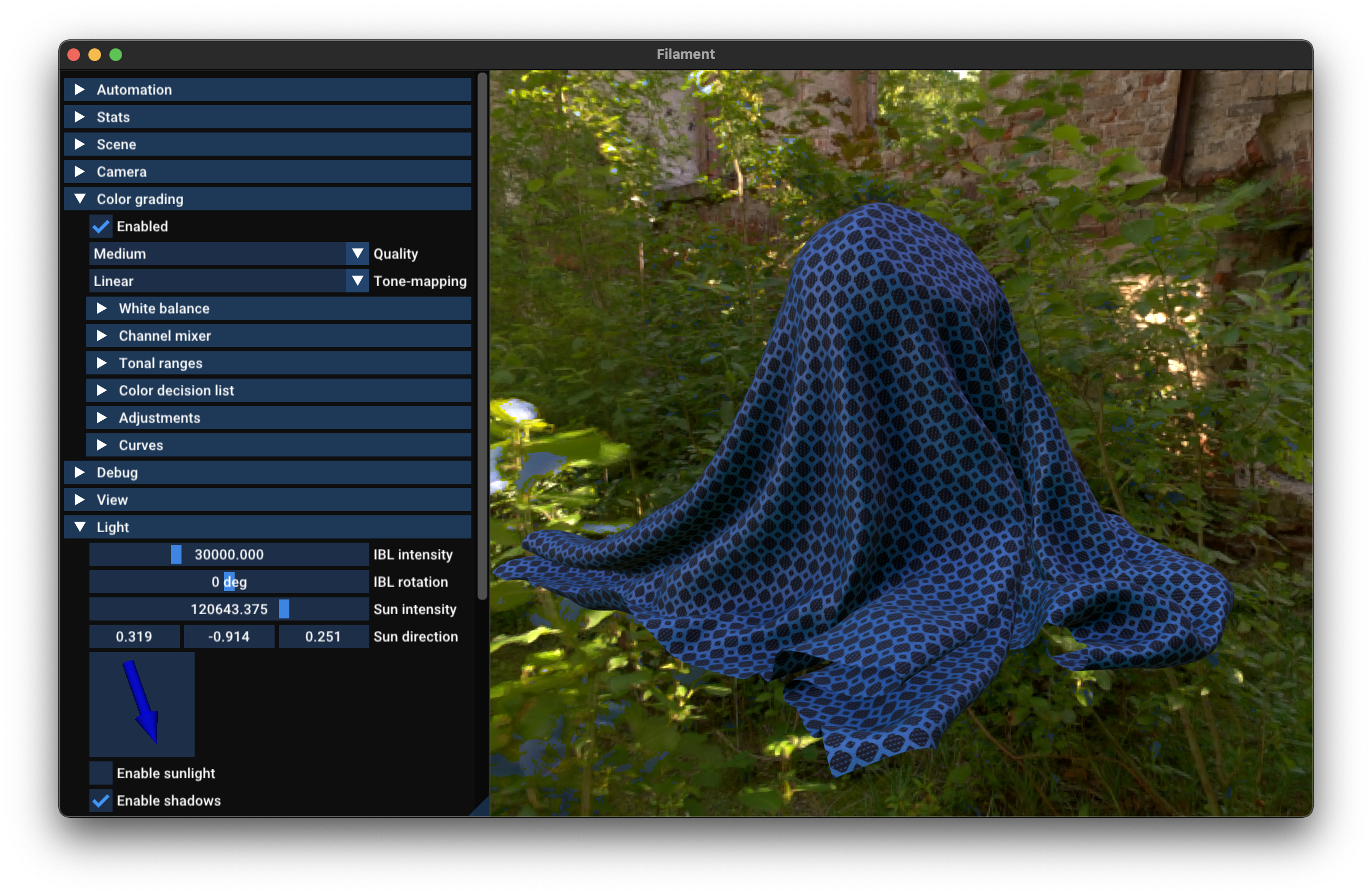
With the roughness fix (and linear tone mapping to be closer to Babylon):
romainguy
on 13 Dec 2020
Hmm, I tried again with the latest build of Filament. However, not much seems to have changed.
Is it the difference between the native version and the WebGL version? Or is it a difference in settings?
|Library|result (small)| result (large)|
|:----:|:----:|:----:|
|Filament (before)|||
|Filament (after)|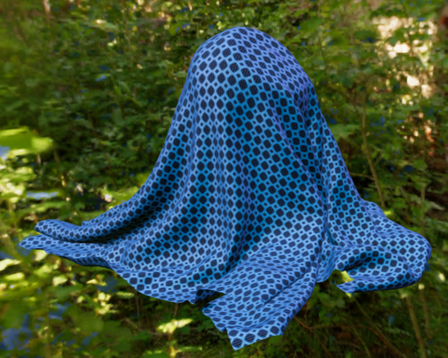 |
| |
|
I can't decide if this is right or not. It's difficult.
I think it would be nice to have a sample model that can properly validate the Sheen extension.
cx20
on 13 Dec 2020
You can see the difference in sheen roughness between before and after. To better compare with Babylon use the linear tone mapper.
romainguy
on 13 Dec 2020
To better compare with Babylon use the linear tone mapper.
Does tone-mapping refer to the following parameters?
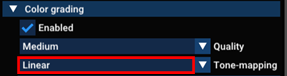
I'm trying Filament with WebGL.
Is it possible to set that parameter in Filament's JavaScript API? I tried to look at the reference, but it was not clear.
cx20
on 13 Dec 2020
We need to update the web reference docs I think (@prideout). You can set the tone mapper via the ColorGrading API. See https://github.com/google/filament/blob/main/filament/include/filament/ColorGrading.h
A ColorGrading instance has to be set on the View object to take effect.
romainguy
on 13 Dec 2020
I have tried the ColorGrading API in JavaScript.
window.ToneMapping = Filament.ColorGrading$ToneMapping;

const colorGrading = Filament.ColorGrading.Builder()
    .toneMapping(ToneMapping.LINEAR)
    .build(engine);

this.view.setColorGrading(colorGrading);
The results are as follows. Initially, it was closer to light blue, so I think the modified result is a little closer to the Babylon.js result.
|Library|result (small)| result (large)|
|:----:|:----:|:----:|
|Fialment + ToneMapping default|||
|Filament + ToneMapping.LINEAR|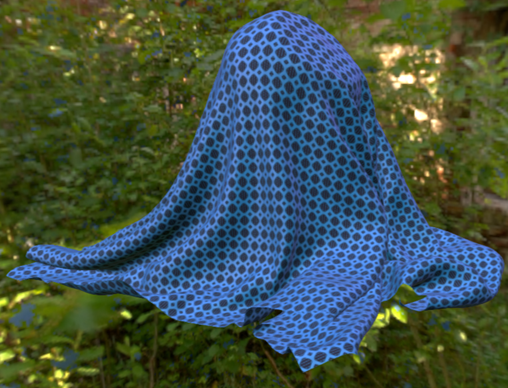 |
| |
|
|Babylon.js|||
cx20
on 14 Dec 2020
Related issues
 hemantkadamata
·
3Comments
cx20
·
8Comments
hemantkadamata
·
3Comments
cx20
·
8Comments
 yongtang
·
5Comments
yongtang
·
5Comments
 j6lim
·
5Comments
j6lim
·
5Comments
 jiqimaogou
·
6Comments
jiqimaogou
·
6Comments
Most helpful comment
With the roughness fix (and linear tone mapping to be closer to Babylon):