Filament: Animations appear to not be sampled correctly
I have an animation where cubes are supposed to appear (scaled from 0 to 1), but Filament does not animate to the correct target value, leaving the cubes in an intermediary state. Other engines animate this correctly.
The following is a screenshot of how the cubes look like after they have been animated in by Filament. Notice that for the top six cubes I have removed the rotation and location keyframes, so only their scale is off.
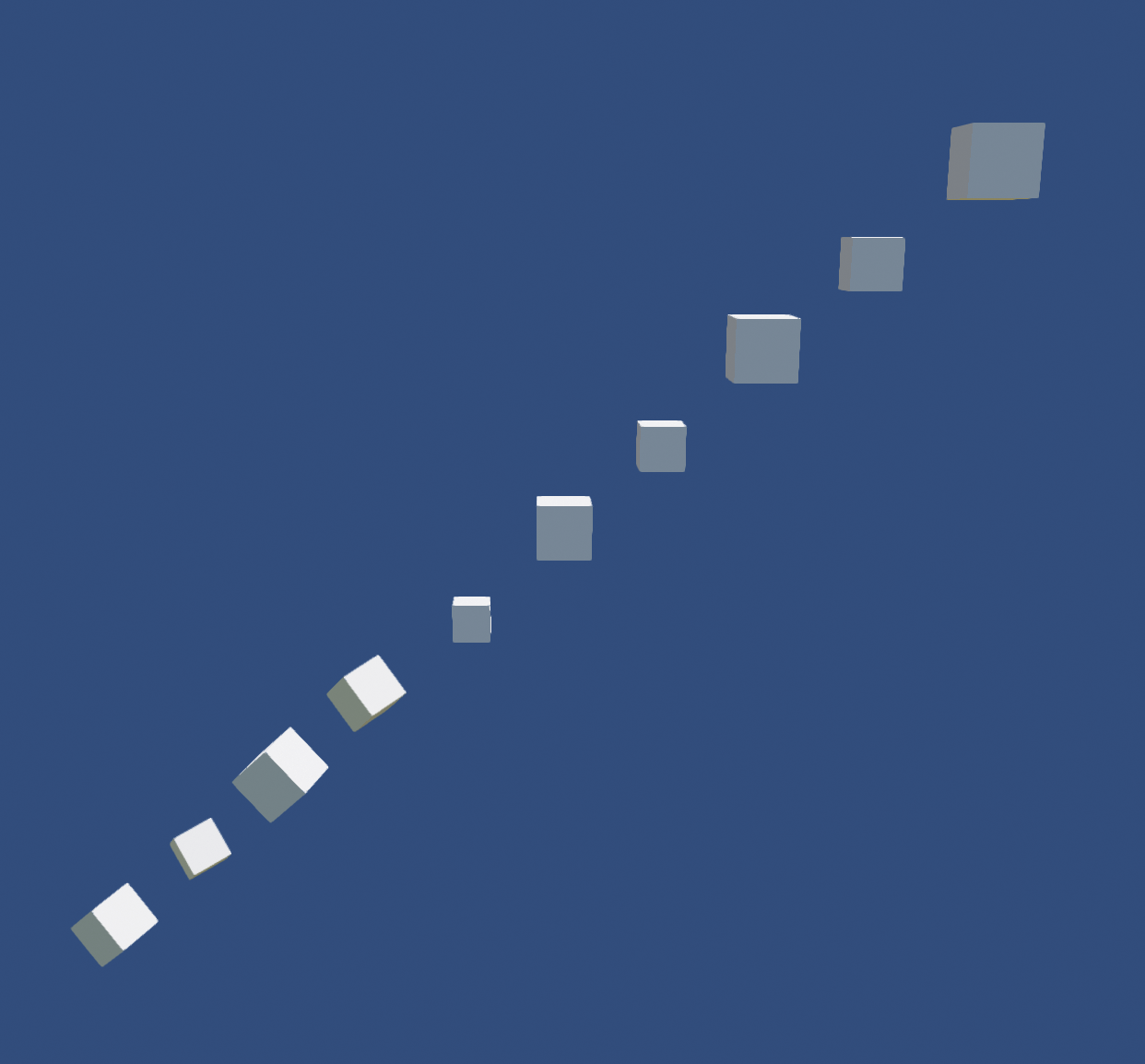
The cubes should look like the following, rendered in Bablylon.js.

To Reproduce
Unfortunately, I could not create a new, minimal reproducing example. But I've managed to simplify the original offending file.
- Open animation-test.zip in Blender.
- Export as glTF (which results in animation-test-gltf.zip):
- as
glTF Embedded (.gltf), - disable
Animation/Animation/Group by NLA Track
- as
- Open in VSCode and preview with the glTF Tools plugin.
- With the default engine, activate animations. The cubes are placed correctly.
- Choose the Filament rendering engine and activate animations. The cubes are not placed correctly.
Expected behavior
Animations should hit the target value.
Devices
Debugged on a Windows 10 machine, where the VSCode plugin offers a preview with Filament 1.8.1.
The same behavior also happens on Android devices in AR; the cubes there are also misplaced, which prompted the investigation.
 Y0hy0h
All 5 comments
I can reproduce the bug in the latest gltf_viewer. Thanks!
 romainguy
on 25 Sep 2020
romainguy
on 25 Sep 2020
Thanks for this excellent bug report, I see what's going on, fix is on the way.
 prideout
on 25 Sep 2020
prideout
on 25 Sep 2020
Great to hear that you found the issue! I just couldn't figure it out.
Once it's fixed, if you have the time, I'm curious to hear what the issue was, roughly. I want to understand what I missed. ;)
Y0hy0h
on 25 Sep 2020
The bug is in applyAnimation when lower_bound returns end(). When this occurs, it abandons the channel by doing a continue. The fix is to apply the last value rather than doing a continue.
prideout
on 25 Sep 2020
What an amazingly quick response! Thank you for your work!
Y0hy0h
on 26 Sep 2020
Related issues
 jiqimaogou
·
6Comments
jiqimaogou
·
6Comments
 roxlu
·
3Comments
roxlu
·
3Comments
 yongtang
·
5Comments
yongtang
·
5Comments
 cx20
·
5Comments
cx20
·
5Comments
 vivasvan1
·
8Comments
vivasvan1
·
8Comments
Most helpful comment
The bug is in
applyAnimationwhenlower_boundreturnsend(). When this occurs, it abandons the channel by doing acontinue. The fix is to apply the last value rather than doing acontinue.