Filament: How to mirror Camera around X-axis?
I want to mirror my scene around the X-axis so I tried to flip the X-axis by setting the X scale of my camera matrix to -1 but this results in a pure black scene. I'm trying to get the same behavior as in Blender. For example, consider this scene where I've set the X scaling to -1 of the default camera. When viewing through the _default viewport camera_ you see the normal scene (w/o the X-mirroring).

Then, when I look through the _camera with the -1 X scaling_, I get:

When I render my scene without the negative X scaling it renders fine.
Is there an obvious answer to why this doesn't work in Filament? I've got an idea what might cause this in my engine, but before I dive into that I was wondering if there is a simple explanation why this might be an issue with Filament.
 roxlu
roxlu
All 14 comments
This probably changes the winding of faces. Try disabling backface culling?
 romainguy
on 25 Aug 2020
romainguy
on 25 Aug 2020
Instead of mirroring inside the camera matrix, you can apply the mirror using TransformManager, in which case Filament will do the right thing. Filament auto-reverses triangle winding in this scenario (search for reversedWindingOrder in Scene.cpp)
 prideout
on 25 Aug 2020
prideout
on 25 Aug 2020
You could try to create a root transform, apply the scale on that, and parent everything else in the scene to that room transform.
romainguy
on 26 Aug 2020
Thanks for the suggestions! Going to dive into this.
roxlu
on 26 Aug 2020
I've looked into this and applying a scaling on the Z-axis does work now but the result looks strange; I can't really describe what's going on but maybe the material properties are wrong? Note that instead of mirroring the X axis as described above I'm mirroring on the Z axis.
A: Here is an image without mirroring on the Z axis and a video.
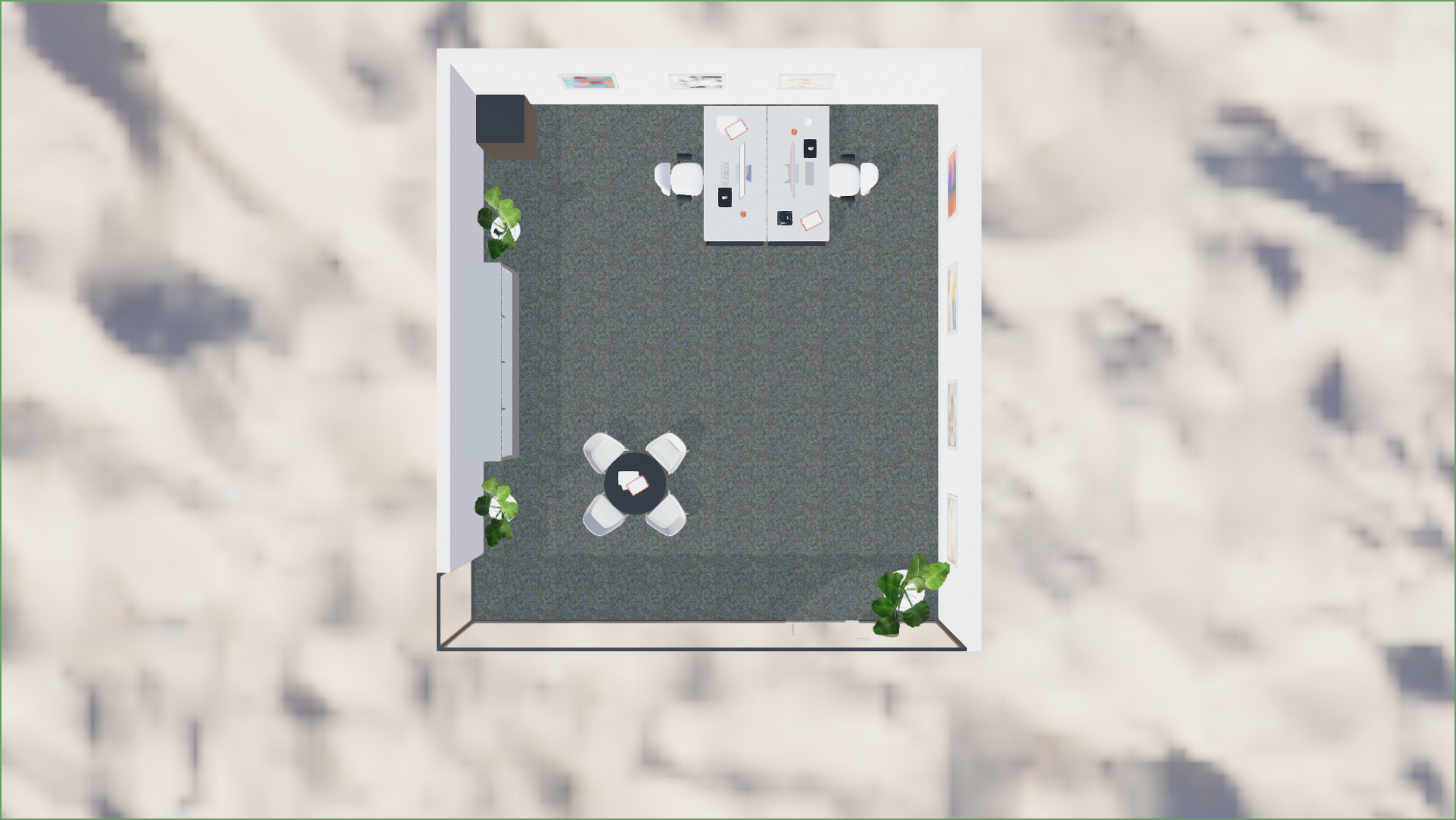
B: With mirroring on the Z axis and a video.
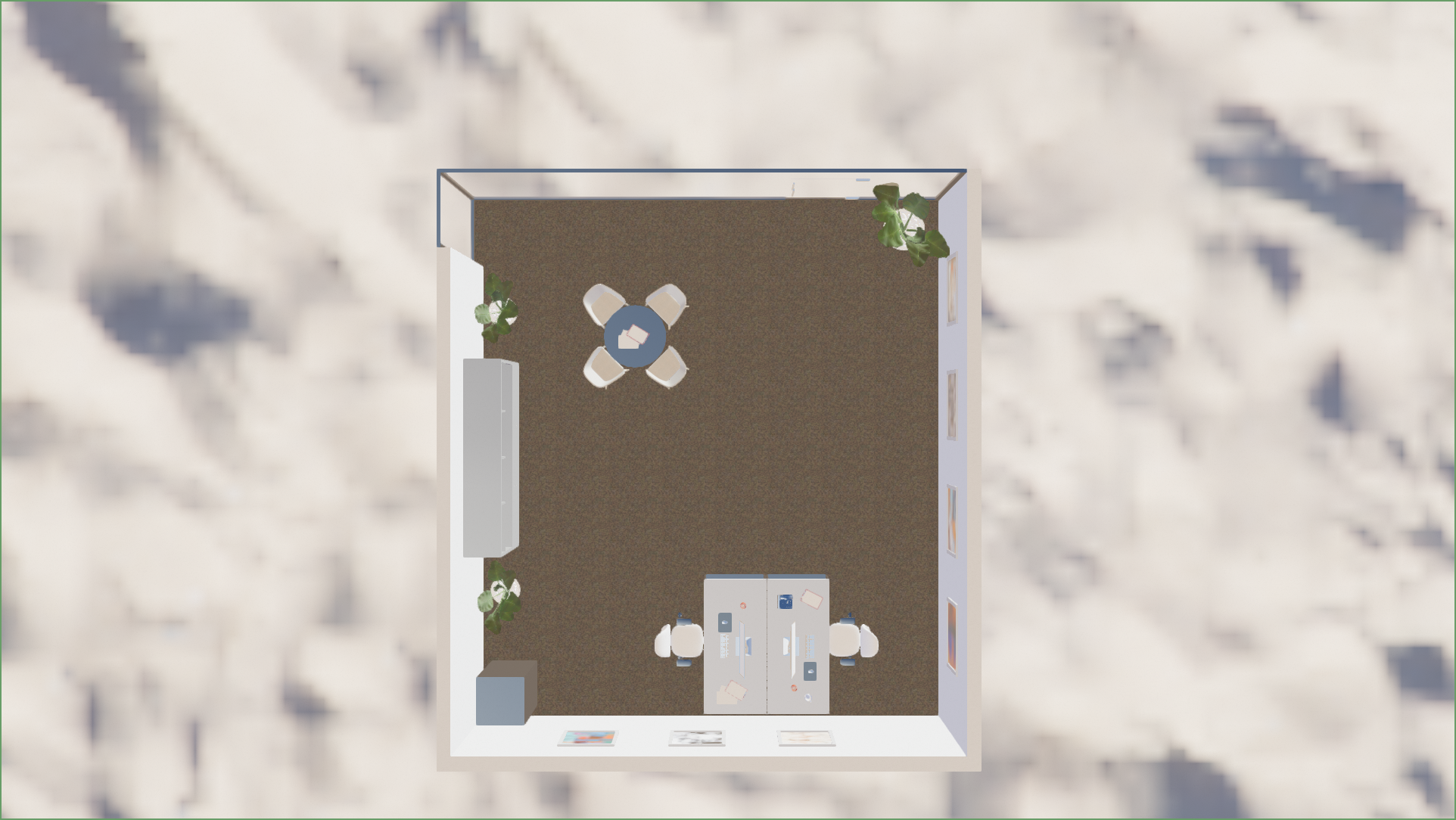
I did another test with a test environment map to see if I could see if something obviously was wrong.
C: No mirroring, and a video.
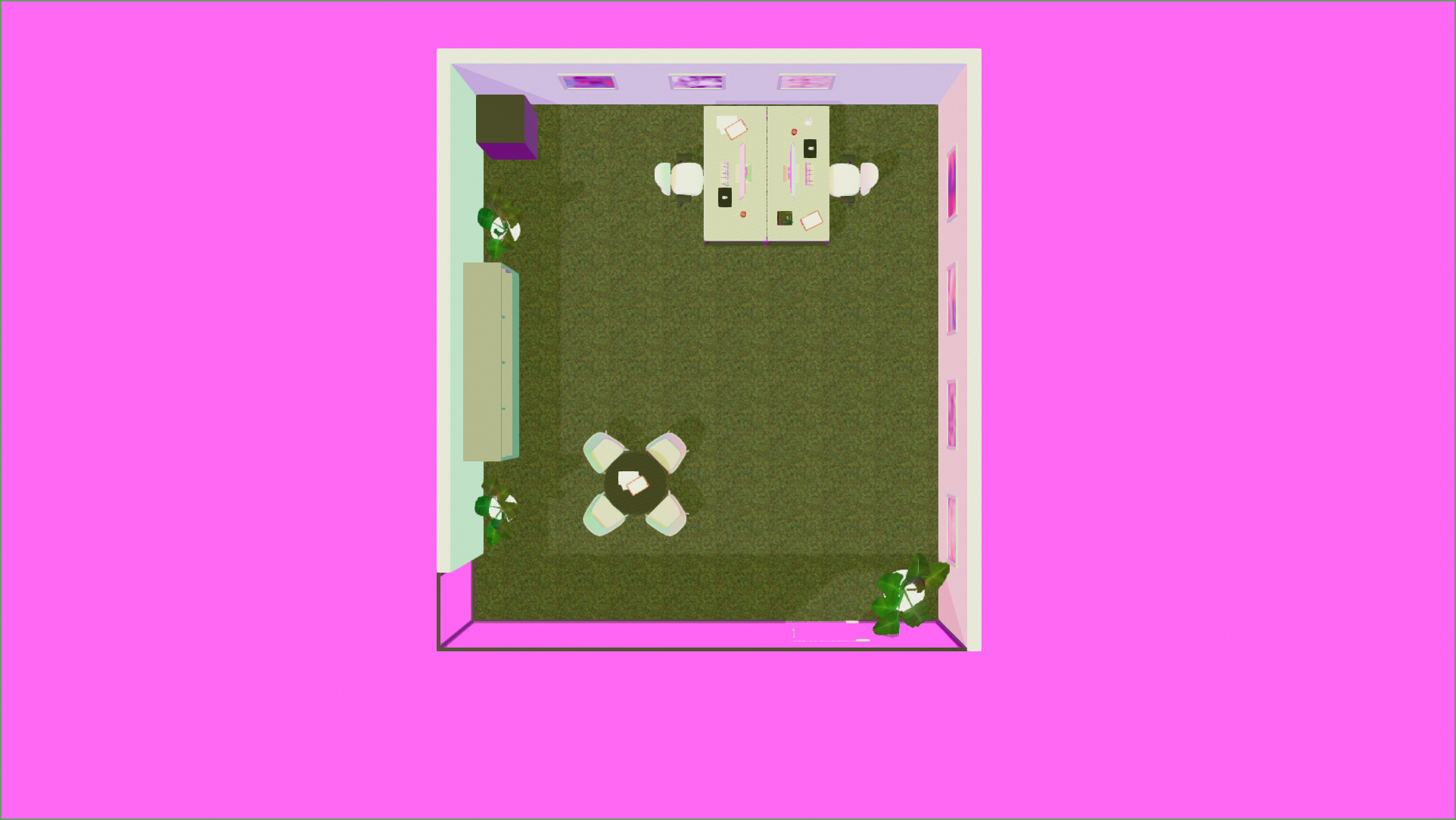
D: With mirroring, and a video.
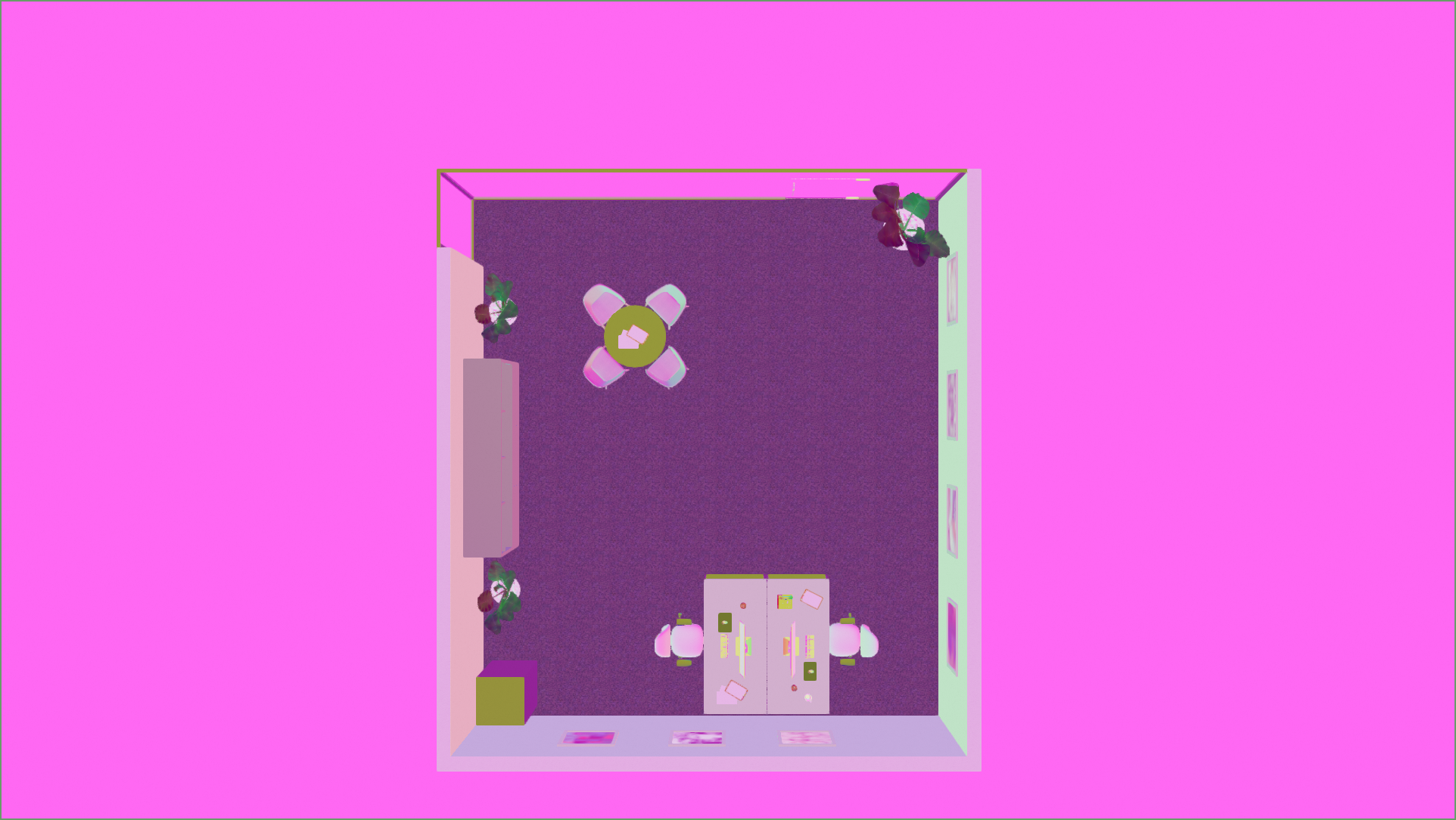
The test environment map:
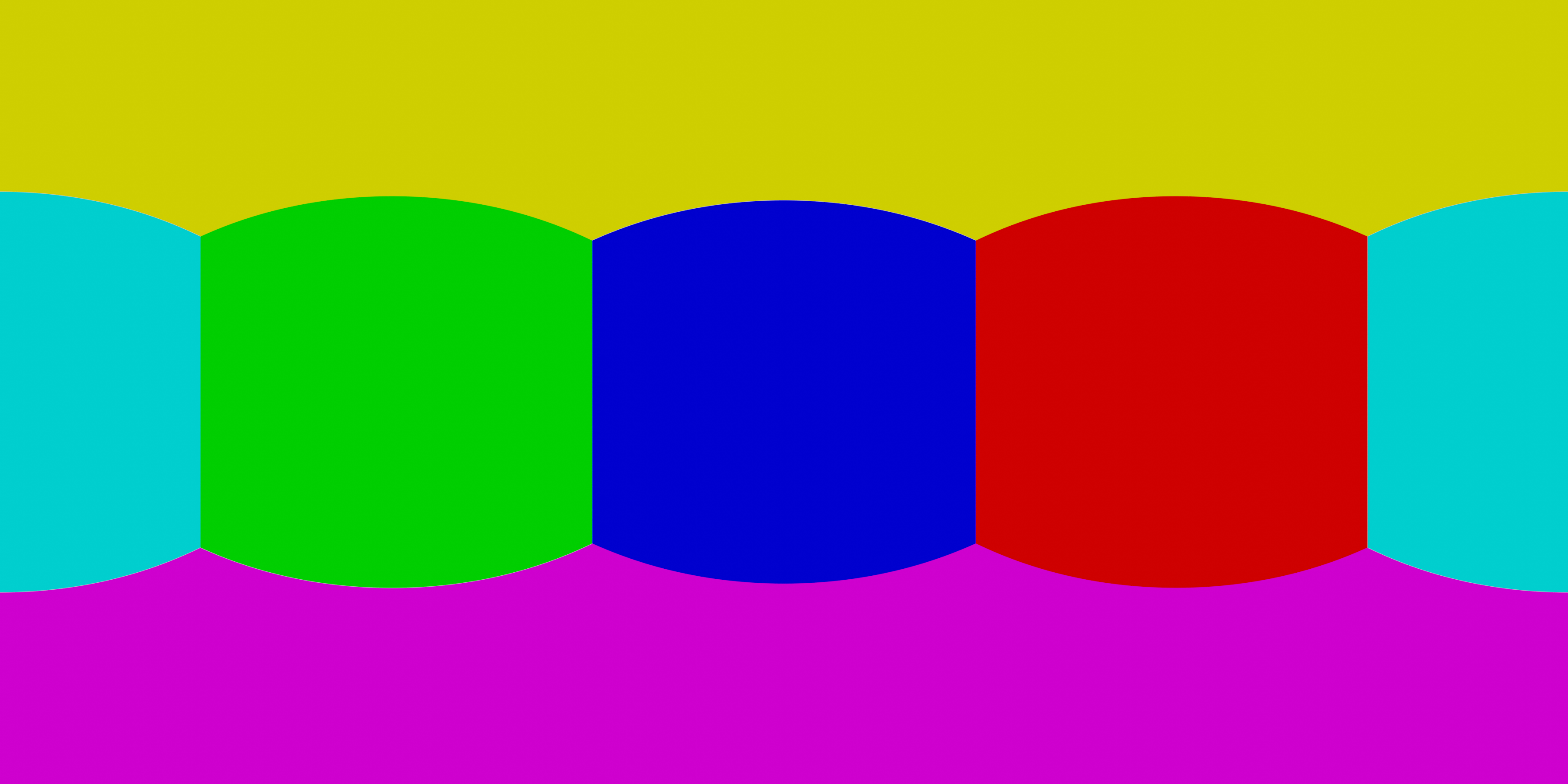
I'm not entirely sure why the colors change so much, it's not something I would have expected.
Any thoughts what might cause this?
roxlu
on 26 Aug 2020
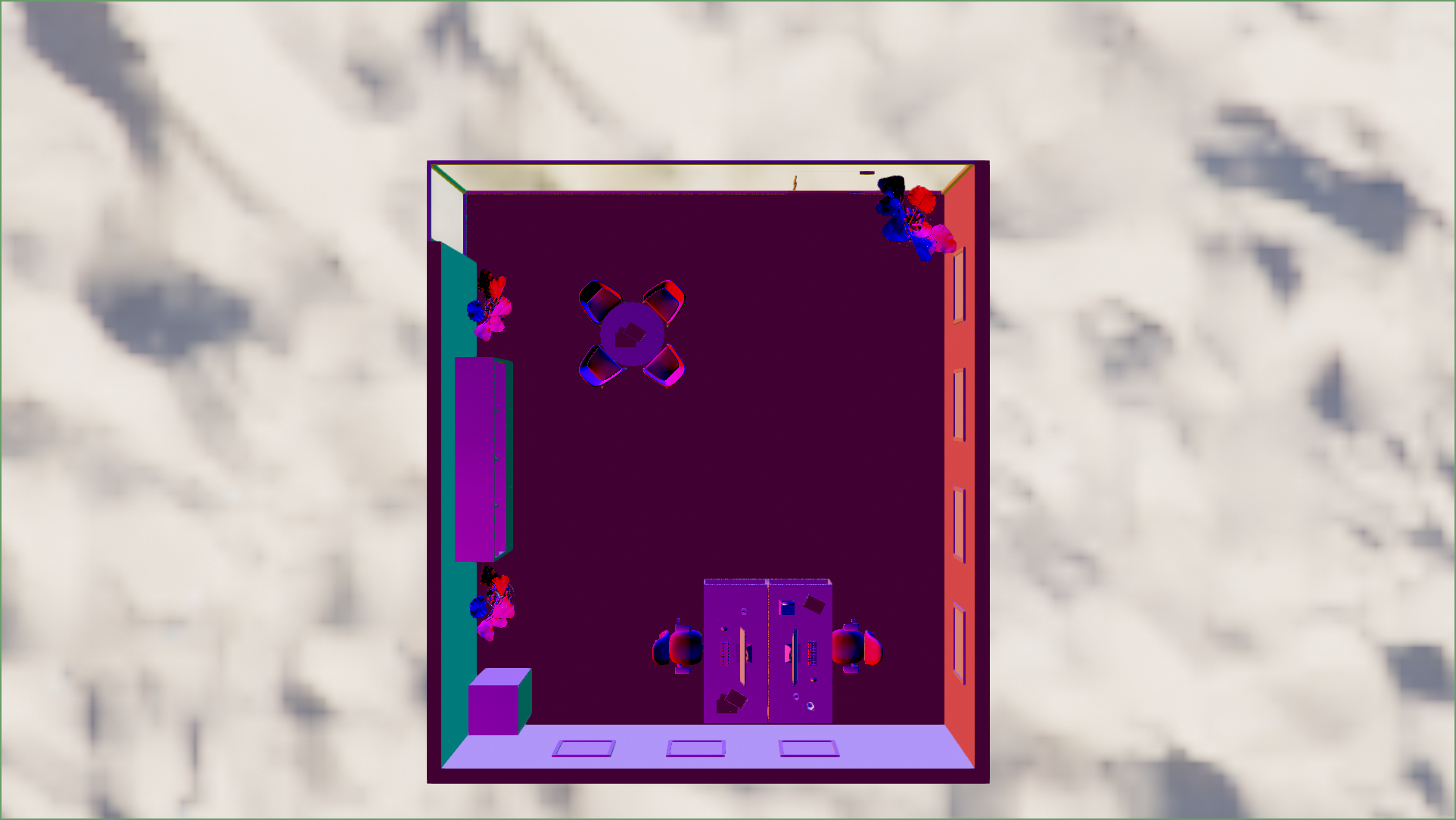
Looks like the normals are pointing the wrong way.
romainguy
on 26 Aug 2020
Thanks, the normals seem wrong indeed. Am I doing something wrong when applying the transformation mabye:
void FilaNode::testTransform() {

    // Get instance and create mirror matrix.
    filament::TransformManager& tm = ctx->getEngineRef().getTransformManager();
    filament::TransformManager::Instance ti = tm.getInstance(fila_entity);
    filament::math::mat4f scale;
    scale[2][2] = -1;

    /* Apply */
    const filament::math::mat4f curr_mat = tm.getTransform(ti);
    tm.setTransform(ti, scale * curr_mat);
  }
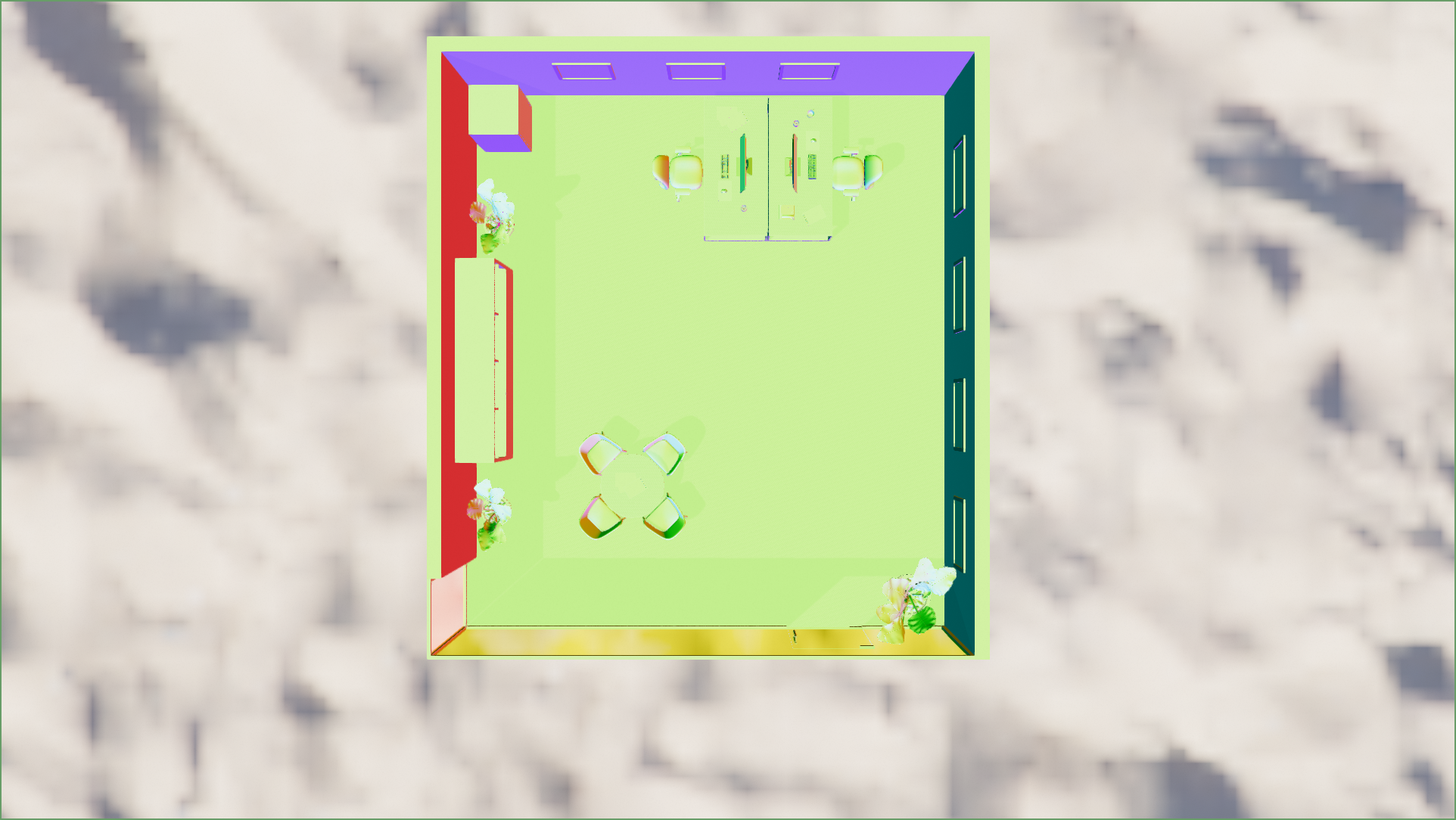
A. Rendering the shading_normal without mirroring:
B. Rendering the shading_normal with mirroring:
roxlu
on 26 Aug 2020
@pixelflinger @prideout
romainguy
on 26 Aug 2020
The glTF spec merely says this:
Implementation Note: If the determinant of the transform is a negative value,
the winding order of the mesh triangle faces should be reversed. This
supports negative scales for mirroring geometry.
However it seems reasonable that we should flip shading normals and do what Blender does. It might be interesting to check behavior in other renderers like Three, Babylon, Unity, and Unreal.
Note to self: our reverse winding feature was added in https://github.com/google/filament/pull/1654
I've also filed a bug against the glTF sample repo since this isn't a covered situation.
prideout
on 27 Aug 2020
Is there any progress on this?
The Android sample-gltf-viewer version 1.9.0 exhibits this problem when "transform" in "transformToUnitCube" is changed to a mirror transform:
val transform = scale(Float3(-scaleFactor, scaleFactor, scaleFactor)) * translation(-center)
The problem is most visible when looking down onto the model.
We want to use reflected versions of our models to save having to produce duplicate models and to reduce download bandwidth.
Thanks in advance,
Steve
 stevexbritton
on 18 Sep 2020
stevexbritton
on 18 Sep 2020
I'll take a look.
It would be helpful to have a sample model that provokes the issue without any programmatic changes, since this would allow us to try it out on other popular viewers.
prideout
on 21 Sep 2020
This model might be interesting:
prideout
on 21 Sep 2020
I've reproduced this. Steve's method is the easiest way, or hacking the scale in the first node in the BusterDrone glTF.
I'm still thinking about the best way to fix it for all cases (e.g. with and without provided tangents, clear coat normal, etc).
prideout
on 21 Sep 2020
I have download release 1.9.3 and it works great with our models, so I just wanted to thanks for fixing this issue so promptly.
stevexbritton
on 7 Oct 2020
Related issues
 vivasvan1
·
8Comments
vivasvan1
·
8Comments
 molysgaard
·
6Comments
molysgaard
·
6Comments
 Realitian
·
5Comments
Realitian
·
5Comments
 NathanBWaters
·
6Comments
NathanBWaters
·
6Comments
 cx20
·
8Comments
cx20
·
8Comments