Filament: How to use glTF's embedded camera with WebGL?
Is your feature request related to a problem? Please describe.
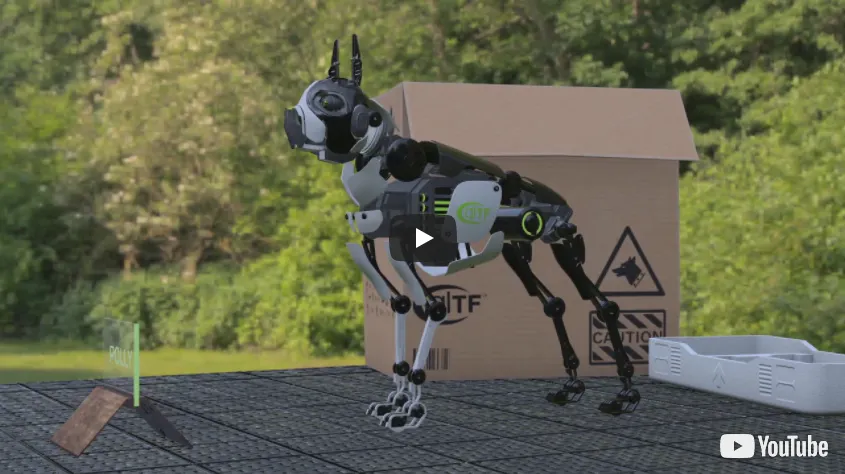
I know that Project Polly and Khronos Virtual City models have built-in cool cameras.
Describe the solution you'd like
I think it would be cool to use these cameras with Filament.
The following are examples of glTF embeded cameras used by other libraries.
three.js + Project Polly example
Hilo3d + VC camera example
Describe alternatives you've considered
I tried investigating how to access the glTF model's embedded camera in Filament, but I didn't understand.
 cx20
cx20
All 20 comments
This is a sensible feature request. gltfio currently ignores glTF cameras, mostly because we simply haven't encountered any yet.
We could either expose the camera parameters, or we could create an actual filament::Camera entity for each glTF camera. Not sure yet which would make more sense.
 prideout
on 19 Dec 2019
prideout
on 19 Dec 2019
I wonder what viewers should do when the aspect ratio of the glTF camera does not match the viewport. I guess they could either clobber it or use letterboxing.
prideout
on 19 Dec 2019
Personally, I don't think you need to apply the glTF camera aspect ratio to the viewer.
I tried to check other viewers. It seems that many viewers do not apply the aspect ratio of glTF cameras.
|Viewer |Library |Use aspect radio|
|:----------------------------------------------|:---------------:|:--------------:|
|https://gltf-viewer.donmccurdy.com/ |three.js |Yes |
|https://sandbox.babylonjs.com/ |Babylon.js |No |
|https://github.khronos.org/glTF-Sample-Viewer/ |Khronos example |No |
|https://github.com/javagl/JglTF |jgltf |No |
cx20
on 20 Dec 2019
Preliminary support added: #2663. Will update JS bindings soon as well.
 bejado
on 11 Jun 2020
bejado
on 11 Jun 2020
@bejado Thanks for adding support for the glTF embedded camera.
However, when the camera is set on some models (Duck, VC, etc.), the model is not displayed.
Below are the test results.
|Model |Sample |Result |Note |
|:------------------------------------------------------------------------------------|:---------------------------------------------------------------------------------------------------------------------------:|:----------------:|:-------------------------------------------|
|Cameras|Link|:white_check_mark:| |
|Duck |Link |:x: |camera is working but model is not displayed|
|Virtual City|Link |:x: |camera is working but model is not displayed|
|Polly |Link|:white_check_mark:|camera is working but there is a problem displaying the model. #2714|
Is it a usage problem?
After loading the model, I set the camera as follows.
const cameras = asset.getCameraEntities();
if (cameras.length > 0) {
    const index = Math.floor(Math.random() * cameras.length);
    const c = engine.getCameraComponent(cameras[index]);
    c.setScaling([1, window.innerWidth / window.innerHeight, 1, 1]);
    this.view.setCamera(c);
}
@cx20 your code looks fine. I’ve been investigating some near/far plane issues with our implementation of glTF camera, perhaps that’s what’s causing the issue. I’ll take a look.. thanks for the additional repro cases.
bejado
on 20 Jun 2020
@bejado Thank you for your advice. As you advised, when I changed the near value, the model was displayed.
Duck.gltf's near was 1.0.
"perspective": {
    "aspectRatio": 1.5,
    "yfov": 0.6605925559997559,
    "zfar": 10000.0,
    "znear": 1.0
},
I tried updating the value of near from 1.0 to 0.001 after the model was loaded.
const c = engine.getCameraComponent(cameras[index]);
const aspect = window.innerWidth / window.innerHeight;
const fov = aspect < 1 ? Fov.HORIZONTAL : Fov.VERTICAL;
c.setScaling([1, aspect, 1, 1]);
// Adjust by overwriting fov/near/far values
// Change near from 1.0 to 0.001
c.setProjectionFov(60, 1, 0.001, 10000.0, fov);
this.view.setCamera(c);
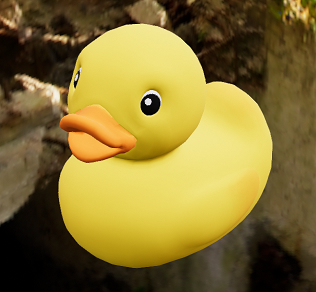
The model is now displayed.
cx20
on 21 Jun 2020
@cx20 Another issue with glTF Viewer has been fixed in #2735. This fixes what appeared to be a near plane issue. You should now be able to load Duck and Virtual City as-is.
bejado
on 25 Jun 2020
@bejado Thanks! I've confirmed with the latest version of Filament that Duck and VIrtual City can display without adjusting near/far.
cx20
on 26 Jun 2020
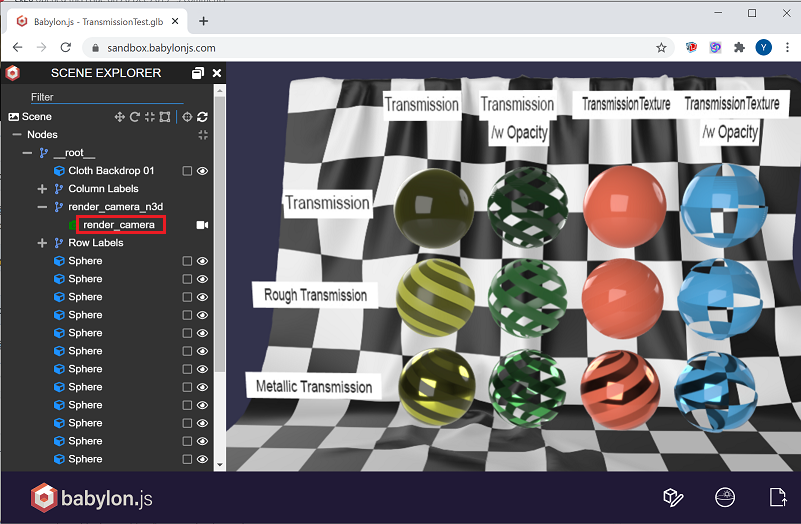
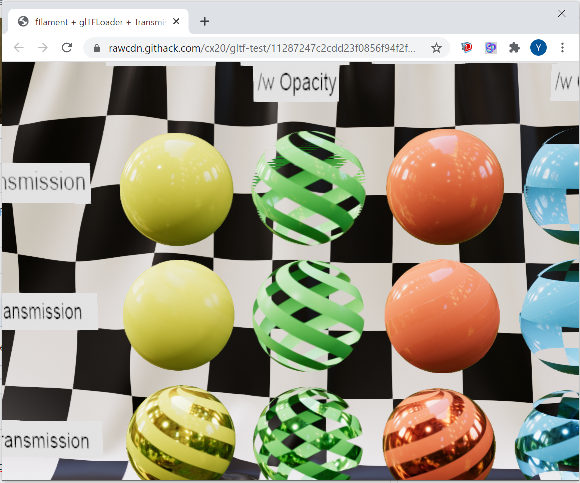
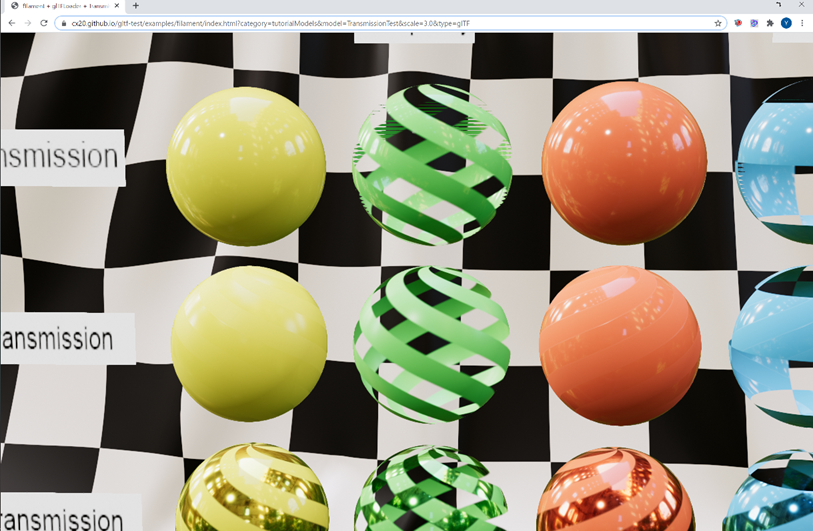
@bejado I compared the glTF embedded camera with other libraries.
In Filament I think the camera is a bit closer to the model.
Babylon.js + TransmissionTest.gltf result:
 cx20
on 10 Jul 2020
cx20
on 10 Jul 2020
Can you compare at the same viewport size?
 romainguy
on 10 Jul 2020
romainguy
on 10 Jul 2020
@cx20 Do you have a link to the glTF file you're using?
bejado
on 10 Jul 2020
@bejado Refer to the following location for TransmissionTest.gltf.
https://github.com/KhronosGroup/glTF-Sample-Models/tree/KHR_materials_transmission_test_model/2.0/TransmissionTest
cx20
on 11 Jul 2020
@romainguy As you advised, I tried to make the viewports the same size. The results seem to be almost identical for the squares. A difference is seen in the case of the wide size.
| |Babylon.js|Filament|
|-------|-------|-------|
|Square|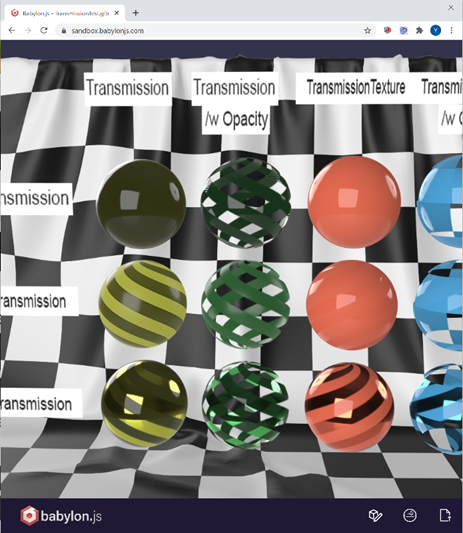 |
| |
|
|Wide|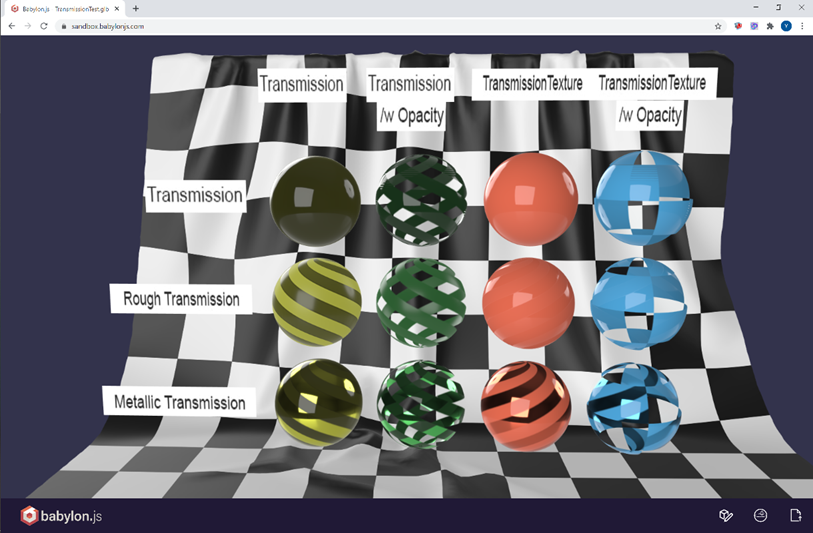 |
| |
|
cx20
on 11 Jul 2020
It seems like a problem of vertical vs horizontal FoV.
romainguy
on 11 Jul 2020
In Filament you can choose which one, I assume our glTF implementation picks the wrong one.
romainguy
on 11 Jul 2020
I don't know what is the correct answer, but I think this glTF model's built-in camera is designed to fit on the screen.
cx20
on 11 Jul 2020
Yeah that would make sense. That just means we need to flip our axis :) @bejado can you check the spec vs our implementation please?
romainguy
on 11 Jul 2020
We had our axis right, but I was setting the scaling wrong :) Thanks for pointing this out @cx20
bejado
on 13 Jul 2020
@bejado Thanks! I modified my sample code based on your modification and the model fits the screen.
const aspect = window.innerWidth / window.innerHeight;
//c.setScaling([1, aspect, 1, 1]);   // before
c.setScaling([1 / aspect, 1, 1, 1]); // after
Filament + TransmittionTest.gltf result:
| |Babylon.js|Filament|
|-------|-------|-------|
|Wide||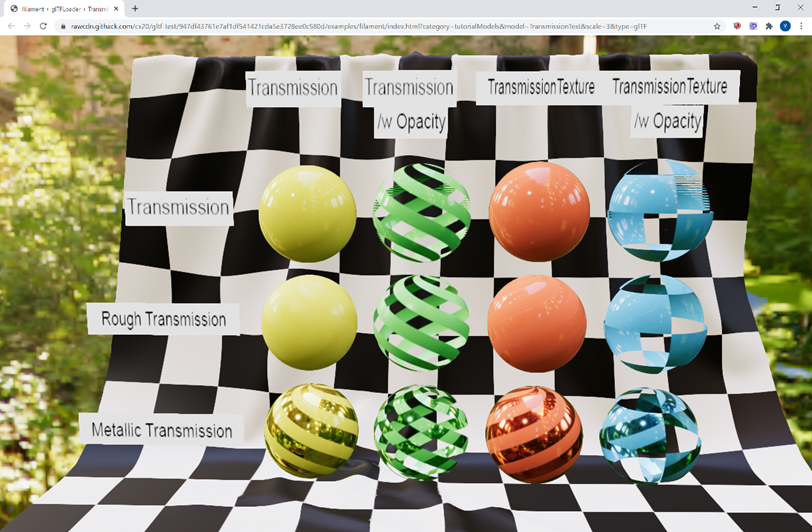 |
|
cx20
on 14 Jul 2020
Related issues
 j6lim
·
5Comments
cx20
·
8Comments
j6lim
·
5Comments
cx20
·
8Comments
 rfebbo
·
8Comments
rfebbo
·
8Comments
 but0n
·
8Comments
rfebbo
·
3Comments
but0n
·
8Comments
rfebbo
·
3Comments