Fga: App doesn't work on Huawei p 30 Pro
The app won't work during battle or farming stages but it work when selecting support servants. I try to make sure my phone setting is on and on the debug but still it won't work during battle.
Device model:Huawei P30 Pro
Screen size: 2400 x 1176
Android versioj:10
RaM: 8.0 GB
@MathewSachin

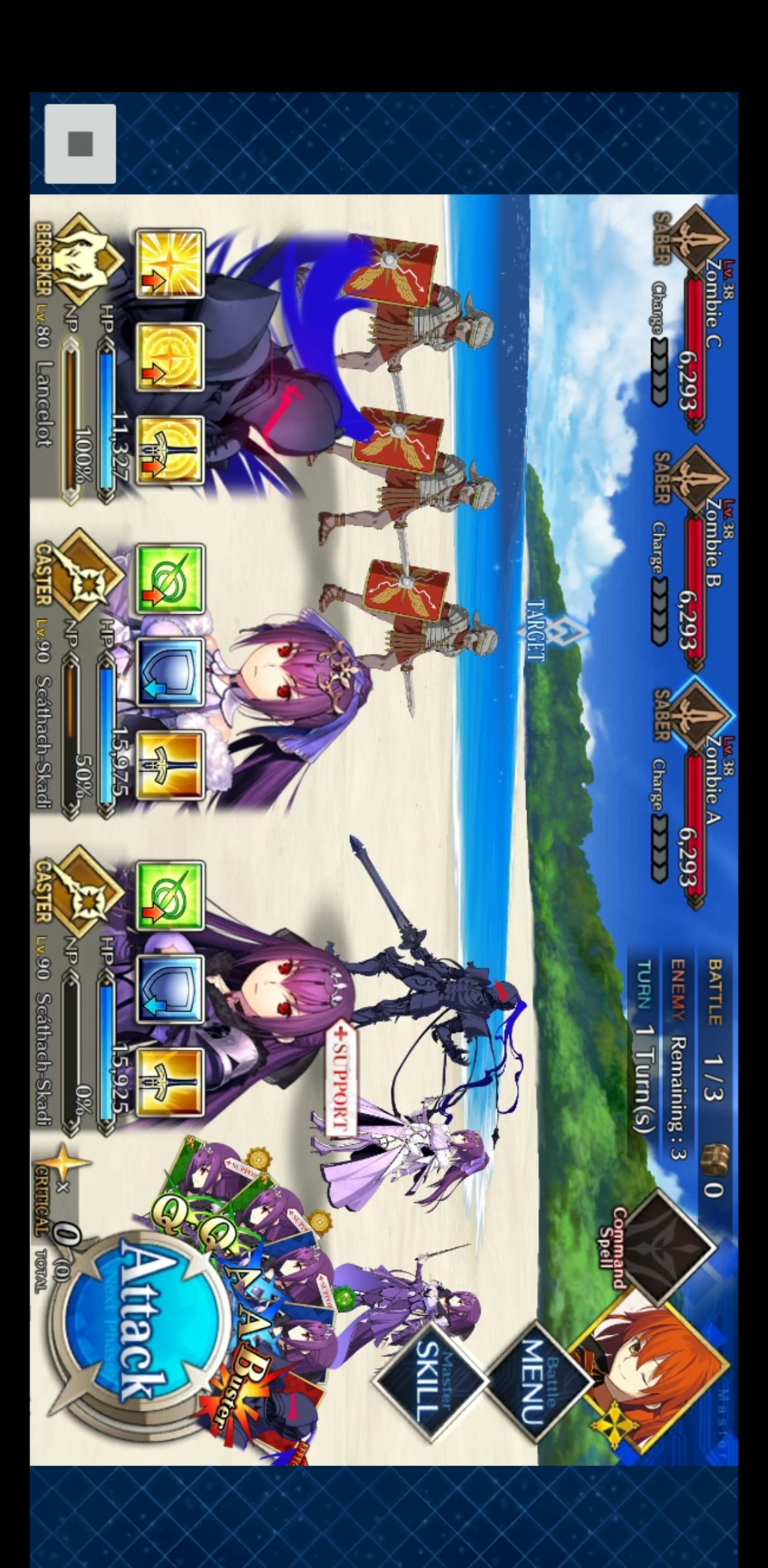
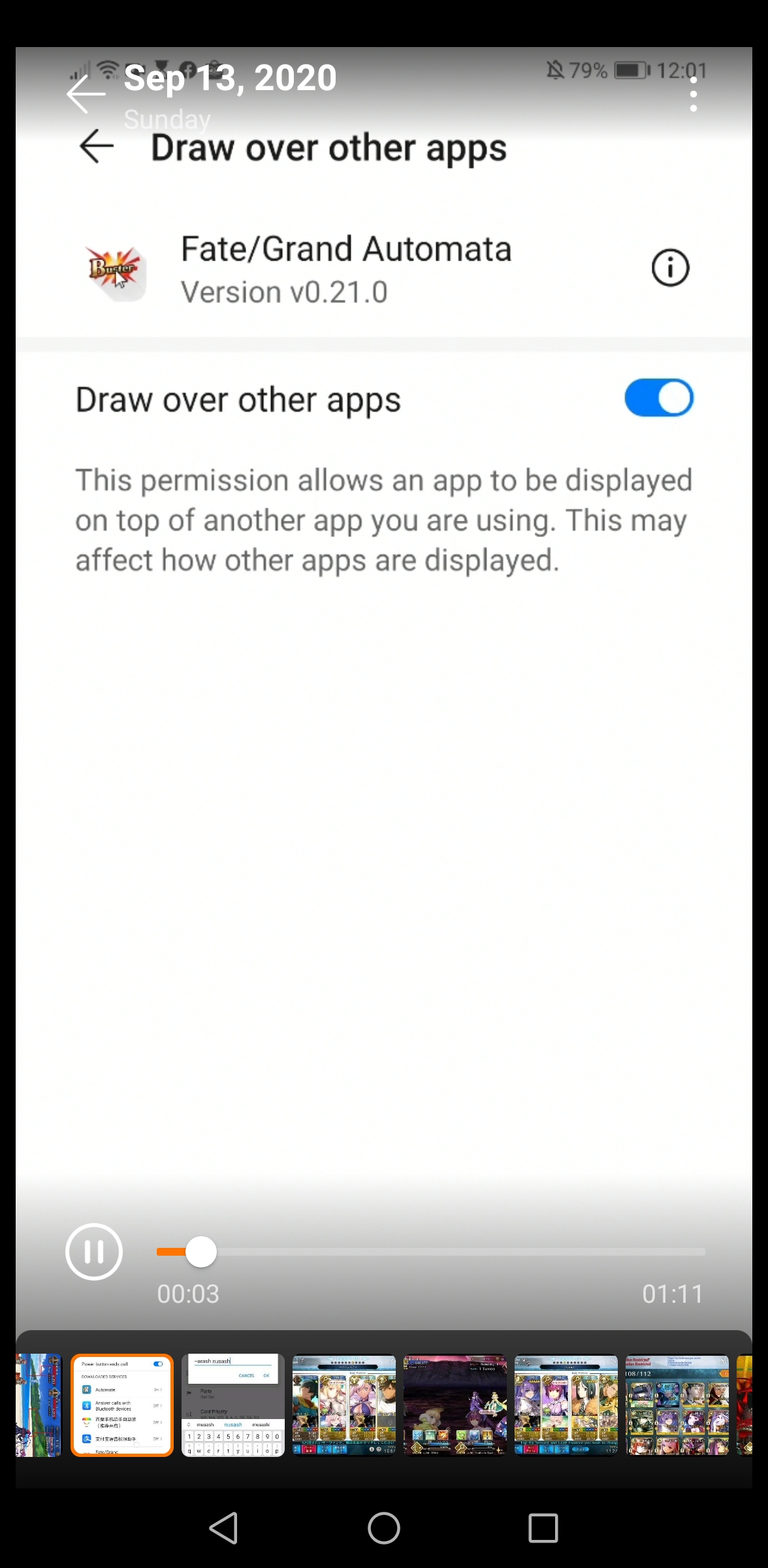
I can't for some reason upload video so I will try my best to screenshot if you nerd further info to screenshot I will gladly provide more.

 mg137b
All 59 comments
Please enable "Record Screen", which is visible in the last screenshot. "Debug mode" should still be enabled. Then open FGO and click on the play button while you're in battle. After a few seconds you can stop FGA.
Then go to the Fate-Grand-Automata folder in your file system. You will see a record.mp4 file. Upload that to streamable.com or youtube.com, then post a link here.
Only then we will be able to find out the source of the error.
 reconman
on 13 Sep 2020
reconman
on 13 Sep 2020
https://youtu.be/lN2JFlCcBF4
https://youtu.be/Qbc2srRu0F4
https://youtu.be/2TV5m6Xj4EY
@MathewSachin these are the YouTube link. Hope this video recording help solving the problem.
mg137b
on 13 Sep 2020

mg137b
on 13 Sep 2020
There are black strips on top and bottom of FGO. Get rid of them and FGA will work properly.
In one case, someone had some gestures ON which caused those black bars.
This is also present in the Troubleshooting Guide BTW: https://github.com/MathewSachin/Fate-Grand-Automata/wiki/Game-Area-detection#case-3-your-phone-has-borders-around-fgo-even-at-the-bottom-of-screen, but its specific to your phone, so I can't tell you how to get rid of them.
 MathewSachin
on 13 Sep 2020
MathewSachin
on 13 Sep 2020
You could also try playing with this setting for FGO and FGA: https://consumer.huawei.com/en/support/content/en-us00423269/
reconman
on 13 Sep 2020
You could also try playing with this setting for FGO and FGA: https://consumer.huawei.com/en/support/content/en-us00423269/
I have turn off the notch or hide notch in the setting but it still won't play. Worst now the problem is it won't automatically select support like it initially does.
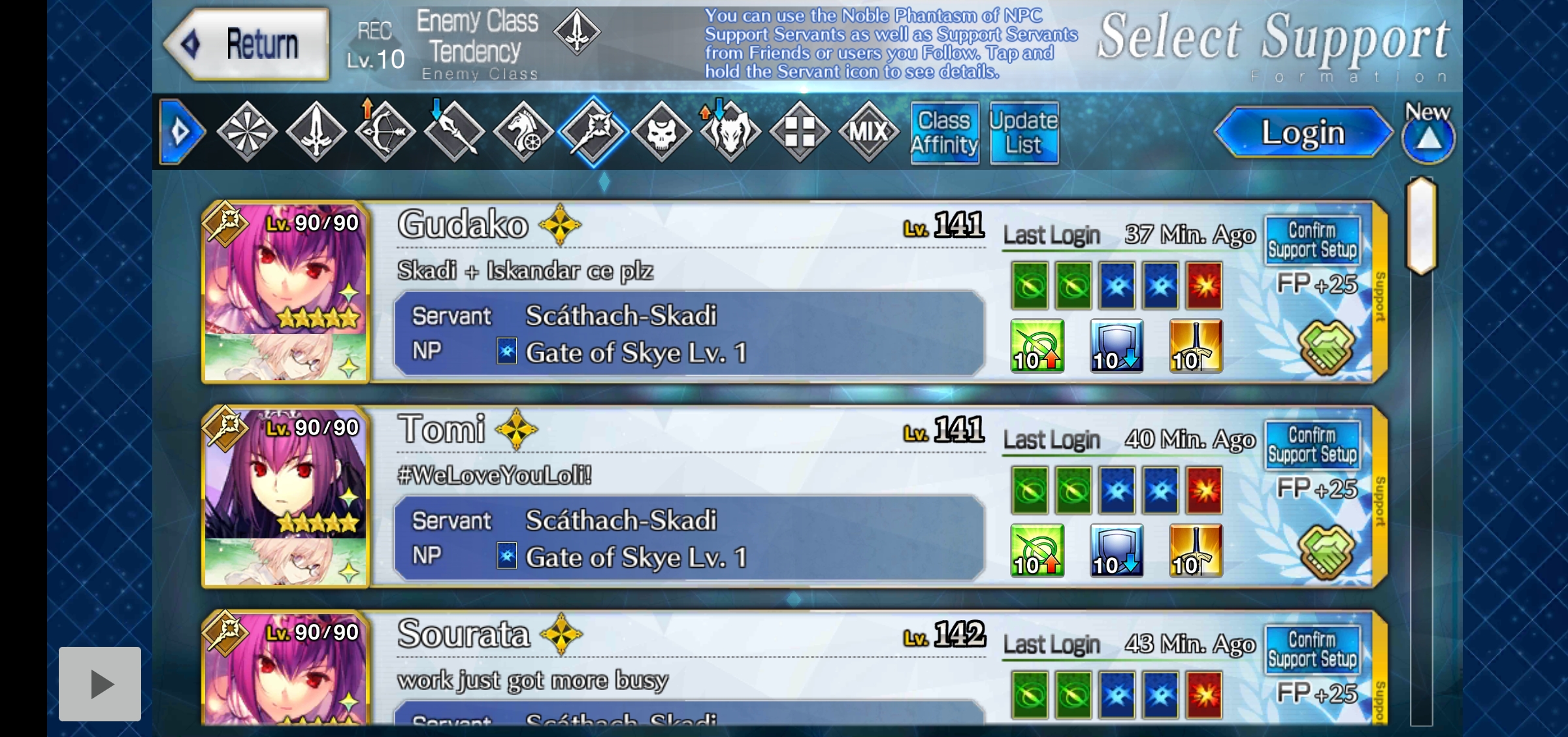
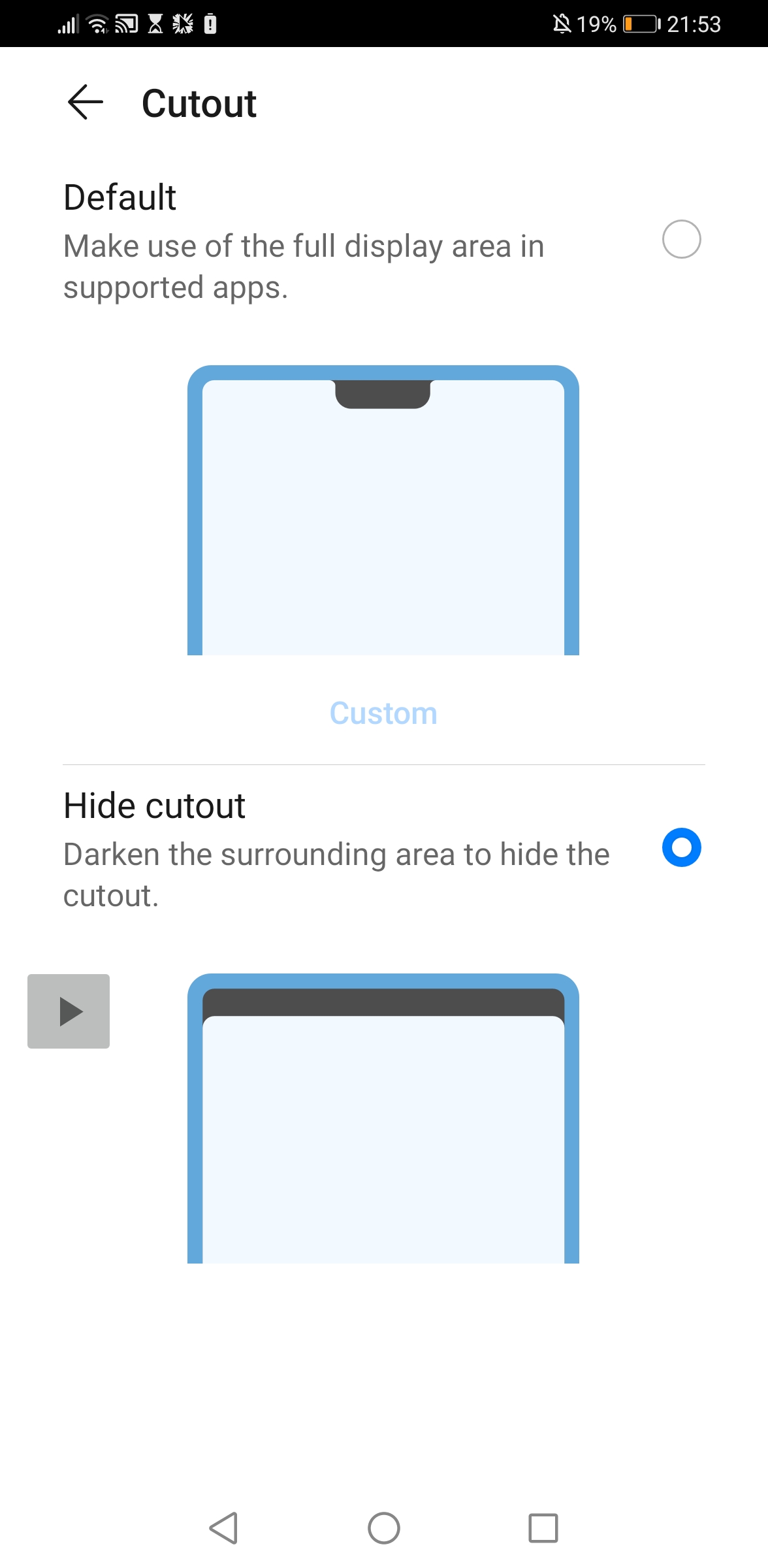
mg137b
on 13 Sep 2020
There's still something that causes black bars to be at the top and bottom. Your screenshots are 1128 pixels high, but your actual screen resolution is 1176 pixels. Do you see something at the top and bottom or is it just black?
reconman
on 13 Sep 2020
There's still something that causes black bars to be at the top and bottom. Your screenshots are 1128 pixels high, but your actual screen resolution is 1176 pixels. Do you see something at the top and bottom or is it just black?
For me it is just black and it hide the notch or cut out should solve the black thing right... But it seems nothing different.
mg137b
on 13 Sep 2020
No, I said you could try the notch option, not that it definitely solves the issue. The notch option only affects the left black bar, it seems, not the thin top and bottom ones.
We can't tell you which exact settings need to be changed since neither of us owns that phone.
reconman
on 13 Sep 2020
No, I said you could try the notch option, not that it definitely solves the issue. The notch option only affects the left black bar, it seems, not the thin top and bottom ones.
We can't tell you which exact settings need to be changed since neither of us owns that phone.
I see... It is strange that it work during support selection but the farming are not working... Is there anymore settings I can try to change?
mg137b
on 13 Sep 2020
It is strange that it work during support selection but the farming are not working
It's just that some images can be matched even with the black bars, but others like the attack button cannot be matched.
You will have to look through your phone settings yourself and try different settings, we can't know which settings exist in Huawei P30 Pro.
reconman
on 13 Sep 2020
@mg137b I'm a P20 Pro user, very similar to P30 Pro. Please make sure you :
Under display settings :
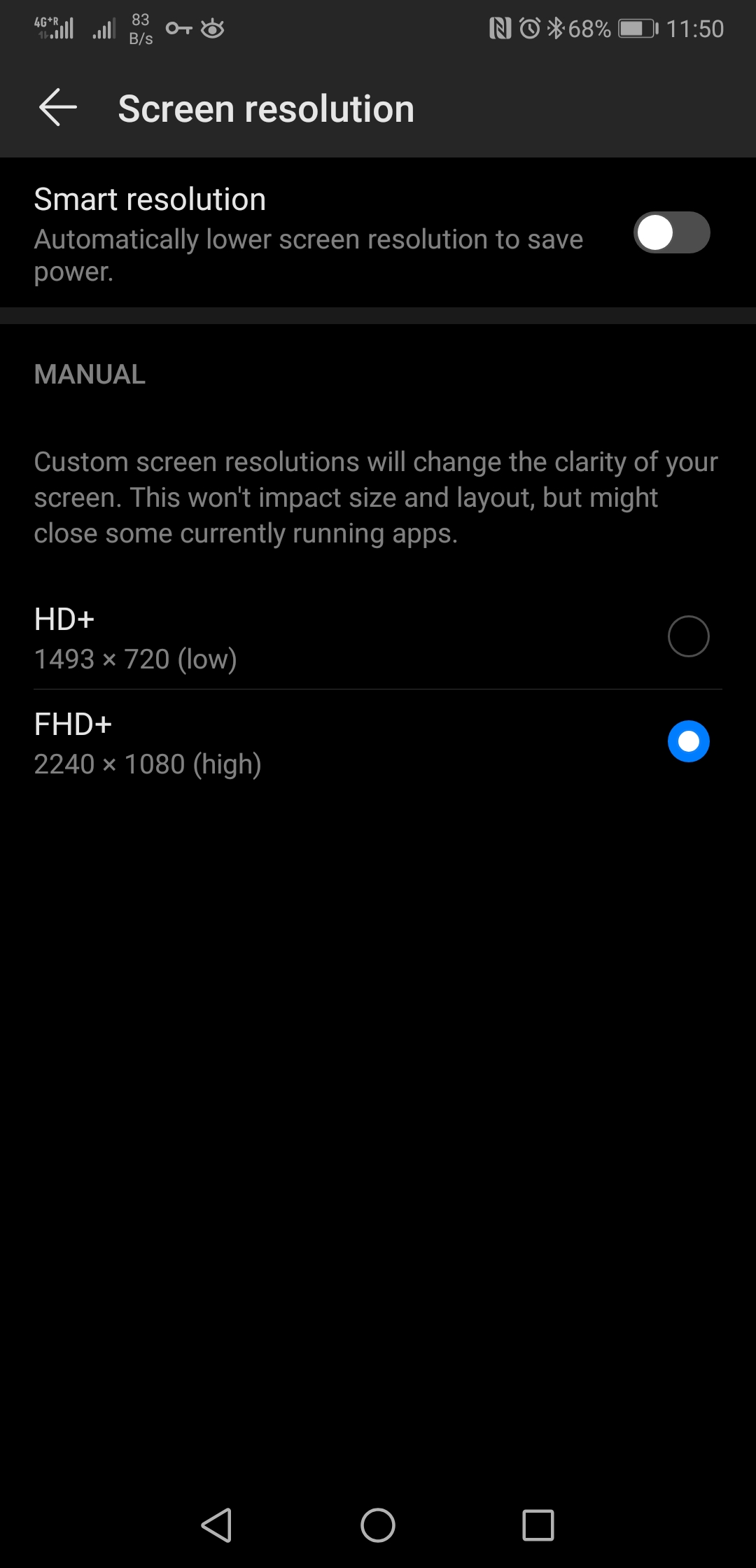
- disable "Smart Resolution"
- use FHD+ resolution
- don't use "Full-screen display" for FGO (or you can try enabling it, that's the one thing I'm not entirely sure about on the P30)
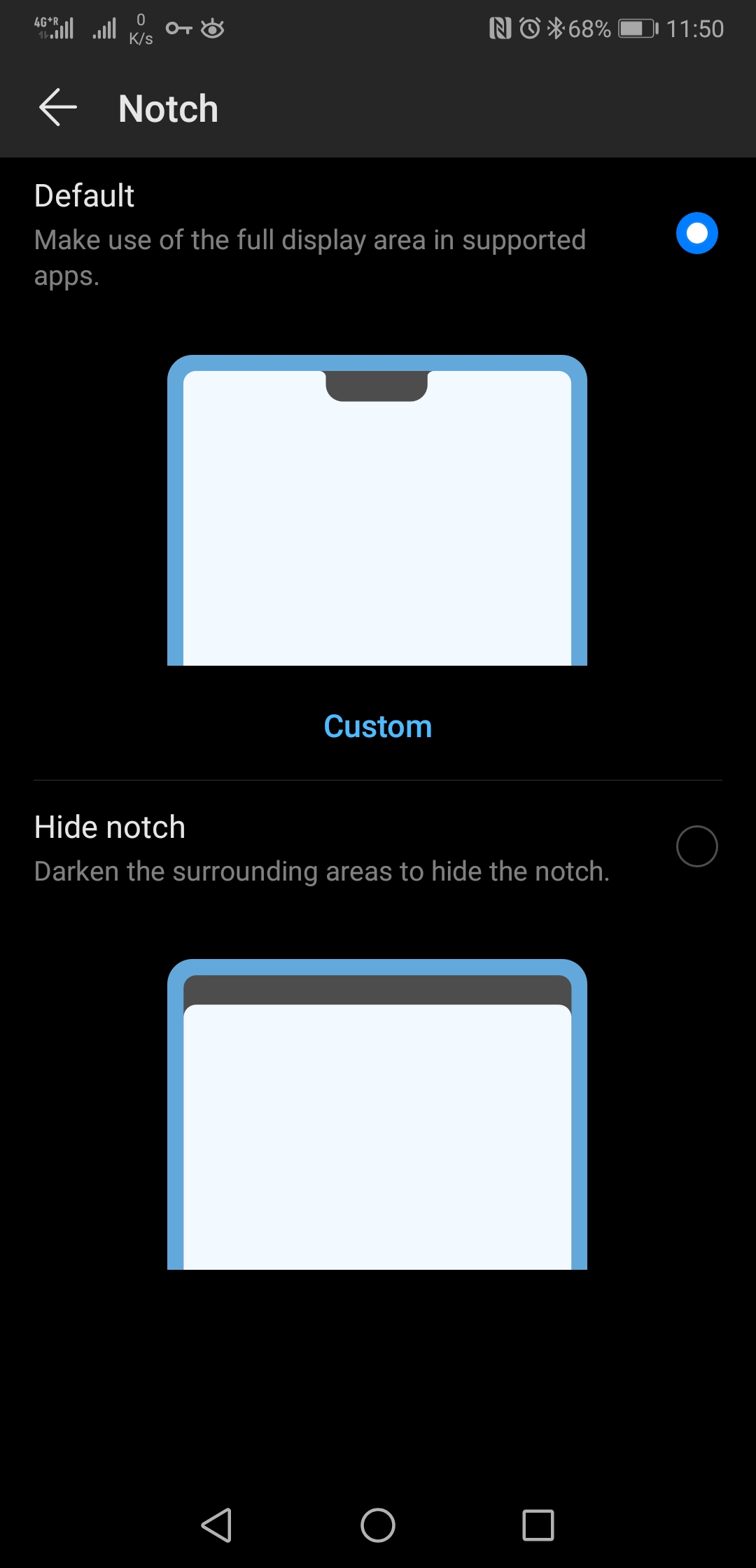
- use default notch setting
on Automata : - go to "more options" menu make sure "Ignore notch calculation" is turned on.
Has been working like a charm here for the past month, even after updating to the last version.
 LeDrain
on 15 Sep 2020
LeDrain
on 15 Sep 2020
@mg137b I'm a P20 Pro user, very similar to P30 Pro. Please make sure you :
Under display settings :
- disable "Smart Resolution"
- use FHD+ resolution
- don't use "Full-screen display" for FGO (or you can try enabling it, that's the one thing I'm not entirely sure about on the P30)
- use default notch setting
on Automata :- go to "more options" menu make sure "Ignore notch calculation" is turned on.
Has been working like a charm here for the past month, even after updating to the last version.
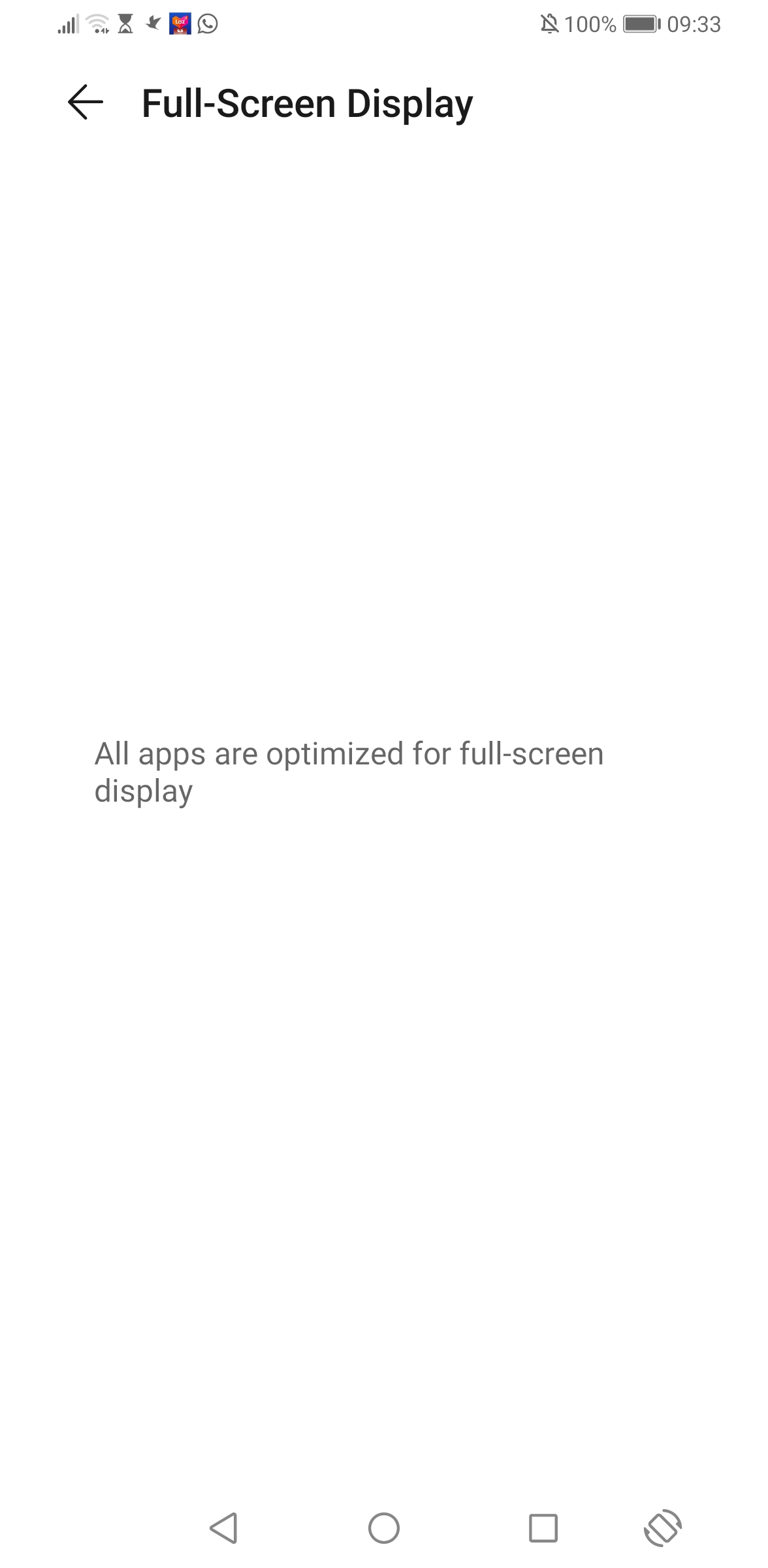
How do u find FHD+resolution? Also how do u not make fgo full screen display? I hv trouble finding that setting?
Because this is mine full screen display setting look like
mg137b
on 16 Sep 2020
@mg137b I'm a P20 Pro user, very similar to P30 Pro. Please make sure you :
Under display settings :
- disable "Smart Resolution"
- use FHD+ resolution
- don't use "Full-screen display" for FGO (or you can try enabling it, that's the one thing I'm not entirely sure about on the P30)
- use default notch setting
on Automata :- go to "more options" menu make sure "Ignore notch calculation" is turned on.
Has been working like a charm here for the past month, even after updating to the last version.
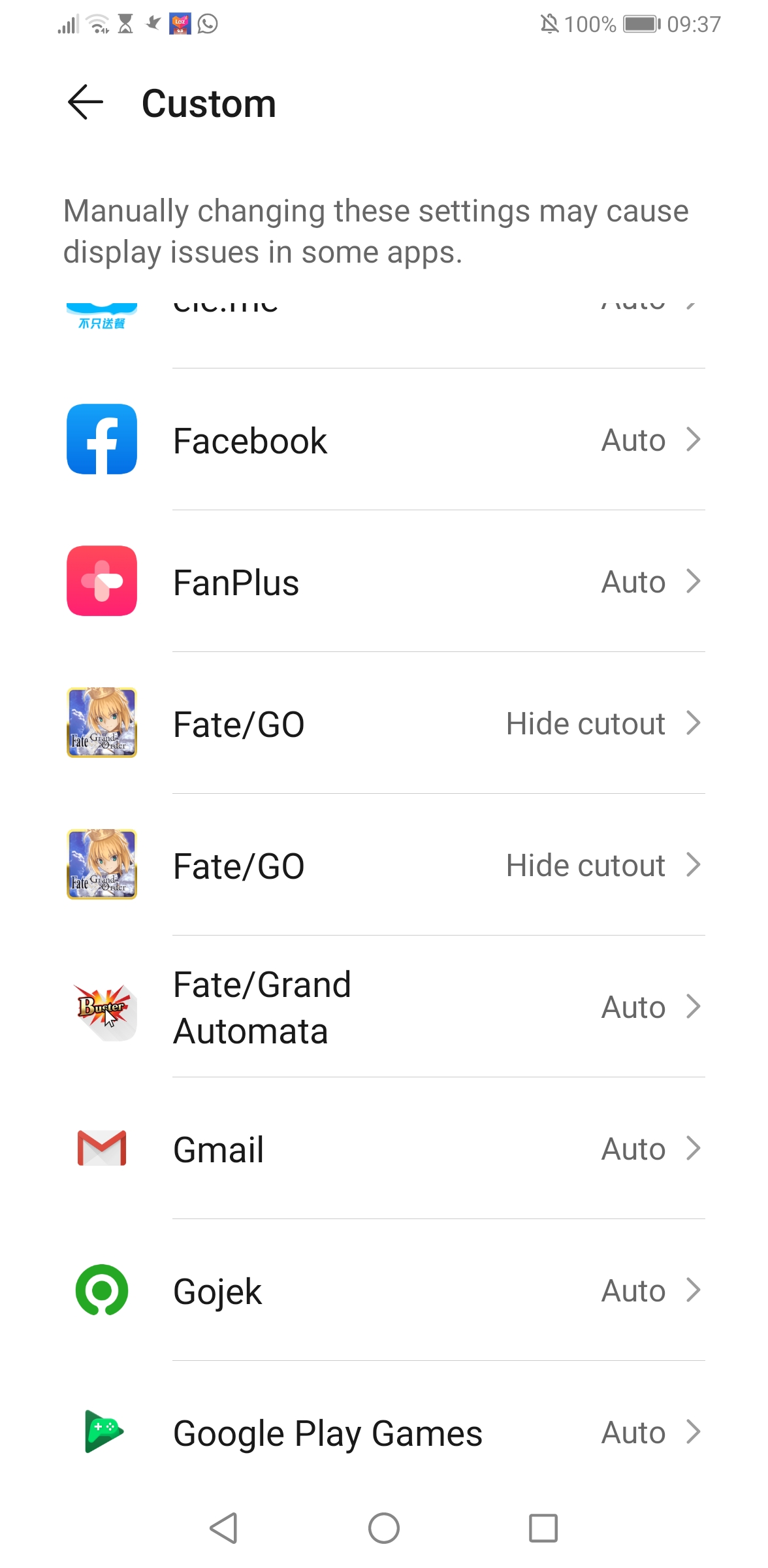
Should I do default setting on fgo as well or choose hide cutout?


mg137b
on 16 Sep 2020
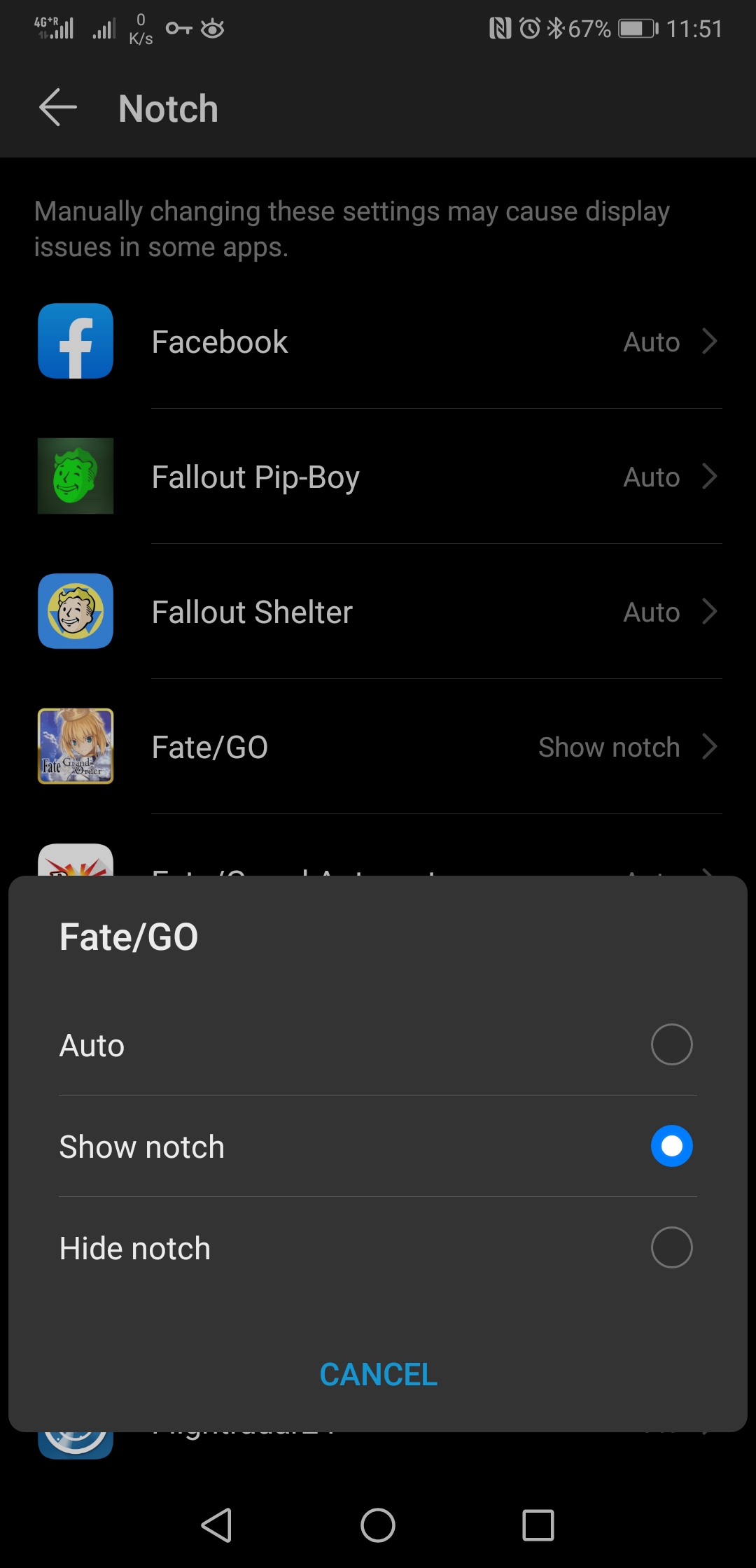
If it's like P20 Pro then no need to bother with Full-screen display settings, it's probably already good if it's not in there.
Use default cutout on FGO and "Show cutout" in the custom options. Make sure you use "Ignore notch calculation in the Automata App".
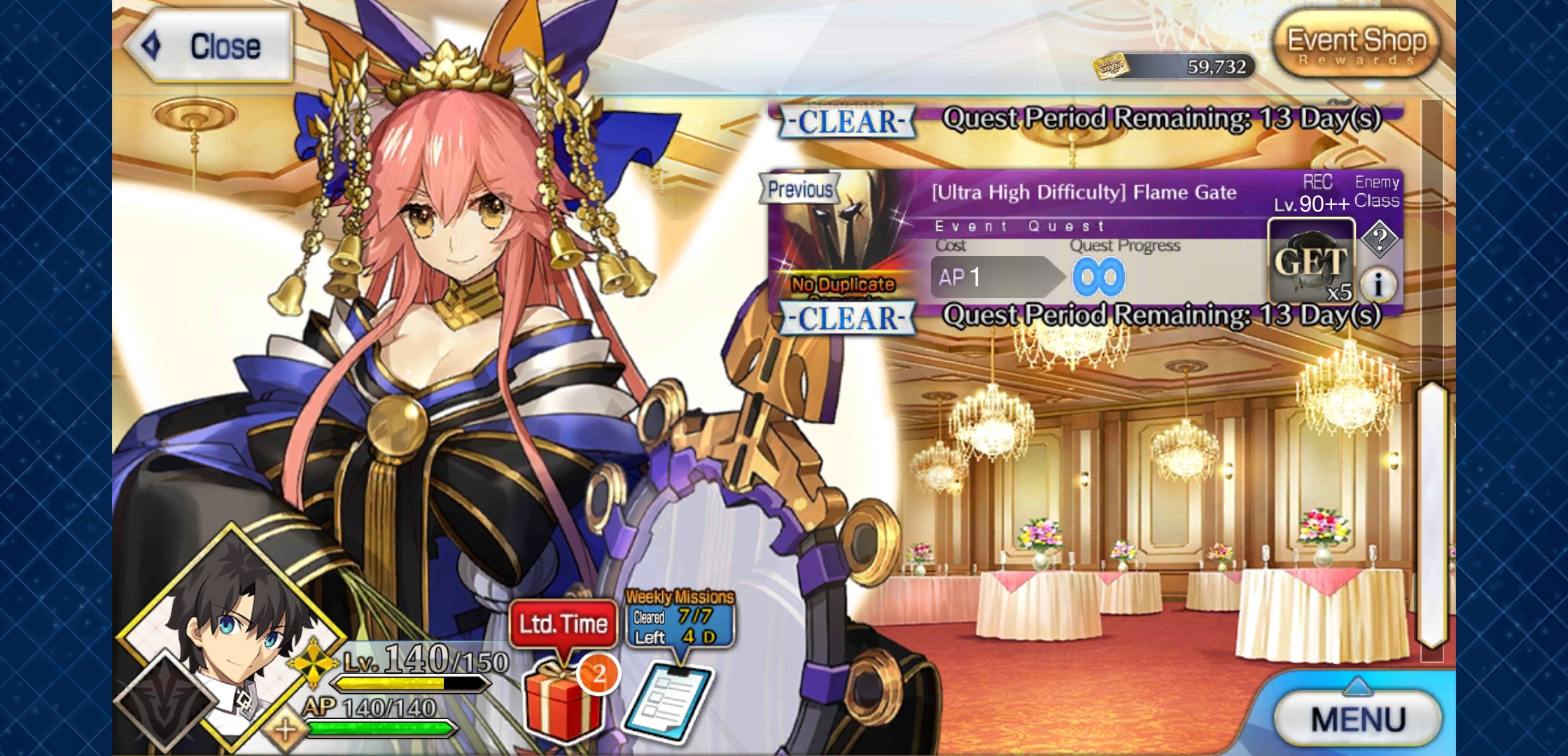
Here are my own settings :
Game should look like this :
FGA settings :

LeDrain
on 16 Sep 2020
I have try
If it's like P20 Pro then no need to bother with Full-screen display settings, it's probably already good if it's not in there.
Use default cutout on FGO and "Show cutout" in the custom options. Make sure you use "Ignore notch calculation in the Automata App".Here are my own settings :
Game should look like this :
FGA settings :
I have try your setting but now it won't even automatically select support by its own. I suspect it is because I can't toogle off or on in the full screen resn display for app.
mg137b
on 16 Sep 2020
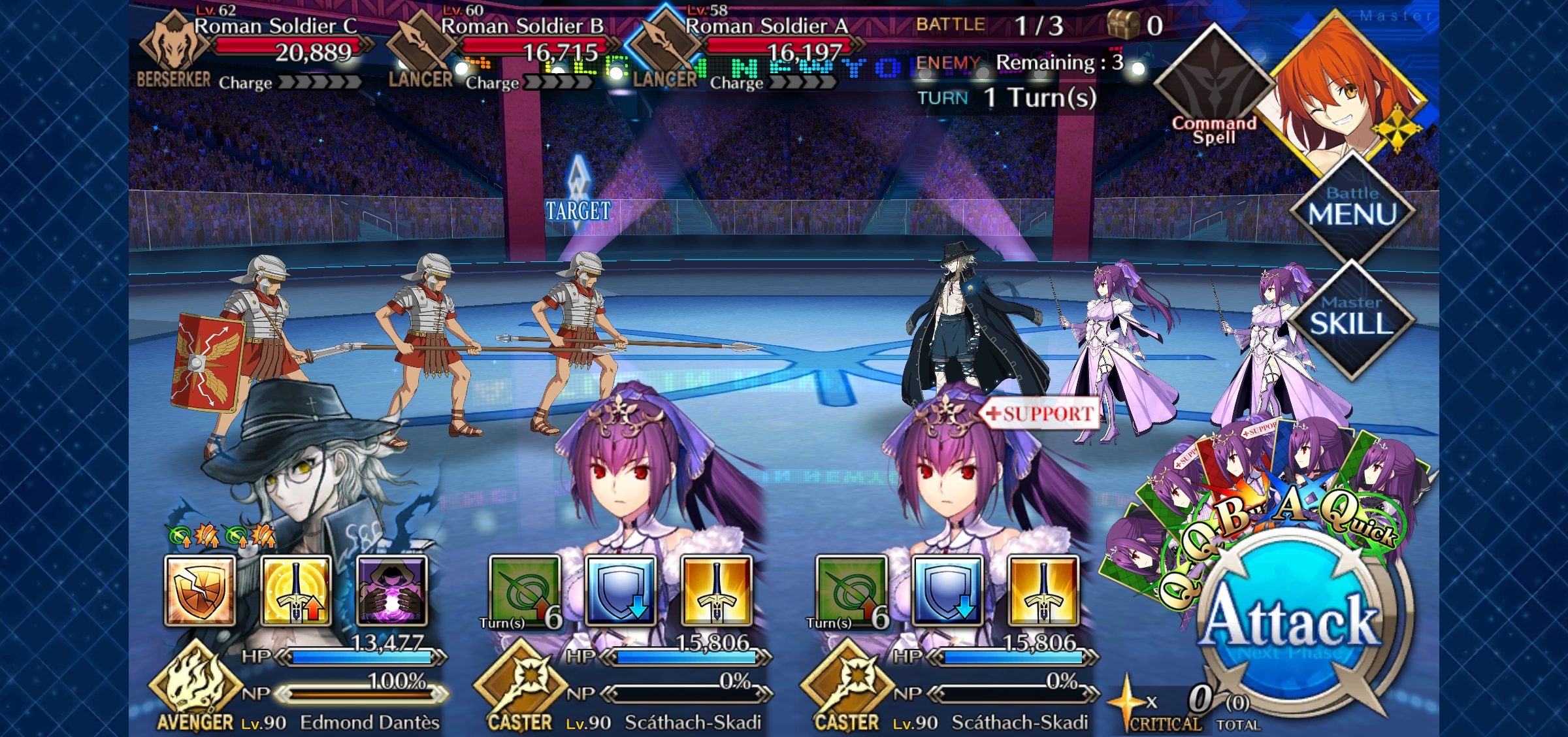
I have manage to get rid off the black bars or around the game by show notch like the setting you did but now it won't even automatically select support as well @Wrathach
mg137b
on 16 Sep 2020
https://youtu.be/DqODrKpia3U
Here's a demo with debug to show it works.
Are you sure "Ignore Notch calculation" is ON in FGAutomata ?
I have the same issues you describe if I turn it OFF.
LeDrain
on 16 Sep 2020
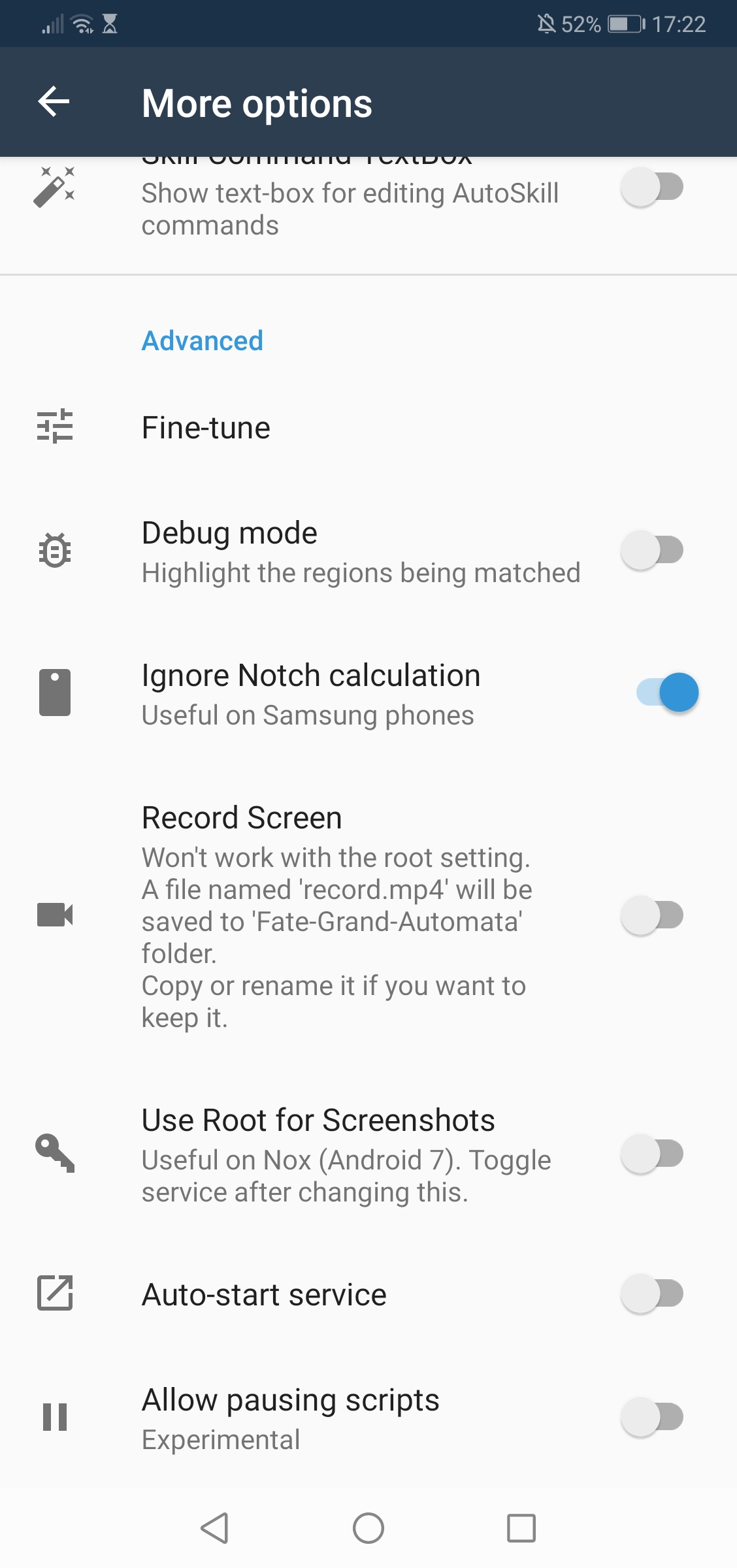
Yes it is on. U know what is weird for me before I choose show notch option the support selection is possible and that is also when I turn off ignore notch calculation and debug highlight in FGA app.
mg137b
on 16 Sep 2020
@Wrathach Thanks for the help!
FGO definitely looks right now (Ignore Notch should be ON like you said).
@mg137b Can you restart your phone once? It might just be the Huawei battery saver issue now.
https://github.com/MathewSachin/Fate-Grand-Automata/issues/354#issuecomment-687152298
MathewSachin
on 16 Sep 2020
@Wrathach Thanks for the help!
FGO definitely looks right now (Ignore Notch should be ON like you said).
@mg137b Can you restart your phone once? It might just be the Huawei battery saver issue now.
#354 (comment)
I already reset setting but it still won't let me use FGA and the full screen display in more display setting still won't show list of apps to toggle off on I suspect is that one.
mg137b
on 16 Sep 2020
Not reset, I meant restart (turn OFF and turn ON your phone). FGO looks fine now.
Turn ON Ignore notch calculation. Do the battery optimization steps in the issue I linked and just RESTART your phone.
MathewSachin
on 16 Sep 2020
Not reset, I meant restart (turn OFF and turn ON your phone). FGO looks fine now.
Turn ON Ignore notch calculation. Do the battery optimization steps in the issue I linked and just RESTART your phone.
Oh if restart phone I have done it numerous time but let me check the battery part
mg137b
on 16 Sep 2020
@MathewSachin I'm sorry but I can't find the issue page about battery
mg137b
on 16 Sep 2020
I linked that in the above comment
MathewSachin
on 16 Sep 2020
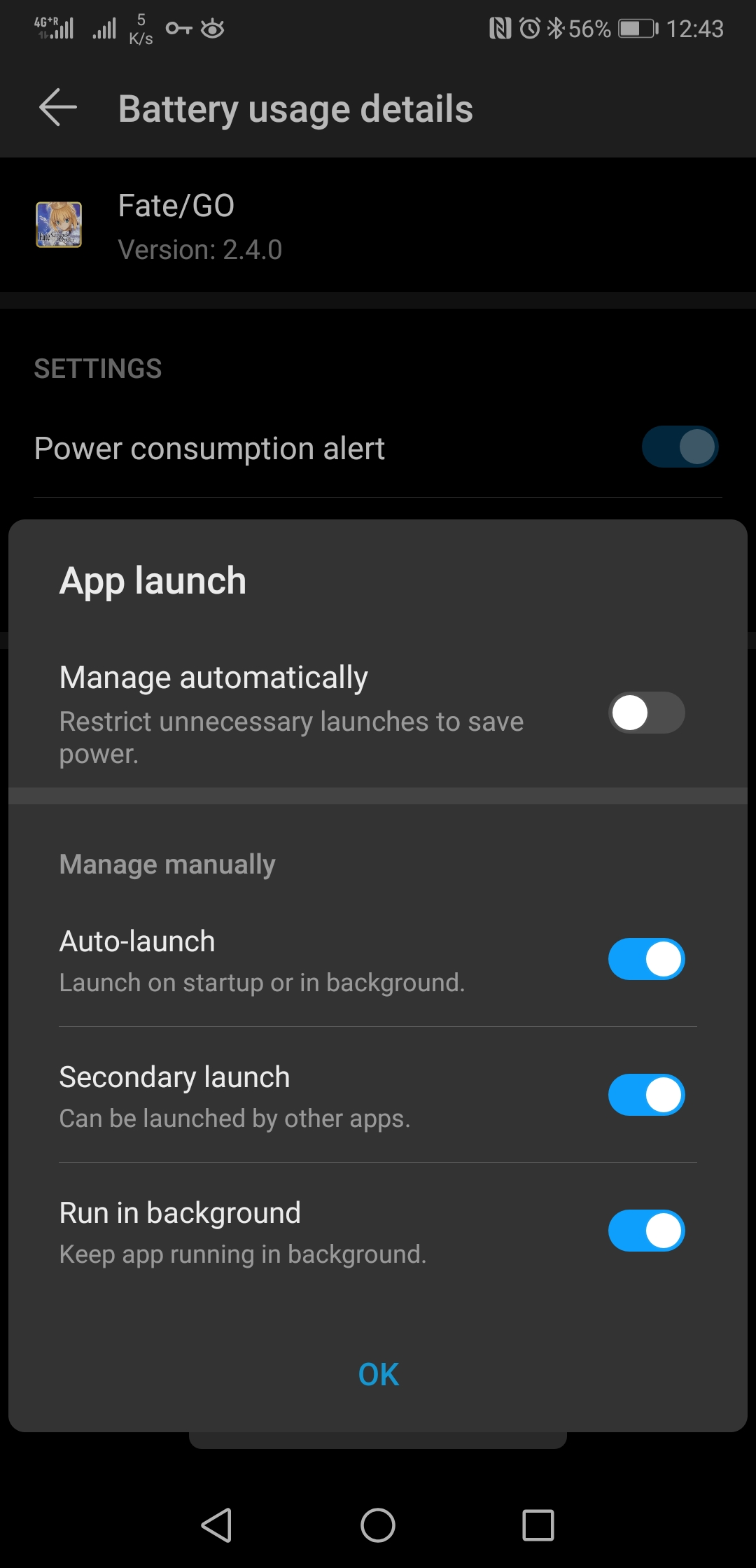
You can find those settings in Settings -> Battery -> Battery usage ->Select FGA, then App Launch settings. Set it to manual, allow it to run in the background. Do the same for FGO.
Also make sure you're not in Power Saving mode or Ultra Power Saving mode.
Screens :

LeDrain
on 16 Sep 2020
@MathewSachin so I hv choose manual for the battery part like the link u sent me for fgo apps and FGA but it is still not working still doesn't choose support automatically
mg137b
on 16 Sep 2020
Since things have changed this much, mind posting a new Debug mode video?
MathewSachin
on 16 Sep 2020
Here is the new video
mg137b
on 16 Sep 2020
I still see black strips above and below FGO? Are they always there or added by your screen recorder or something?
As long as they're there, FGA absolutely won't work.
BTW, you should use the 'Record Screen' option to record videos for reporting bugs and Debug Mode should be ON.
See @reconman's first comment on this issue if you don't recall how to.
MathewSachin
on 16 Sep 2020
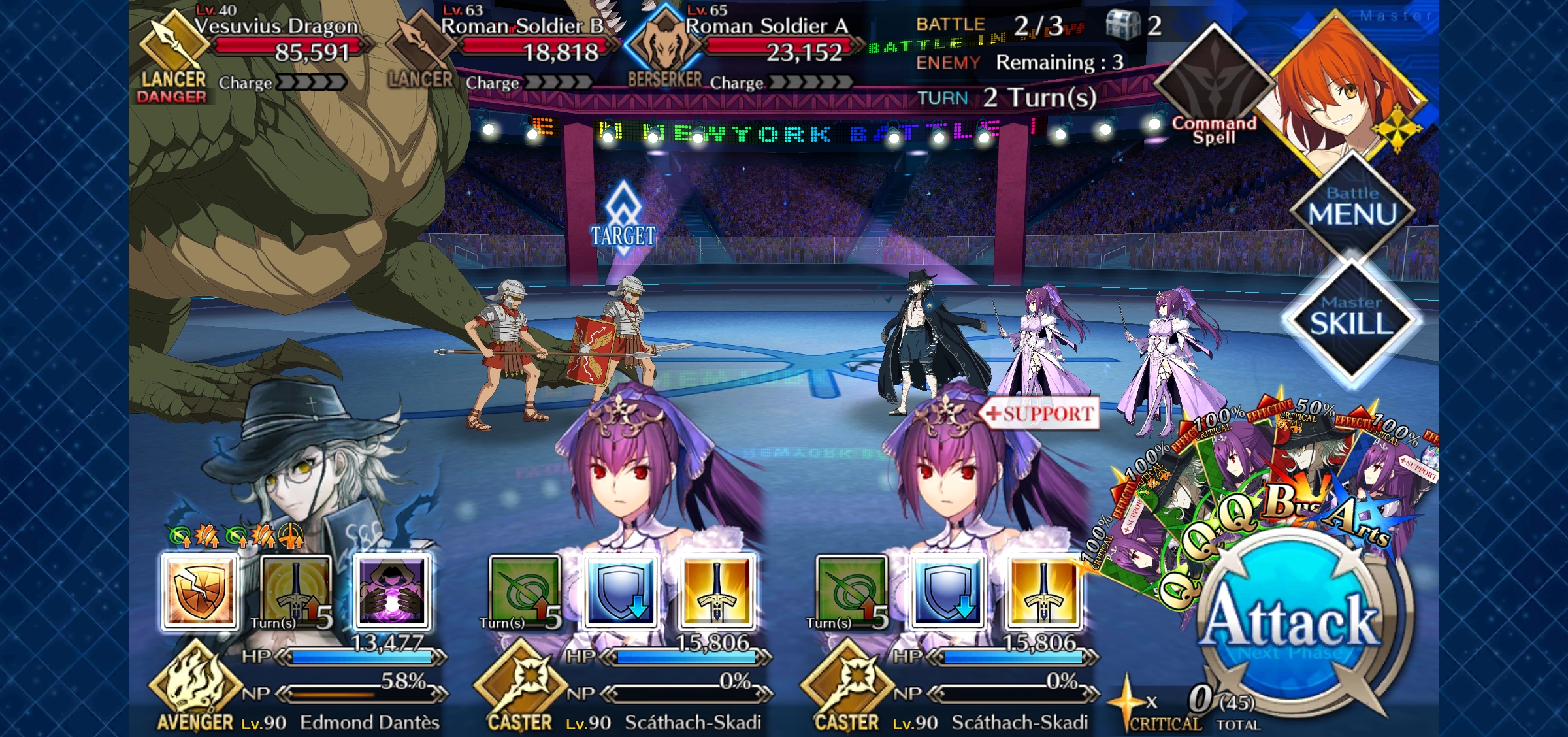
I just screenshot this I think it is just from my recording because from my phone there is no black screen anymore
mg137b
on 16 Sep 2020
I on the debug mode and it still doesn't work. It is always been like that from the beginning.
mg137b
on 16 Sep 2020
Debug mode ON WON'T solve your problems.
It is for me to see what is happening.
MathewSachin
on 16 Sep 2020
Debug mode ON WON'T solve your problems.
It is for me to see what is happening.
OK I will on the debug mode and do another recording of fgo and I on the record screen on FGA as well. I will post the link in a moment.
mg137b
on 16 Sep 2020
@MathewSachin
mg137b
on 16 Sep 2020
You know you have to start the script after you're over FGO and not just on the app? Try that.
MathewSachin
on 16 Sep 2020
Get me a new video where you start the script when you're over FGO.
The regions are wrong because you started in portrait mode 🤦
MathewSachin
on 16 Sep 2020
You know you have to start the script after you're over FGO and not just on the app? Try that.
I am sorry what do you mean by have to start the script after you're over FGO?
mg137b
on 16 Sep 2020
You have to start the script after you've opened FGO and FGO is in the foreground.
Or atleast your phone should be in Landscape orientation and not portrait.
Makes sense?
MathewSachin
on 16 Sep 2020
You have to start the script after you've opened FGO and FGO is in the foreground.
Or atleast your phone should be in Landscape orientation and not portrait.
Makes sense?
Then I hv to use my phone recording for this I will make another video using my phone record..
mg137b
on 16 Sep 2020
I just want to see Debug mode over FGO that's it. I've already seen FGA settings.
Don't use other recorders pls.
MathewSachin
on 16 Sep 2020
I just want to see Debug mode over FGO that's it. I've already seen FGA settings.
Don't use other recorders pls.
The last video shows the debug mode over FGO. If I don't use my phone recording it won't show " select auto skill config confirm" and choose the set up.
mg137b
on 16 Sep 2020
Damn it. I said last video showed Debug mode regions wrong.
If you don't do what I ask, how can I help you?
MathewSachin
on 16 Sep 2020
@MathewSachin
https://youtu.be/Zc0r34ohdJs
Here you go and if there black box or bar I think it is from the phone because I already hide the notch on my phone settings.
mg137b
on 16 Sep 2020
if there black box or bar I think it is from the phone
Like I said earlier, those black borders prevent FGA from working. There's no way around that right now. FGA won't work unless you get rid of those black bars/borders.
MathewSachin
on 16 Sep 2020
if there black box or bar I think it is from the phone
Like I said earlier, those black borders prevent FGA from working. There's no way around that right now. FGA won't work unless you get rid of those black bars/borders.
I guess nothing I can do then :( I can't do nothing about this since it is from phone
@Wrathach do u also have black box or bar in ur phone?
mg137b
on 16 Sep 2020
no I don't. I used to, but I managed to remove them in the past and don't really remember how I did it. I'm currently searching for this and will let you know what I find
LeDrain
on 16 Sep 2020
@mg137b do you have any way to share your screen (I.E. Airserver or whatever) ?
If so we can schedule a Discord call and we can try to work around your issue.
LeDrain
on 16 Sep 2020
@mg137b do you have any way to share your screen (I.E. Airserver or whatever) ?
If so we can schedule a Discord call and we can try to work around your issue.
Is there an app to do that? Or phone setting?
mg137b
on 16 Sep 2020
If you have Discord DM me @ LeDrain#1267. If not send me an email on [email protected]. If only github DMs were a thing
How do I add u in discord?
mg137b
on 16 Sep 2020
@MathewSachin I have been able to reproduce a phone state where FGA behaves the same as on @mg137b 's phone.
What I did to "break" my working configuration : change the notch settings of FGA. Whatever setting I pick, FGA will no longer work once I start it, debug will show all the red boxes of the intial parsing as per the previously shared video.
Changing the setting again doesn't affect FGA, I suspect it's too low level to be affected by the settings change without a restart.
What I did to fix it :
Option 1 :
Display -> More Display Settings -> Notch ->
Fate/GO : Show notch/cutout
Fate/Grand Automata : Hide notch/cutout
RESTART YOUR DEVICE!
Start FGA (with ignore notch option activated) and toggle the service on.
Start FGO, FGA works
Option 2 :
You can also run FGA with FGO this way :
Display -> More Display Settings -> Notch ->
Fate/GO : Hide notch/cutout
Fate/Grand Automata : Hide notch/cutout
RESTART YOUR DEVICE!
Start FGA (with ignore notch option deactivated) and toggle the service on.
Start FGO, FGA works
It is still not working for mg137b but this troubleshooting can still be helpful.
LeDrain
on 16 Sep 2020
mg137b's case is different in that there's those black bars above and below which I don't know why.
Another user had told me it was because of Android Gestures and I had told them that. But, might be something else.
I really can't do anything with those black bars in the way.
I tried to write up a way to automatically detect such black bars, but the code is so messy, I don't feel like taking it forward either
360
MathewSachin
on 16 Sep 2020
mg137b's case is different in that there's those black bars above and below which I don't know why.
Another user had told me it was because of Android Gestures and I had told them that. But, might be something else.
I really can't do anything with those black bars in the way.I tried to write up a way to automatically detect such black bars, but the code is so messy, I don't feel like taking it forward either
360
It could be I update my phone software so that could be a reason why FGA doesn't work properly on my phone. Or android 10 doesn't work with a lot of 3rd party apps.
mg137b
on 17 Sep 2020
Most of the FGA users have Android 10 including me and it works just fine. It something really specific to your phone.
MathewSachin
on 17 Sep 2020
Hello i want to ask if FGA app is compatible with these devices?
Device model:Samsung Galaxy Tab s4 10.5
Screen size: 1600x2560 pixels
Android version: Android 8.1 (Oreo) upgradable to Android 10
RaM: 4GB or 6GB RAM.
link:https://m.gsmarena.com/samsung_galaxy_tab_s4_10_5-9262.php
Device Model: Samsing Galaxy Tab s6 Lite
Screen Size: 1200 x 2000
Android Version: 10
RAM: 4GB
link:https://www.gsmarena.com/samsung_galaxy_tab_s6_lite-10158.php
mg137b
on 26 Sep 2020
@mg137b We can't guarantee it but I think it should work as long as you follow the troubleshooting guide.
reconman
on 26 Sep 2020
Hello I try using FGA and FGO on samsung tab s6 lite. It is able to pick support and select the servant skills during battle but the strange thing it doesn't increase the servant np. I am using summer jeanne and castoria team set. I will provide video but because this is my phone record it so i will use youtube again. I try tl record on the tablet but cant find the file even tho i already on Record Screen setting on FGA.
I have on Ignore Notch Calculation and Debug Mode too.
Device Model: Samsing Galaxy Tab s6 Lite
Screen Size: 1200 x 2000
Android Version: 10
RAM: 4GB
YouTube: https://youtu.be/PhV-azk2xyE
mg137b
on 30 Sep 2020
Skill confirmation is ON in FGO, but OFF in FGA
MathewSachin
on 30 Sep 2020
Skill confirmation is ON in FGO, but OFF in FGA
Oh i didnt realize it must been reset because i move the game to tablet device. It works now thank you!
mg137b
on 30 Sep 2020
Related issues
 rafflesiazero
·
8Comments
rafflesiazero
·
8Comments
 Sinkingstyle
·
3Comments
Sinkingstyle
·
3Comments
 azh97
·
3Comments
azh97
·
3Comments
 Me1zter
·
9Comments
Me1zter
·
9Comments
 sleeping-player
·
4Comments
sleeping-player
·
4Comments
Most helpful comment
@mg137b I'm a P20 Pro user, very similar to P30 Pro. Please make sure you :
Under display settings :
on Automata :
Has been working like a charm here for the past month, even after updating to the last version.