Fga: Keeps asking for accessibility
up to yesterday I had no problems, but since today without any system update or so prior (had a system update but after that I installed the most recent release and it worked) the app keeps asking me to enable accessibility even tho it is on already..
what I tried so far:
-turn accessibility off and directly on again
-turn accessibility off, closing and opening the app and turn accessibility on
-reinstalling v0.15.1, v0.15.0, v0.14.0
Device Info
- Device model: samsung galaxy s8+ edge
- Android Version: Android 9
- RAM: installed 4gb, available 3,59gb
 Miepmeister
All 21 comments
I've seen that clearing the cache solves this problem for other users (but, you have already tried uninstalling and reinstalling).
Maybe try restarting your phone.
 MathewSachin
on 20 Jul 2020
MathewSachin
on 20 Jul 2020
Used to have that issue on miui, and just chalked it up to miui being overprotective again, but it ended up being just an issue with miui's aggressive battery optimization. If an app is terminated abruptly, Android disables their accessibility features, probably thinking the app caused issues and crashed.
If MathewSachin fix doesn't work, you should try looking for your phone's battery optimization settings and set this app as unrestricted.
 tchofy
on 20 Jul 2020
tchofy
on 20 Jul 2020
I've seen that clearing the cache solves this problem for other users (but, you have already tried uninstalling and reinstalling).
Maybe try restarting your phone.
do you mean like, clearing the cache of the app?
also, tried restarting already, I'll have a look at the battery optimization thing and try and combine all of it, maybe it will work then, I'll leave a comment later here then about it
Miepmeister
on 20 Jul 2020
ok, I got it to work again, clearing the cache, clicking on it in the battery optimization, restarting the phone, and then I finally got the prompts I wanted to see again, so yes, it somehow helped what you suggested
Miepmeister
on 20 Jul 2020
ok, I got the same problem again, but I think I know the trigger for it, I got some sort of notification that the app repeatedly closed itself in the background which makes me think this is the root of the problem, however I don't know if I can do something there
Miepmeister
on 20 Jul 2020
Do you have any gameboosters, or any ram/memory optimization apps active?
tchofy
on 20 Jul 2020
Do you have any gameboosters, or any ram/memory optimization apps active?
battery doctor and clean master would fall under that I think, but what I'm wondering about is why this just comes now out of nowhere, I had no such problems before
Miepmeister
on 21 Jul 2020
Maybe now that the new engine uses more ram they could be getting more aggressive and force closing this app, or maybe there was a Samsung update that changed how they handle system ram.
If it's not a hassle for you, you could try freezing/uninstalling both optimizing apps (trust me, clean master does more bad than good in most cases) and see if it fixes your issue.
tchofy
on 21 Jul 2020
tried that as well, didn't work either, btw what do you mean by new engine?
meanwhile I Google for the error "app closes repeatedly"
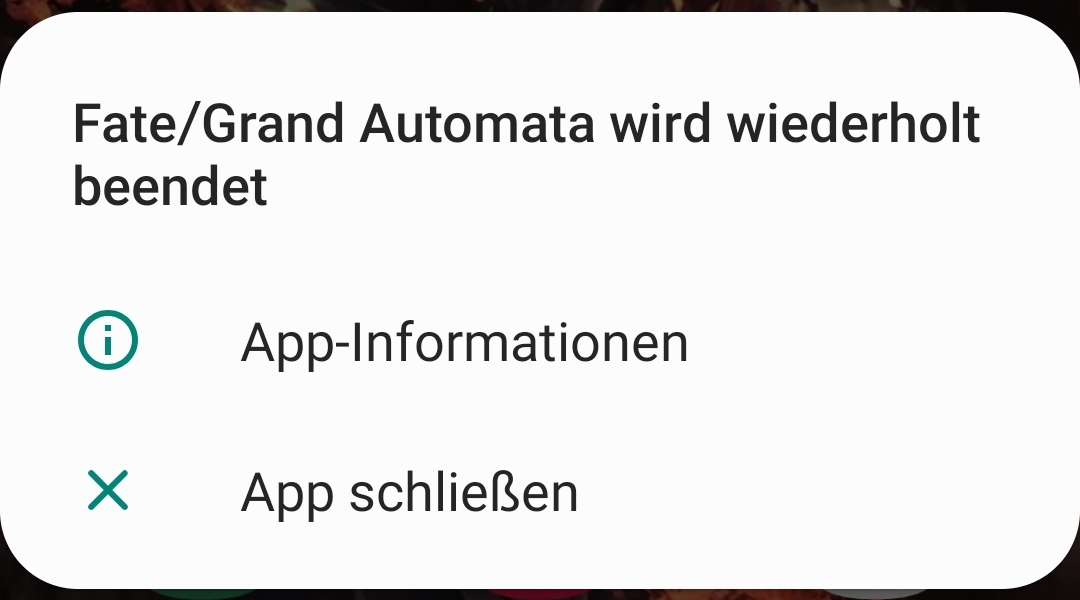
(well, in german actually) and then tried clearing cache and deleting data, which seems to be a temporary solution until it starts to losing itself again repeatedly (as the notification says at least) but this time I got something new
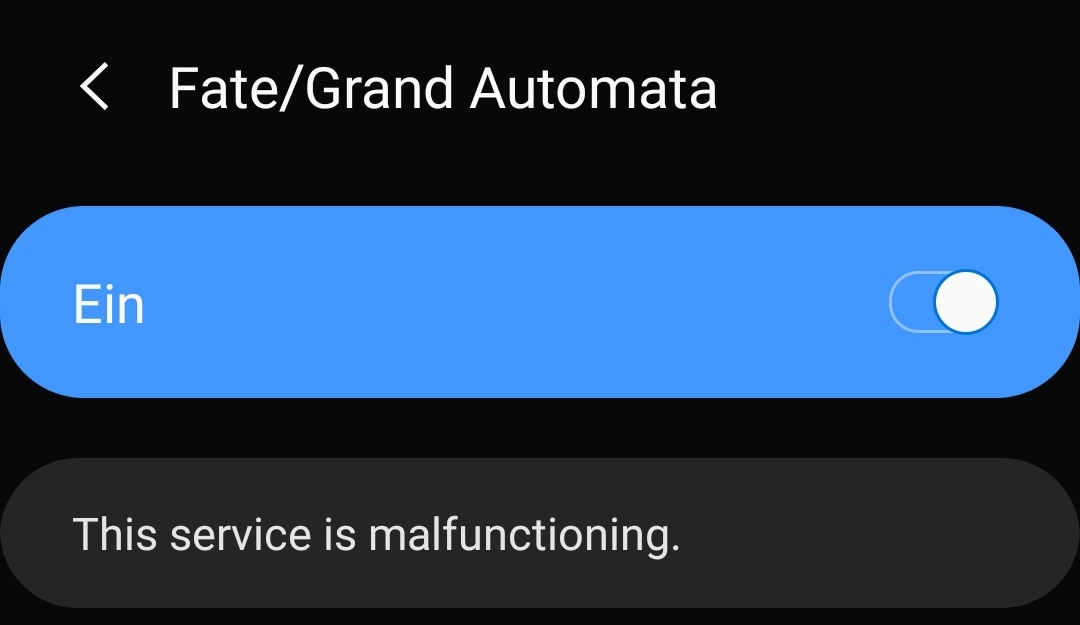
this Screenshot shows what I found after clicking on fate/grand automata in the accessibility options when prompted to turn those on (which already were turned on)
my guess is that some data that get saved/cached after some time cause the app to crash but that's just a wild guess from me, I think some logs would be way more helpful though I don't know how to get those logs if there are any
Miepmeister
on 21 Jul 2020
btw what do you mean by new engine?
FGO NA updated the version they use for their engine (basically a base the game is built on) from Unity 5 (released around march 2015) to Unity 2018, making the game run much faster and work more efficiently, but that came at the cost of raising the minimum system requirements from 1gb to 1.5gb of ram for Android. That update happened about a month ago, with the release of Lostbelt 2 - Good Fellow of Everlasting Flame.
It seems like there's something revoking FGA's accessibility permission for some reason. Hmm...I'm kinda running out of ideas. Maybe lock the app in the Recents screen, so that the system doesn't try to terminate it? Does your phone have this option?
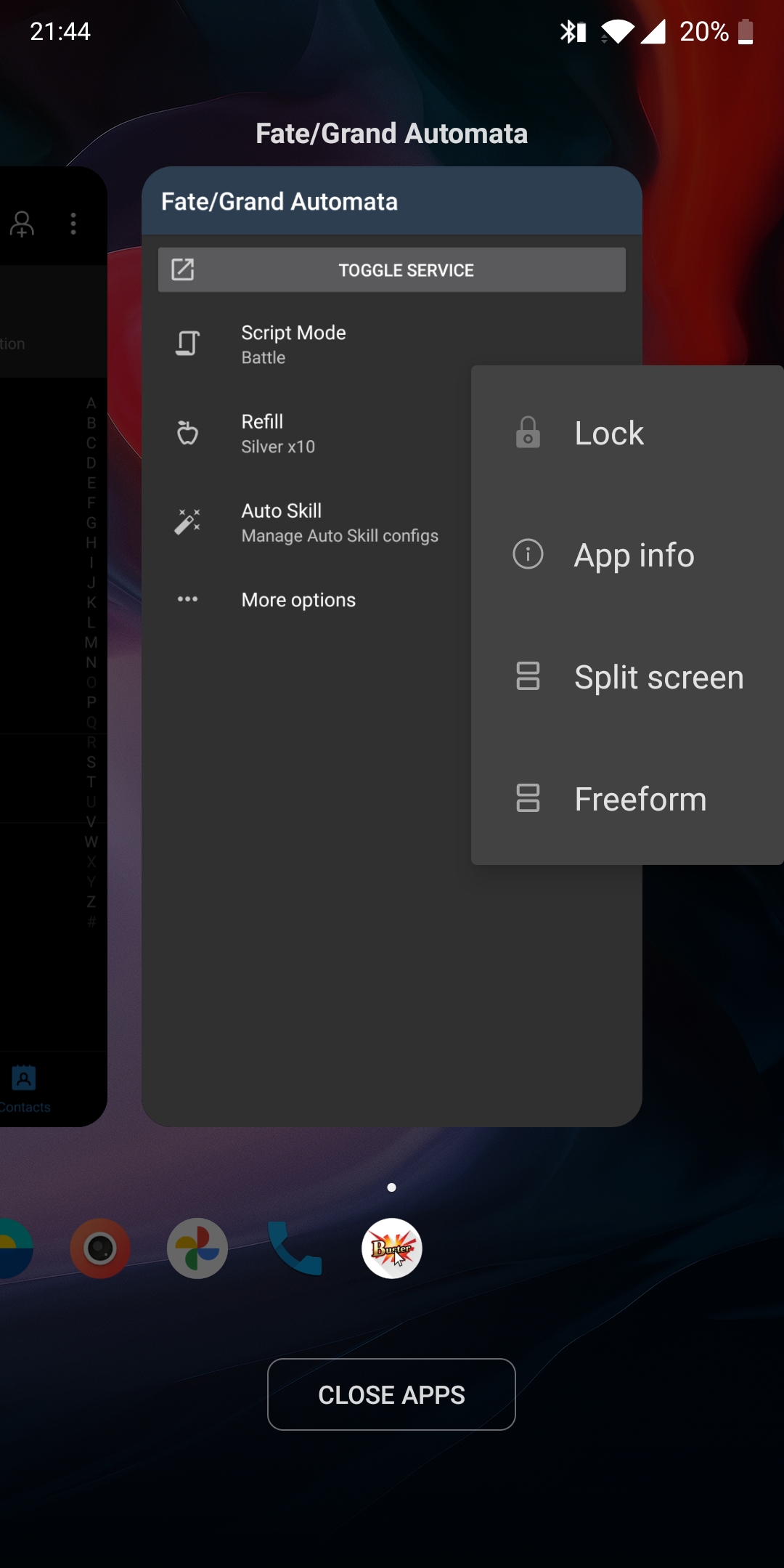
tchofy
on 21 Jul 2020
@Miepmeister can you check the workarounds on this website: https://dontkillmyapp.com/samsung
MathewSachin
on 21 Jul 2020
The AccessibilityService is turned off every time the app crashes, that's how it is for everyone.
So something kills the app or the app crashes and that causes the AccessibilityService to be turned off.
The message about the app closing repeatedly could be because when the app is closed while the AccessibilityService is running, the app will simply restart itself. So if something is trying to kill the app and sends dozens of kill commands in a row, this may lead to that error message. But that's just pure speculation from my side.
If you have ADB installed on your computer and connect to the phone using USB debugging, you may be able to find logs revealing the problem via adb logcat -t '01-26 20:52:41.820', but replace the String after -t with the date where it happened. I've never used logcat extensively before, so I can't tell you much about how you should use it.
 reconman
on 21 Jul 2020
reconman
on 21 Jul 2020
@MathewSachin will do, but before I forget it, I actually notices something being prior to the notifications of app closing, apparently it happens practically every time the screen times out or I lock the screen myself with the power button, dunno if that says or helps anything
@reconman I will try that after if the problem still persists
Miepmeister
on 21 Jul 2020
it happens practically every time the screen times out or I lock the screen myself with the power button, dunno if that says or helps anything
From v0.14.0, there is a piece of code that is triggered when screen turns OFF to stop the script if it is running. Maybe also try installing v0.13.0 to check if that is the problem.
MathewSachin
on 21 Jul 2020
Lock screen normally sounds like battery optimization being at play.
reconman
on 21 Jul 2020
it happens practically every time the screen times out or I lock the screen myself with the power button, dunno if that says or helps anything
From v0.14.0, there is a piece of code that is triggered when screen turns OFF to stop the script if it is running. Maybe also try installing v0.13.0 to check if that is the problem.
jackpot, v0.13.0 doesn't do that when I lock the screen, seems to really be that specific code part, still I try and get the logs maybe they give more insight, also I did everything that was said on the website you provided, seemed like a good idea to me considering what I found there
@reconman ADB is what? something like Android debugger or something? a link or key word would be good then I can immediately go and get the logs of this error, also do you know a good app that can clean my phone from time to time? bc when battery doc and clean master are not good I wonder if there is a alternative that doesn't fuck something up
Miepmeister
on 21 Jul 2020
@Miepmeister You can download it here, and extract it somewhere easy to use, like your desktop
https://androidfilehost.com/?fid=962187416754459552
You'll probably also need ADB drivers, that you can get here
https://adb.clockworkmod.com/
Then just plug your phone on your pc (remember to turn usb debugging on in developer options), go to the adb folder (where you extracted the zip), double-click cmd-here.exe, now type adb devices, just to make sure your phone is being recognized. Now your phone will give you a prompt about usb debugging, just click accept and see if it shows up on the list.
If it does, now you can proceed from @reconman's instructions, and if not, I'd recomend a pc reboot, sometimes it needs that to load all drivers properly.
Copy whatever the command prompt spits out and upload it to pastebin, posting the link here so the devs can check what's happening.
Just remember to untick usb debugging after you're done, since fgo really doesn't like it when it's on.
tchofy
on 21 Jul 2020
Just remember to untick usb debugging after you're done, since fgo really doesn't like it when it's on.
The new engine doesn't care about USB debugging anymore.
reconman
on 21 Jul 2020
@MathewSachin did you actually change something about that code you mentioned? was about to try and get logs of this error happening but I can't reproduce it anymore
edit: things to note there, I did all the battery optimization stuff that was mentioned before
Miepmeister
on 23 Jul 2020
Nope. I didn't change anything. I did confirm with a few Samsung users that they were not having this problem.
I think it was battery optimisation killing the app.
MathewSachin
on 23 Jul 2020
Nope. I didn't change anything. I did confirm with a few Samsung users that they were not having this problem.
I think it was battery optimisation killing the app.
ok, but should I ever encounter this again, I'll make sure to get logs of it then, this will help a lot more I think
Miepmeister
on 23 Jul 2020
Related issues
 rafflesiazero
·
8Comments
rafflesiazero
·
8Comments
 Sinkingstyle
·
3Comments
Sinkingstyle
·
3Comments
 thai-ng
·
5Comments
thai-ng
·
5Comments
 azh97
·
3Comments
azh97
·
3Comments
 Me1zter
·
9Comments
Me1zter
·
9Comments