Fga: Support selection issues on JP
Tried running it for the first time after setup and I keep crashing on the support select screen, regardless if I have it set to select first or preferred using the default skadi, merlin, waver selected.
Says "attempt to read from field 'long.org.opencv.core.Mat.nativeobj' on a null object reference".
Just to mention some background; this is with the JP version and "Japanese" selected on the game version within the app. Android 10 on Galaxy 9s+
 chairmanxyz
All 17 comments
Can you provide me a screenshot of the error?
You can see the error by expanding the app's notification.
Also, I'd need an image of the game in support selection screen.
Are you running FGO as a fullscreen app (blue borders around the game)?
 MathewSachin
on 21 Apr 2020
MathewSachin
on 21 Apr 2020
I've narrowed it down pretty significantly. It seems to only crash when I tell it to use a preferred CE and then toggle the 'MLB' box. The CE I tested this with is teatime which has the little star visible in the image, maybe that's throwing it off? If I tell it to look for teatime and don't click MLB it'll select MLB teatime in the support window just fine.
chairmanxyz
on 21 Apr 2020
Error:
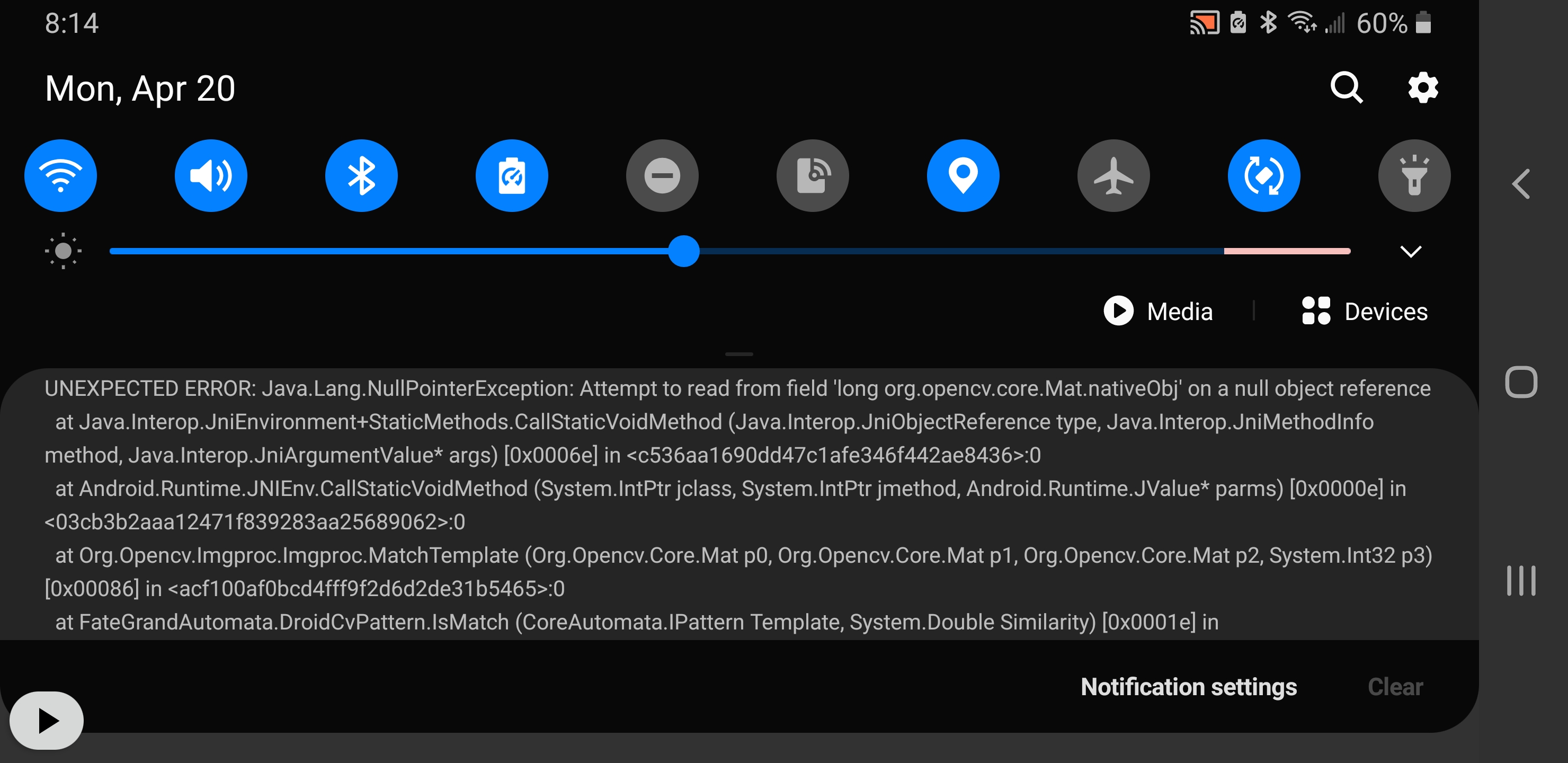
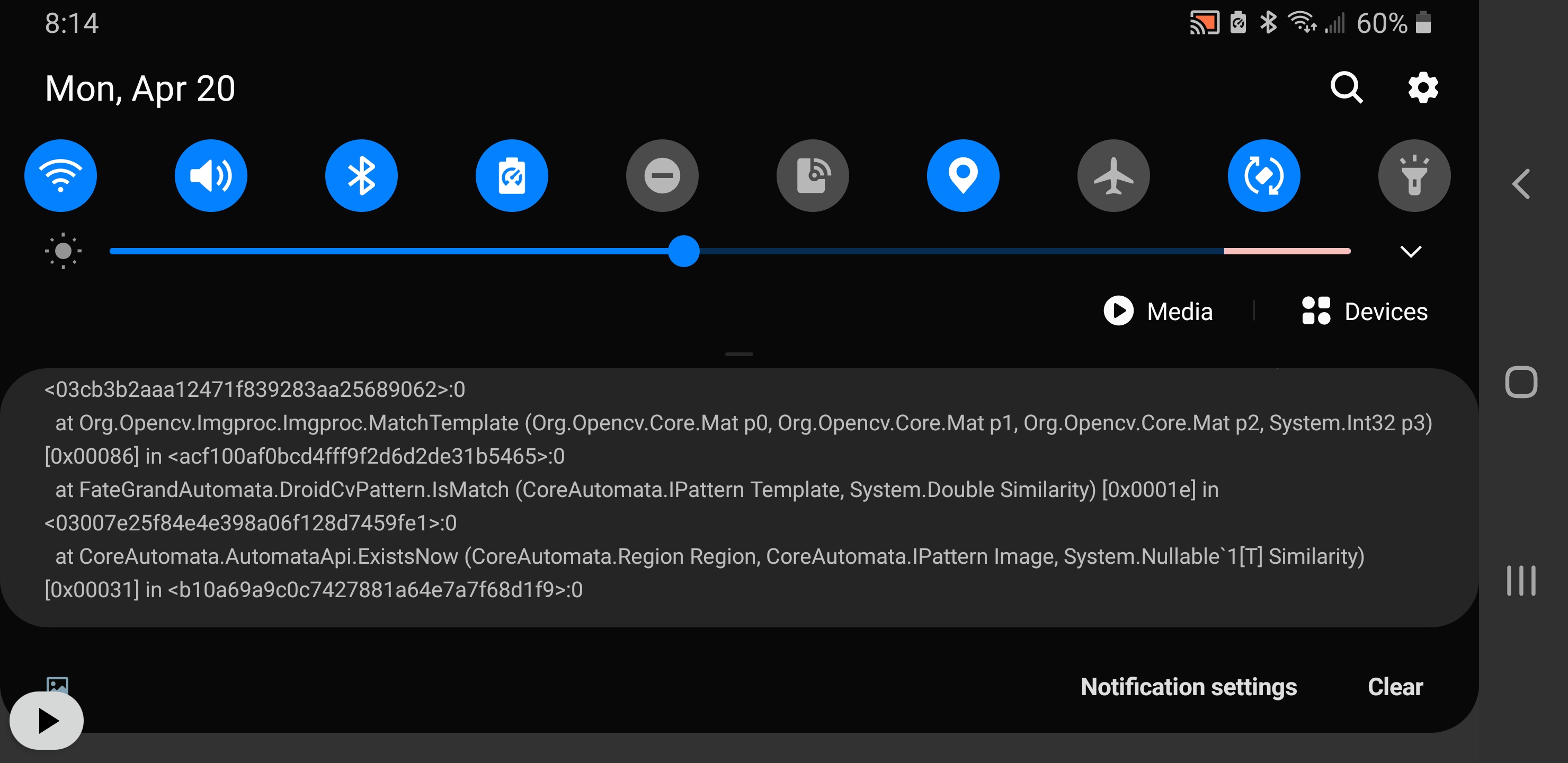
Support Screen:
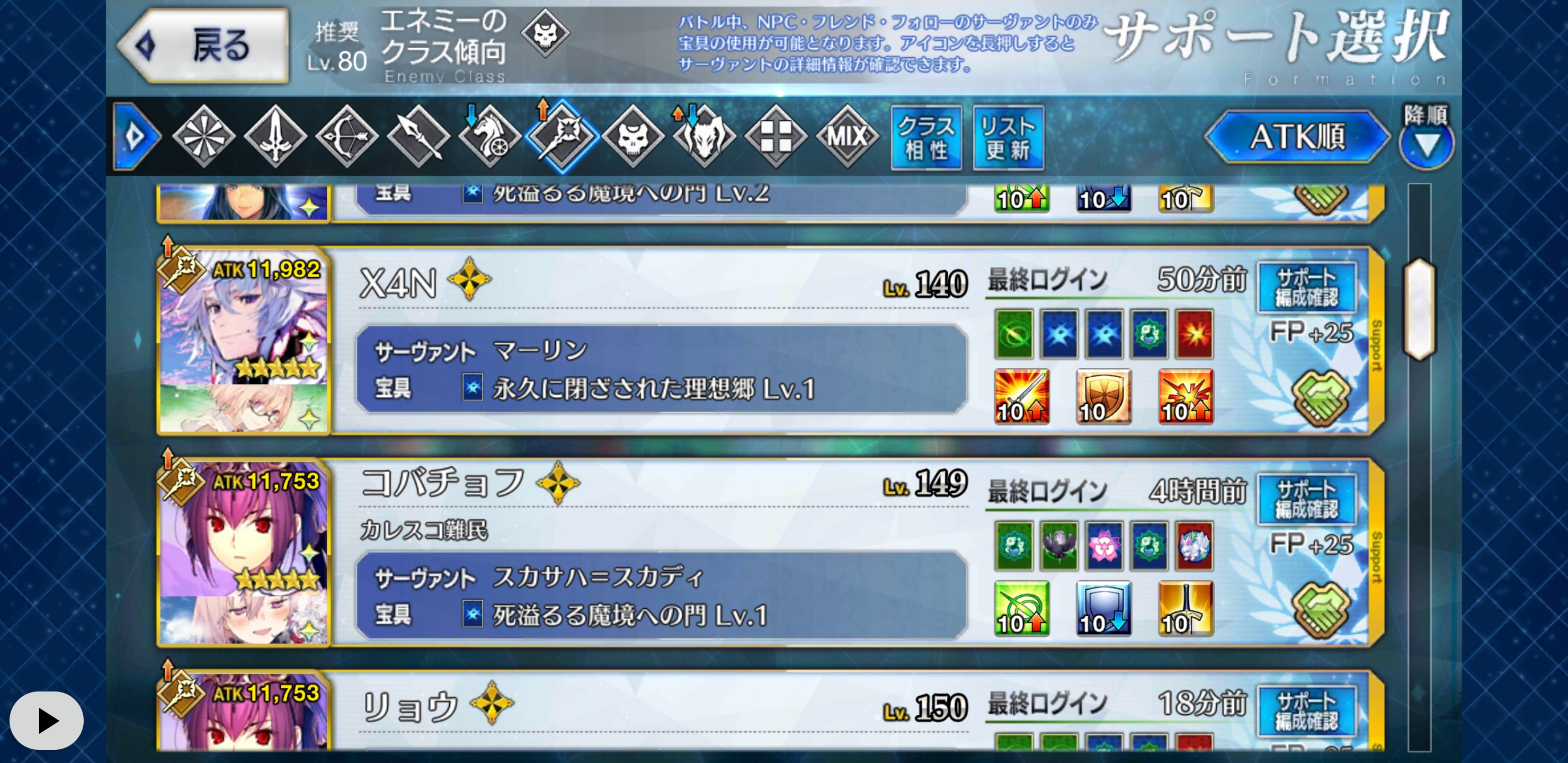
CE Image in Support Folder:

chairmanxyz
on 21 Apr 2020
I've narrowed it down pretty significantly. It seems to only crash when I tell it to use a preferred CE and then toggle the 'MLB' box. The CE I tested this with is teatime which has the little star visible in the image, maybe that's throwing it off? If I tell it to look for teatime and don't click MLB it'll select MLB teatime in the support window just fine.
You narrowed it down pretty well! Nice work!
I saw that the name for the MLB image for NA and JP have different casing.
NA: limitBroken.png
JP: limitbroken.png
The image is not found on JP so the null error happens.
I'll give you a new build to test in a while.
MathewSachin
on 21 Apr 2020
@chairmanxyz Can you try installing the apk from this page: https://github.com/MathewSachin/Fate-Grand-Automata/actions/runs/83465048
It'll be in a zipped folder.
MathewSachin
on 21 Apr 2020
It's stopped crashing with the null error but now it's not recognizing the MLB ce. It just scrolls past them in the support list.
Edit: Well, I does seem to sometimes select MLB after scrolling for some time over a bunch of other options and picking the very last one. Not sure why it's doing that.
chairmanxyz
on 21 Apr 2020
I think I've seen this error happen with FGOlua too.
We check how similar images are on a scale from 0 to 1. Minimum matching similarity is 0.7 by default, but for the MLB star it is 0.8. If it is being randomly selected for you, the value might be being calculated around 0.8, sometimes slightly more, otherwise slightly less.
@reconman your thoughts?
FGOlua matches in grayscale, but this app uses RGB, maybe that's why we're getting less similarity?
MathewSachin
on 21 Apr 2020
I feel like there's a connection based on where the support character is on the screen. If it's cut off a little or not in a nice position it'll skip over it. I was able to get different results in the selection screen based on where I left the scroll bar. It never seems to select the very top servant when on the preferred setting, but sometimes if I start the script with the sidebar a little lower, perhaps revealing the servant I want more clearly on the screen, there's a better chance it captures it right away instead of scrolling past it.
chairmanxyz
on 21 Apr 2020
Can you post a gif or video of how the support list is scrolling on your phone?
We had done a scrolling fix just yesterday, and it should be in the new APK I gave you.
I think we'd need to tweak the scrolling a bit more.
MathewSachin
on 21 Apr 2020
So first of all, we haven't tested JP with this app, so we can't say much about the exact behavior. But I know that the scrolling value is different for JP and NA. Maybe changing the JP value to NA will fix the scrolling issue?
I think we can't avoid testing on JP ourselves much longer. I've got a tablet where I could use adb to debug our software. An emulator would also be an option. I just can't promise to do it earlier than the end of the week, though.
 reconman
on 21 Apr 2020
reconman
on 21 Apr 2020
Here's a build with JP value of scroll changed to the NA value: https://github.com/MathewSachin/Fate-Grand-Automata/actions/runs/83580431
@chairmanxyz Would you give it a try?
MathewSachin
on 21 Apr 2020
@chairmanxyz A new version was released around an hour ago. Can you try v0.9.0?
MathewSachin
on 21 Apr 2020
Sorry for the delay. I have installed 0.9 and it seems to be recognizing servant + ce combos better, however still running into the occasional skip over. And essentially every time I've tried, the first servant is always skipped. All the recording apps I tried use the screen accessibility setting which I cannot run concurrently with this app, so I tried to grab some screenshots of when it worked vs when it didn't.
I was searching for skadi with teatime, seen first here. It will not select her:
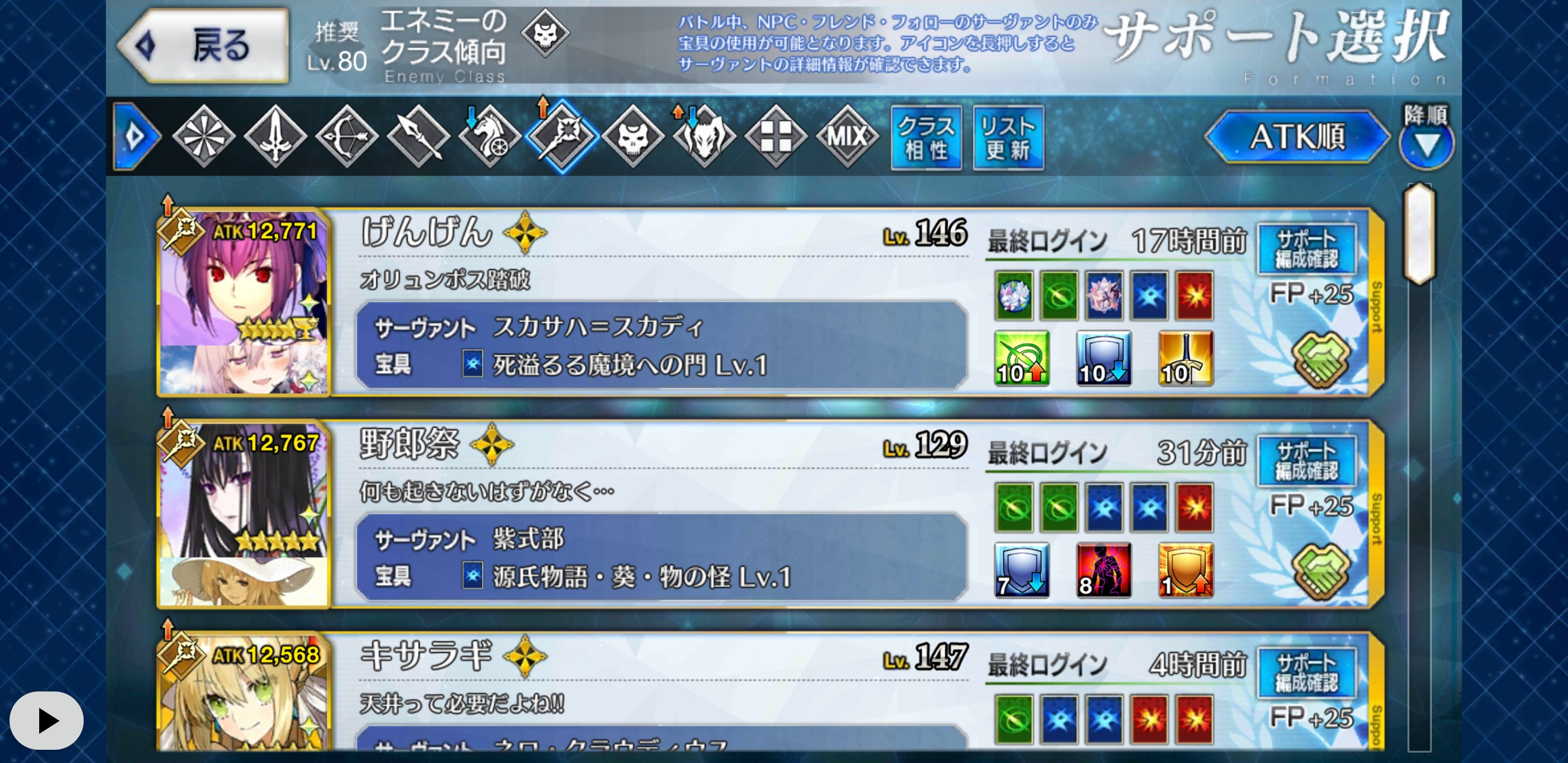
However it scrolled down a ways and found this skadi with teatime and selected it (the first one):
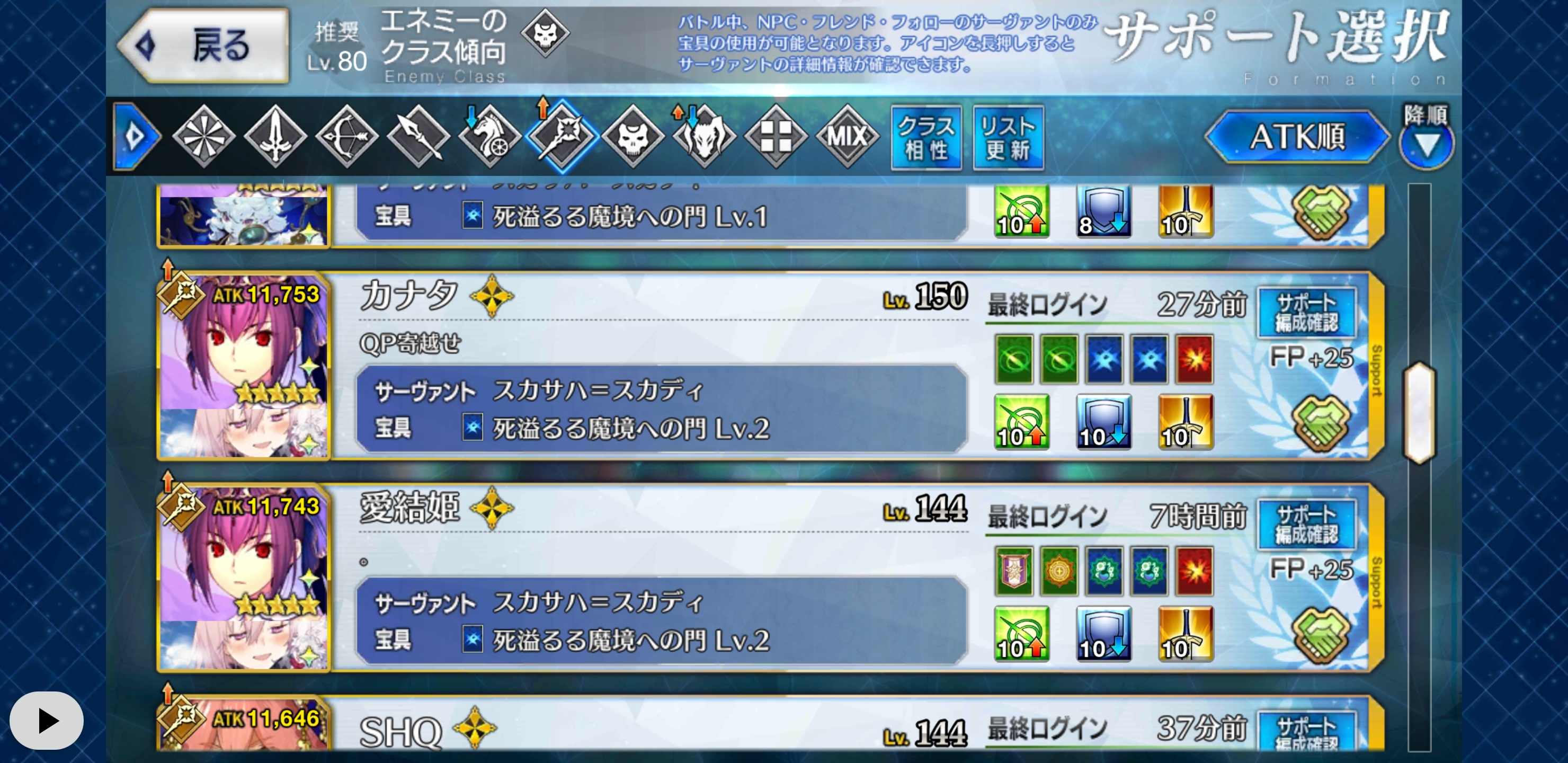
I went back to the top and scrolled the bar down ever so slightly, and then started the script. This time it selected her at the top:
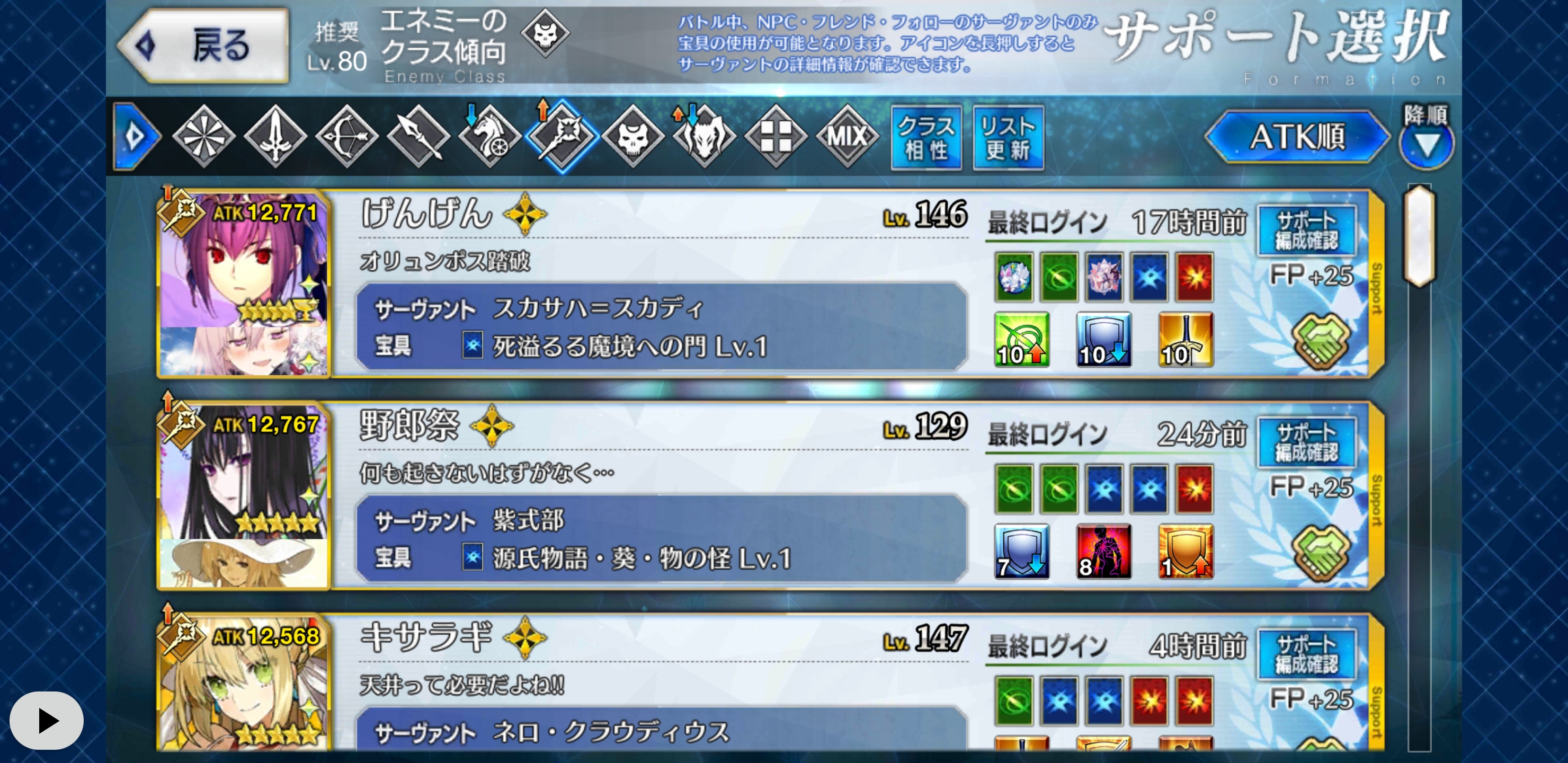
I've tried this with and without the new notch setting for Samsungs, though not sure that's relavent.
In fact in general, I don't yet think I've seen it select a servant from the first screen. It's always scrolled down at least once before it selected one.
chairmanxyz
on 21 Apr 2020
@chairmanxyz I will be able to test the preferred option in the next 12 hours. I spent the whole evening yesterday setting up FGO JP on my tablet and finding the source of crashes reported by many users.
It will be a bit of work to find the exact reason, but I'll try my best to find the cause.
reconman
on 22 Apr 2020
I was able to reproduce the issue and am currently looking for solutions. I'll add another comment when I've found out what's going on.
reconman
on 23 Apr 2020
I tested again with the current release and Arjuna Alter with MLB Kaleidoscope and I wasn't able to reproduce the error again.
Although in NA during the raid farming, there were several cases where Merlin didn't get selected, even though he was clearly on the screen.
reconman
on 26 Apr 2020
We found some issues with the "Confirm support setup" button not being detected properly, which was fixed.
reconman
on 2 May 2020
Related issues
 azh97
·
3Comments
azh97
·
3Comments
 Dwide13
·
6Comments
Dwide13
·
6Comments
 IazIow
·
3Comments
IazIow
·
3Comments
 the3dsandwich
·
7Comments
the3dsandwich
·
7Comments
 thai-ng
·
5Comments
thai-ng
·
5Comments