Fga: Quest Completed Screen not detecting
Before opening an issue:
- [x] I tested the latest release
- [x] I looked at other issues (even the closed ones)
- [x] I read the Troubleshooting Guide
- [x] I'll fill this template properly
Your issue will get closed/locked by the bot in case proper info isn't provided
If you open unnecessary/dumb issues, you'll be rewarded with appropriate tags.
Describe the bug
In Battle, if the current screen is item drop (the one you want to screenshot), if you con't decide to screenshot drops and somehow was stuck on the screen, FGA won't detect it nor click to skip it.
Screenshots
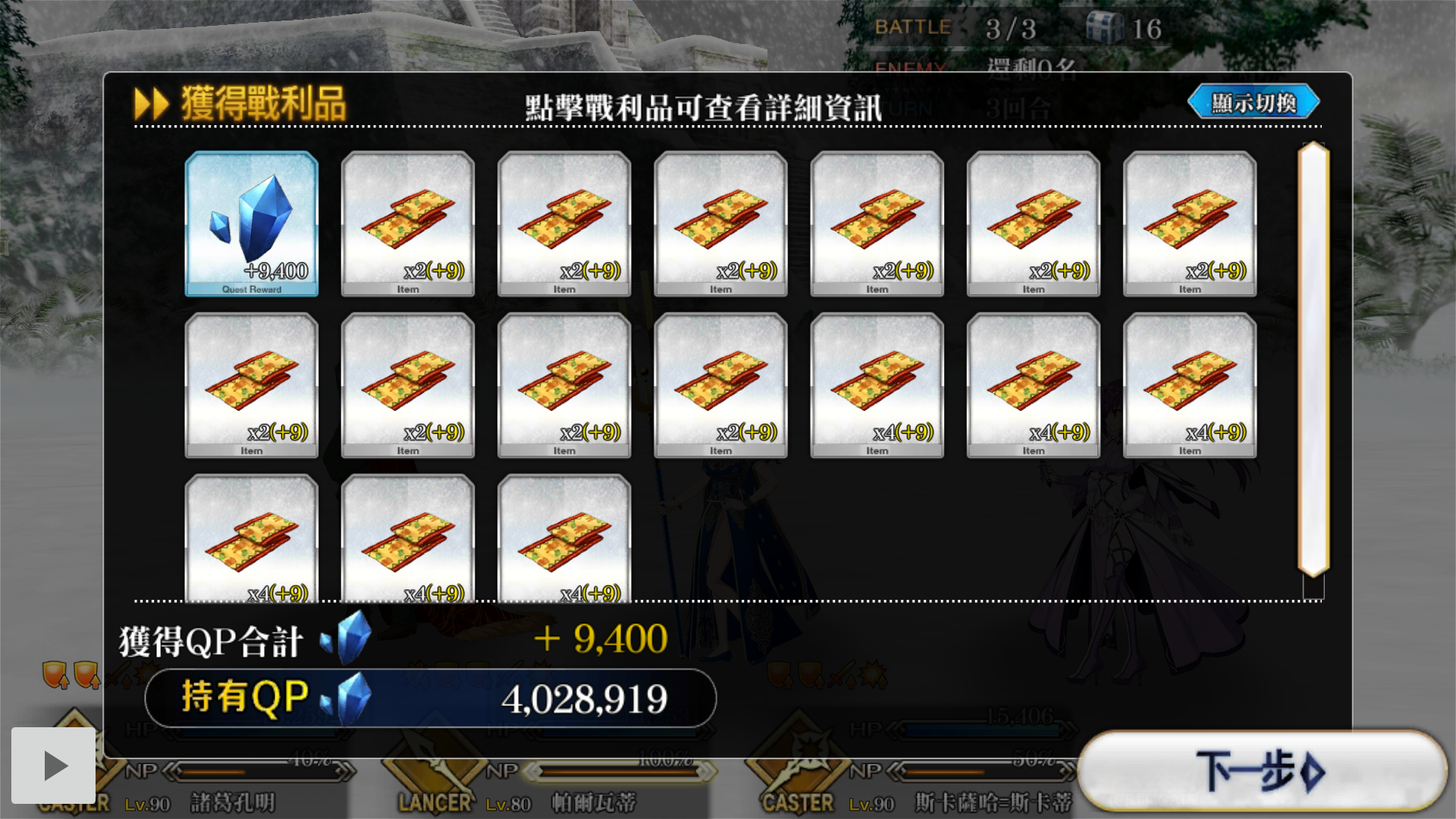
Video
recording
Device Info (please fill at-least 'Device model'):
- Device model: [Pixel 2 API 30(Android Studio Emulator]
 the3dsandwich
All 7 comments
I think it's because the mat_rewards.png is missing for TW?
the3dsandwich
on 20 Sep 2020
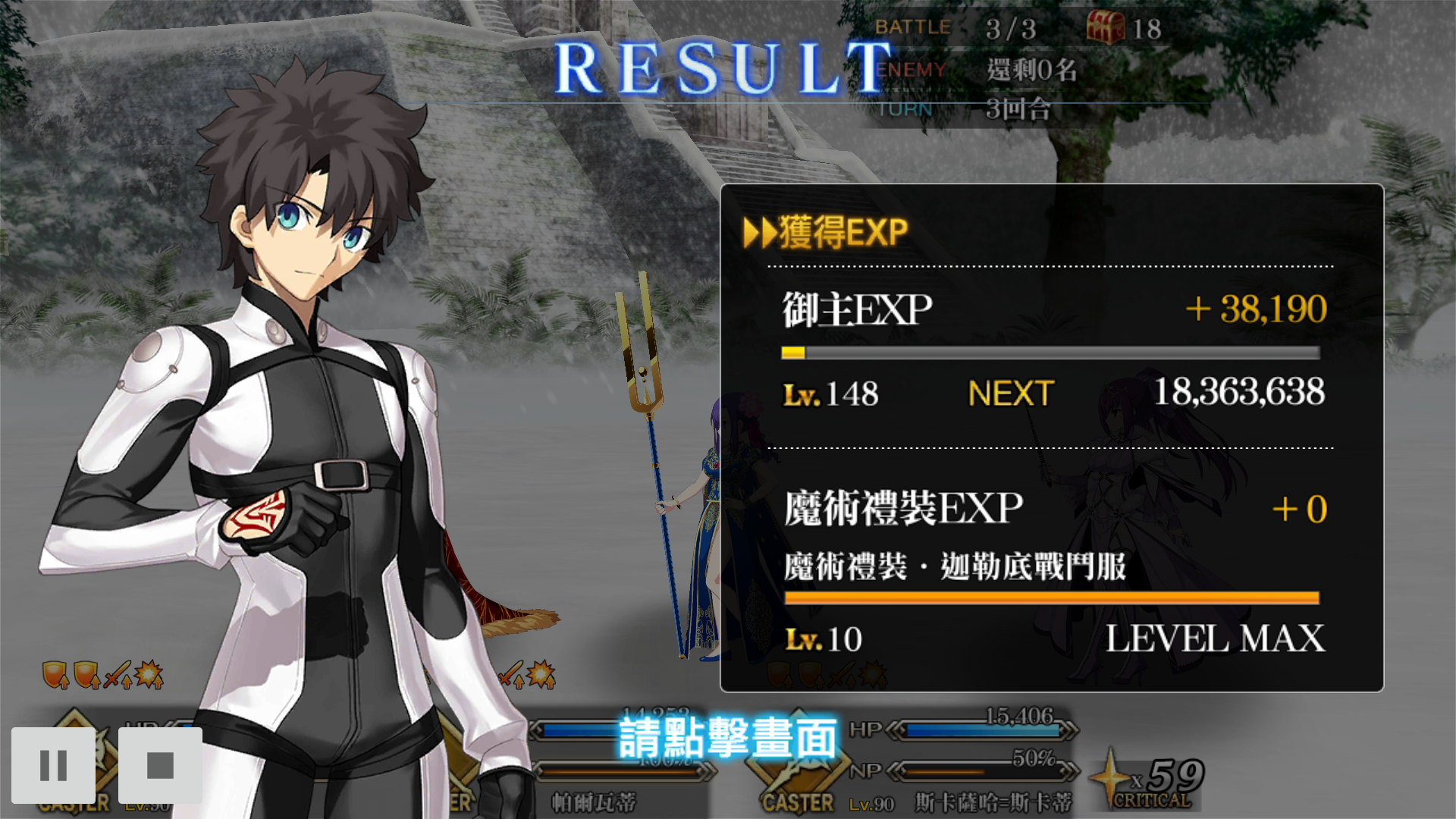
Just had it stuck at this screen too
the3dsandwich
on 20 Sep 2020
Right, images for both screens aren't present for TW
 MathewSachin
on 20 Sep 2020
MathewSachin
on 20 Sep 2020
I cross-checked with KR and these 2 seem to be the only missing ones.
Can you take this up?
MathewSachin
on 20 Sep 2020
Sure! I'm on it
the3dsandwich
on 20 Sep 2020
It's supposed to look like this right? I tried cropping it in different sizes but just couldn't get it to detect. Maybe I'm doing something wrong?

the3dsandwich
on 20 Sep 2020
Try with this:

The image size seems wrong to me. Before cropping, resize the original image to 1280x720
MathewSachin
on 20 Sep 2020
Related issues
 calamity1010
·
8Comments
calamity1010
·
8Comments
 crestkat
·
4Comments
crestkat
·
4Comments
 sleeping-player
·
4Comments
sleeping-player
·
4Comments
 Dwide13
·
6Comments
Dwide13
·
6Comments
 rafflesiazero
·
8Comments
rafflesiazero
·
8Comments