Fga: Tends to Stop in Subsequent Repetitions
Hello again!
When running the script, still farming the 40ap QP node it runs the first full quest flawlessly. It'll refill, pick the node again, pick support again and start the quest without fail. It then will fail any time after the first skill activates. I've had it fail as early as the first repetition (so 2nd quest) after activating the first skill. I've also had it not fail for about 5 runs on the high end. Stopping the script by tapping play and restarting it in between runs doesn't seem to help.
When "failing" the application will stop executing commands, the play button will disappear and the app will say the "Accessibility Service Running" message like on first start up. I then have to tab over to the automata app and toggle the application off and on again, then it functions as above before failing again.
 Flynn1111
All 19 comments
I'm not sure, maybe the app being killed by Samsung's battery optimization. I'd a similar problem with my Xiaomi phone and solved it by setting unrestricted in battery saver.
For Samsung, the steps to follow can be checked here: https://dontkillmyapp.com/samsung
 MathewSachin
on 20 Apr 2020
MathewSachin
on 20 Apr 2020
I'll give that a try. There was some kind of prompt when first configuring the app to turn off those battery settings which I did but I've now turned that feature off system wide.
Flynn1111
on 20 Apr 2020
I've followed the instructions and disabled the system wide settings, I then force quit the automata app and rebooted my phone. This did not fix the issue. I am unable to add the automata app to the "Apps that won't be put to sleep" list since it doesn't appear in the list.
Flynn1111
on 20 Apr 2020
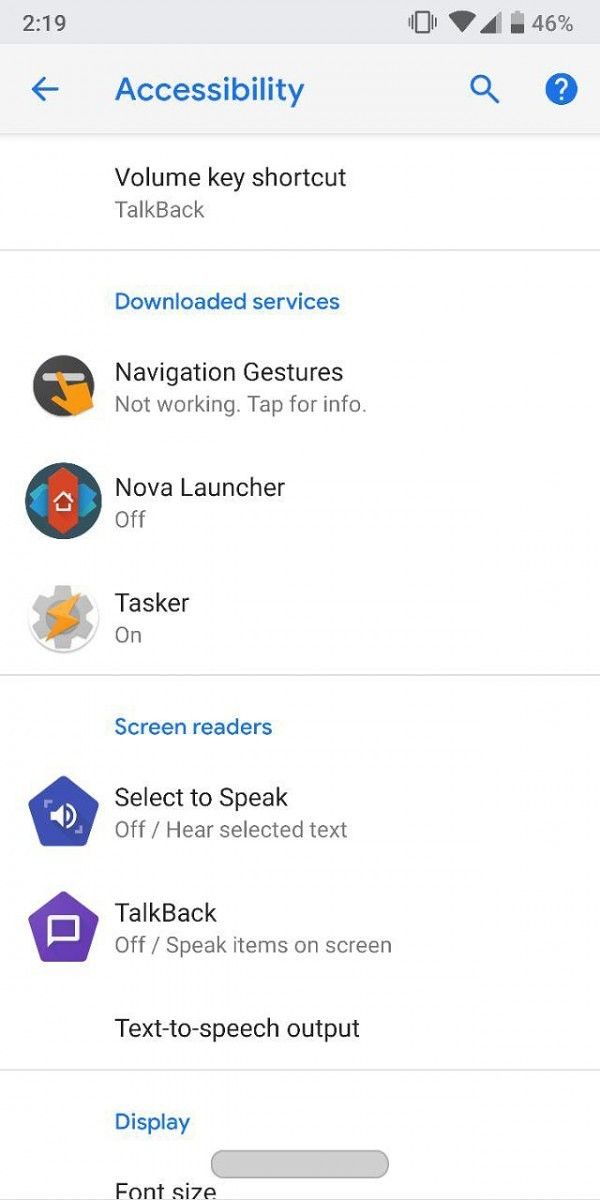
After it crashes, do you see anything like this in the list of accessibility services?
 reconman
on 20 Apr 2020
reconman
on 20 Apr 2020
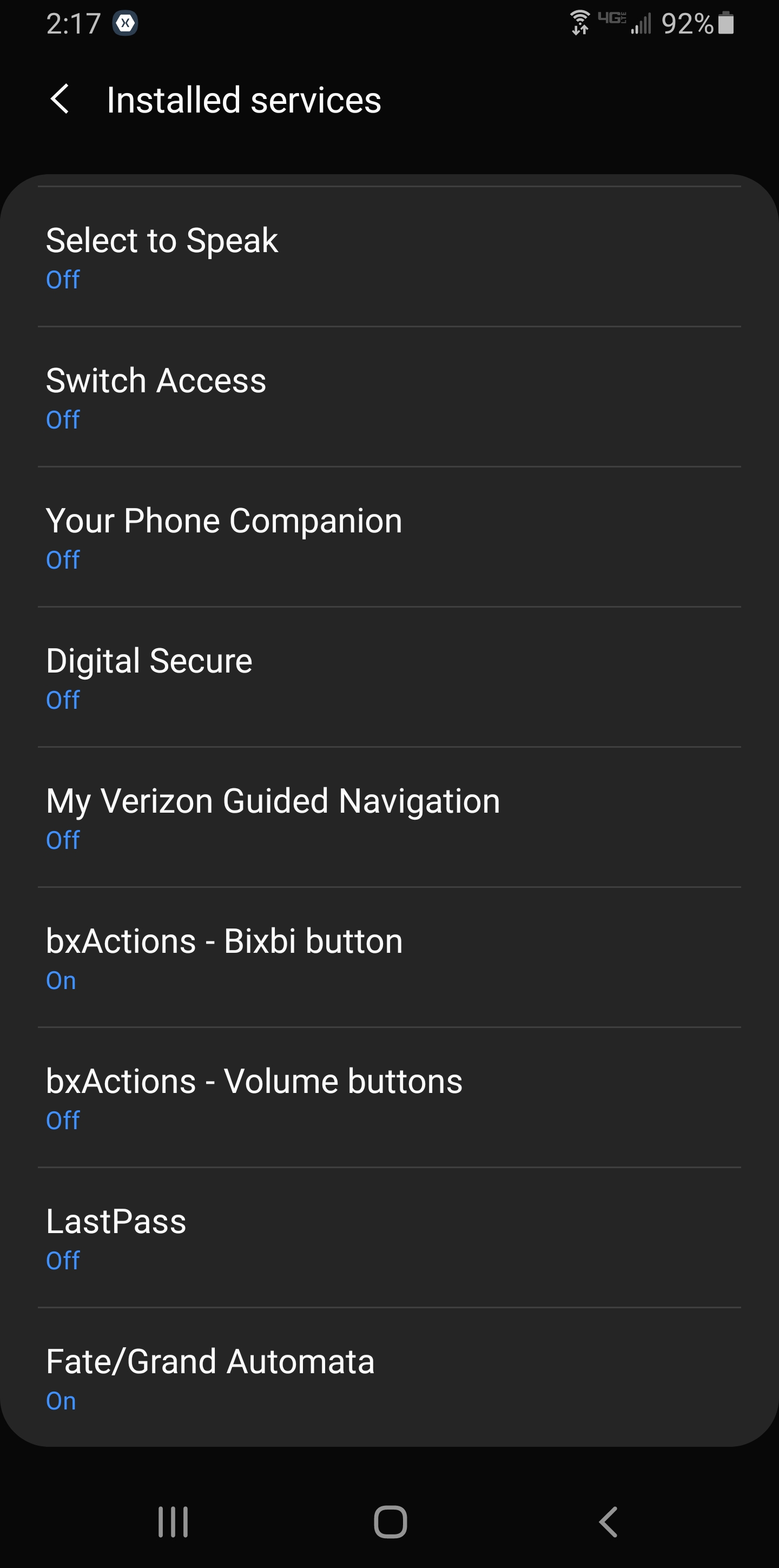
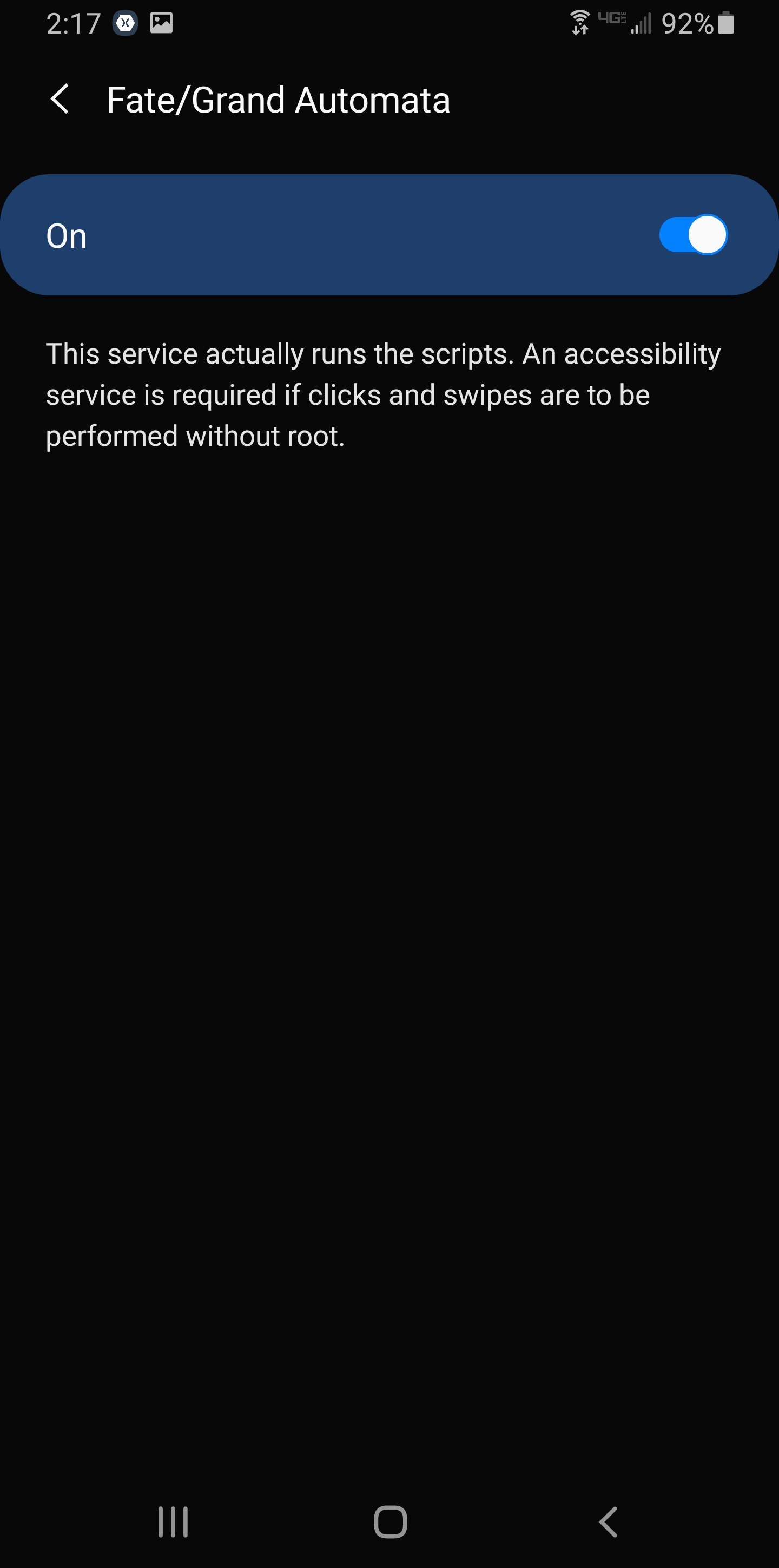
Accessibility on the S10 looks different but nothing would suggest a feature isn't working within those menus. Its more like the service gets toggled off while I'm in FGO as opposed to the whole automata app crashing.
Flynn1111
on 20 Apr 2020
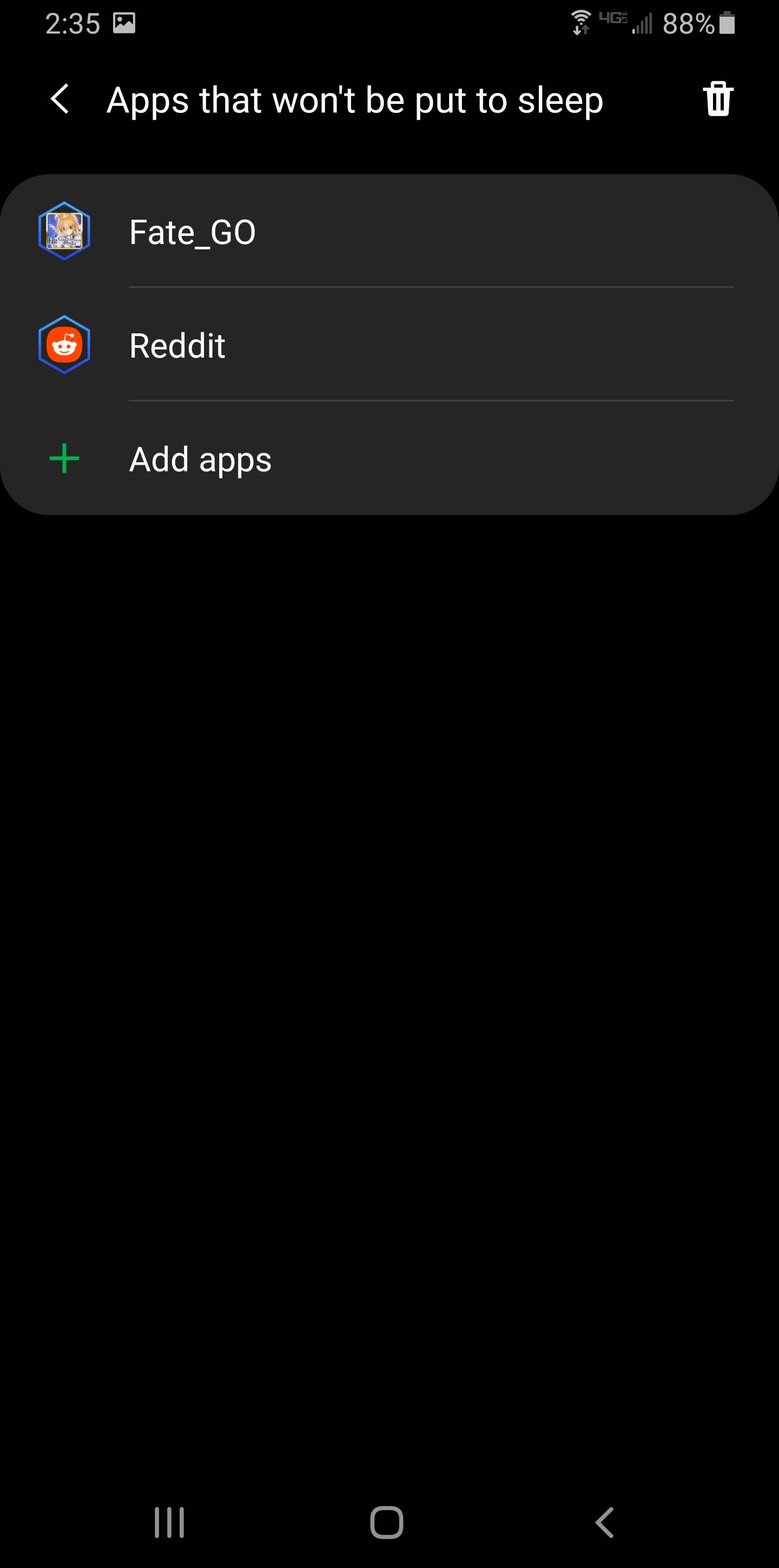
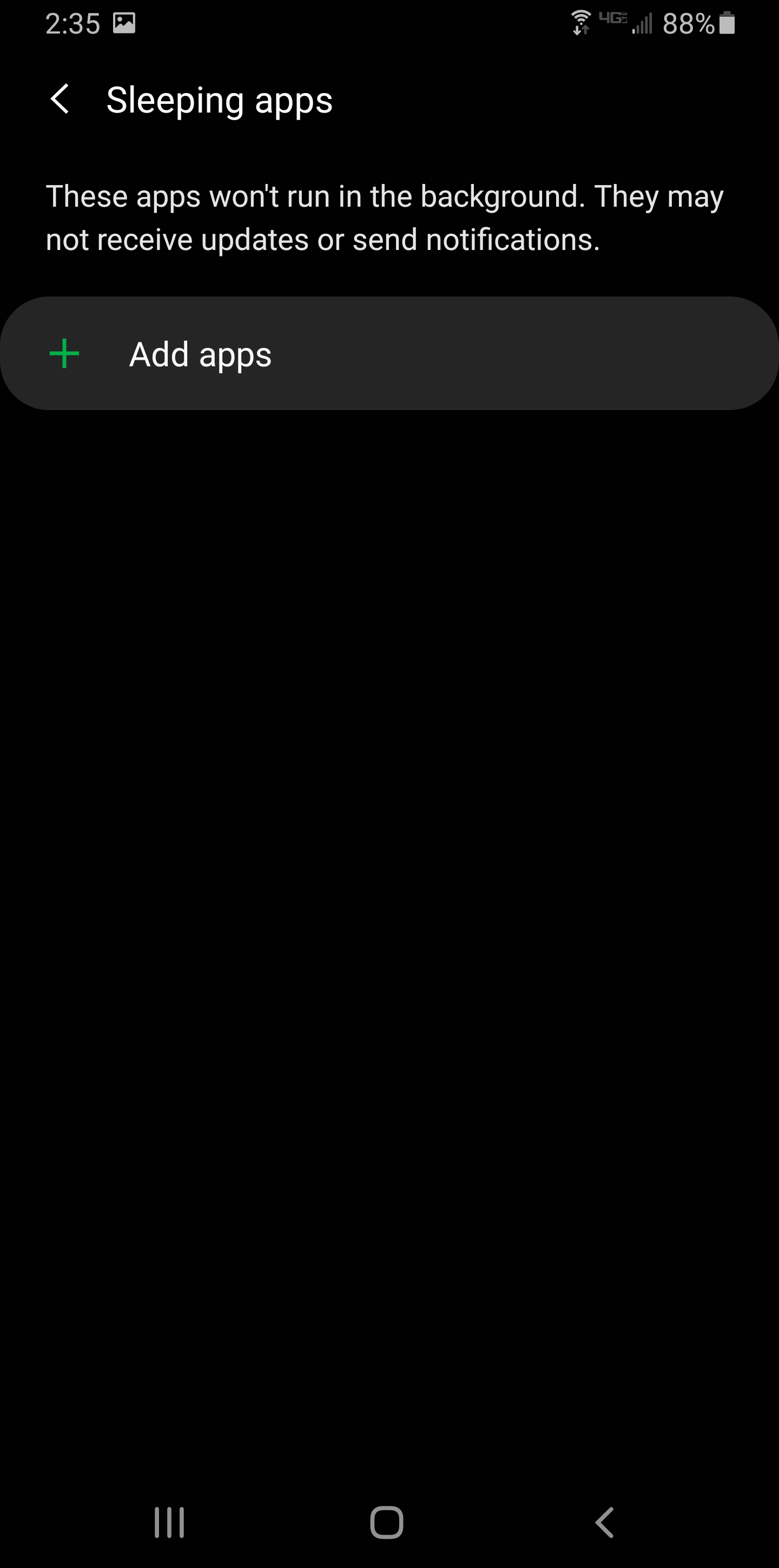
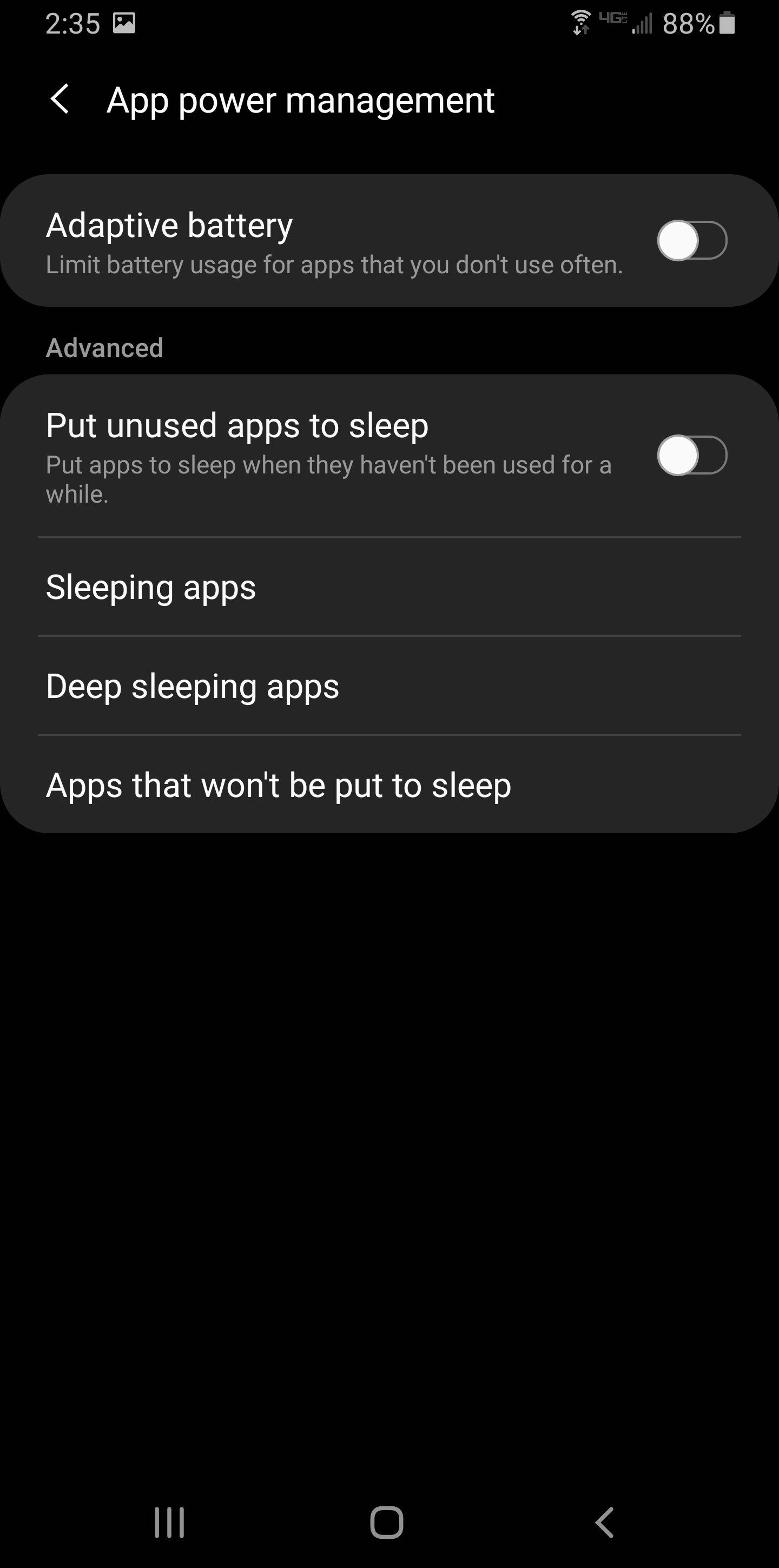
"Apps that won't be put to sleep" doesn't exist in the screenshots on dontkillmyapp.com. Do you mean "Sleeping apps"? Those are the apps where you're not allowing it to run in the background.
I have one last idea, can you try "locking" the automata app in the task manager?
reconman
on 20 Apr 2020
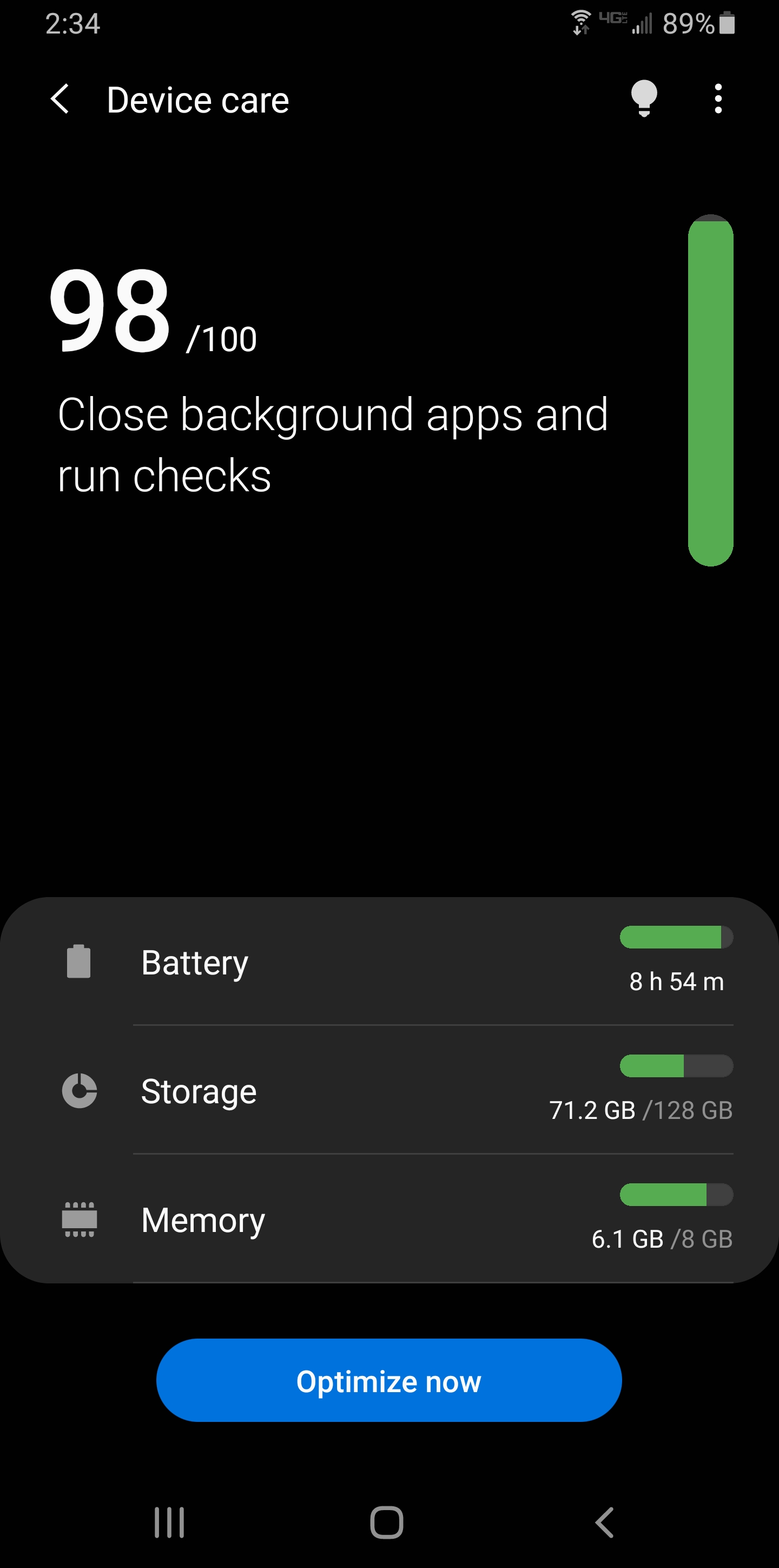
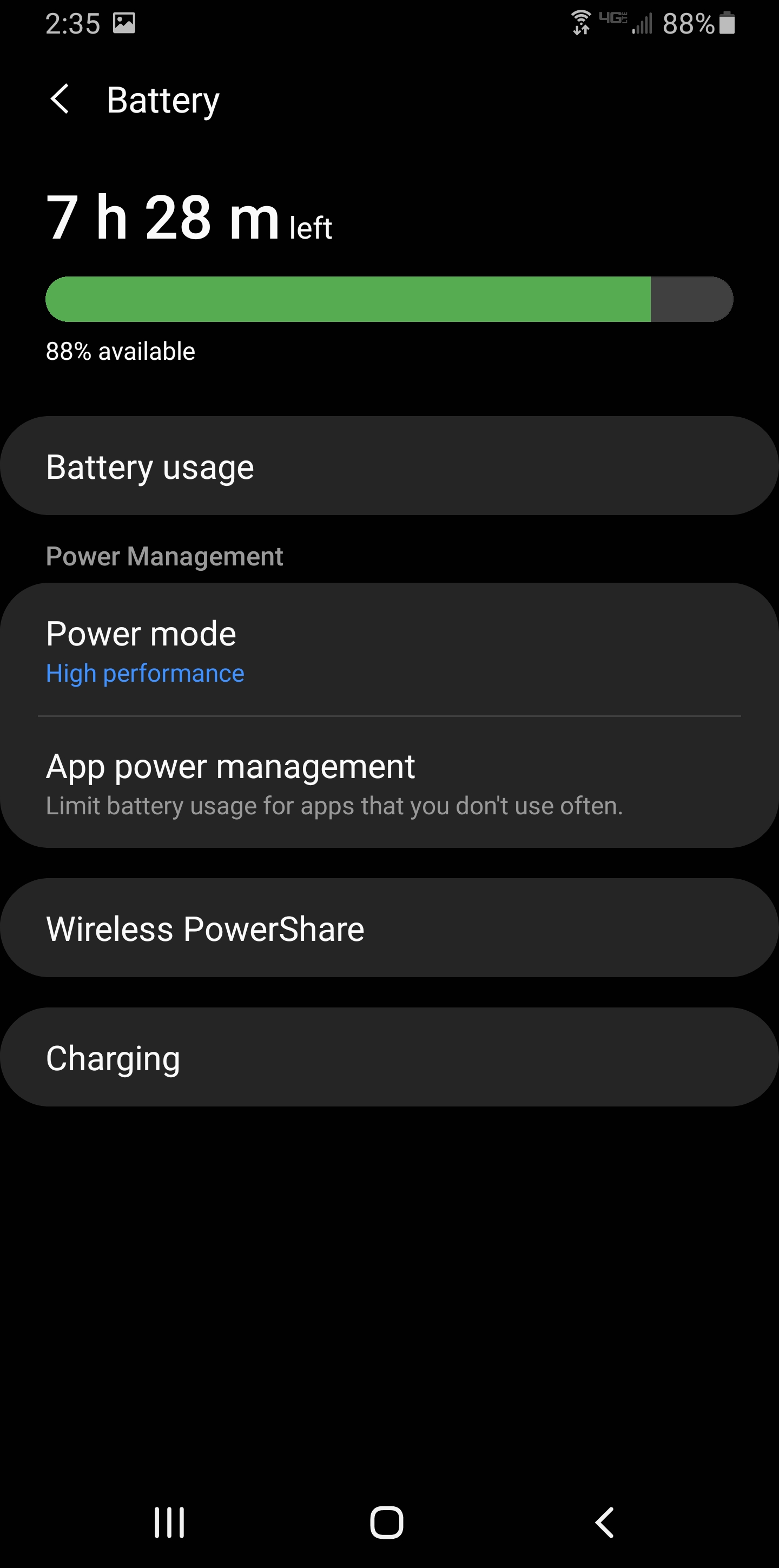
The whole Device Health screen is different from the link provided earlier. Attached is what I'm looking at, Automata doesn't show up in the list of app for any of the sleep or don't sleep sections. I'll try locking it now.
Flynn1111
on 20 Apr 2020
Last screenshot didn't upload
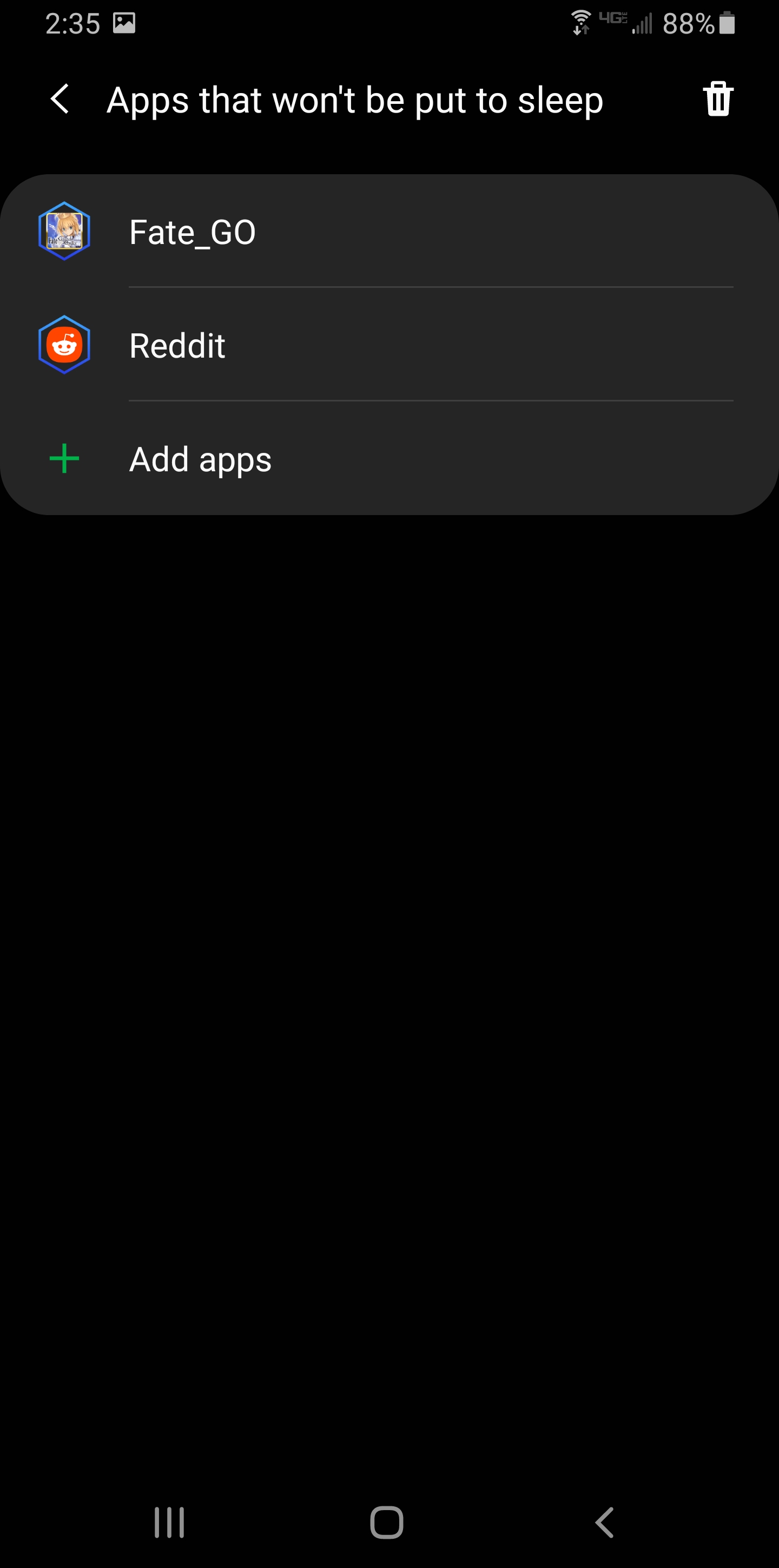
Flynn1111
on 20 Apr 2020
So the + in the last screenshot doesn't show automata? Also if you don't mind I'll scale down your images.
reconman
on 20 Apr 2020
Correct, it shows an alphabetized list of apps but Automata isn't on that list anywhere.
Flynn1111
on 20 Apr 2020
One more option, if you go to the details of the app and then click on the energy settings, what does it say?
For example, on my phone this app is currently set to have a battery optimization of "Intelligent". I haven't noticed any bad effects of that setting.
reconman
on 21 Apr 2020
I'll give that a go, it looks like Automata was set to "not optimized" which greys out the "allow background activity" slider. Optimizing says it could restrict battery usage but it allows me to turn the "allow background activity" slider on so I'll see if it changes anything.
Locking the automata app had no impact.
Flynn1111
on 21 Apr 2020
It seems to be lasting marginally longer before toggling off while it's optimized and and set to "allow background activity" but it may be placebo effect.
Flynn1111
on 21 Apr 2020
So after finishing up some QP farming I decided to test out the app auto attacking with buster servants. I turned off autoskill and turned on auto target, then I set it to farm for 2 refills on a 14ap node. With autoskill turned off and no other changes to battery settings it farmed the entire 3 ap bars worth without stopping.
Flynn1111
on 21 Apr 2020
I have the exact same problem as the original post. I have a Xiaomi A2, Android 10 and I have added both FGO and the Automata app to apps that are not optimized in the Battery settings (only thing I found I could change), but the play button disappears after finishing one quest and starting the new one, right when it has chosen the first skill, just like Flyn1111. Only thing I have to add is that FGO seems to lag a lot after it just chose the first skill, and then Automata seems to disappear.
 DLZRR
on 21 Apr 2020
DLZRR
on 21 Apr 2020
We've done a few performance improvements and want to confirm with a few more users before releasing a new version.
You can download the APK from this page: https://github.com/MathewSachin/Fate-Grand-Automata/actions/runs/84478986
It'll be in a zipped folder.
@Flynn1111 @DLZRR Please, let me know if the app works fine now or not.
MathewSachin
on 22 Apr 2020
@MathewSachin it seems to work for me now! Three consecutive runs were done successfully. I do have to mention that I turned off skill confirmation for FGO (and for Automata), so maybe I will try testing if it still works if I turn it back on. Thanks!
DLZRR
on 22 Apr 2020
yeah I let it run for ~1hr of qp farming and no more stopping.
Flynn1111
on 22 Apr 2020
So, this fixes the crashing issues for almost everyone who reported.
@reconman I'll do the release in about an hour.
MathewSachin
on 22 Apr 2020
Related issues
 kohcheeyit
·
5Comments
MathewSachin
·
9Comments
kohcheeyit
·
5Comments
MathewSachin
·
9Comments
 crestkat
·
4Comments
crestkat
·
4Comments
 ScathachSkadi
·
3Comments
ScathachSkadi
·
3Comments
 Me1zter
·
9Comments
Me1zter
·
9Comments