I'm on an s10 plus, and I'm getting the attached error when trying to activate the script from within the FGO app itself when I hit play. I can hit play in other apps but when switching to FGO it does nothing.
Other info:
using auto AP, skill, preferred support (mona lisa), EN server.

 Flynn1111
All 21 comments
Can you give me a screenshot of FGO running on your phone.
I need to know what part of the screen the game is using on your phone.
There's a known problem with Samsung phones discussed in #20.
 MathewSachin
on 20 Apr 2020
MathewSachin
on 20 Apr 2020
Sure, this was occurring with and without the fullscreen apps feature on.
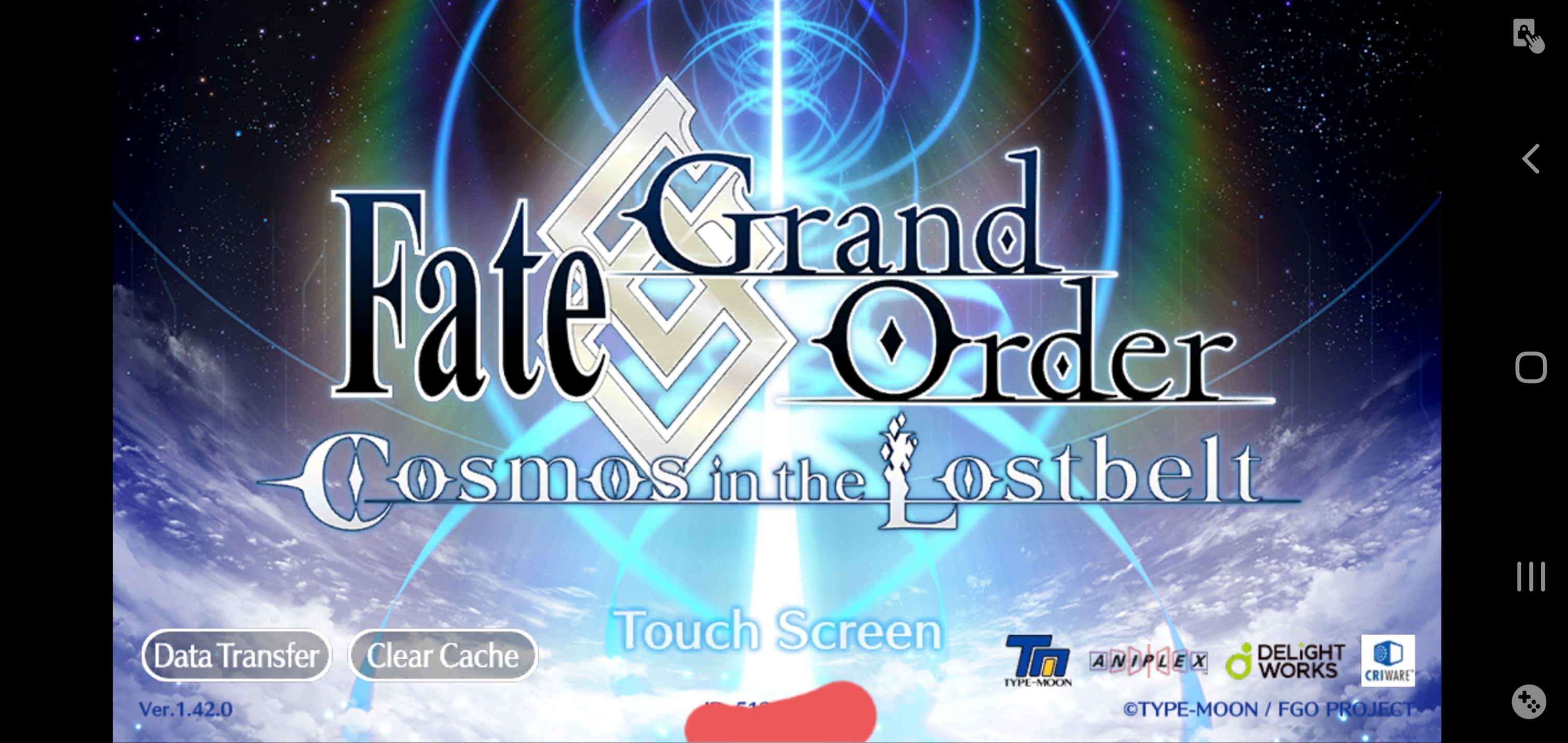
Flynn1111
on 20 Apr 2020
Ok. I need to check this a bit. I'll get back to you ASAP.
MathewSachin
on 20 Apr 2020
Portrait screenshot size is 1440x3040
Landscape screenshot size is 3021x1431
There is a difference in screenshot sizes, the width of the portrait one doesn't match the height of the landscape one.
Can you provide me screenshots of the game both when Fullscreen mode is ON and OFF?
MathewSachin
on 20 Apr 2020
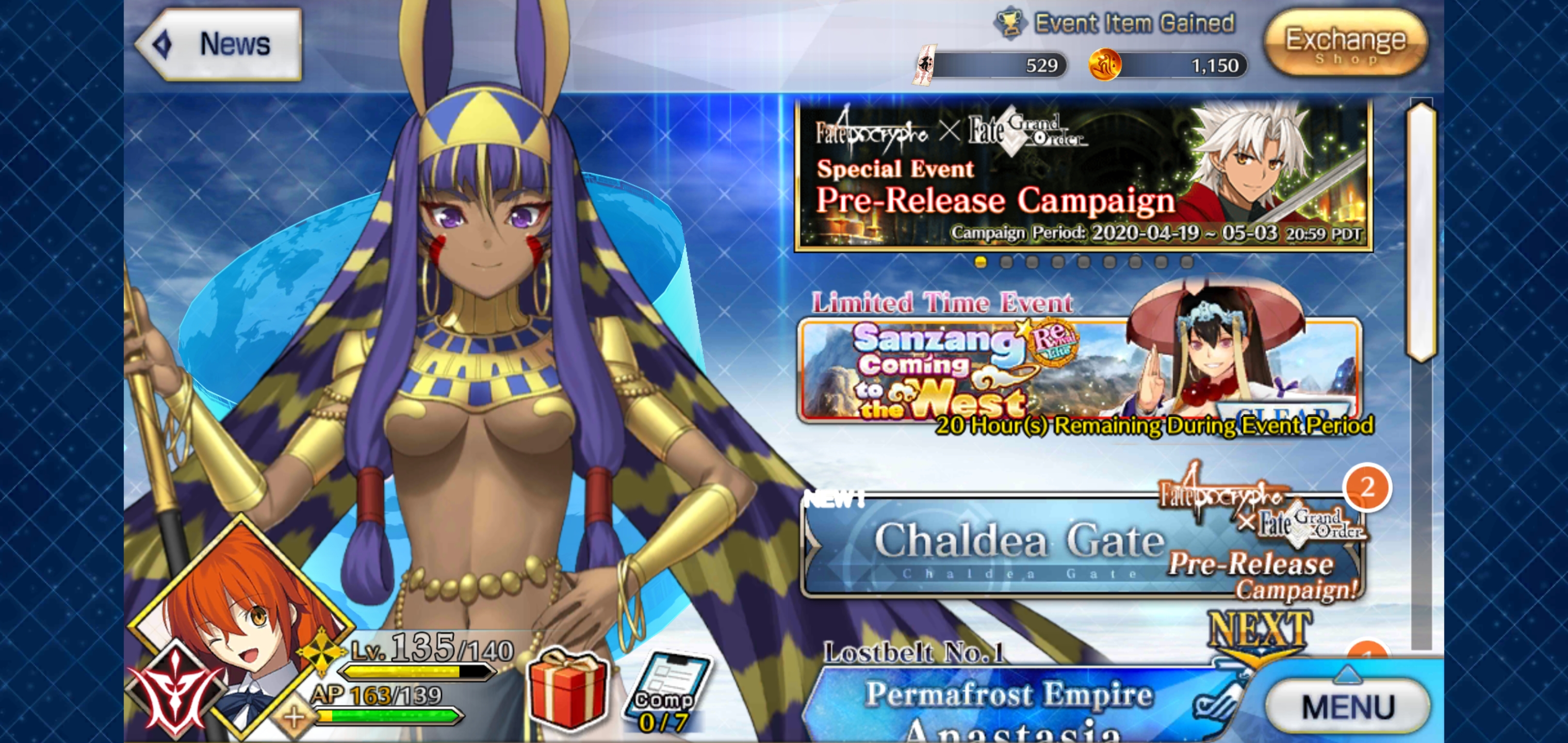
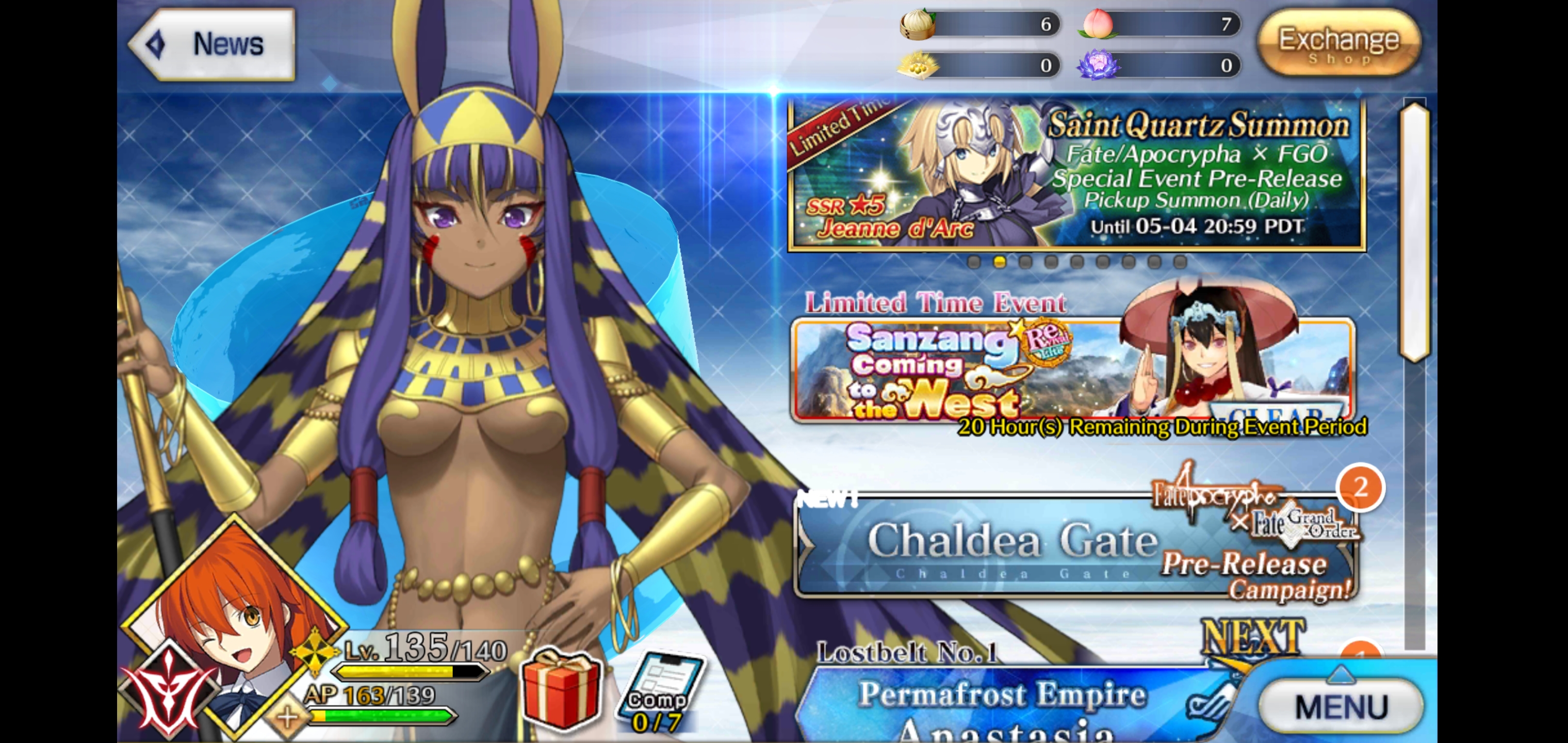
see attached, at time of upload they're both the 1440 ratio in each screenshot's details. not sure why the other one wasnt.
Flynn1111
on 20 Apr 2020
Do you have a hidden black notch bar on the left of the first screenshot?
 reconman
on 20 Apr 2020
reconman
on 20 Apr 2020
I have not hidden the notch in any screenshot, also I just learned thats called a notch.
Flynn1111
on 20 Apr 2020
I've almost understood what the problem is. It seems to be exactly what is mentioned in #20.
I'll implement the option suggested in that issue and give you a build to test once I'm done.
MathewSachin
on 20 Apr 2020
The mode to use will be the one in the first screenshot out of the two, the one with blue bars on sides.
MathewSachin
on 20 Apr 2020
Okay that did it, I've got it working but only when the notch is hidden, it stops on the support selection when the notch is visible. (its set to select the first support)
Flynn1111
on 20 Apr 2020
Are you able to download APK from this page: https://github.com/MathewSachin/Fate-Grand-Automata/actions/runs/82668605
In that APK, go to More settings and turn ON Ignore Notch calculations.
Run the script in the mode of the first image again.
If you're not getting permission to download from that link, I'll give you a direct link.
MathewSachin
on 20 Apr 2020
Something I've noted while running the script: it seems to be tapping the right side of skill buttons and things, and actually misses the np in the 4 slot.
my autoskill is:
abh4,#,gi6,#,df5
abh all work correctly, 4 is missed, then a 3rd card is tapped. after 2-3 turns it clears the first wave. gi works and 6 is fired off. df5 all do not ever trigger.
could this be related to the notch being hidden?
edit: testing above now.
Flynn1111
on 20 Apr 2020
That setting works, it now no longer misses NP4 when the notch is hidden and full-screen is on, it still seems to be ignoring the fact battle 3 begins and skipping ,#,df5 of abh4,#,gi6,#,df5 but that may be unrelated.
edit: interestingly on the 3rd battle it seems to want to tap the top middle of the screen (right on the class symbol for the rightmost enemy) and then the top right corner (which doesn't happen on waves 1 and 2) before waiting a bit then attacking with 3 normal cards and ignoring the autoskill instructions. follow up turns don't seem to work either, I added an additional turn of instructions (abh4,#,gi6,#,df5,df5) to no change at all. the battle continues normally from there, it'll fill ap and reselect the quest like normal.
I also tried the following to no success: swapped gi6 and df5 to see if it was the particular NP causing it.
added in a targeted master skill to the start step 3 to hopefully cause it to try to do that next.
Flynn1111
on 20 Apr 2020
That's auto-targetting feature which clicks on danger and servant enemies.
Try disabling it in More options.
MathewSachin
on 20 Apr 2020
I changed the following settings:
Cast Noble Phantasm: Spam -> None
Auto Targeting Slider: On -> Off
it stopped the aforementioned taps but still no dice on the commands. I'll attempt a run with Cast NP set to Danger next.
edit: On the "Danger" setting run, it decided to run the autoskill instructions on turn 6 for some reason. It didn't actually select the danger target though so I'm not sure what did it.
Flynn1111
on 20 Apr 2020
That's pretty weird behaviour.
You were running in this mode, right?
MathewSachin
on 20 Apr 2020
Yeah, I was running that mode. It was the 40ap QP node if thats useful info. Its late now, but in the morning I'm going to see if the unstable skip death mode helps at all, ill also see about getting a screen capture if possible.
Flynn1111
on 20 Apr 2020
I don't think the unstable skip death mode will help here.
I'll need to think about what is causing the problem.
MathewSachin
on 20 Apr 2020
When you try it tomorrow, try using this build: https://github.com/MathewSachin/Fate-Grand-Automata/actions/runs/82771309
I've tweaked the image matching parameters a bit.
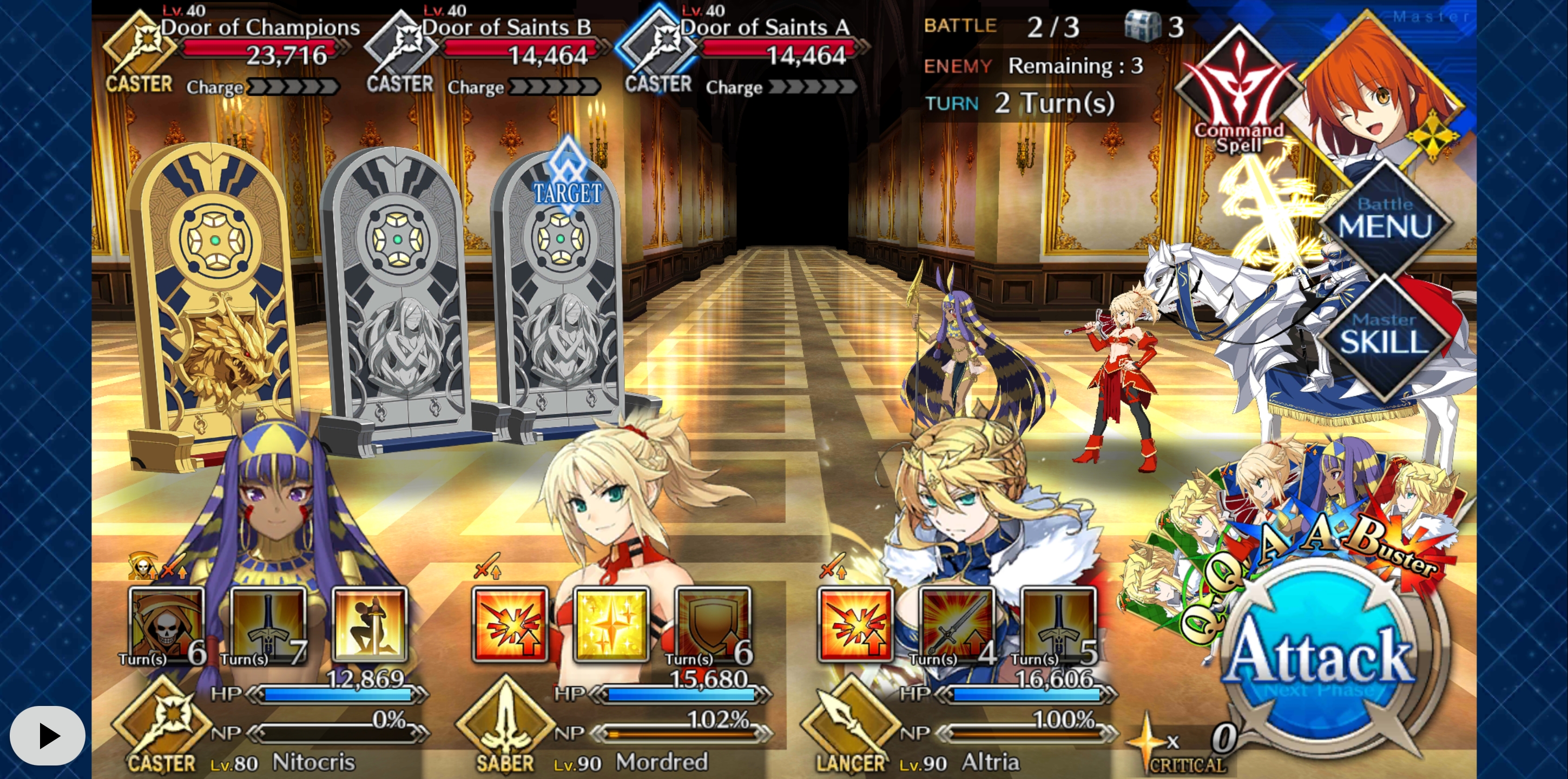
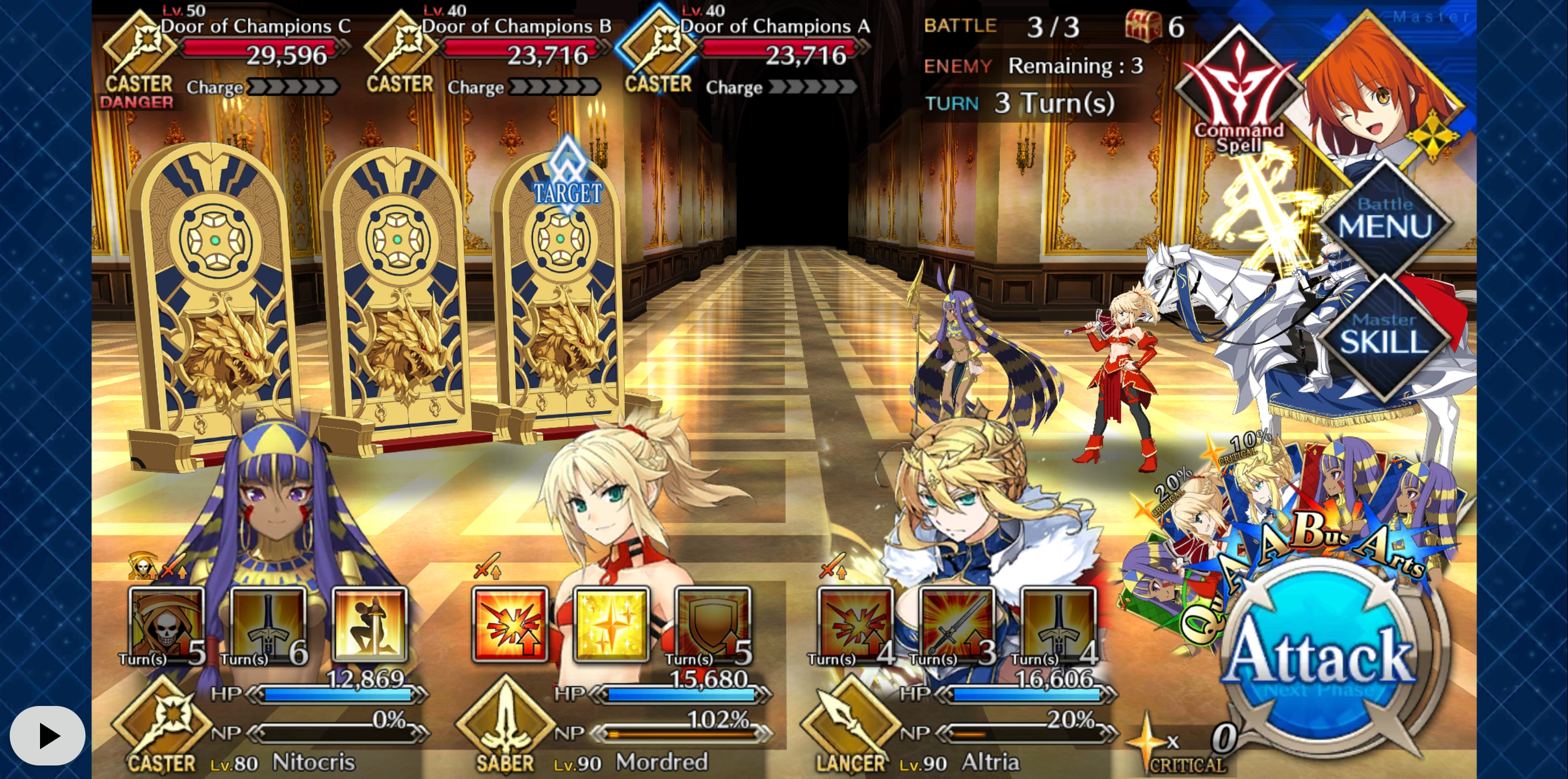
Also, please provide screenshots of the 3 battles, so that I can check them with the code.
MathewSachin
on 20 Apr 2020
Everything appears to be working like a charm with the new app. Thanks a bunch.
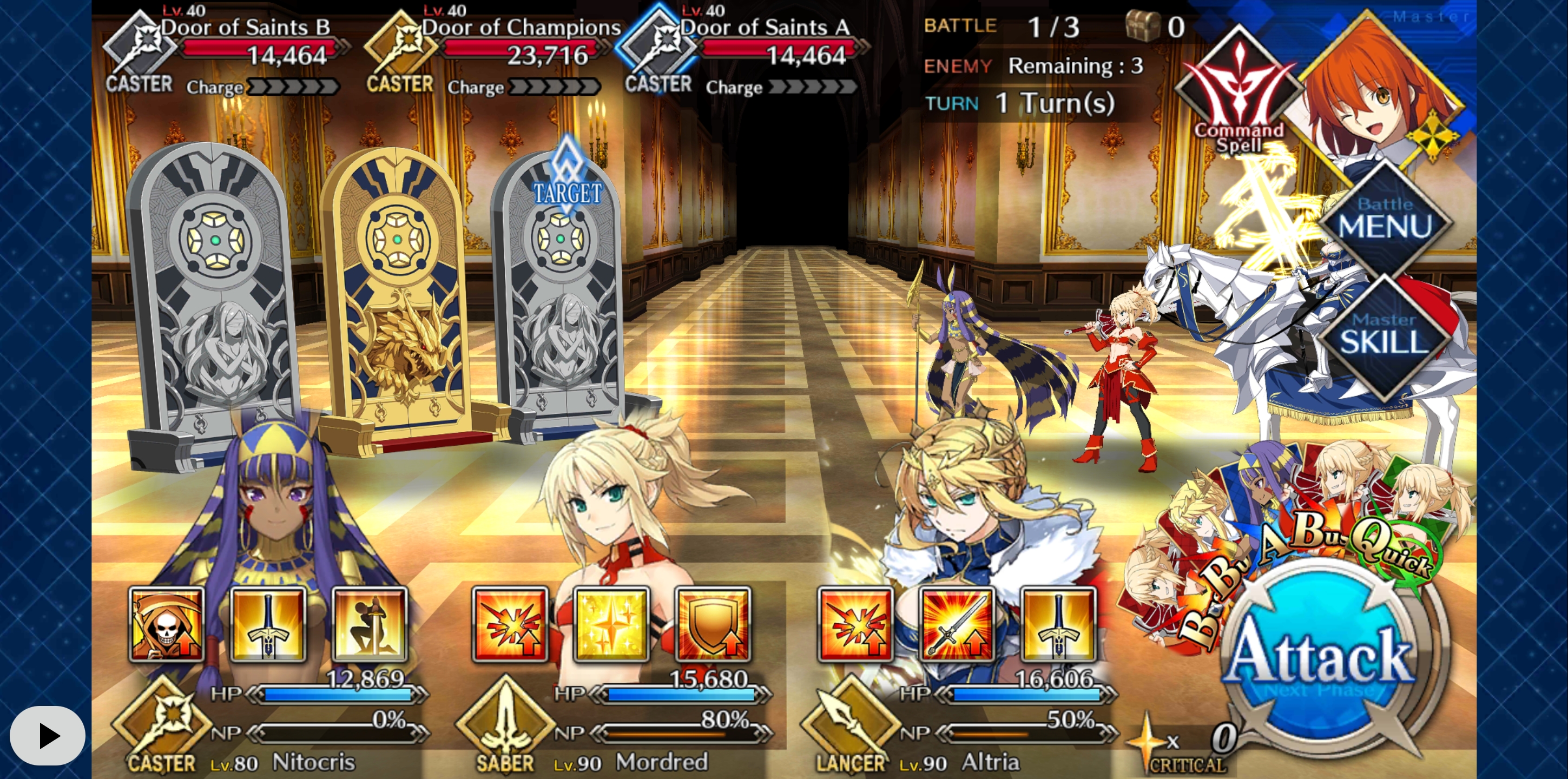
Flynn1111
on 20 Apr 2020
That's great! Do let us know if you have any other issue.
MathewSachin
on 20 Apr 2020
Related issues
 sleeping-player
·
5Comments
sleeping-player
·
5Comments
 crestkat
·
4Comments
crestkat
·
4Comments
 the3dsandwich
·
7Comments
the3dsandwich
·
7Comments
 Rajvir8
·
4Comments
MathewSachin
·
9Comments
Rajvir8
·
4Comments
MathewSachin
·
9Comments
Most helpful comment
Everything appears to be working like a charm with the new app. Thanks a bunch.


