Ffimageloading: SVG not drawn correctly
I have this simple instagram SVG which used to be drawn correctly but since i updated to the latest master build it wont draw the logo. (Only the color circled background.) I have only tested this on Android.
Here is the image:
Instagram.zip
<svg xmlns="http://www.w3.org/2000/svg" data-name="Layer 1" viewBox="0 0 41 41">
  <defs>
    <linearGradient id="a" x1="5.29" x2="36.27" y1="5.29" y2="36.27" gradientUnits="userSpaceOnUse">
      <stop offset="0" stop-color="#583ce5"/>
      <stop offset=".34" stop-color="#a725b2"/>
      <stop offset=".67" stop-color="#f4183f"/>
      <stop offset="1" stop-color="#ffc34a"/>
    </linearGradient>
  </defs>
  <circle cx="20.5" cy="20.5" r="20.5" fill="url(#a)"/>
  <path fill="#ffffff" d="M25.52 30.77h-9.53a5.79 5.79 0 0 1-1.68-.44 5.87 5.87 0 0 1-2.07-1.48 5.76 5.76 0 0 1-1.55-3.92v-8.75a5.55 5.55 0 0 1 .19-1.43 5.91 5.91 0 0 1 2.38-3.41 5.66 5.66 0 0 1 3.29-1.06h8.7a6 6 0 0 1 1.4.16 6 6 0 0 1 4.57 5.75v8.71a5.71 5.71 0 0 1-.46 2.24 5.94 5.94 0 0 1-2.6 2.86 5.79 5.79 0 0 1-2.26.72zM21 11.81h-4.81a4 4 0 0 0-1.73.55 4.27 4.27 0 0 0-2.2 3.83v8.56a4.68 4.68 0 0 0 .1 1 4.37 4.37 0 0 0 4.24 3.44h8.63a4.91 4.91 0 0 0 .77-.06 4.17 4.17 0 0 0 2.15-1 4.29 4.29 0 0 0 1.5-3.33v-8.55a4.68 4.68 0 0 0 0-.53 4.37 4.37 0 0 0-4.3-3.87c-1.49-.05-2.95-.04-4.35-.04z"/>
  <path fill="#ffffff" d="M26.48 20.5A5.53 5.53 0 1 1 21 15a5.55 5.55 0 0 1 5.48 5.5zm-9.48 0a4 4 0 1 0 4-4 3.94 3.94 0 0 0-4 4z"/>
  <circle fill="#ffffff" cx="26.87" cy="14.58" r="1.19" transform="rotate(-89.88 26.873 14.577)"/>
</svg>
 PCDK
PCDK
All 22 comments
I have a Xamarin forms project and with v2.2.20 my svg's are drawn perfectly. Today I upgraded to v2.2.21 and none of my svg's are drawn anymore :(. Doesn't matter if it is a normal, embedded or online svg, svg's are simply gone.
@PCDK what version are you using? Could you try with v2.2.20 and see if that makes a differrence?
 michelmoorlag
on 26 Oct 2017
michelmoorlag
on 26 Oct 2017
@michelmoorlag I had the same problem. Cleaning and rebuilding all projects helped me. Not on the bug I have right now though.
I am using version 2.2.21.
It seems that the <path> in the SVG are drawn fine if the first <circle> is not there???
PCDK
on 26 Oct 2017
I just tested attached SVG, and the result is:
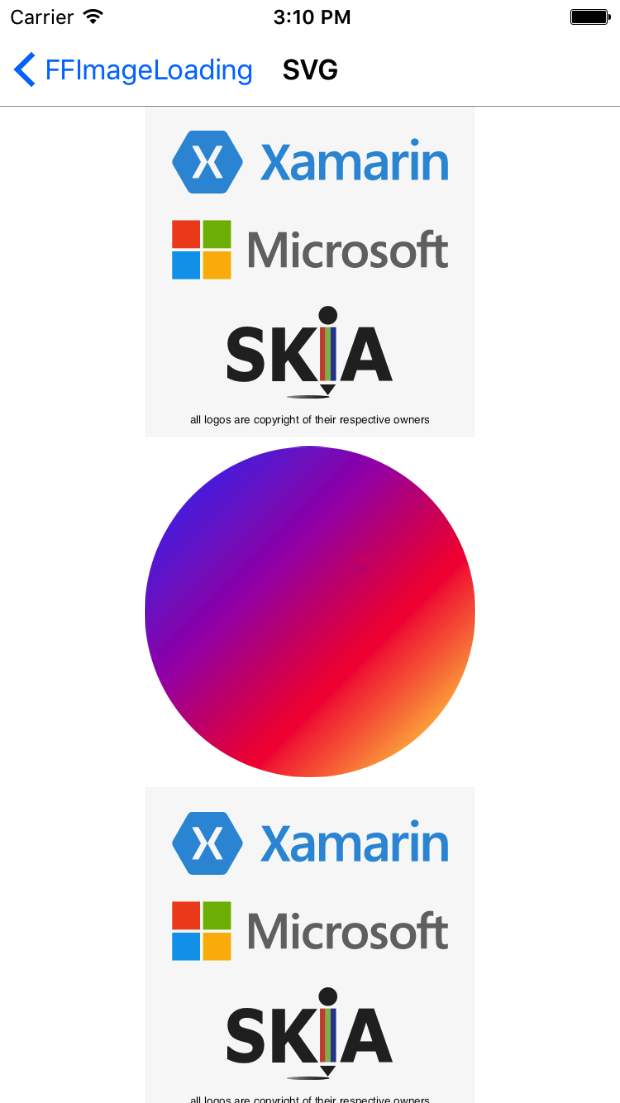
I am wondering why the paths are not drawn correctly.
 daniel-luberda
on 26 Oct 2017
daniel-luberda
on 26 Oct 2017
It is not just the paths. It seems to be everything after the first circle.
PCDK
on 26 Oct 2017
I am debugging it right now, the strange thing is the canvas is correctly written (all circles & paths), but somehow it's not rendered by SkiaSharp !?
daniel-luberda
on 26 Oct 2017
Yeah, I saw the same thing. I don't think I updated SkiaSharp tho from when the SVG worked only this framework. It is a bit weird since all your svgs work, and the rest of my own works as well.
PCDK
on 26 Oct 2017
Update: It works fine when linear gradient is replaced with a solid color.
daniel-luberda
on 26 Oct 2017
It is so weird if you apply opacity to the first circle you can see the other paths are drawn as well but they too get opacity applied to them???
PCDK
on 26 Oct 2017
Which FFImageLoading version works good for your image?
daniel-luberda
on 26 Oct 2017
I don't remember but let me find out.
PCDK
on 26 Oct 2017
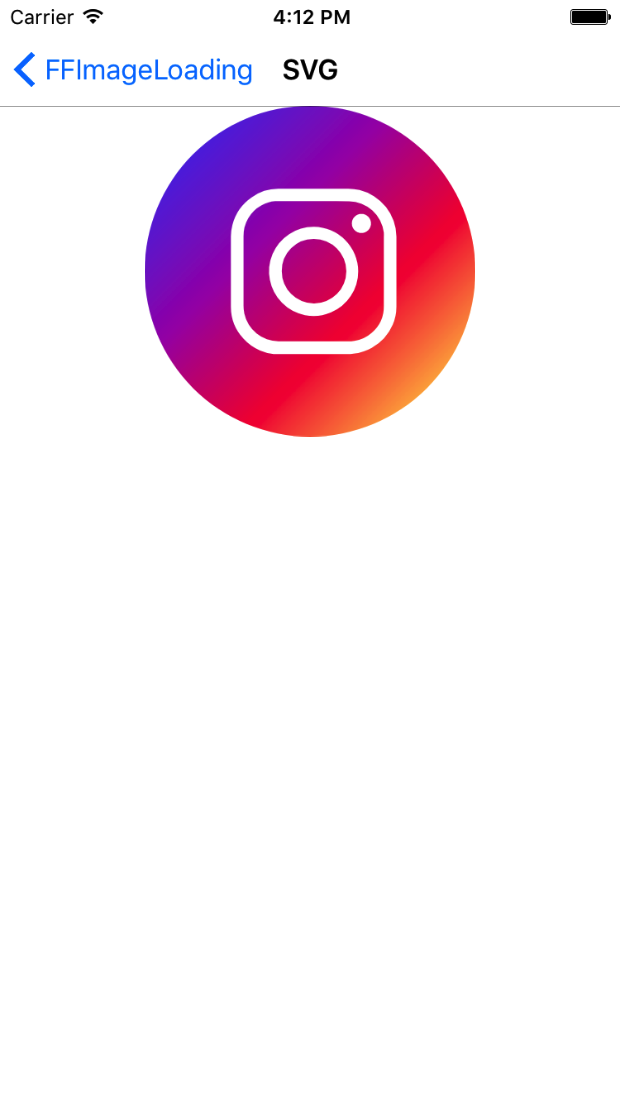
daniel-luberda
on 26 Oct 2017
:) ?? I am all the way back to version 2.2.10 now and the problem is just before that
PCDK
on 26 Oct 2017
Fixed, I'll push 2.2.12 soon
daniel-luberda
on 26 Oct 2017
Thank you so much. As always very nice work!
PCDK
on 26 Oct 2017
Hey @daniel-luberda did you ship this fix with 2.2.22? I am only seeing this working on iOS not on Android?
PCDK
on 2 Nov 2017
Yes, please remove all bin/obj folders from all your projects and rebuild again.
daniel-luberda
on 2 Nov 2017
Sorry that is my bad.
PCDK
on 2 Nov 2017
Hey @daniel-luberda this seems to be a problem again.
With the newest version 2.4.1.823 som SVGs are not show right. The one I gave in the beginning of this thread is not showing the Instagram logo, only the background. If I downgrade to 2.3.6 it is shown correctly.
I have a few others with similar problems:
Green image logo is now drawn correctly:
<svg width="156" height="111" fill="none" xmlns="http://www.w3.org/2000/svg">
  <path d="M156 55.5c0 30.652-24.848 55.5-55.5 55.5H-6V0h106.5C131.152 0 156 24.848 156 55.5z" fill="#000"/>
  <path style="fill:#64D5A1;fill-rule:evenodd" d="M51 37.2h54v27.327L91.898 51.664a3 3 0 0 0-3.976-.202L73.126 63.299c-.16.128-.303.27-.432.423l-6.69-6.958a3 3 0 0 0-3.46-.625l-11.342 5.444a3.145 3.145 0 0 0-.202.107V37.2zm-6 0c0-3.976 2.686-7.2 6-7.2h54c3.314 0 6 3.224 6 7.2v39.6c0 3.977-2.686 7.2-6 7.2H51c-3.314 0-6-3.224-6-7.2V37.2zM70.5 51a4.5 4.5 0 1 0 0-9 4.5 4.5 0 0 0 0 9z" />
</svg>
Mask is not drawn correctly:
<svg xmlns="http://www.w3.org/2000/svg" width="147" height="111" fill="none">
  <path fill="#000" d="M0 55.5C0 24.848 24.848 0 55.5 0H162v111H55.5C24.848 111 0 86.152 0 55.5z"/>
  <mask id="a" width="87" height="87" x="33" y="3" maskUnits="userSpaceOnUse">
    <circle cx="14.5" cy="14.5" r="14.5" fill="#fff" transform="matrix(3 0 0 3 33 3)"/>
  </mask>
  <g mask="url(#a)">
    <path fill="#64D5A1" fill-rule="evenodd" d="M77.743 55.1c8.923 0 16.157-7.211 16.157-16.107 0-8.896-7.234-16.107-16.157-16.107-8.924 0-16.157 7.211-16.157 16.107 0 8.896 7.233 16.108 16.157 16.108zm-6.065 5.37c-14.497 0-26.25 11.752-26.25 26.249a3.28 3.28 0 0 0 3.282 3.28h58.066a3.28 3.28 0 0 0 3.28-3.28c0-14.497-11.751-26.25-26.248-26.25h-12.13z" clip-rule="evenodd"/>
  </g>
</svg>
@PCDK
- Regression fixed
- Mask example is fixed
- The other file, moved to a separate issue: https://github.com/luberda-molinet/FFImageLoading/issues/1056
daniel-luberda
on 9 Jun 2018
@daniel-luberda Hi, when can we expect a release for the issue fixed above?
 syed-pelican
on 10 Jun 2018
syed-pelican
on 10 Jun 2018
It's already released
daniel-luberda
on 10 Jun 2018
@daniel-luberda You are amazing!
PCDK
on 10 Jun 2018
Related issues
 stesvis
·
144Comments
stesvis
·
144Comments
 OpticNectar
·
19Comments
OpticNectar
·
19Comments
 SemyonL
·
20Comments
SemyonL
·
20Comments
 vlkam
·
21Comments
vlkam
·
21Comments
 jorgenstorlie
·
28Comments
jorgenstorlie
·
28Comments
Most helpful comment
@daniel-luberda You are amazing!