Ferdi: Enable Password Lock - crash Ferdi
Bug description:
Enabling Password Lock make the app unusable
Steps to reproduce:
- Go to Settings
- Click on Enable Password Lock
- Click on Reload
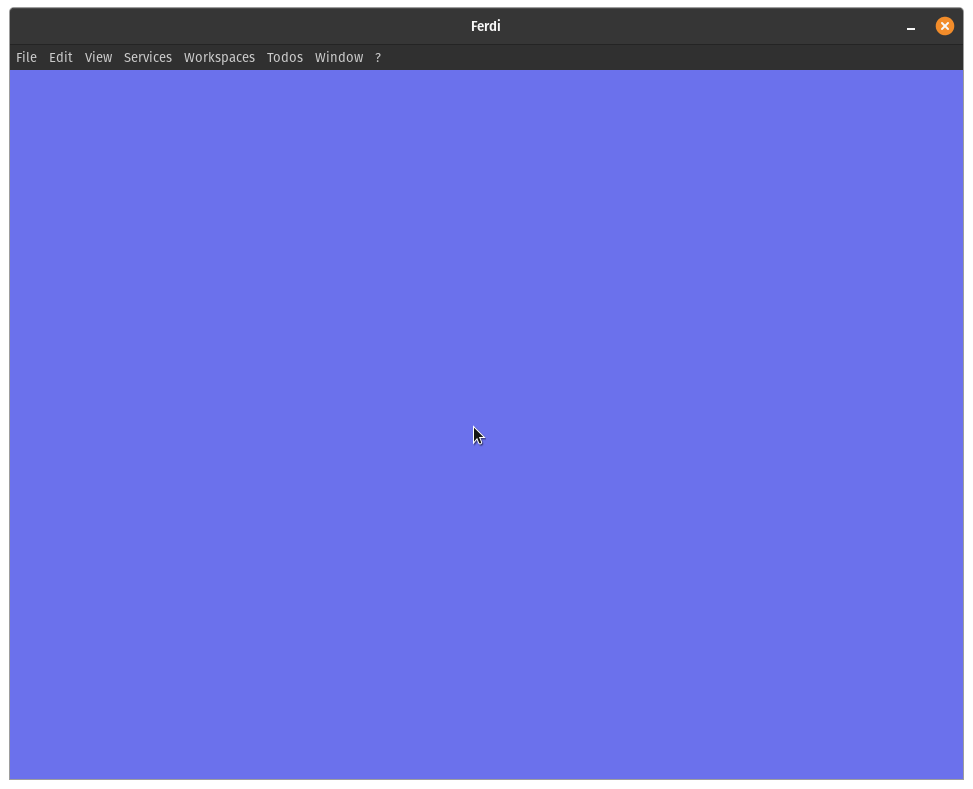
- The app is unusable stucked on a purple screen (even after reloading)
Expected behavior
The app should not be stucked
Screenshots
After clicking on Enable Password Lock:

After clicking on Reload:
Environment:
- Operating System: Linux (Pop OS 20.04)
- Ferdi Version: 5.5.0
- Server: Using without an account
- Debug information:
Sorry can't get it (clicking on ?>Copy Debug Information doesn't paste any information).
If anyone has this problem I solved it by deleting the .var/app/com.getferdi.Ferdi file
 aurelien-castel
All 10 comments
Issue-Label Bot is automatically applying the label bug to this issue, with a confidence of 0.94. Please mark this comment with :thumbsup: or :thumbsdown: to give our bot feedback!
Links: app homepage, dashboard and code for this bot.
![issue-label-bot[bot] picture](https://avatars2.githubusercontent.com/in/27079?v=4&s=40) issue-label-bot[bot]
on 9 Jul 2020
issue-label-bot[bot]
on 9 Jul 2020
Im having the same issue but my screen is black, i guess it's because i had the black mode activated.
Did you manage a way to get it working back again?
Even if it's without the locking feature.
TY
 ogarsan
on 15 Jul 2020
ogarsan
on 15 Jul 2020
Hi, try to delete your Ferdi user data folder and relaunch Ferdi. On Windows, maybe in AppData doing Win+R and entering %appdata%. I don't know on Mac.
aurelien-castel
on 15 Jul 2020
Hi thank you, i managed to fix it. For reference I'm using Fedora, i went to /home/USER/.config/Ferdi/config/ and opened the settings.json file, then i changed the "lockingFeatureEnabled": option back to false, that fixed it without having to set my whole profile again.
ogarsan
on 15 Jul 2020
Hi, try to delete your Ferdi user data folder and relaunch Ferdi. On Windows, maybe in AppData doing Win+R and entering %appdata%. I don't know on Mac.
This fixed my issue (Permanently blacked out after selecing the lock feature #917).
I went to appdata and just deleted the whole folder, on reopening I got a fresh login screen.
I wonder if this happen only when you are in no-account mode?
 kelmee
on 14 Aug 2020
kelmee
on 14 Aug 2020
Any word on whether this might be fixable?
The locking feature was a primary decision factor for me trying Ferdi
kelmee
on 14 Aug 2020
You don't need to delete your entire ferdi folder in appdata. Go to AppData\Roaming\Ferdi\config and edit the settings.json file.
Make sure the lockingFeatureEnabled line says "false"
"lockingFeatureEnabled": false,
Also looking forward to a fix for this!
 sam1am
on 17 Aug 2020
sam1am
on 17 Aug 2020
The same issue, I found but I got my profile back after using the aforementioned methods. Regards
 Sanjay-marwal
on 18 Aug 2020
Sanjay-marwal
on 18 Aug 2020
ok, but this means that you cant use the password setting when you are using no account needed?.
I am using ferdi on fedora 31
 magjogui
on 21 Aug 2020
magjogui
on 21 Aug 2020
This issue has been automatically marked as stale because it has not had recent activity. Please check if this issue is still relevant and please close it if it's not. This will make sure that our open issues are actually of use and reduce the list of obsolete issues. Thank you for your contributions.
![stale[bot] picture](https://avatars3.githubusercontent.com/in/1724?v=4&s=40) stale[bot]
on 21 Oct 2020
stale[bot]
on 21 Oct 2020
Related issues
 probablykasper
·
4Comments
probablykasper
·
4Comments
 dzg
·
3Comments
dzg
·
3Comments
 adithshenoy
·
3Comments
adithshenoy
·
3Comments
 alegiglio
·
3Comments
alegiglio
·
3Comments
 pktiuk
·
3Comments
pktiuk
·
3Comments
Most helpful comment
Hi thank you, i managed to fix it. For reference I'm using Fedora, i went to /home/USER/.config/Ferdi/config/ and opened the settings.json file, then i changed the "lockingFeatureEnabled": option back to false, that fixed it without having to set my whole profile again.