Ferdi: Unidentified blank screen (app unusuable)
" are comments from us and won't be
visible in your bug report, so please don't put any text in them.
-->
Describe the bug
After installing the new version, Ferdi app won't load the content, even the login page. I only get a blank screen.
To Reproduce
Install 5.4.4-beta.3 or 5.5.0-gm.
after that, try to open the app.
the app will now display the blank window.
Expected behavior
should display the login page.
Screenshots
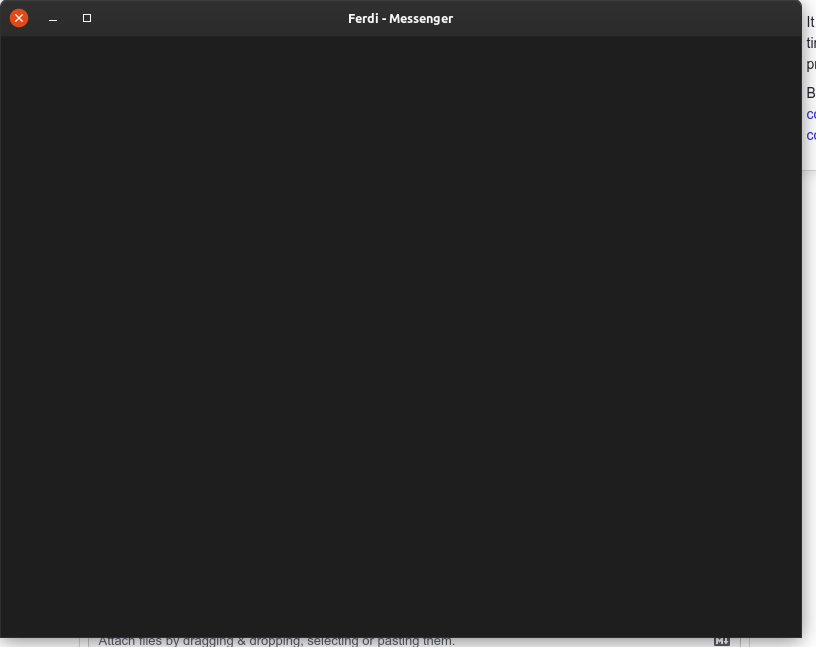
Desktop:
- OS: Ubuntu 19.10
- Ferdi Version: 5.4.4-beta.3 and 5.5.0-gm
- Server Used: https://api.getferdi.com
Debug information: can't open/find the menu
Additional context
 azorpax
All 16 comments
Experienced by @dorukkarinca on Windows (see https://github.com/getferdi/ferdi/issues/264#issuecomment-616113120)
 kytwb
on 19 Apr 2020
kytwb
on 19 Apr 2020
Is there a way to open the Electron console from this screen so I can take a screenshot of the logs?
 dorukkarinca
on 19 Apr 2020
dorukkarinca
on 19 Apr 2020
I solved this issue by reverting back to the older version, removing the password lock, and then reinstalling 5.5.0-gm!
Therefore this bug has something to do with the lock screen.
dorukkarinca
on 19 Apr 2020
@dorukkarinca Awesome investigation work! I was also looking at the changelog and trying to see where we could have gone wrong (migration for To-Dos settings?); but apparently it's related to the lock 🙃 I can't see why right now, will have to investigate 🙏
kytwb
on 19 Apr 2020
@all-contributors please add dorukkarinca for bug
kytwb
on 19 Apr 2020
@kytwb
I've put up a pull request to add @dorukkarinca! :tada:
![allcontributors[bot] picture](https://avatars0.githubusercontent.com/in/23186?v=4&s=40) allcontributors[bot]
on 19 Apr 2020
allcontributors[bot]
on 19 Apr 2020
Thank you @dorukkarinca and @kytwb. I am now able to open the app after removing the lock.
azorpax
on 20 Apr 2020
Hi, instead of reverting back to an older version to deactivate the Password lock, you can also go to C:UsersUsernameAppDataRoamingFerdiconfig, then open settings.json & then set "lockingFeatureEnabled" to false.
I had the same issue, but after changing the value & reopening Ferdi, everything was working again :)
 ckkoen
on 28 Apr 2020
ckkoen
on 28 Apr 2020
@ckkoen it sounds like this option still disables password lock so it is not possible to use this version password-protected. Does the issue come back when you re-enable it?
Also, can this trick be used to circumvent password protection altogether?
dorukkarinca
on 28 Apr 2020
@ckkoen it sounds like this option still disables password lock so it is not possible to use this version password-protected. Does the issue come back when you re-enable it?
Also, can this trick be used to circumvent password protection altogether?
Hmm, well I did some troubleshooting, here are my findings/issue with Password Protection:
If I re-enable it via GUI or the JSON-file ("lockingFeatureEnabled": true), with "useTouchIdToUnlock" set to true (as it is by default) in the JSON-file, Ferdi won't start (black/white screen).
If I re-enable it via the Settings in the Ferdi GUI with "useTouchIdToUnlock" set to false in the JSON-file, I immediately get a 'Something went wrong'-error. The settings-screen displays this error and it's unable to close, however, if I restart Ferdi, I am still able to lock, unlock & use Ferdi. My password is even being asked before loading my services. If I go to the Settings after restarting & unlocking Ferdi, I still get the same 'Something went wrong'-error, making the Settings unable to be used & closed. You can't even use them to disable the Password Protection again.
This behavior only goes away if I disable the Password Protection via the JSON-file again. After restarting Ferdi, the GUI Settings are usable.As you suspected, it seems this trick can be used to circumvent the password protection. If you enable it in the GUI & then lock Ferdi and shut it down, you can easily disable it via the JSON-file. If you then start Ferdi, there's no password protection & all services load as normal.
Not only can you disable Password Protection via the JSON-file, you can also change its state. Meaning that if you leave Password Protection enabled, you can also just set the value of "locked" to false. If you then start Ferdi, you can sometimes (can take a couple of Quit & Start of Ferdi) start it without having to input the password, however, Password Protection is still in place, so if you lock it again, its "locked"-state will change.
Perhaps the BIGGEST issue is the password being available in plain-text. And it being changeable. So not only can you read the user's password, you can also change it to your own liking. So that even the legitimate user can't open his/her Ferdi anymore.
These are the 3 lines I'm talking about, found in JSON-file C:UsersUsernameAppDataRoamingFerdiconfigsettings.json :
"lockingFeatureEnabled": false,
"locked": false,
"lockedPassword": "MyPassword",
"useTouchIdToUnlock": true,
IN SHORT:
- If you still want to Password Protect your Ferdi, set "lockingFeatureEnabled" to true & "useTouchIdToUnlock" to false. However, do notice that you can't open the Settings in the GUI anymore. If you do, you'll have to restart Ferdi, so there's no way to use the GUI to change any of the other settings.
- If you don't need the protection or you want to be able to use the GUI Settings, then set "lockingFeatureEnabled" to false.
Hope this can help you :)
ckkoen
on 28 Apr 2020
Sounds like #543. And the password lock (plaintext) storage issue was addressed four days ago in #694 :)
 keunes
on 7 May 2020
keunes
on 7 May 2020
Hi, instead of reverting back to an older version to deactivate the Password lock, you can also go to C:UsersUsernameAppDataRoamingFerdiconfig, then open settings.json & then set "lockingFeatureEnabled" to false.
I had the same issue, but after changing the value & reopening Ferdi, everything was working again :)
For Linux same file resides at: ~/.config/Ferdi/config/settings.json
 avlach
on 5 Jun 2020
avlach
on 5 Jun 2020
Ran into the same issue today.
As said by @ckkon I just changed "useTouchIdToUnlock" to false and Ferdi opened again.
Using 5.6.0 beta 2
 dmagliano
on 20 Jul 2020
dmagliano
on 20 Jul 2020
i think that i have the same problem, i tried to do settings in the json file but it's not working yet. Can someone help me to solve it?
 echeverriadev
on 28 Jul 2020
echeverriadev
on 28 Jul 2020
I'm on Linux Mint and have kind of the same issue.
A fresh installation of the software only shows an empty window on start. This also happend with Franz and was a reason to try Ferdi.
The window itself is not totally empty. If i move it, its like i move a screenshot of the underlaying screen.
I already tried to change the parameters in the config, but didn't help.
Is there any solution?
 schousda
on 2 Sep 2020
schousda
on 2 Sep 2020
This issue has been automatically marked as stale because it has not had recent activity. Please check if this issue is still relevant and please close it if it's not. This will make sure that our open issues are actually of use and reduce the list of obsolete issues. Thank you for your contributions.
![stale[bot] picture](https://avatars3.githubusercontent.com/in/1724?v=4&s=40) stale[bot]
on 2 Nov 2020
stale[bot]
on 2 Nov 2020
Related issues
 ammarmalhas
·
3Comments
ammarmalhas
·
3Comments
 webworker01
·
3Comments
webworker01
·
3Comments
 PeSader
·
3Comments
kytwb
·
3Comments
PeSader
·
3Comments
kytwb
·
3Comments
 probablykasper
·
4Comments
probablykasper
·
4Comments
Most helpful comment
Hi, instead of reverting back to an older version to deactivate the Password lock, you can also go to C:UsersUsernameAppDataRoamingFerdiconfig, then open settings.json & then set "lockingFeatureEnabled" to false.
I had the same issue, but after changing the value & reopening Ferdi, everything was working again :)