on macOS the system tray icon opens a droptdown with two options (show/quit ferdi)
it would be nice if a single click on the tray icon would show ferdi - now you need to click twice to show the app every time.
the desired behavior can for example be examined with the telegram desktop app on mac where a single click opens the app and a second click opens the menu. left and right clicks would also be fine :)
 flinguin
All 8 comments
This would be a great change! I'd suggest that a single primary/left click opens the app, and a secondary/right click opens the menu.
 squatto
on 21 Jan 2020
squatto
on 21 Jan 2020
Thank you for the suggestions @flinguin @squatto 🙏
 kytwb
on 22 Jan 2020
kytwb
on 22 Jan 2020
As suggested per @m-vlad in https://github.com/getferdi/ferdi/issues/388, we could also:
Make the click on the tray icon minimize the app back.
So I suggest a simple click on the tray icon toggle the tray minimization, and right click shows the menu.
kytwb
on 18 Feb 2020
Quick update:
a simple click on the tray icon toggle the tray minimization, and right click shows the menu
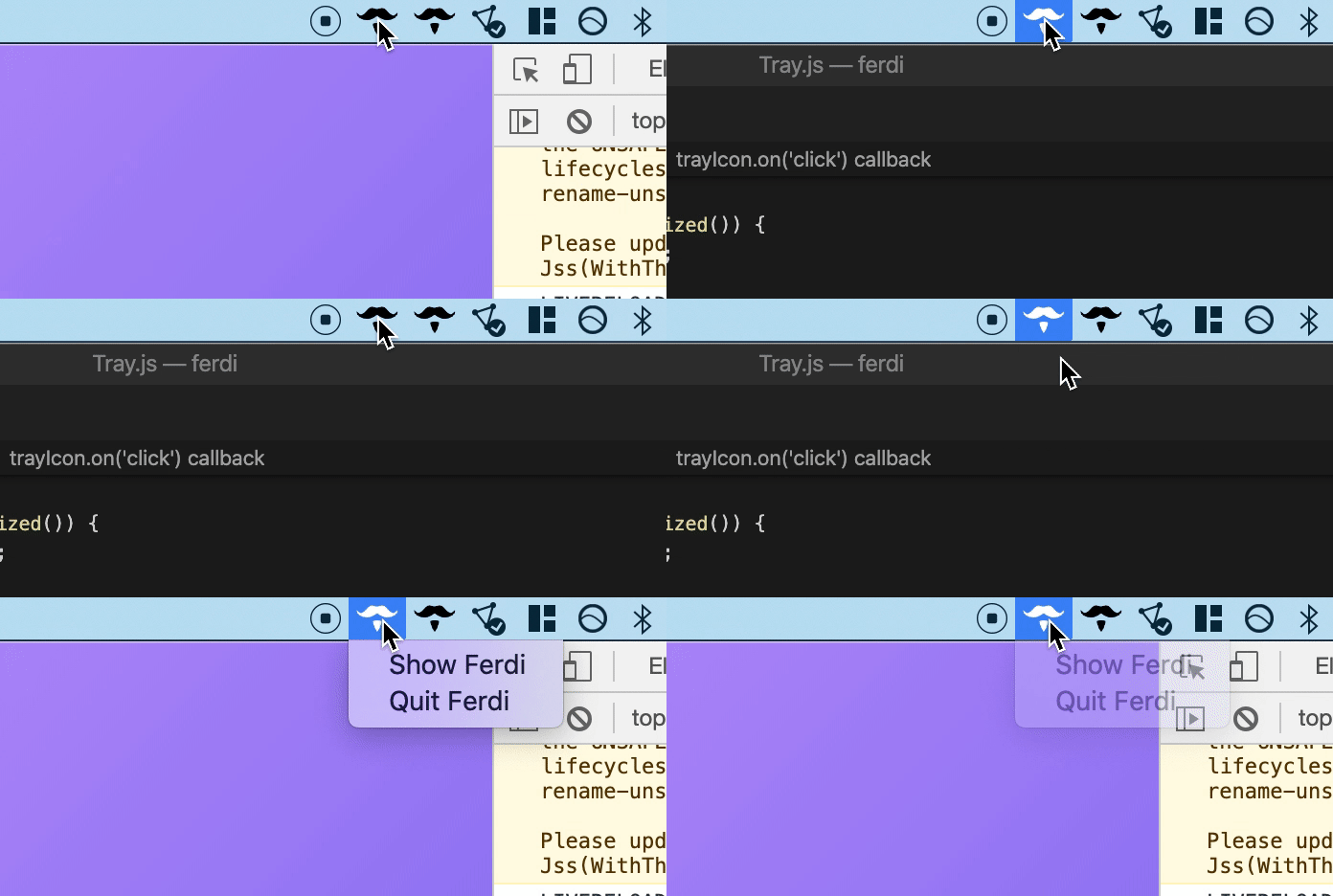
Also moved the Windows-specific setting next to the other tray-related settings:
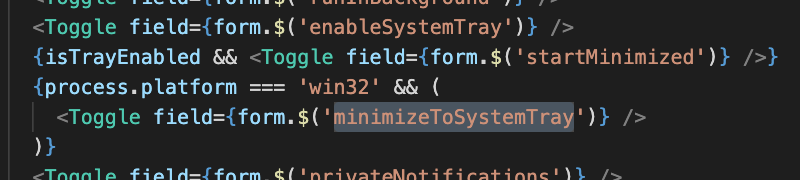
Will come up with a pull request by ~tomorrow~today!
kytwb
on 21 Feb 2020
Pull request reviewed by @vantezzen and merged; it will ship in the next release 🎉
Thank you @flinguin @squatto and @m-vlad for the feedback!
kytwb
on 21 Feb 2020
Shipped in v5.4.4-beta.2.
kytwb
on 2 Mar 2020
It seems on Linux/X11 using this beta makes the systray icon be hidden for me. Can anyone confirm that?
 Mic92
on 7 Mar 2020
Mic92
on 7 Mar 2020
@Mic92 Confirmed via https://github.com/getferdi/ferdi/issues/437.
kytwb
on 7 Mar 2020
Related issues
 adithshenoy
·
3Comments
adithshenoy
·
3Comments
 ylluminarious
·
4Comments
ylluminarious
·
4Comments
 PeSader
·
3Comments
kytwb
·
3Comments
PeSader
·
3Comments
kytwb
·
3Comments
 pktiuk
·
3Comments
pktiuk
·
3Comments
Most helpful comment
Pull request reviewed by @vantezzen and merged; it will ship in the next release 🎉
Thank you @flinguin @squatto and @m-vlad for the feedback!