Ferdi: Mattermost looks different between Franz and Ferdi
Describe the bug
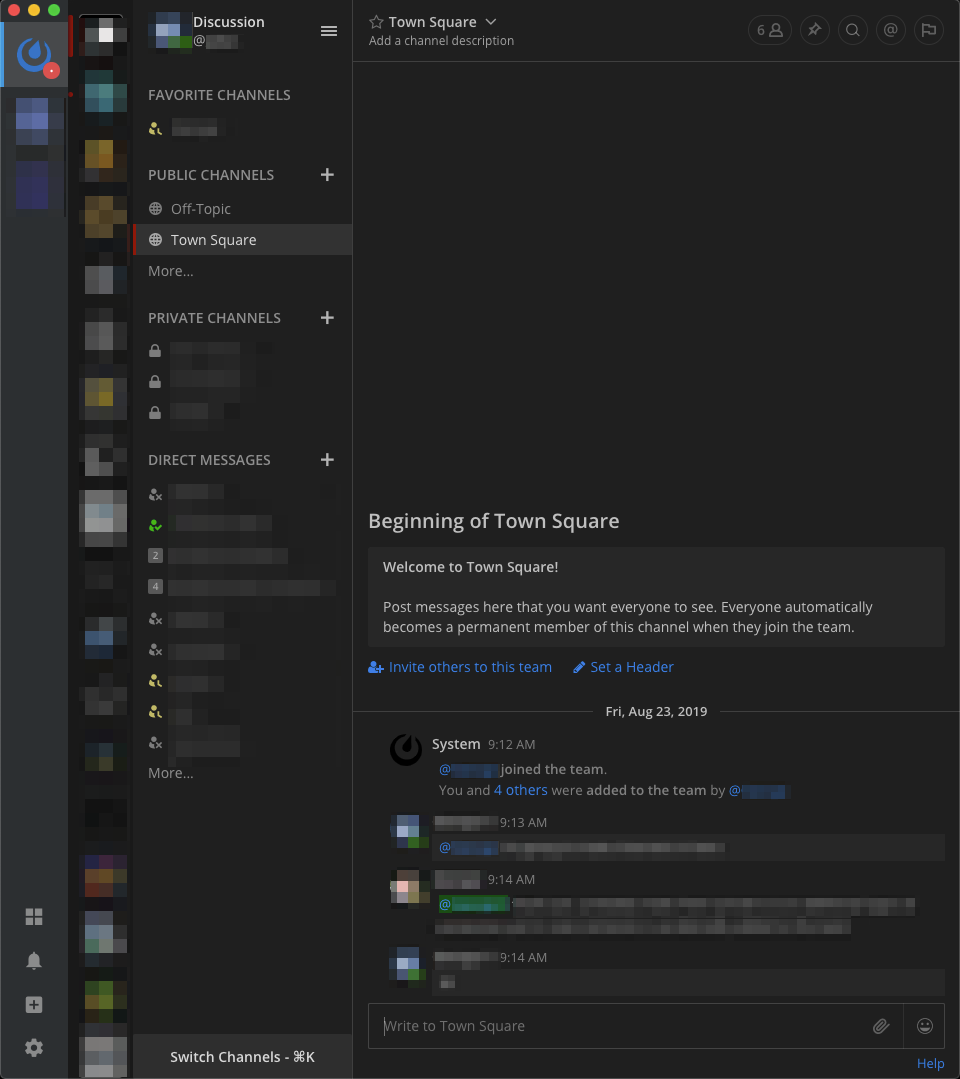
When I open my Mattermost service in Franz, the application looks like this:
However, when I open the same channel in Ferdi, it looks rather different:
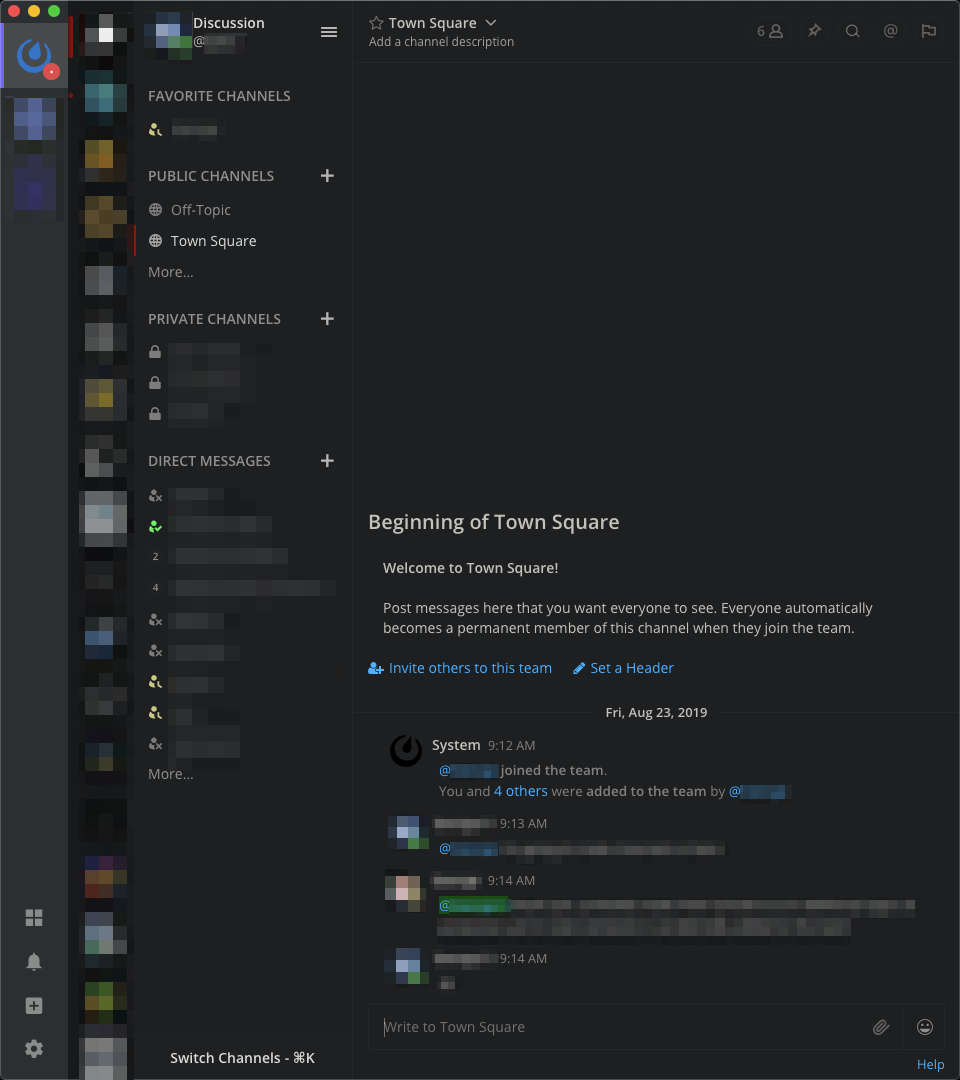
As you can see the colors are different between both apps. I have no idea why this is the case. Mattermost's native app also looks like Franz. Ferdi is different from both of them, and the colors appear incorrect.
To Reproduce
Try running Mattermost in both Franz and Ferdi to see if the colors inconsistency is reproducible.
Desktop (please complete the following information):
- OS: macOS 10.14.6
- Version Franz 5.4.1, Ferdi 5.4.0
Additional context
Does it possibly have something to do with my OS? Does this happen on other platforms too?
 ylluminarious
All 4 comments
Do you have (universal) dark mode enabled for this service? That could overwrite the color scheme
 vantezzen
on 5 Dec 2019
vantezzen
on 5 Dec 2019
@vantezzen AFAIK, Mattermost does not use the OS's dark mode to color the application at all. Rather, it uses custom CSS which you set in your user settings. But I do have Mojave's dark mode on, yes.
ylluminarious
on 5 Dec 2019
Ferdi has a build-in adaptive dark mode using DarkReader. DarkReader is probably overwriting Mattermost's dark styles using its own - this has nothing to do with your OS's dark mode.
In Ferdi, you can edit the service and disable the dark mode switch for that service (restart Ferdi after that if it doesn't refresh). This will prevent Ferdi from adding its own dark styles and keep the original Mattermost dark styles instead.
vantezzen
on 5 Dec 2019
@vantezzen Thank you! You were right! As soon as I turned off universal Dark Mode, it worked. I'll go ahead and close this issue now since my problem is fixed.
I did not know Dark Reader was built-in; that's actually kind of cool and useful for some services. I use it in my actual web browser. Can Dark Reader be en/dis-abled on a per-service basis?
ylluminarious
on 6 Dec 2019
Related issues
 AP-Hunt
·
3Comments
AP-Hunt
·
3Comments
 YourWishes
·
3Comments
YourWishes
·
3Comments
 Jendker
·
3Comments
Jendker
·
3Comments
 sschaefa
·
3Comments
sschaefa
·
3Comments
 PeSader
·
3Comments
PeSader
·
3Comments
Most helpful comment
Ferdi has a build-in adaptive dark mode using DarkReader. DarkReader is probably overwriting Mattermost's dark styles using its own - this has nothing to do with your OS's dark mode.
In Ferdi, you can edit the service and disable the dark mode switch for that service (restart Ferdi after that if it doesn't refresh). This will prevent Ferdi from adding its own dark styles and keep the original Mattermost dark styles instead.