It should be possible to hide the menubar. Afterwards, pressing the Alt key should reveal it (just like Firefox and the RocketChat Electron app).
Franz is silently ignoring this feature request for a long time.
References
- https://github.com/meetfranz/franz/issues/833 -- _Unable to hide menubar_
 bittner
All 20 comments
This seems to be the code portion in the Rocket-Chat Electron client that implements the autohiding:
mainWindow.setAutoHideMenuBar(!showMenuBar);
mainWindow.setMenuBarVisibility(!!showMenuBar);
... with the mainWindow being created in mainWindow/index.js.
bittner
on 11 Jul 2019
User @khamer mentioned in https://github.com/meetfranz/franz/issues/833#issuecomment-514627530 that the following code works for hiding the menu bar, when run via the Developer Tools:
require('electron').remote.getCurrentWindow().setAutoHideMenuBar(true)
Tapping the Alt key will show and reveal the menu bar then. Unfortunately, this setting is not persisted, so it must be repeated every time you (re)start Franz or Ferdi.
bittner
on 25 Jul 2019
It's been a bit busy lately, but I'll allocate some time to address some of the open issues over the week-end 🙏
 kytwb
on 26 Jul 2019
kytwb
on 26 Jul 2019
Hello,
I've just implemented this feature, similar to how RocketChat handles it:
The menubar is shown by default. In the menubar there is a new checkbox, "Auto-hide menu bar". Enabling this will set remote.getCurrentWindow().setAutoHideMenuBar(true), as suggested by you. This setting will persist between restarts as the value is stored in the app settings.
Unfortunately, as I develop on a Mac, I can't test if this feature works as intended or if we need to also set setMenuBarVisibility. Maybe we can publish a beta or you can set up Ferdi development so you can test this feature.
 vantezzen
on 14 Sep 2019
vantezzen
on 14 Sep 2019
@vantezzen I like the idea of a release candidate (rc) pre-release that includes bug fixes / improvements until next official release version in sync with Franz. WDYT?
kytwb
on 16 Sep 2019
@kytwb Good idea, I would follow the naming scheme of Franz pre-releases (v5.X.X-beta.X). This way the pre-releases should be compatible to Ferdi's "Include beta versions" feature.
vantezzen
on 16 Sep 2019
How do we know what the beta version is going to be? patch up? minor up?
kytwb
on 16 Sep 2019
Best is is to patch up, Franz won't minor up too often.
I also think we could release new patch versions of Ferdi without Franz having that version yet (e.g. 5.3.3) if we want to release new features for Ferdi. But I do still think that we should keep minor and major version numbers in sync with Franz.
vantezzen
on 16 Sep 2019
LGTM! Will go with that 👍
kytwb
on 17 Sep 2019
Available in v5.3.3-beta.1.
kytwb
on 17 Sep 2019
The menubar is shown by default. In the menubar there is a new checkbox, "Auto-hide menu bar".
@vantezzen I can't find this option anywhere in the menu bar. (Note that I'm running Ferdi on Ubuntu Bionic using the GNOME desktop.) Where is this meant to be? Can you maybe post a screenshot here?
It would be weird if this feature were not platform independent. I don't think it has to be.
bittner
on 18 Sep 2019
Same here... I can not find the option in the menu bar. Latest build on Arch Linux.
 AGCaesar
on 18 Sep 2019
AGCaesar
on 18 Sep 2019
Reading commit e9746cbfe61819 I fear the implementation is totally macOS specific. The menu you have added the new menu item to does not exist on other platforms (guessing for Windows and other platforms here).
To make this platform independent I'd suggest to put the new item into the "View" menu. TBO, I don't know if that menu is shown on a Mac; maybe you can check where the "Enter Full Screen" and "Toggle Developer Tools" items are placed, and simply add the new item to that very same menu.
bittner
on 18 Sep 2019
@bittner Thank you for your help, that was the exact problem. c6356d5 should have fixed the problem, hope you can check if it is fixed in the next beta build.
The option should now be in the titlebar menu on all platforms except mac (as you can't hide the menubar on mac)
vantezzen
on 18 Sep 2019
Hey. Menu item on Windows 10 isn't hiding menu, only when fullscreen (F11).
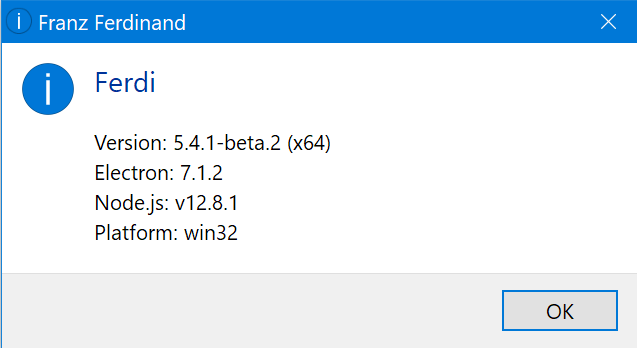
 pztrn
on 13 Dec 2019
pztrn
on 13 Dec 2019
@pztrn I think this is a regression that has been adressed directly in Electron via https://github.com/electron/electron/pull/21449. The regression should be fixed in the next beta as we updated Electron to include its latest fixes in https://github.com/getferdi/ferdi/commit/06b26716fc90297b4227668c2d6a48e771e02ba7. Thank you for reporting the issue! 🙏
kytwb
on 18 Dec 2019
Has this been addressed yet? I'm on version 5.5.0 for Ubuntu 18.04 and I can't seem to find this option.
 AlexMuresan
on 30 Apr 2020
AlexMuresan
on 30 Apr 2020
Sure, there's the "Auto-hide menu bar" option in the "View" menu, for quite some time. Works on GNU/Linux (Ubuntu Bionic). ➜ Press the Alt key if you don't see the menu bar.
bittner
on 30 Apr 2020
On Windows the "Auto-hide menu bar" option is not working for me. I can't toggle it with the option under "View" even though the option itself displays properly, and pressing alt does not hide the sidebar. Can someone help with this?
 MadsMighty
on 19 Sep 2020
MadsMighty
on 19 Sep 2020
On Windows the "Auto-hide menu bar" option is not working for me. I can't toggle it with the option under "View" even though the option itself displays properly, and pressing alt does not hide the sidebar. Can someone help with this?
I'm also having this issue. Is there some manual toggle fot it, once it's enabled, maybe? Or some other kind of trigger?
 GalGreenfield
on 30 Sep 2020
GalGreenfield
on 30 Sep 2020
Related issues
 adithshenoy
·
3Comments
adithshenoy
·
3Comments
 idonthaveanametoday
·
3Comments
idonthaveanametoday
·
3Comments
 webworker01
·
3Comments
webworker01
·
3Comments
 probablykasper
·
4Comments
probablykasper
·
4Comments
 PeSader
·
3Comments
PeSader
·
3Comments
Most helpful comment
It's been a bit busy lately, but I'll allocate some time to address some of the open issues over the week-end 🙏