Fenix: deleting a character in the address bar triggers autocomplete
Steps to reproduce
Open any website which is bookmarked
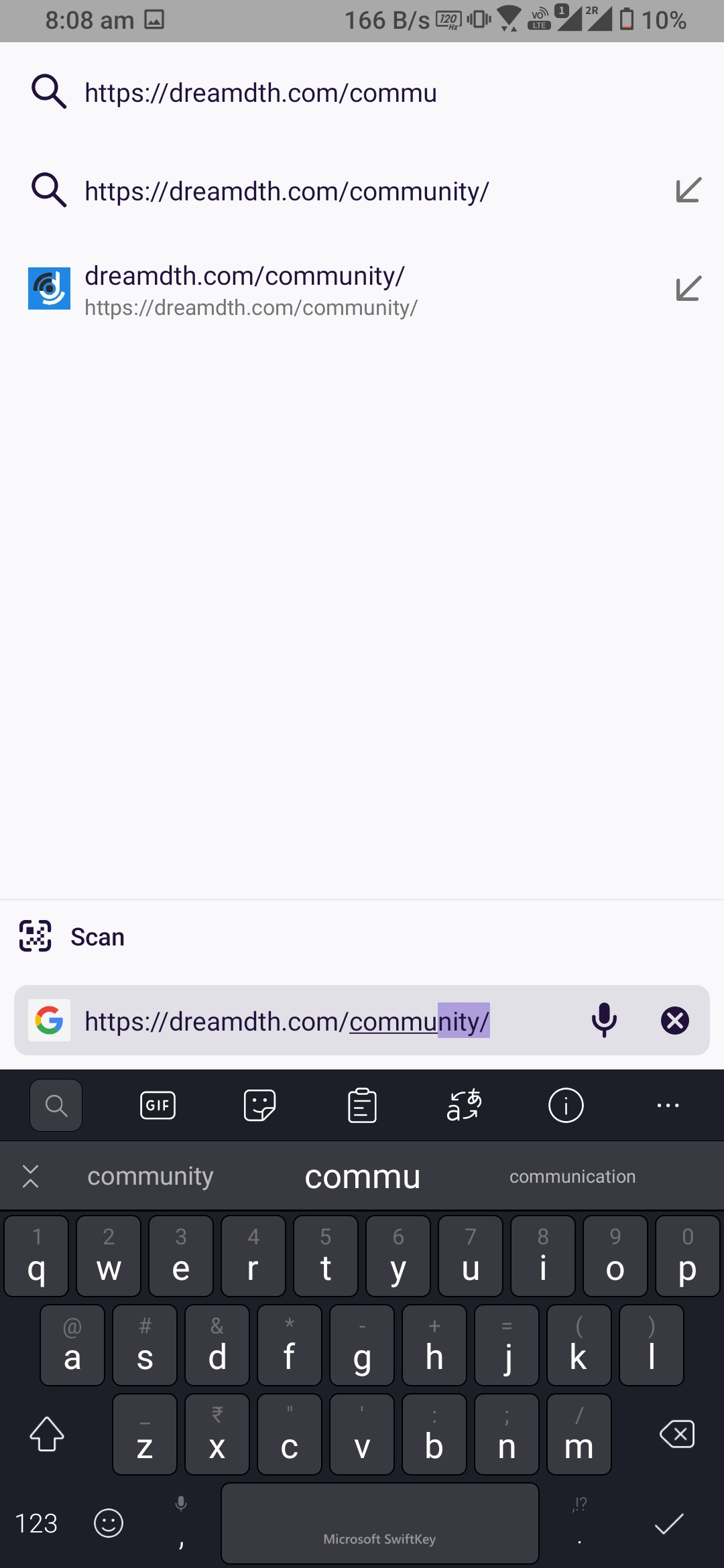
Click on address bar, delete a character, it will auto complete then press delete twice to delete the 2nd character (first delete to delete the auto complete suggestion character(s) , second delete to delete the actual character)
So in a nutshell you have to press delete button twice from keyboard to delete a single character
Expected behavior
While deleting the character from address bar in edit mode it should not auto complete
Actual behavior
When deleting a character browser trying to auto complete..thus need to press delete button twice to delete a single character
Device information
- Android device: ? Rog3
- Fenix version: ? Latest nightly
 sheikh-azharuddin
All 4 comments
@sheikh-azharuddin Thank you for reporting this. Did you try using Gboard? Does the same issue occur?
 mcarare
on 23 Dec 2020
mcarare
on 23 Dec 2020
@mcarare same problem with gboard
 hakkikaancaliskan
on 23 Dec 2020
hakkikaancaliskan
on 23 Dec 2020
@sheikh-azharuddin Thank you for reporting this. Did you try using Gboard? Does the same issue occur?
Yes same issue with gboard
sheikh-azharuddin
on 23 Dec 2020
Please use neutral language when filling out the subject. You have filed a few bugs with critical fix needed. We only use critical (P1/S1) for issues that prevent the use of the browser for most users. Crashing on startup is a good example.
 kbrosnan
on 23 Dec 2020
kbrosnan
on 23 Dec 2020
Related issues
 ekager
·
3Comments
ekager
·
3Comments
 thelazyoxymoron
·
3Comments
thelazyoxymoron
·
3Comments
 andreicristianpetcu
·
3Comments
andreicristianpetcu
·
3Comments
 AndiAJ
·
3Comments
AndiAJ
·
3Comments
 abodea
·
3Comments
abodea
·
3Comments
Most helpful comment
@mcarare same problem with gboard
https://user-images.githubusercontent.com/17825767/102979061-9537ef00-4516-11eb-8d82-ab56a4e372ec.mp4