Fenix: [Bug] Select dropdowns on addons.mozilla.org are opening only with double tap
Describe the problem and steps to reproduce it:
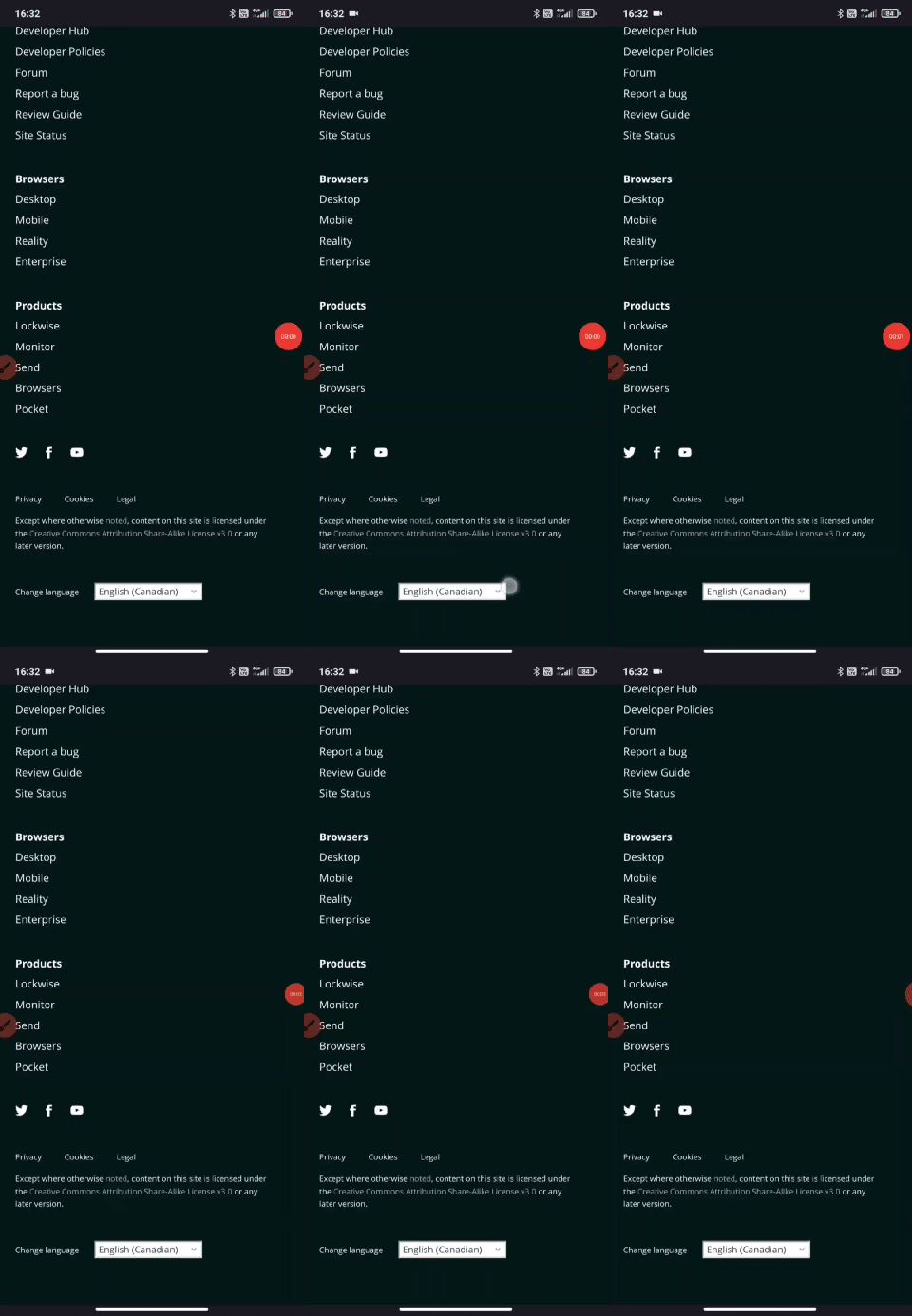
- Open https://addons.mozilla.org
- Scroll down to the footer section
- Tap on the language picker select box
What happened?
The select options are not opened at the first tap. You'll have to double tap to see the options.
What did you expect to happen?
The select options are displayed after the first tap
Anything else we should know?
This happens with every select field present on the site, like search filters for example - https://addons.mozilla.org/en-US/android/search/
Device information
- Android device: Xiaomi Mi 9T Pro, Pixel 3a
- Fenix version: 82.1.1 (although I've been noticing the issue since 80.1.2)
- I did not reproduce with the same devices and Android version on other mobile browsers
- I did not reproduce with the same Fenix version on Android 9
 AlexandraMoga
All 4 comments
Does this happen on Nightly?
 kbrosnan
on 5 Nov 2020
kbrosnan
on 5 Nov 2020
Yes, on latest nightly, you need two taps
 s-ankur
on 5 Nov 2020
s-ankur
on 5 Nov 2020
In my case, on Fenix (Release or Nightly) I have a Pixel - first generation, with Android 10.0 - the search filters https://addons.mozilla.org/en-US/android/search/ are not responsive to a double tab, it's almost impossible to open the sort by filter. Same for Change Language.
 ioanarusiczki
on 9 Dec 2020
ioanarusiczki
on 9 Dec 2020
This issue is also reproducible in GeckoView Sample app, I opened a bug for the gv team to take a look https://bugzilla.mozilla.org/show_bug.cgi?id=1681522
 Amejia481
on 9 Dec 2020
Amejia481
on 9 Dec 2020
Related issues
 ekager
·
3Comments
ekager
·
3Comments
 abodea
·
3Comments
abodea
·
3Comments
 clitetailor
·
3Comments
abodea
·
3Comments
clitetailor
·
3Comments
abodea
·
3Comments
 andreicristianpetcu
·
3Comments
andreicristianpetcu
·
3Comments
Most helpful comment
This issue is also reproducible in GeckoView Sample app, I opened a bug for the gv team to take a look https://bugzilla.mozilla.org/show_bug.cgi?id=1681522