Fenix: [Bug] Failed to query add-ons when custom add-ons are loaded
Steps to reproduce
Attempt to load add-ons.
Expected behavior
List of add-ons displays.
Actual behavior
Error failed to query add-ons displays, no add-ons listed.
Device information
- Android device: Samsung Tab A (2019) with Android 10.
- Fenix version:
Nightly 200929 05:08 (Build #2015766697)
AC: 61.0.20200925190057, 01306f87c
GV: 83.0a1-20200922094538
AS: 63.0.0
Same problem as https://github.com/mozilla-mobile/fenix/issues/12399; only appears to happen if custom add-on list is added in settings. When custom list is removed, it appears to work again as expected.
 quadriflax
All 18 comments
I cannot reproduce with default settings. What do you mean by "custom add-on list is added in settings"?
 cadeyrn
on 29 Sep 2020
cadeyrn
on 29 Sep 2020
I have the same issue.
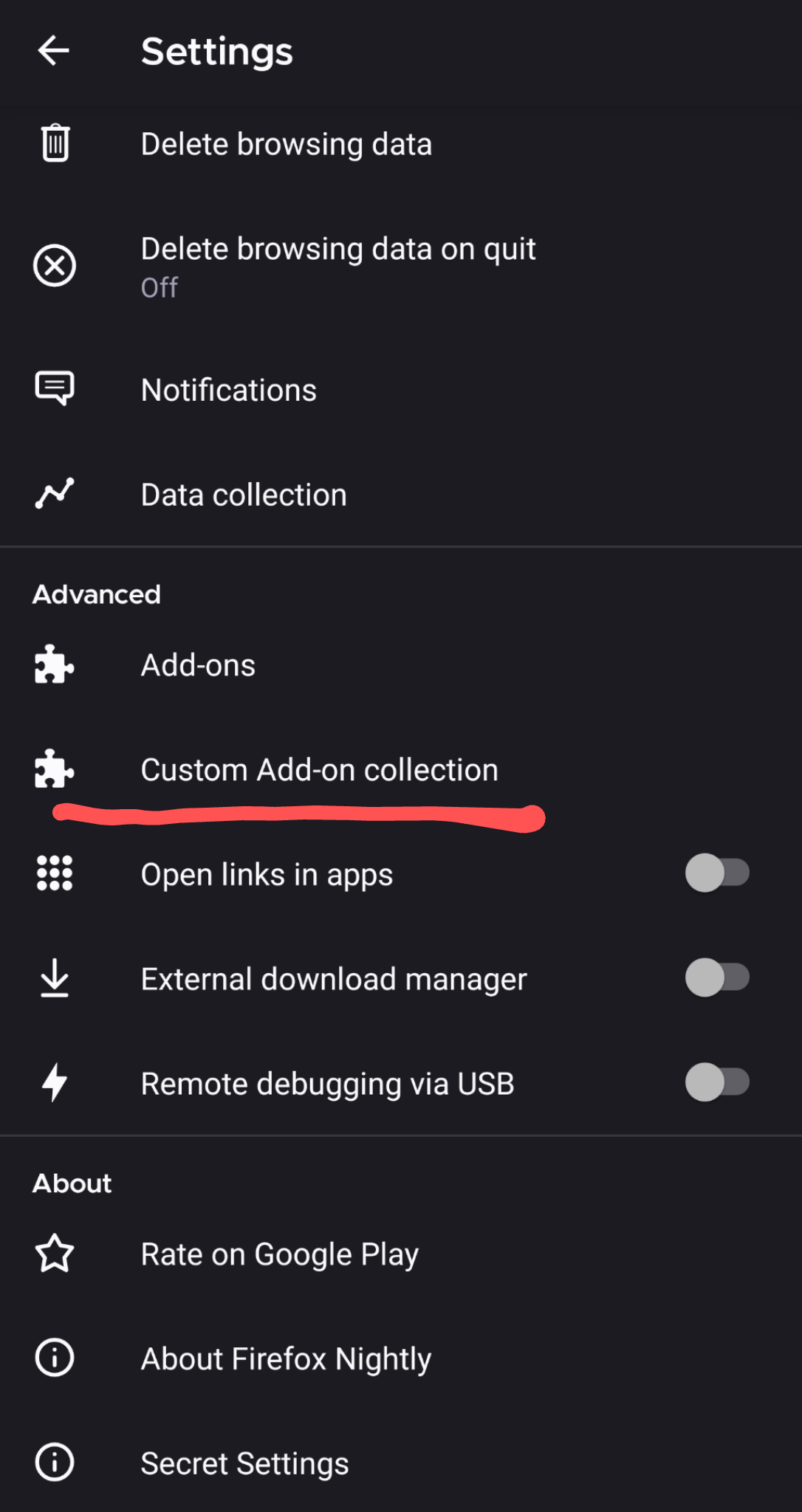
What do you mean by "custom add-on list is added in settings"?
Starting from the latest Nightly, when you activate the debug menu ("Secret Settings") by repetitively tapping the Firefox logo in Settings --> About Firefox Nightly, you have the option to add your own custom Add-on collection.

 serovar
on 29 Sep 2020
serovar
on 29 Sep 2020
Maybe I have to wait for the next update, in my version from the Google Play Store it's not yet included. Thanks.
cadeyrn
on 29 Sep 2020
You can download it from taskcluster if you don't want to wait.
serovar
on 29 Sep 2020
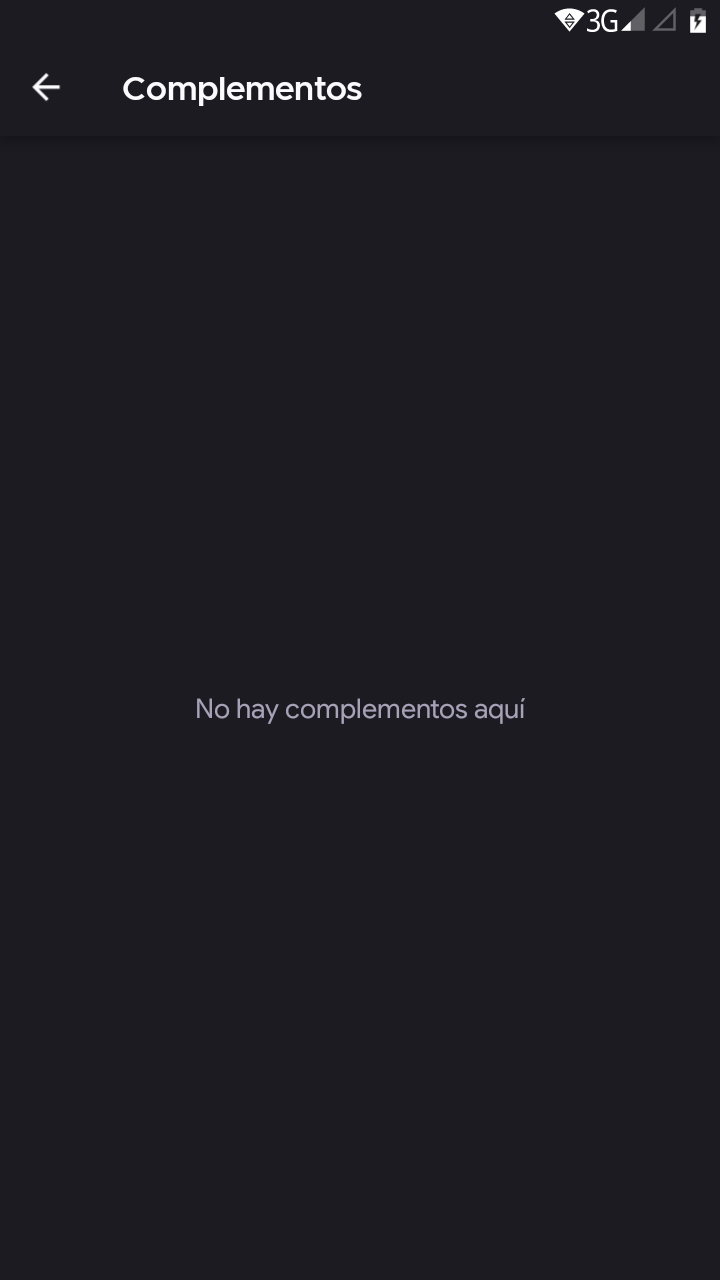
Same problem after active custom add-ons list
Android 7.0 Oukitel c5
 joelocandol
on 29 Sep 2020
joelocandol
on 29 Sep 2020
@quadriflax what values for userID and collection name are you inputting int the dialog? Could you try by using 16314372 myCollection respectively?
 Amejia481
on 29 Sep 2020
Amejia481
on 29 Sep 2020
@quadriflax what values for
userIDandcollection nameare you inputting int the dialog? Could you try by using 16314372 myCollection respectively?
Tried the above, same results.
quadriflax
on 29 Sep 2020
Just tried them, same issue.
serovar
on 29 Sep 2020
Sorry my bad, the right values are 16314372 test. This message show up when the values are not correct.
Amejia481
on 29 Sep 2020
By the way, if you save with both values empty it should reset to the default values.
Amejia481
on 29 Sep 2020
Sorry my bad, the right values are
16314372test. This message show up when the values are not correct.
It works (I see LASER CAT)
serovar
on 29 Sep 2020
Then I think we can close this issue, feel free to reopen it needed :)

Amejia481
on 29 Sep 2020
Yay! Works here, too. I was able to load my list. I entered my user name, not the ID number on the account. But I was able to load new addons. Thanks!
quadriflax
on 29 Sep 2020
@Amejia481 How did you get your User ID and collection name? If I go to my "Android" collection on AMO, I get this link: https://addons.mozilla.org/en-US/firefox/collections/13213756/android/, so I supposed my ID was 13213756 and the name "android" (but I also tried "Android"), but it did not work.
serovar
on 29 Sep 2020
That should be your ID (it shows on the left of your screen, too, under "Firefox user"). Not sure why it won't work for you, but when I click your link it's not loading and says I can't perform that action at the top, so maybe something is wonky with your list/account. Try making a new list and see if that works.
quadriflax
on 29 Sep 2020
I tried setting up a new "test" collection and it works... strange, but thanks!
Edit: I believe the issue is that in these old collections there are add-ons the were only available for the Android platform and that now you can't add any more in new collections.
serovar
on 29 Sep 2020
In my testing I found that the ID and collection name must match their respective values in the Collection URL, not the display name.
https://addons.mozilla.org/en-US/firefox/collections/<USER ID>/<COLLECTION NAME>/
So, for example, given a collection named "Abc Def", you must enter "Abc-Def" (note the dash) as the "Collection name" in the "Add-ons" screen.
IMHO this is sufficiently non-obvious that this issue (or another) should be opened to improve the user experience.
 andornaut
on 30 Sep 2020
andornaut
on 30 Sep 2020
Mozilla ought to add that to the blog post! https://blog.mozilla.org/addons/2020/09/29/expanded-extension-support-in-firefox-for-android-nightly/
 Poopooracoocoo
on 30 Sep 2020
Poopooracoocoo
on 30 Sep 2020
Related issues
 AndiAJ
·
3Comments
AndiAJ
·
3Comments
 bbinto
·
3Comments
bbinto
·
3Comments
 andreicristianpetcu
·
3Comments
andreicristianpetcu
·
3Comments
 lindongbin
·
3Comments
andreicristianpetcu
·
3Comments
lindongbin
·
3Comments
andreicristianpetcu
·
3Comments
Most helpful comment
In my testing I found that the ID and collection name must match their respective values in the Collection URL, not the display name.
https://addons.mozilla.org/en-US/firefox/collections/<USER ID>/<COLLECTION NAME>/So, for example, given a collection named "Abc Def", you must enter "Abc-Def" (note the dash) as the "Collection name" in the "Add-ons" screen.
IMHO this is sufficiently non-obvious that this issue (or another) should be opened to improve the user experience.