Fenix: [Bug][Tablet] Main menu is not displayed correctly after rotating the device from landscape to portrait
Steps to reproduce
- Open Fenix and rotate the tablet to landscape mode.
- Tap on the three-dot menu.
- Rotate the tablet to portrait mode.
Expected behavior
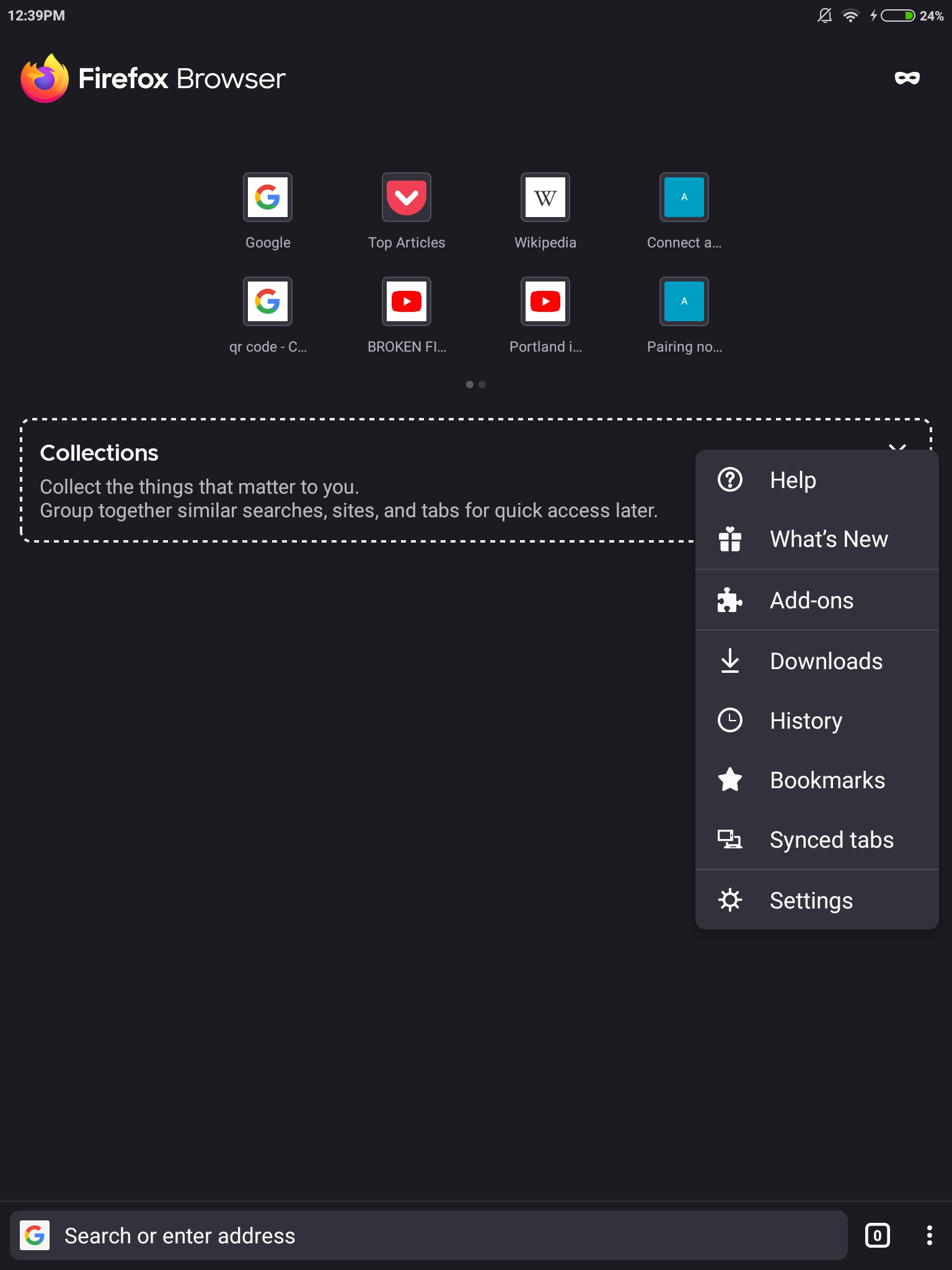
The menu is correctly displayed after rotation ( bottom-right).
Actual behavior
The menu is displayed in the right-center of the page.
Device information
- Android device: Xiaomi Mi Pad 2 (Android 5.1).
- Fenix version: Nightly 9/23, 82.0.0-beta.1.
Note
- on phones, this is only reproducible for the Add-ons menu.
 sflorean
All 4 comments
@sflorean is this still reproducible? I've tried to reproduce it on an emulator tablet but the menu shows up in the correct place. Thank you!
 mcarare
on 23 Nov 2020
mcarare
on 23 Nov 2020
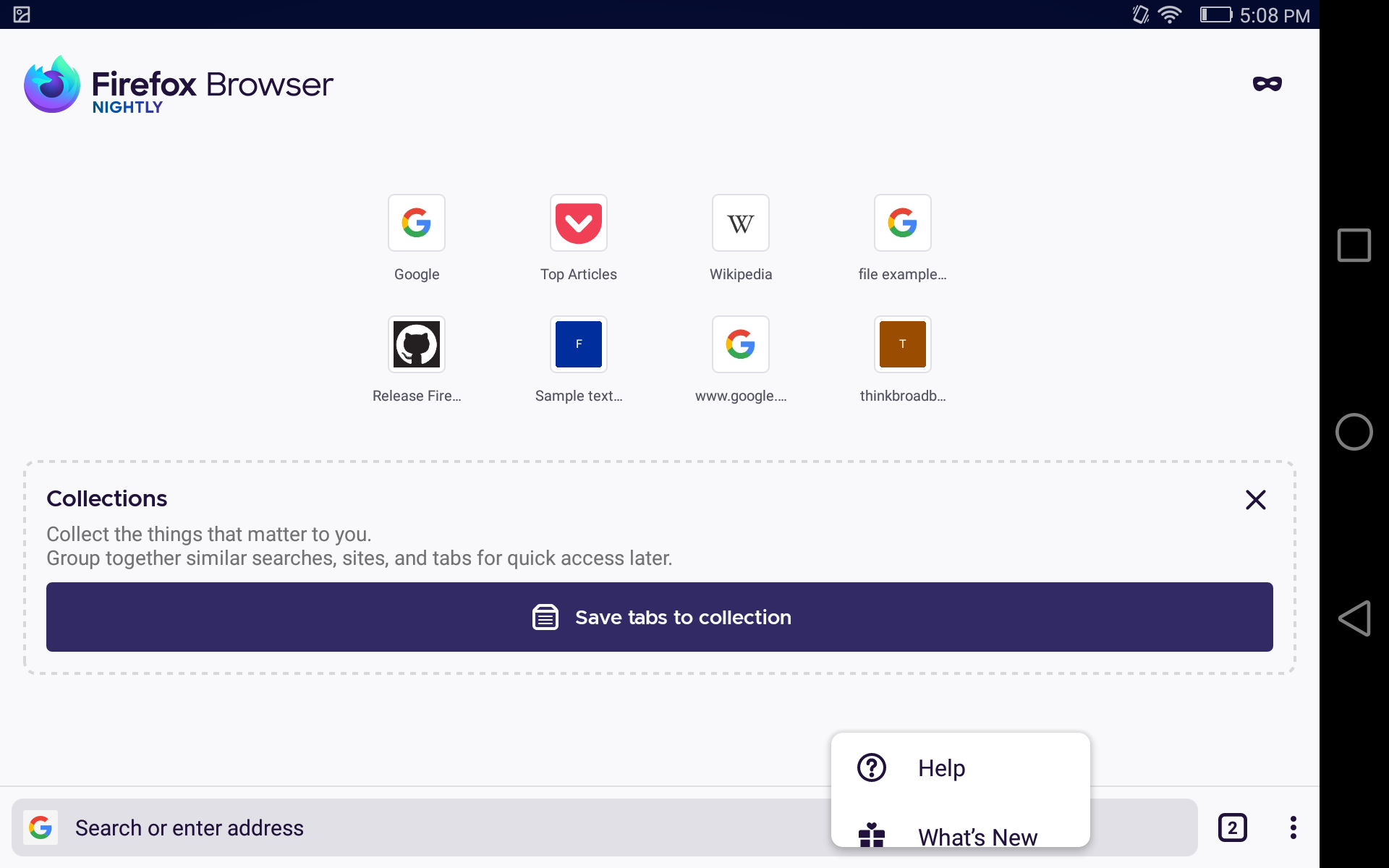
This is still reproducible, not exactly the same step but when rotating from portrait to landscape.
Device: Huawei MediaPad M2 (Android 5.1.1).
sflorean
on 23 Nov 2020
👍1
Should be fixed after the change in AC.
 Mugurell
on 11 Dec 2020
Mugurell
on 11 Dec 2020
Verified as fixed on Nightly 12/14.
sflorean
on 14 Dec 2020
👍1
Was this page helpful?
0 / 5 - 0 ratings
Related issues
 lindongbin
·
3Comments
lindongbin
·
3Comments
 andreicristianpetcu
·
3Comments
andreicristianpetcu
·
3Comments
 clitetailor
·
3Comments
clitetailor
·
3Comments
 abodea
·
3Comments
abodea
·
3Comments
 csadilek
·
3Comments
csadilek
·
3Comments