Fenix: [Bug] Keyboard does not raise when new tab button is pressed, causing user to interact TOP-BOTTOM-TOP-BOTTOM of their device
_edit: drastically rewrote report with additional info_
Reporting for another user.
Steps to reproduce
- Set toolbar on top
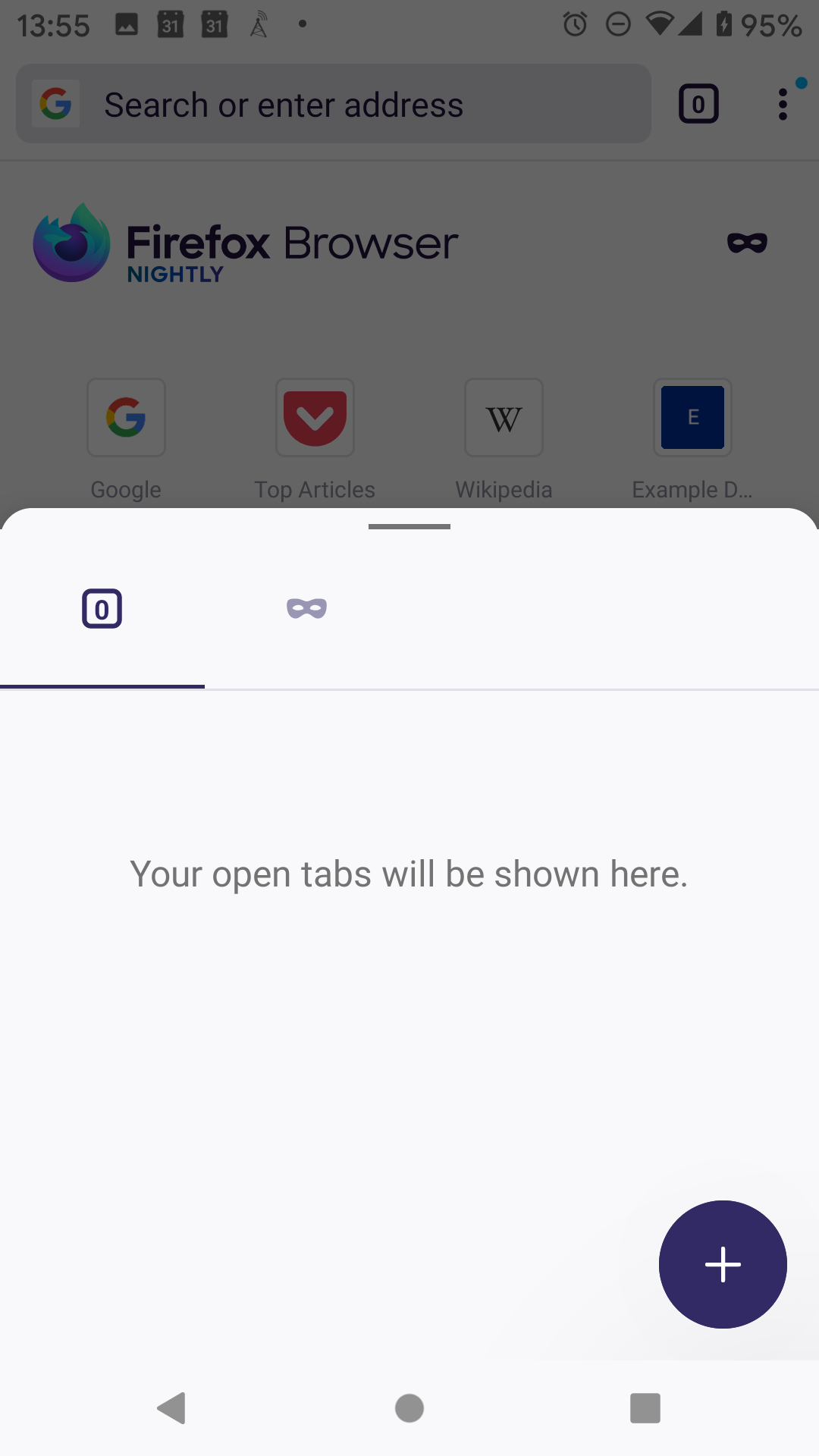
- TOP: Click URL bar to open tabs tray
- BOTTOM: click + button for new tab
- Expected: keyboard raises and can begin typing; actual: keyboard does not raise
- TOP: click URL bar to raise keyboard
- BOTTOM: keyboard
Expected behavior
There are two issues:
- The new tab button is at the top (dupe #14403?)
- The keyboard raises when + is pressed
Actual behavior
There are two issues:
- The new tab button is at the bottom, which is unintuitive if the toolbar is at the top (dupe #14403?)
- For this user, the keyboard does not raise when the new tab button is pressed causing them to go TOP-BOTTOM-TOP-BOTTOM
I propose addressing 1) in #14403 and addressing 2) in this issue.
Device information
- Android device: OnePlus 7 Pro, Android 10
- keyboard: gboard
- Fenix version: release (80?)
 mcomella
👍1
All 3 comments
Like https://github.com/mozilla-mobile/fenix/issues/14403
See also https://github.com/mozilla-mobile/fenix/issues/14909
 yoasif
on 9 Sep 2020
yoasif
on 9 Sep 2020
Thanks for the info, yoasif. I updated the first comment with additional info I learned which makes it slightly different than #14403 so I'd propose leaving this open.
mcomella
on 10 Sep 2020
Fenix version: release (80?)
I've been told this is working correctly in Nightly – perhaps we should close as WORKSFORME? I'll check to see if anything is configured differently in the release build and report back though.
mcomella
on 10 Sep 2020
👍2
Was this page helpful?
0 / 5 - 0 ratings
Related issues
 csadilek
·
3Comments
csadilek
·
3Comments
 andreicristianpetcu
·
3Comments
andreicristianpetcu
·
3Comments
 bbinto
·
3Comments
andreicristianpetcu
·
3Comments
bbinto
·
3Comments
andreicristianpetcu
·
3Comments
 vesta0
·
3Comments
vesta0
·
3Comments
Most helpful comment
I've been told this is working correctly in Nightly – perhaps we should close as WORKSFORME? I'll check to see if anything is configured differently in the release build and report back though.