Fenix: FNX2-13169 ⁃ Text Selection Toolbar re-order
User Story
- As a Fenix user, I want to see the "Search in Firefox" option before the other browser search options in the text selection toolbar.
Acceptance Criteria
- When I long press on web content, I see Copy, Select all, Share, and Firefox Search as the primary options, taking priority over other browser search options.
Preferred order:
Copy
Search
Select all
Share
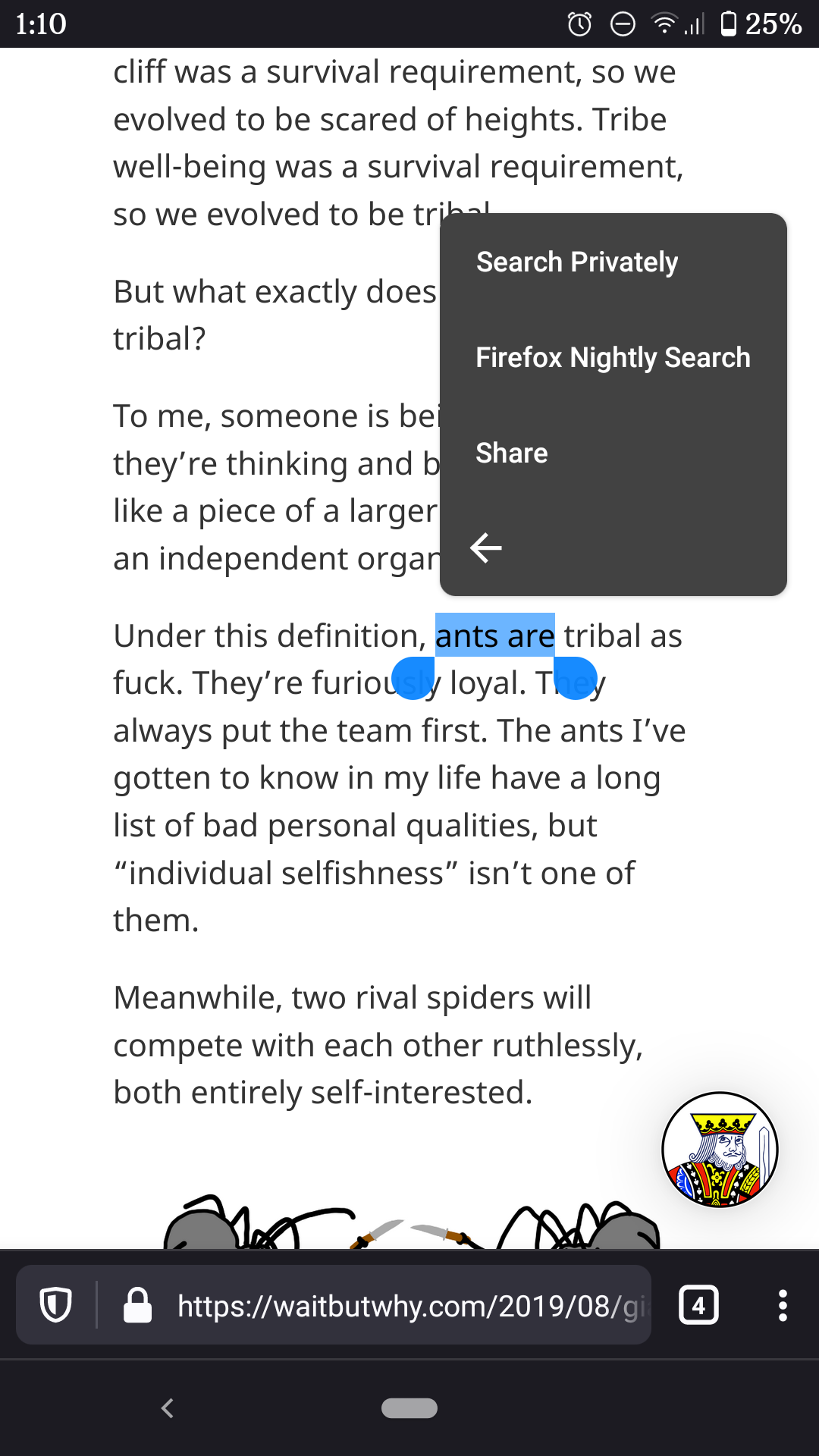
Example: If I have Focus and Opera installed "Search in Firefox" appears after "Search Privately" in the text selection toolbar.
 UNITO-UNDERSCORE!20200313-011035!
 vesta0
All 26 comments
@vesta0 Agreed.
There are a couple of parts to resolving this issue:
- The ordering of the context menu item should prioritise Search ahead of “Select all”:
- Copy
- Search
- Select all
- Share
- ⋮ (More)
- The ordering items under the “more” context menu should prioritise “Private search” ahead of “Find in page”:
- Private search
- Find in page
- (Optional, but maybe not) Show search options from other browsers
I recommend against showing search options from other browsers that might take users out of Fenix. See Chrome for an example of option blocking – they don’t let you search with any app other than Chrome.
 brampitoyo
on 11 May 2020
brampitoyo
on 11 May 2020
@brampitoyo we don't have "Find in page" in the context menu right now.
I like your first suggestion. I would prefer to not exclude other browser searches from the context menu though, but move them out to the "more" context menu.
vesta0
on 11 May 2020
Looked over this a little to offer an engineering perspective.
We currently offer the following possible actions in the floating menu:
- [cut, copy, paste, select all,
process_text] [from GeckoView](https://dxr.mozilla.org/mozilla-central/rev/61a83cc0b74b43117a9fa6d92c3d693ea03bbffc/mobile/android/geckoview/src/main/java/org/mozilla/geckoview/BasicSelectionActionDelegate.java#52) which represent the default possible actions. - [search, search privately, share] from A-C which represent custom actions a GV client can provide.
Which of the above actions we show is set in code, at runtime, basically, if an action makes sense or not.
"Search privately" corresponds to the process_text id. But there could be any other application which can handle "android.intent.action.PROCESS_TEXT" with it's own action text, like seen in #9467.
We could theoretically reorder the default actions (because we know their hardcoded ids) and also provide totally different custom actions (in any order).
FWIK we cannot really set which actions would appear in the "more" section.
All actions are placed in the order discussed above until they overflow the set menu width / screen width after which the others are put in the overflow ("more") section.
 Mugurell
on 12 May 2020
Mugurell
on 12 May 2020
@brampitoyo for follow-up
 AmyYLee
on 3 Jun 2020
AmyYLee
on 3 Jun 2020
To summarize, we want to move "Search" right after "copy" in the context menu, and it's okay from @vesta0 if we can't decide the cutoff. Comment 0 has been updated with the preferred order.
If this is a quick fix let's do it, otherwise push it out.
 liuche
on 4 Jun 2020
liuche
on 4 Jun 2020
@liuche Confirming that this is indeed the behaviour we wanted. Let’s move forward with what’s set out in comment 0.
brampitoyo
on 7 Jun 2020
I'm waiting to hear back from AC about the feasability of doing this.
 sblatz
on 11 Jun 2020
sblatz
on 11 Jun 2020
Will ping sebastian about this again, to figure out how risky/big this is.
liuche
on 22 Jun 2020
Sebastian's suggestion here:
Yeah, so, that looks like we could do with not too much code. Right now we just merge the actions here: https://github.com/mozilla-mobile/android-components/blob/master/components/browser/engine-gecko-nightly/src/main/java/mozilla/components/browser/engine/gecko/selection/GeckoSelectionActionDelegate.kt#L40
Maybe we could allow providing a function for sorting those actions? Maybe a function () -> R that we can pass to sortBy? It's a bit awkward that you only have String IDs here, but you could still map them to your preferred weights.
sblatz
on 25 Jun 2020
Put up an AC & Fenix PR for this so that Sebastian can verify 😄
sblatz
on 30 Jun 2020
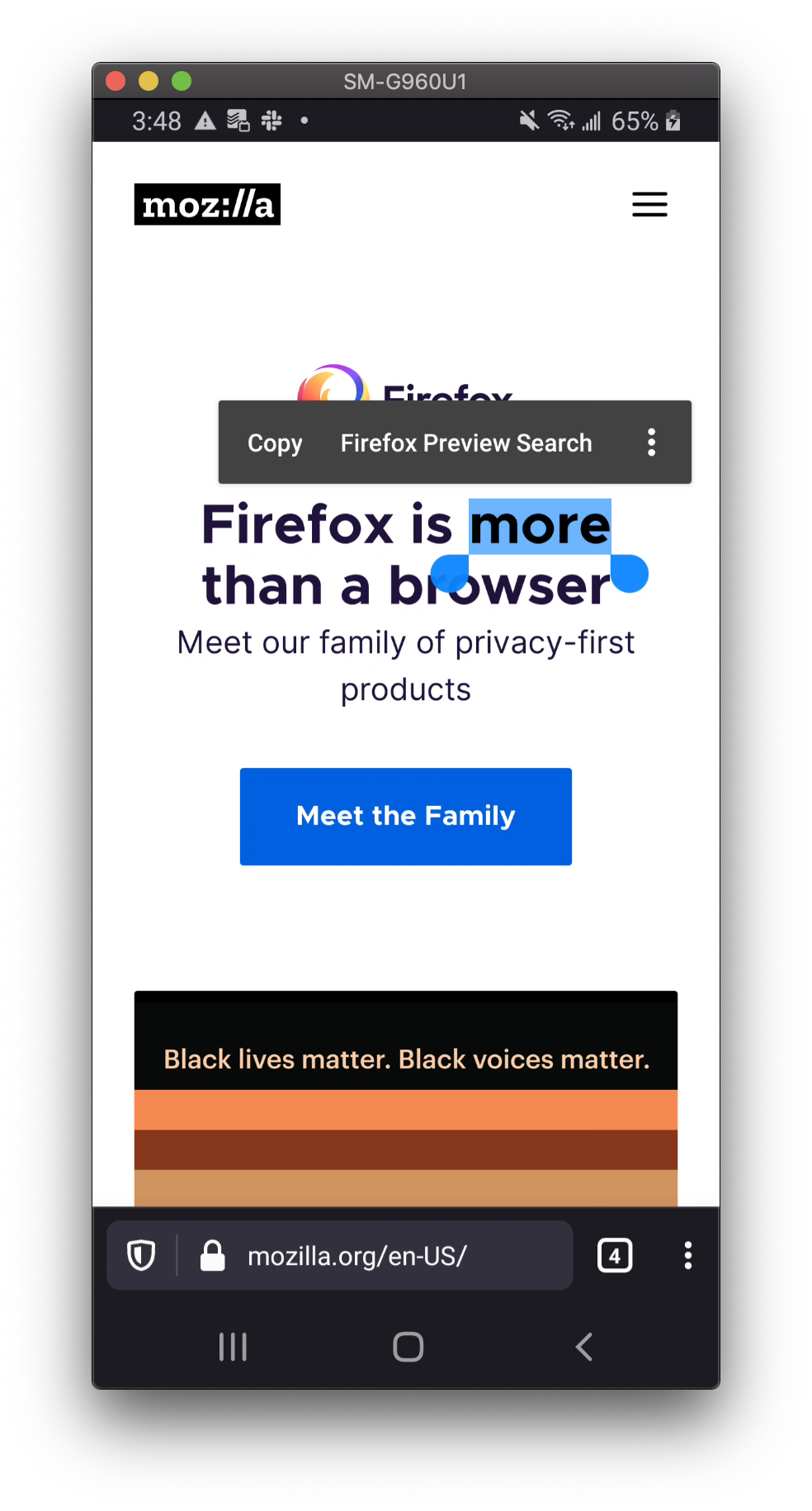
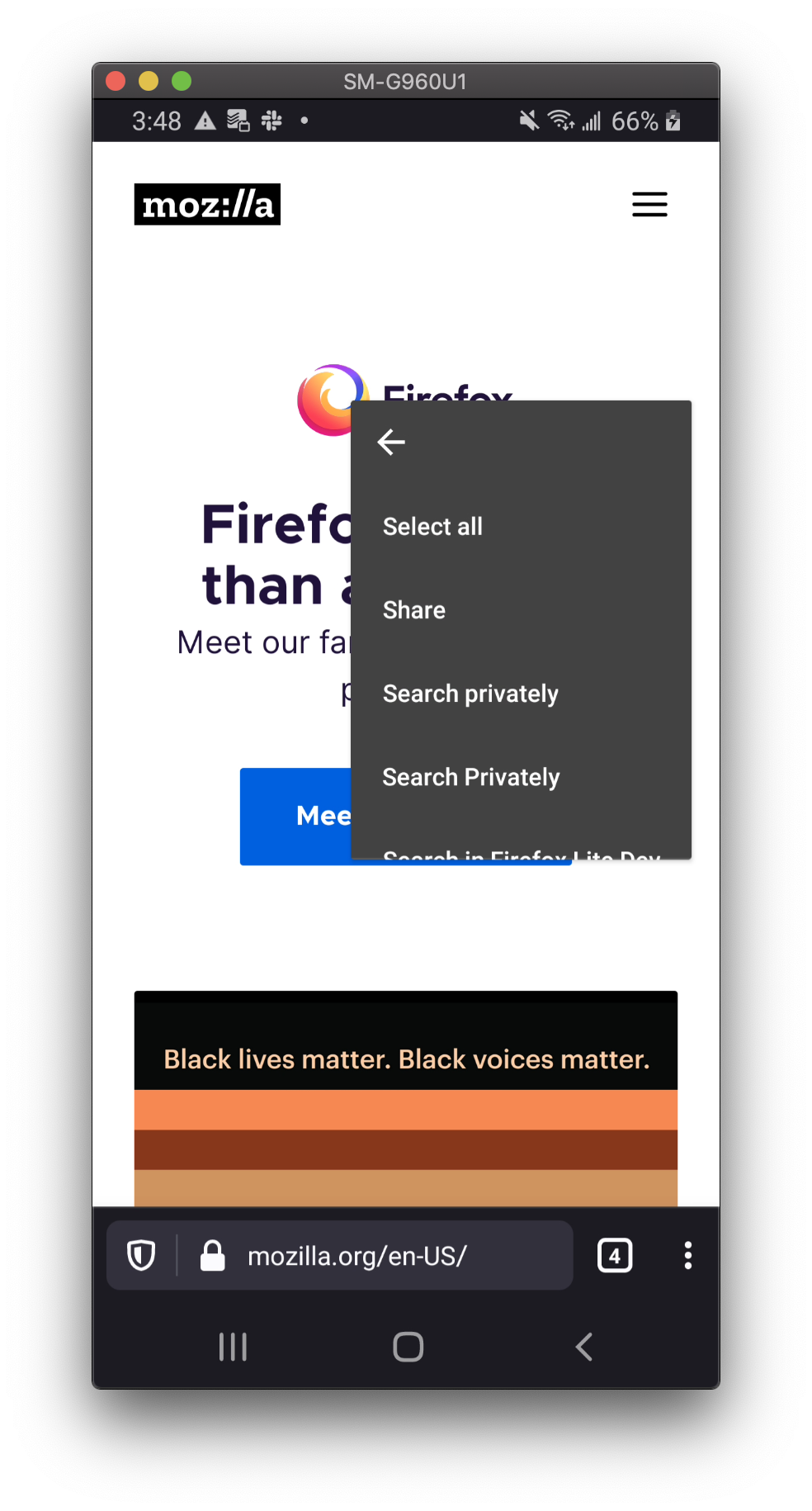
If this solution is good with Sebastian, this is basically done!
Demo
sblatz
on 30 Jun 2020
I guess it's distinct from the ordering, but can "Firefox Preview Search" be renamed to just "Search" in the menu?
 jandryuk
on 30 Jun 2020
jandryuk
on 30 Jun 2020
I think that's a great idea. @betsymi can we rename "Firefox Search" to "Search"? See the original decision here.
vesta0
on 30 Jun 2020
I think right now it's just pulling from "App Name" (Beta, Nightly, or just "Firefox"). We can definitely hardcode that to "search" if @betsymi prefers!
sblatz
on 30 Jun 2020
Agree that we should lead with action verb throughout the entire menu. It's the same pattern as Copy, Select, Share, etc., so let's keep that consistency throughout. We can keep the app name.
Search in Firefox
Search in Nightly
Search in Firefox Preview
 betsymi
on 1 Jul 2020
betsymi
on 1 Jul 2020
If this solution is good with Sebastian, this is basically done!
Demo
Why does this have Search privately and Search Privately?
betsymi
on 1 Jul 2020
@betsymi just curious, do you think it needs to pull from the App Name or can it just say "Search" ?
Search Privately comes from having Focus installed, and Search privately comes from having Opera installed. Not related to Fenix.
vesta0
on 1 Jul 2020
I would prefer just "Search" to cut down on the width and let "Select All" be on the top level link Fennec.
You don't need the current app's name in it's own context menu.
Thanks for your work on this!
jandryuk
on 1 Jul 2020
@betsymi just curious, do you think it needs to pull from the App Name or can it just say "Search" ?
Search Privately comes from having Focus installed, and Search privately comes from having Opera installed. Not related to Fenix.
Yes, it can simply say Search, no app name. If I understand the discussion on this thread correctly, we will not be point to Opera (or other apps) at all, so the final implementation won't have that privately/Privately issue, correct?
betsymi
on 1 Jul 2020
I will update my original PR to rename these to "Search"! 😄
sblatz
on 2 Jul 2020
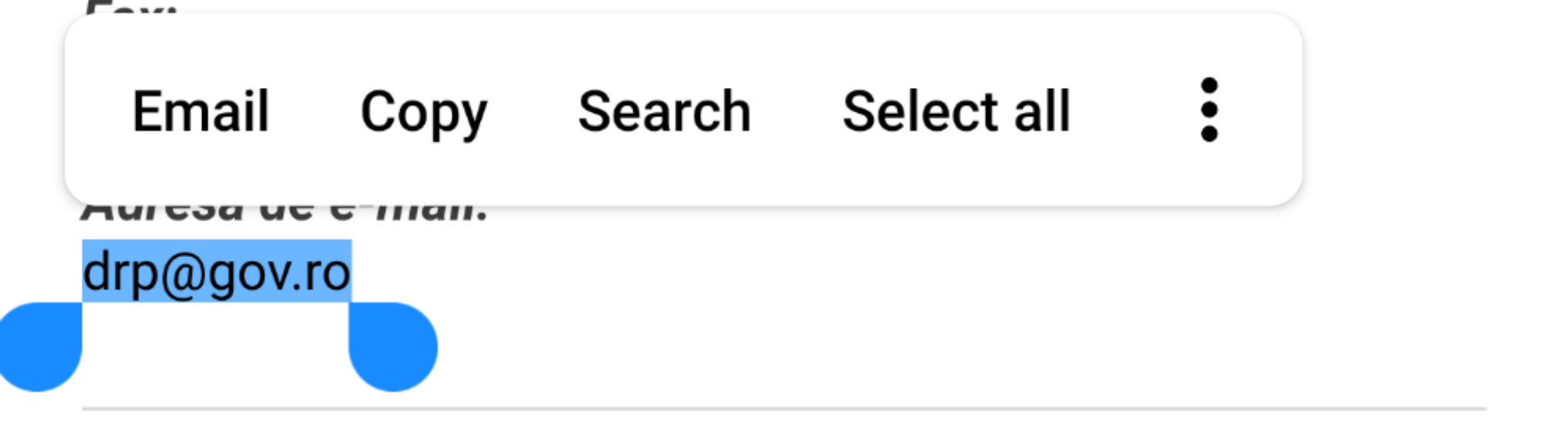
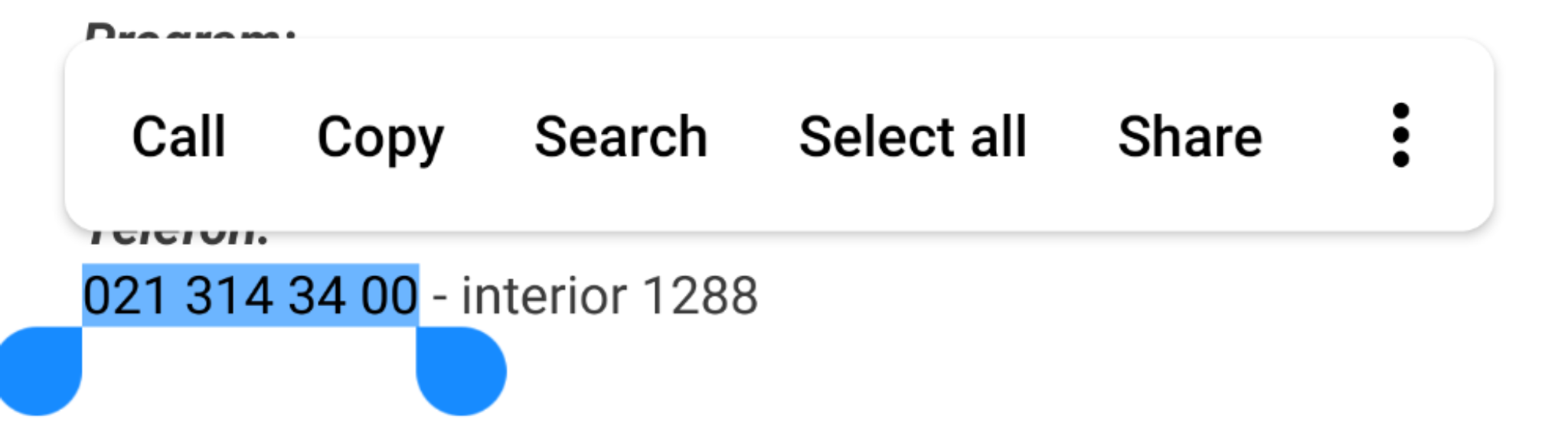
I'm assuming if a special action like "Call" or "Email" is available, that should be first in the list:
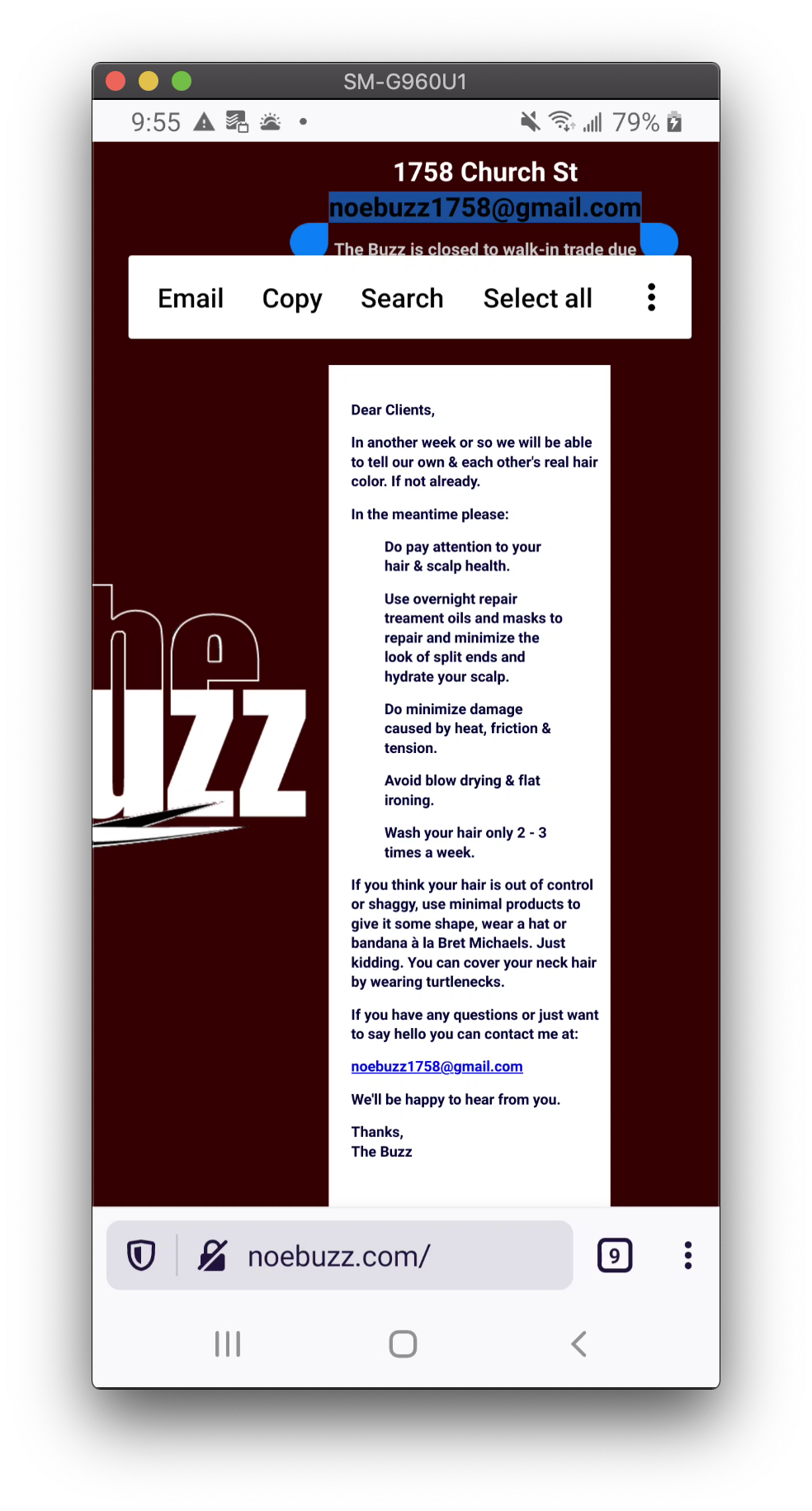
Let me know if that seems wrong @vesta0, @betsymi
sblatz
on 13 Jul 2020
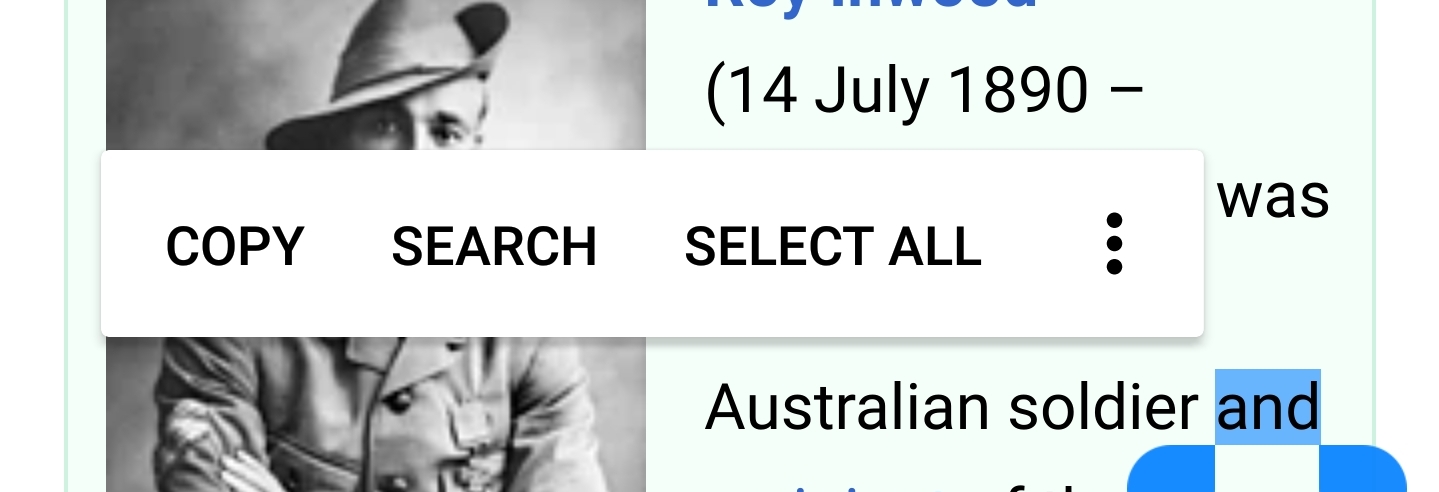
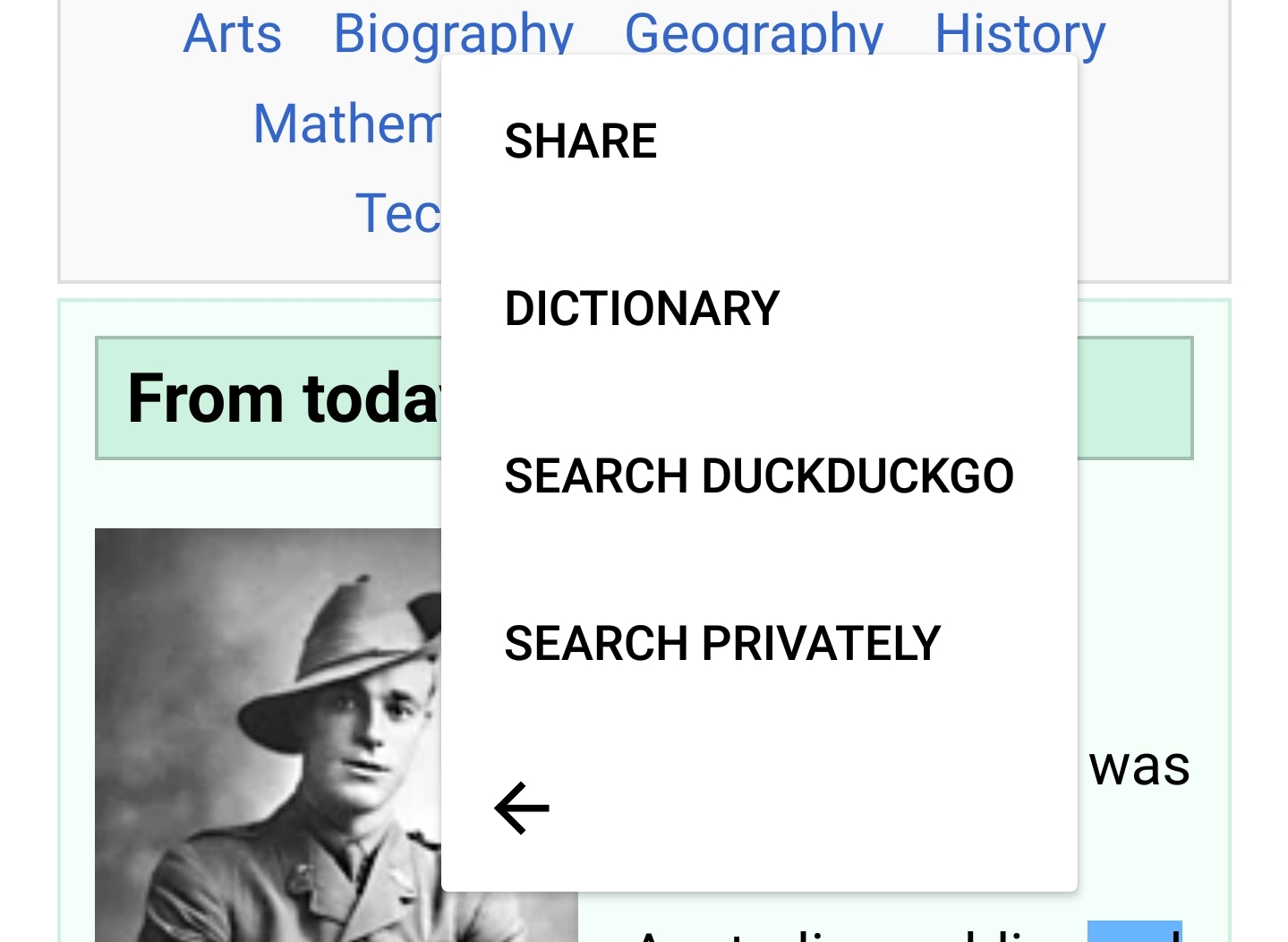
Hi, verified with Google Pixel 3XL (Android 9) and Samsung Galaxy S9 (Android 8) on latest Nightly 7/14
Samsung Galaxy S9 (Android 8)-Primary options - ❌
Samsung Galaxy S9 (Android 8)-"More" context menu - ✔️
Google Pixel 3XL (Android 9)-Primary options - ✔️
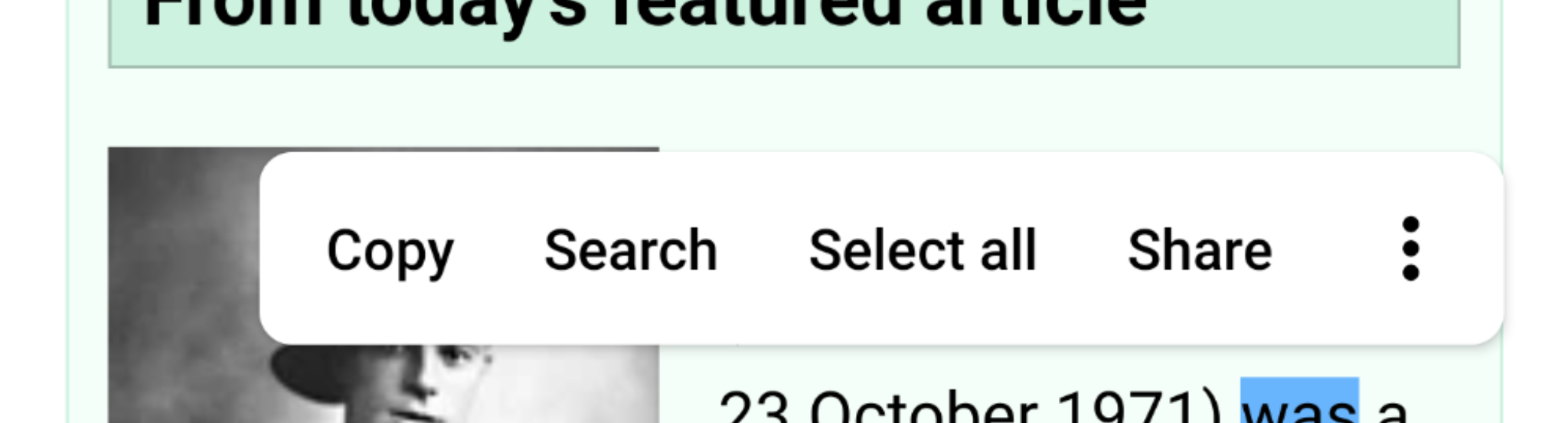
Google Pixel 3XL (Android 9)-"More" context menu - ✔️
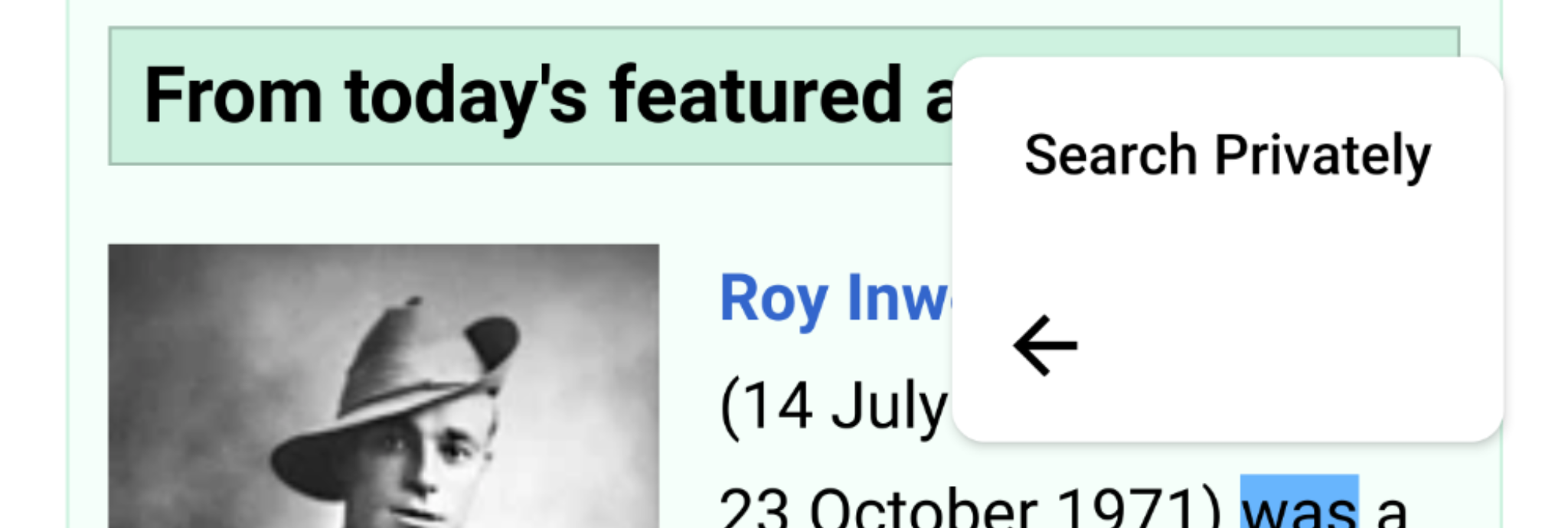
Note:
- On Samsung Galaxy S9 (Android 8), not all the primary options are visible in the context menu as it is for Google Pixel 3 XL (Android 9) - check the drop down for Samsung Galaxy S9 (Android 8)-Primary options.
- On both devices I had Focus and Opera mini installed. It seems that now "Opera Mini" is not recognized, not a problem based on comment and comment but to confirm it.
- Did some regression around the options to see that they are not affected
- As first look for email or phone number, they appear in the primary options in Context menu (more exactly as first option), will have the exact results of the testing for them in bug #10260
Google Pixel 3XL (Android 9)-Email✔️
Google Pixel 3XL (Android 9)-Call✔️
 Diana-Rus
on 14 Jul 2020
Diana-Rus
on 14 Jul 2020
- On Samsung Galaxy S9 (Android 8), not all the primary options are visible
Are they not visible because they don't fit the screen?
Do they appear in landscape?
A screenshot would help.
Mugurell
on 14 Jul 2020
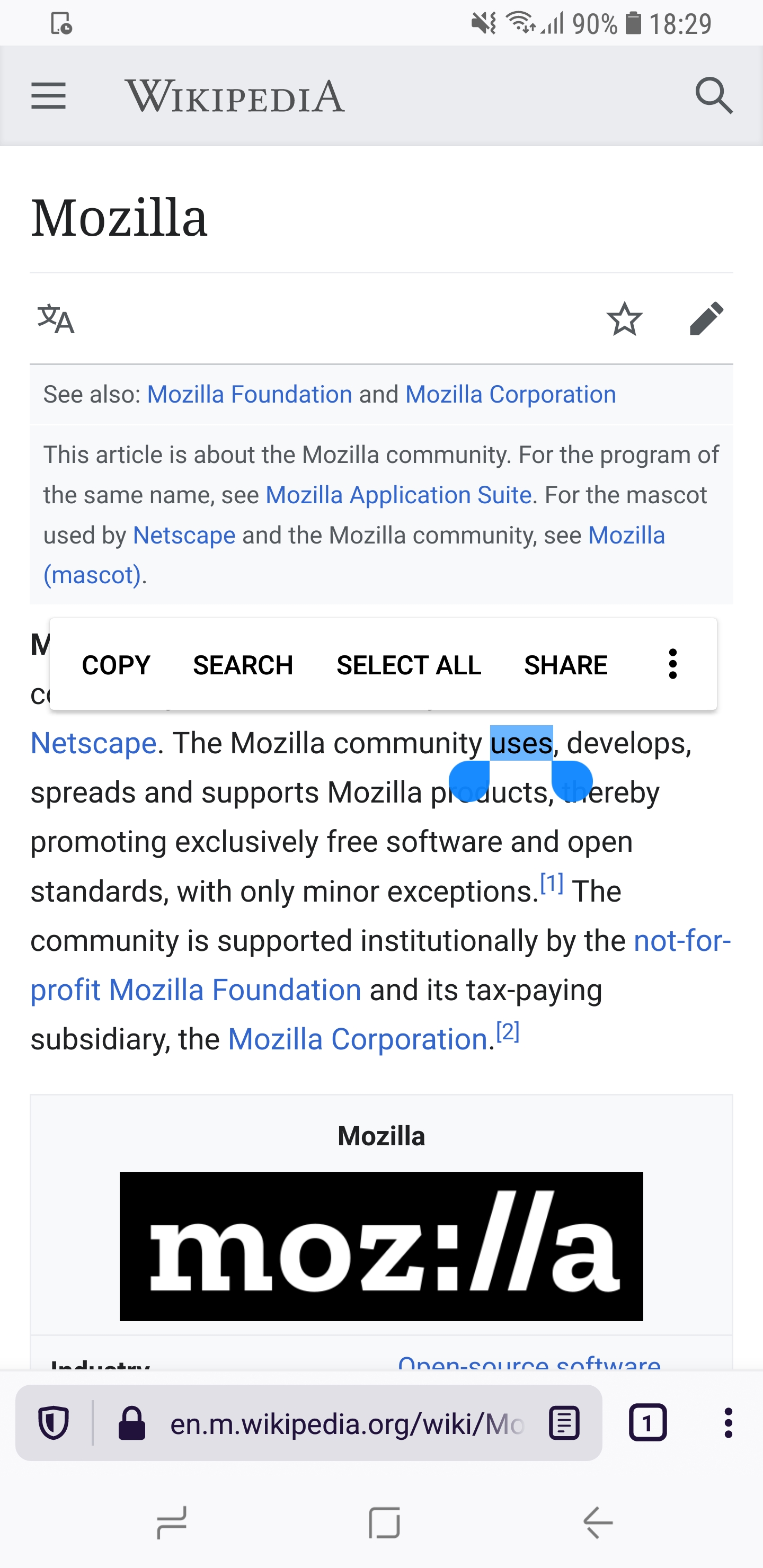
Hey,checked the options for Samsung Galaxy S9 (Android 8) and they are ok, it was a different width setup applied per device when testing. I'll leave a screenshot below, the agreed order is correct.
Samsung Galaxy S9 (Android 8) - Primary Options ✔️
However after a look after the Context Menu, in private browsing, the "Private search" option is located at the bottom of the "More" menu. Shouldn't the option be set in the primary options list as we have the "Search"option or as a first option in the "More" menu?
Check GIF

Diana-Rus
on 15 Jul 2020
@Diana-Rus I've now added "Search Privately" to the top of the list in private mode. Thanks for catching that.
Could you reconfirm that part? 😄
sblatz
on 20 Jul 2020
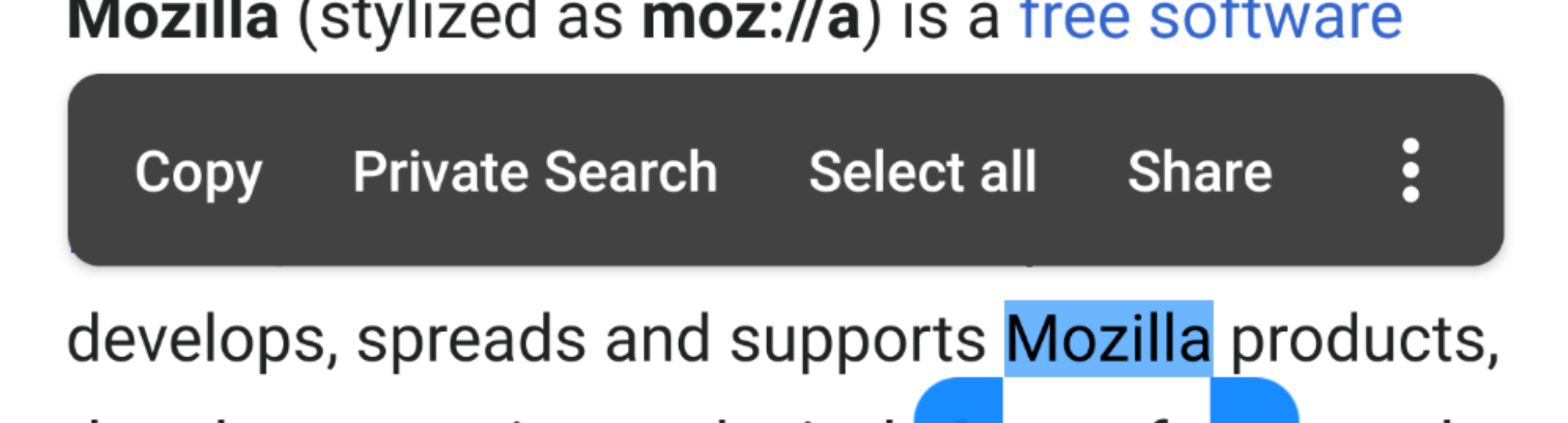
Hi, checked the issue with Samsung Galaxy S9 (Android 8) and Google Pixel 3 XL (Android 9) on latest Nightly 200721, the "Private Search" option has been moved in the primary options list ✔️
Google Pixel 3 XL (Android 9) - Primary options list - Private Search
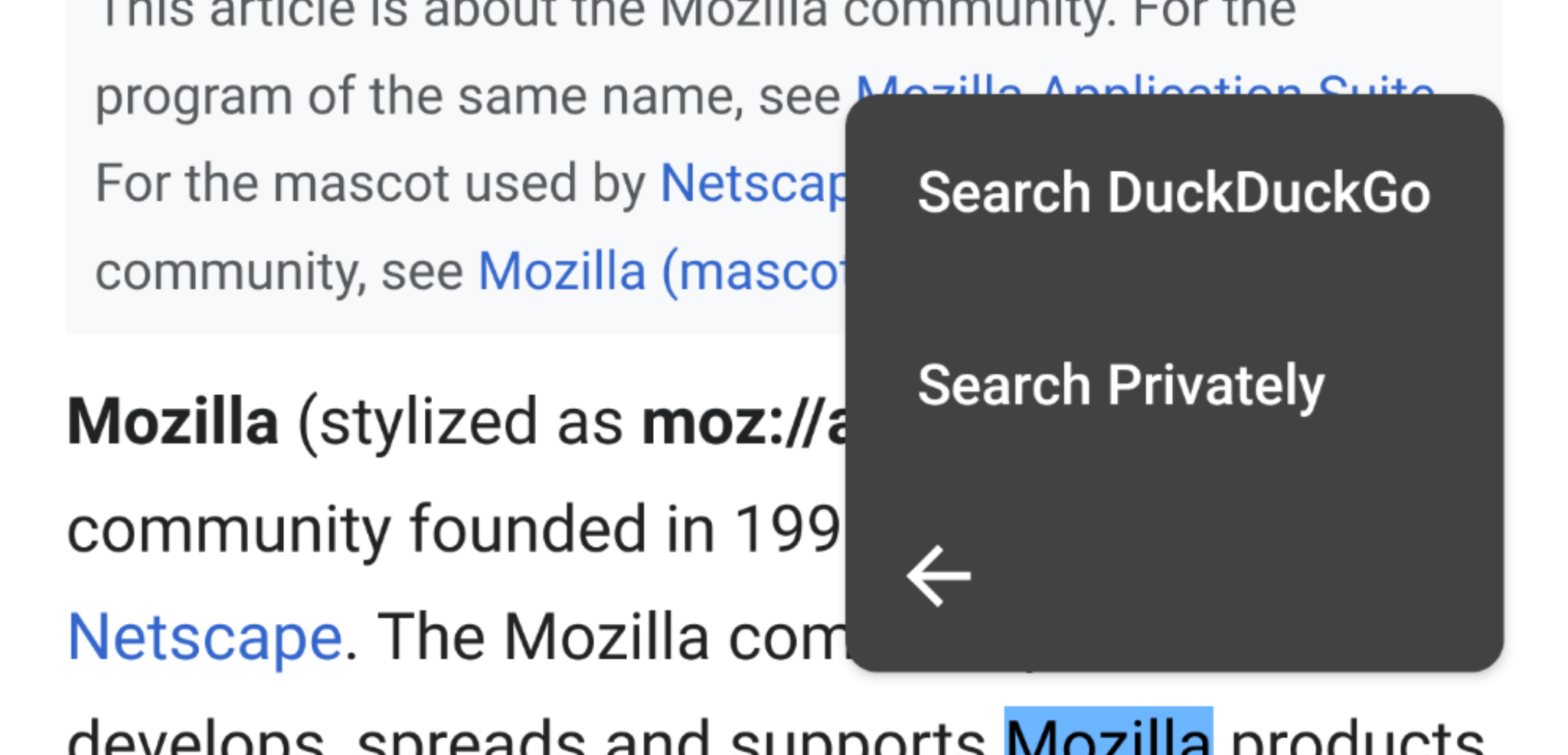
@sblatz - "Search Privately" for the Focus option should be before others 3rd party apps installed that can be accessed through this custom menu -> More?
Search Privately - Focus option
Diana-Rus
on 22 Jul 2020
Related issues
 abodea
·
3Comments
abodea
·
3Comments
abodea
·
3Comments
abodea
·
3Comments
 csadilek
·
3Comments
csadilek
·
3Comments
 andreicristianpetcu
·
3Comments
andreicristianpetcu
·
3Comments
andreicristianpetcu
·
3Comments
andreicristianpetcu
·
3Comments
Most helpful comment
I will update my original PR to rename these to "Search"! 😄