Fenix: FNX-3381 ⁃ [Bug] Fenix freezes after Opening Link
Steps to reproduce
It's a little bit complicated:
- Works in both, private and normal mode. Probably only works, if no other tabs were previously opened (or if all open tabs are closed manually in step 3)
- Open any link from the outside of Fenix. I'm talking Sharing-to-Fenix or using the search widget. Probably any way that doesn't involve pressing the "open-new-tab-button"
- Click on the tab-selection-square.
- Close the Tab
- Press back on your Android-Back-Button.
- Enjoy. (now the screen's just white with a [0]-tabs-square at the bottom. If you press your home-button, then re-enter Fenix without properly closing it, you'll see the frozen screen. Alternatively, if you press the tab-button again, then press back AGAIN, you'll get the same freeze. It's really fun, just try it out!)
Expected behaviour
No "0-Tab-white-screen". No freeze
Actual behaviour
See pictures.



Device information
- Android device: Samsung Galaxy S9
- Fenix version: 4.3.0
 Glitchy-Tozier
All 13 comments
I assume, it's the way Fenix opens Links from outside, as this doesn't happen when opening a website from within Fenix.
Glitchy-Tozier
on 27 Apr 2020
Hey @Glitchy-Tozier! How often are you seeing this happen? Do you have some examples of the URLs that you are opening?
 eliserichards
on 27 Apr 2020
eliserichards
on 27 Apr 2020
@eliserichards Any Url. I can replicate it whenever I want.
The most common url is probably the search engine I use, but it works with any link. Youtube, Google, whatever. There just needs to be a tab to close.
Edit: it even works when you're offline.
Glitchy-Tozier
on 27 Apr 2020
It's the same practice as #10211... just that
- That guy doesn't know that it doesn't have to be the Home-Screen-Widget.
- He apparently uses a different last step to show the actual frozen screen. There probably are even more ways of doing the last step. I think, going into Settings and then comming back to Tab-Zero might work too, but I'm not testing it right now.
Glitchy-Tozier
on 27 Apr 2020
Tried to reproduce this on latest Nightly but I couldn't.
@Glitchy-Tozier Can you please confirm if this is still happening on latest Nightly?
A video would also help if so.
 Mugurell
on 16 Jun 2020
Mugurell
on 16 Jun 2020
@Mugurell This exact way of getting the app to freeze doesn't work anymore as Fenix is closed/suspended by pressing on the back button. (I just tried it out in the regular most up-to-date version of Fenix (5.1.1)). So yes, this path to getting Fenix to freeze seems to be fixed.
Unfortunately, in 5.1.1, there still are other ways to get this to happen by just slightly changing the instructions. See #11472.
Glitchy-Tozier
on 17 Jun 2020
If QA can confirm this does not reproduce anymore then this can be closed.
Mugurell
on 17 Jun 2020
I'm sorry but what does QA mean?
Glitchy-Tozier
on 17 Jun 2020
I'm sorry but what does QA mean?
Quality Assurance
Each ticket must go through a more thorough verification to be sure that an issue is or not is fully resolved.
Mugurell
on 17 Jun 2020
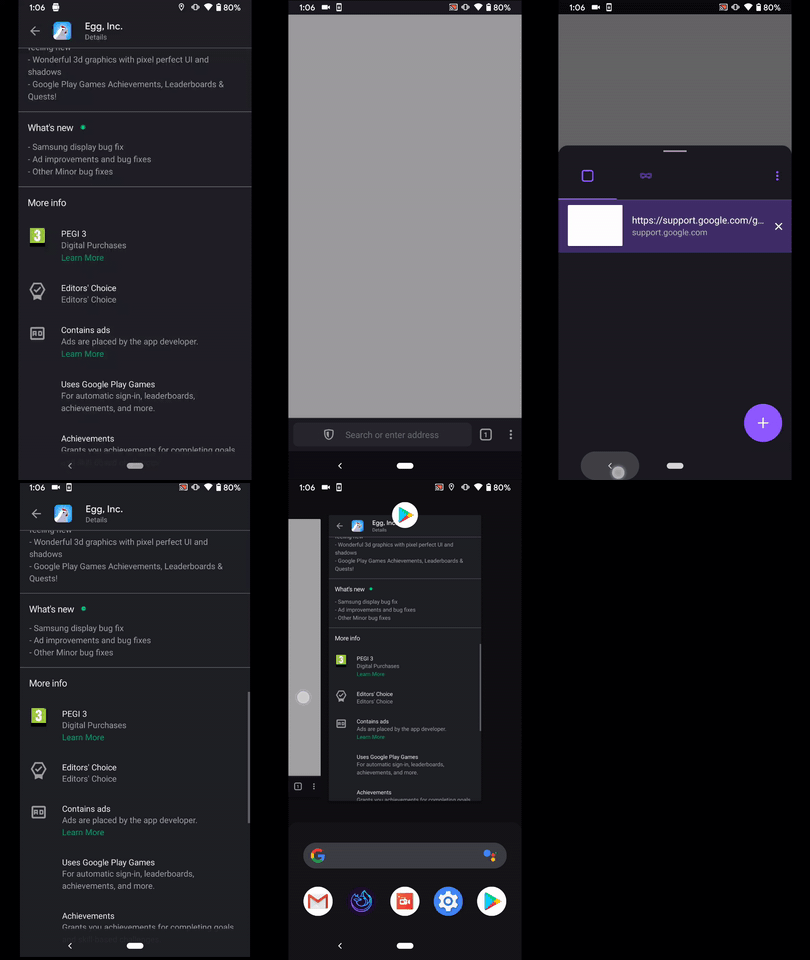
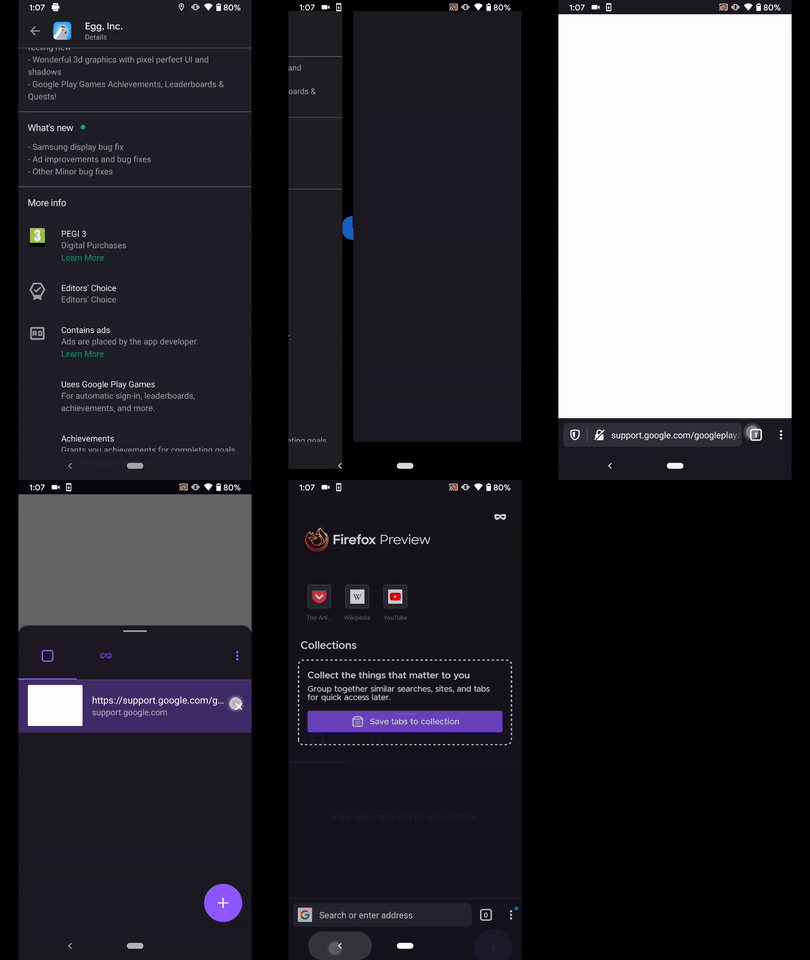
Hi, I've just checked this matter on the latest Nightly Build #200619 from 6/19 using the following devices:
• Google Pixel 3a (Android 10)
• Huawei Mate 20 Lite (Android 9)
• OnePlus A3 (Android 6.0.1)
❌ It's still reproducible using the following STR:
○ Prerequisites
Fenix should be closed
○ Steps to reproduce
- Open Gmail
- Long tap on a link
- Select "Open in Browser"
- While the page is loading tap the device back button
- Resume Fenix
○ Notes
❗ While stuck with the white screen, the user can use the pull to refresh feature, or at least the loading icon is displayed
If you tap again the back button Fenix's home screen is properly displayed
► Video

@Mugurell - Please review and share your thoughts ☺️
 AndiAJ
on 19 Jun 2020
AndiAJ
on 19 Jun 2020
Although this might be more similar to #11472 because it requires the user to exit Fenix and revisit it (while this here issue, #10239, works without even leaving the app)
You could copy that comment to #11472 though.
Glitchy-Tozier
on 19 Jun 2020
This should be fixed by the patch from #9144.
Mugurell
on 23 Jun 2020
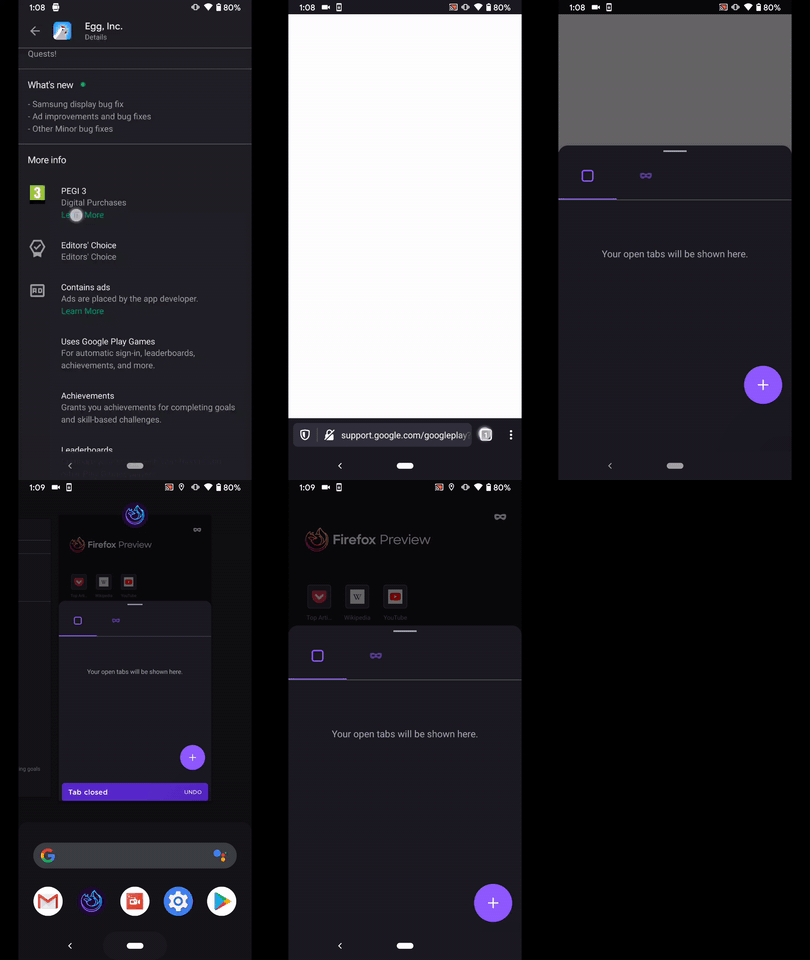
Hi, verified as fixed on the latest Nightly Build 200624 from 6/24 using the following devices:
• Google Pixel 3a (Android 10)
• Huawei Mate 20 Lite (Android 9)
• OnePlus A3 (Android 6.0.1)
► Video
► Video
► Video
AndiAJ
on 24 Jun 2020
Related issues
 topotropic
·
3Comments
topotropic
·
3Comments
 clitetailor
·
3Comments
clitetailor
·
3Comments
 bbinto
·
3Comments
bbinto
·
3Comments
 andreicristianpetcu
·
3Comments
andreicristianpetcu
·
3Comments
 Chris01277
·
3Comments
Chris01277
·
3Comments