Fenix: [Bug][a11y]Sharing the opened tabs doesn't differentiate the close button and Share title
Prerequisites
Talkback needs to be enabled.
Steps to reproduce
- Open any page;
- Go to the homepage of the app;
- Open the 3dot menu from the "Open tabs" section;
- Tap on the "Share tabs" button;
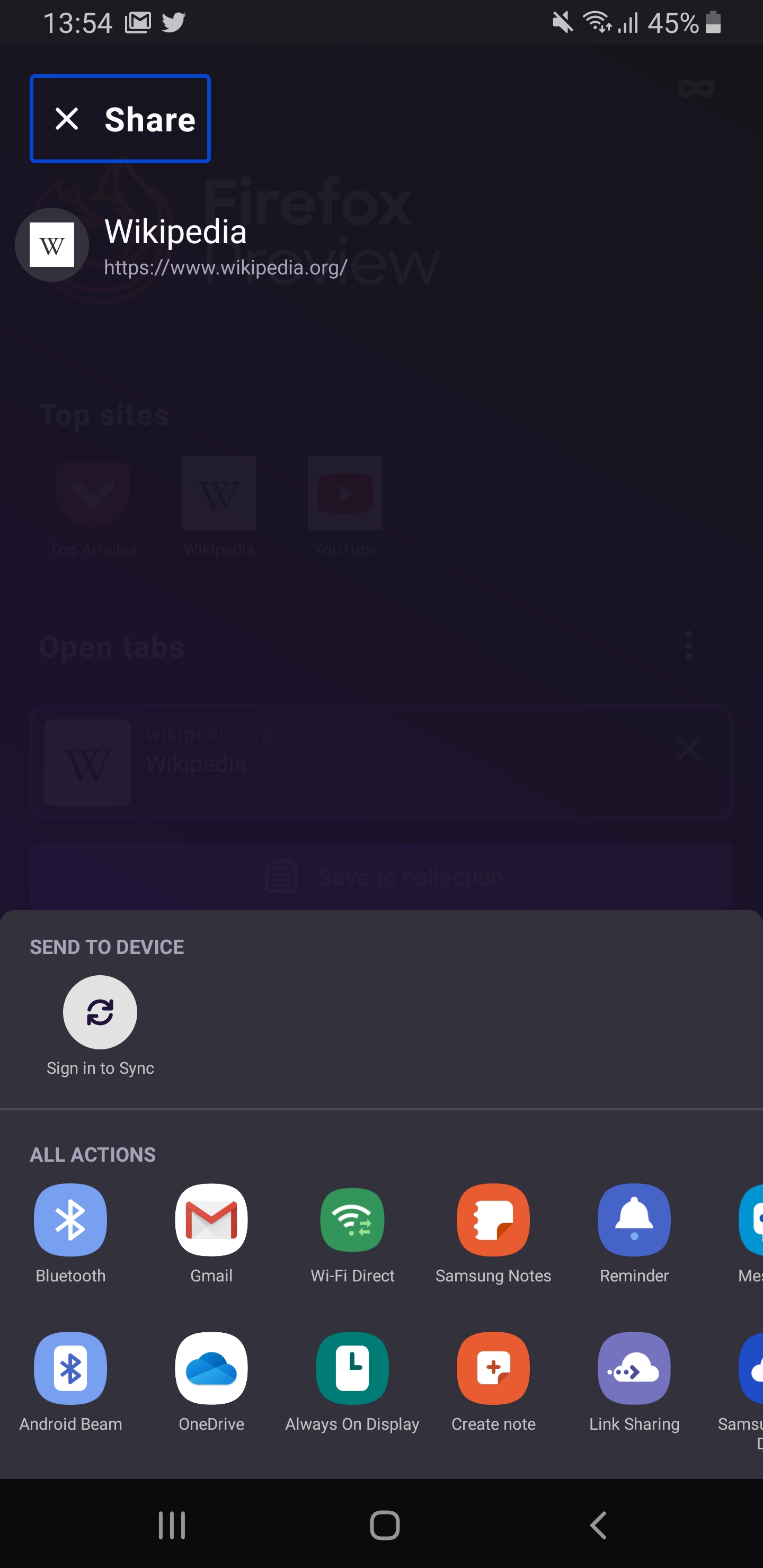
- Focus the Talkback to the "X" button.
Expected behavior
The close button is read by the Talkback.
Actual behavior
The "X" button with "Share" title are focused and read as "Share button"
Device information
Android device:
- Google Pixel 3 (Android 10);
- Samsung Galaxy Note 8 (Android 9).
Fenix version: Firefox Preview Nightly 3/31 #20910606.
 sv-sdeiac
All 8 comments
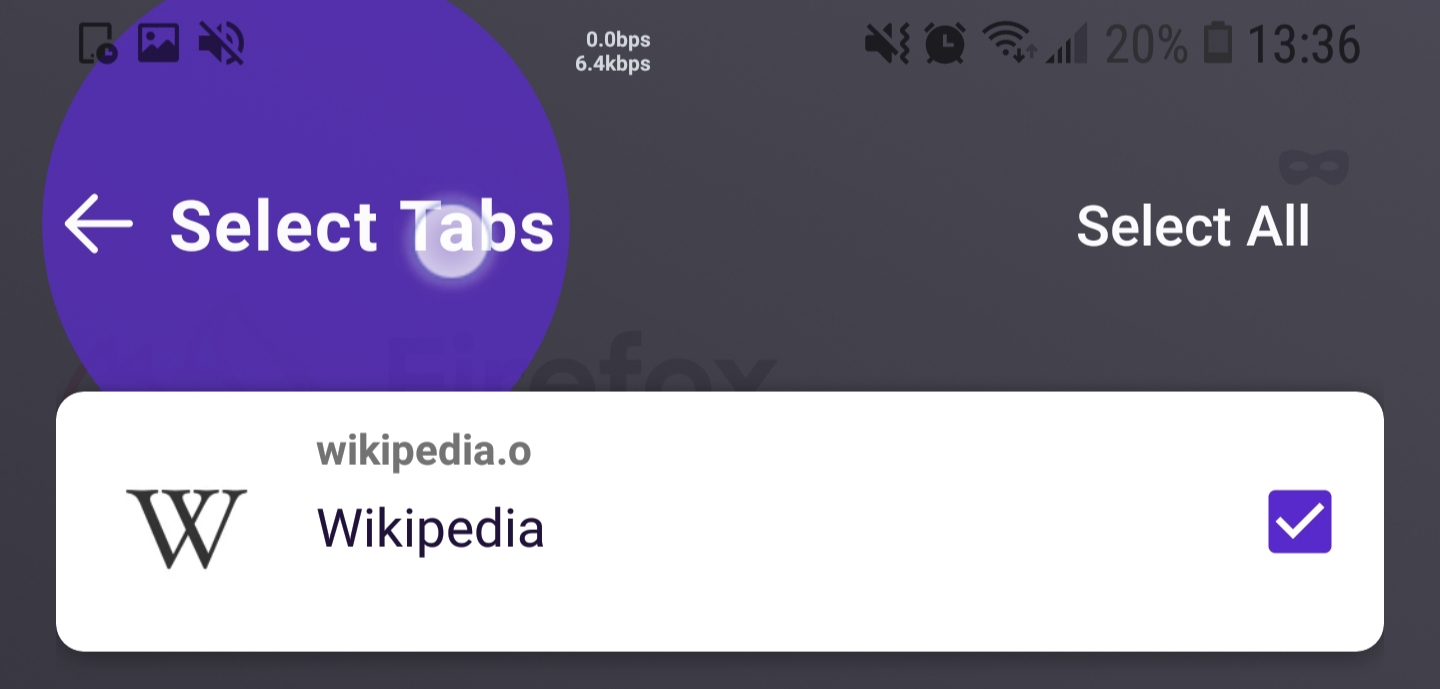
It's the same for 'Select Tabs' to save to collection view. The button includes the whole title:
Samsung Galaxy S9+ (Android 8.0.0)
Firefox Preview 4.2.0
 theFireProjet
on 31 Mar 2020
theFireProjet
on 31 Mar 2020
This is an accessibility P2. The feature is available and works but is difficult to use because of misleading button labeling. This kind of bug prevents Fenix from being a delightful experience for users with disabilities.
 asadotzler
on 5 Apr 2020
asadotzler
on 5 Apr 2020
@asadotzler Will a content description of "Close" suffice for both? The action is the same, closing that screen, even though one icon is close and the other is back.
Maybe UX can clarify why there is a difference?
 mcarare
on 9 Apr 2020
mcarare
on 9 Apr 2020
@mcarare Hmm. This is odd. We expected that only the close/back button would be highlighted. The page title should never be included in the selection, unless it’s highlighted separately.
 brampitoyo
on 22 Apr 2020
brampitoyo
on 22 Apr 2020
@mcarare I also see what you’re saying about why we sometimes have a back icon, and sometimes it’s close. I agree that it’s inconsistent. Let’s file a new issue for this – something that we want Content Strategy to be aware.
brampitoyo
on 22 Apr 2020
@mcarare Filed #10105.
brampitoyo
on 22 Apr 2020
Verified as fixed on the latest Nightly build 6/3 with Google Pixel 3 (Android 10) following the steps from the description.
The issue described in here is not fixed, the back button isn't highlighted.
@mcarare this will be covered in a different bug?
 sflorean
on 3 Jun 2020
sflorean
on 3 Jun 2020
@sflorean Yes, in https://github.com/mozilla-mobile/fenix/issues/10105.
mcarare
on 3 Jun 2020
Related issues
 andreicristianpetcu
·
3Comments
andreicristianpetcu
·
3Comments
 ekager
·
3Comments
ekager
·
3Comments
 vesta0
·
3Comments
andreicristianpetcu
·
3Comments
vesta0
·
3Comments
andreicristianpetcu
·
3Comments
 AndiAJ
·
3Comments
AndiAJ
·
3Comments