Fenix: [Bug]Disabling all options from Custom ETP still track all your browser
Prerequisites
Make sure that ETP from the Firefox settings is set to "Custom" with all options unchecked
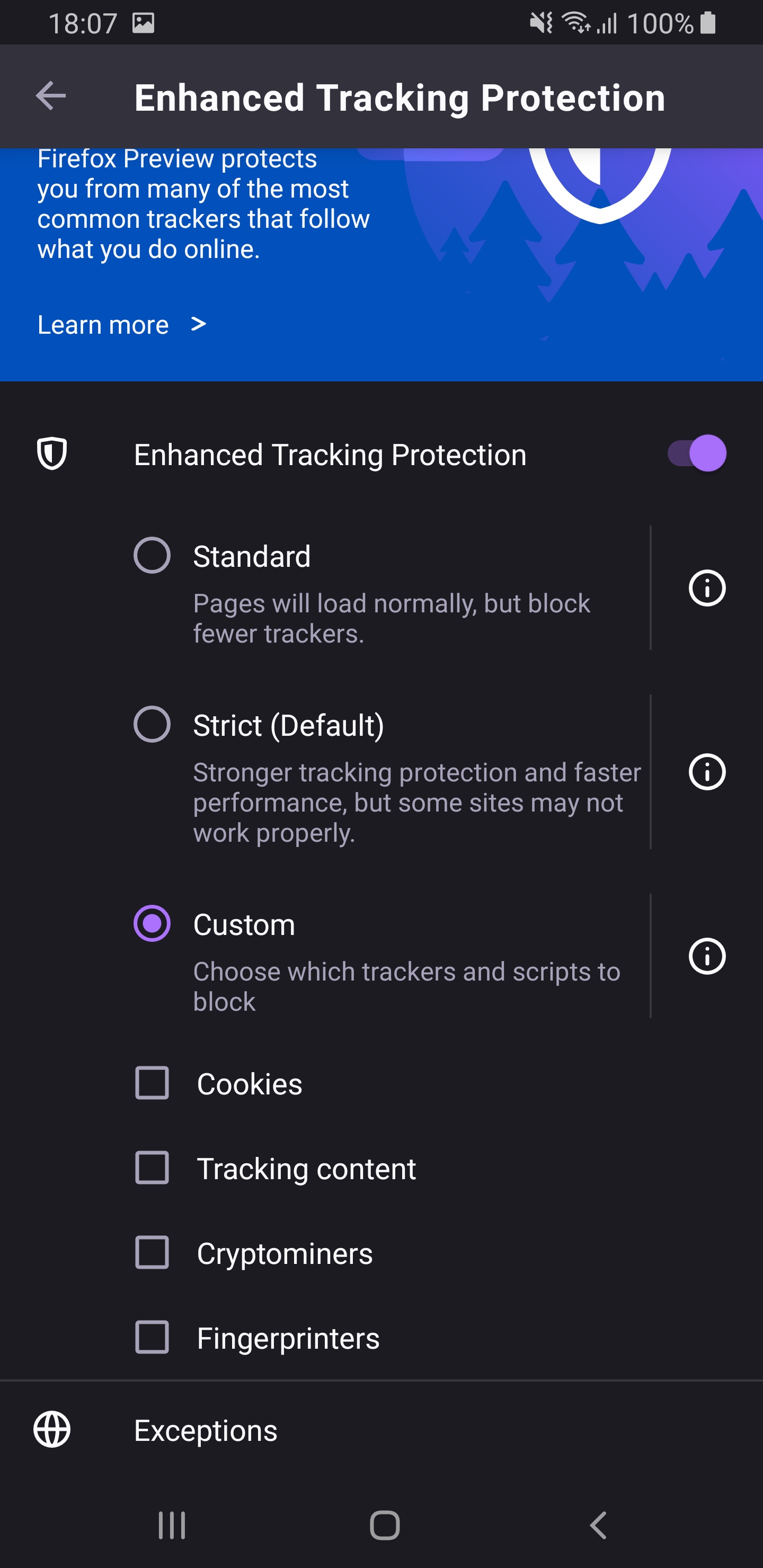
Steps to reproduce
- Go to any test page for tracking protection(e.g. https://mozilla.github.io/tracking-test/social.html.);
Expected behavior
A black cat is displayed informing the user that the Tracking Protection is disabled.
Actual behavior
The Tracking Protection is enabled even if all options from the Custom submenu are disabled.
Device information
- Android device: Samsung Galaxy S8 (Android 9)
- Fenix version: Firefox Preview Beta 4.0.0-beta.1
- Notes:
- Also, you can't browse if you want to login to a page(e.g. Twitter.com) with all options disabled from the Custom mode of ETP which is a second case that makes this an important issue.
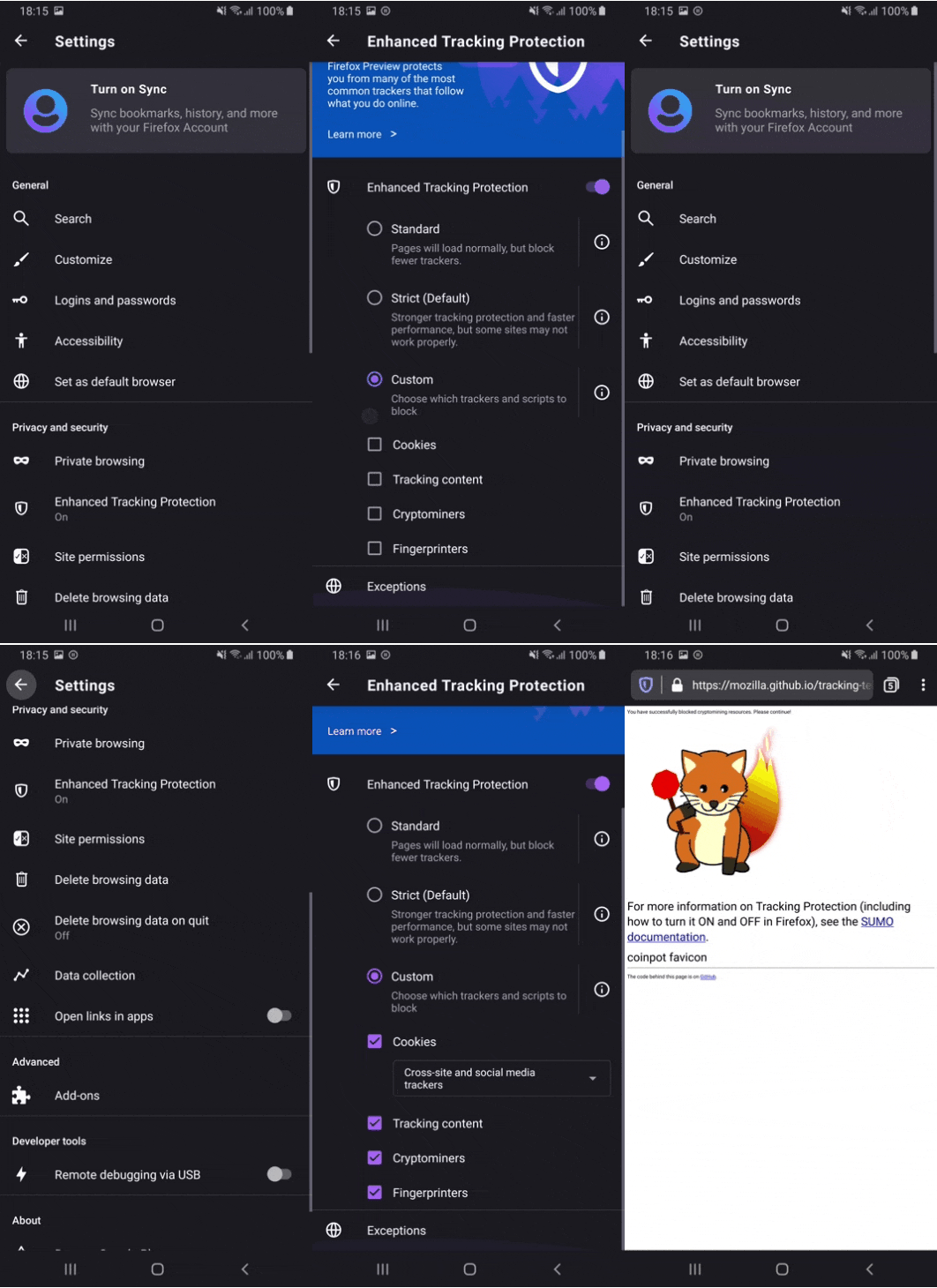
 sv-sdeiac
All 7 comments
@sv-sdeiac Please retest this in the next Nightly (it should be fixed after fixing https://github.com/mozilla-mobile/fenix/issues/8529)
 mcarare
on 19 Feb 2020
mcarare
on 19 Feb 2020
Hello, I am still able to reproduce the issue using the latest version of Firefox Preview Nightly 2/20 #20510607.
Now the only ETP who is disabled as in the settings is "Tracking content" and the other 3(Cross-site tracking cookies, fingerprinters, cryptominers) are still blocked by de browser even if in the settings
are disabled.
Device: Samsung Galaxy S8 (Android 9).
sv-sdeiac
on 20 Feb 2020
If we can't land this by EOD, then we should turn this off so we can start Beta Migration.
 liuche
on 24 Feb 2020
liuche
on 24 Feb 2020
@Baron-Severin 👀
liuche
on 24 Feb 2020
Was this a problem due to testing on an outdated site (rather than https://senglehardt.com/test/trackingprotection/test_pages/ )? Could you retest please, because we learned yesterday that the github site does not have the latest lists?
liuche
on 25 Feb 2020
Was this a problem due to testing on an outdated site (rather than https://senglehardt.com/test/trackingprotection/test_pages/ )? Could you retest please, because we learned yesterday that the github site does not have the latest lists?
@liuche I'm able to reproduce this bug on nightly on that link, but @mcarares PR fixes it.
 severinrudie
on 25 Feb 2020
severinrudie
on 25 Feb 2020
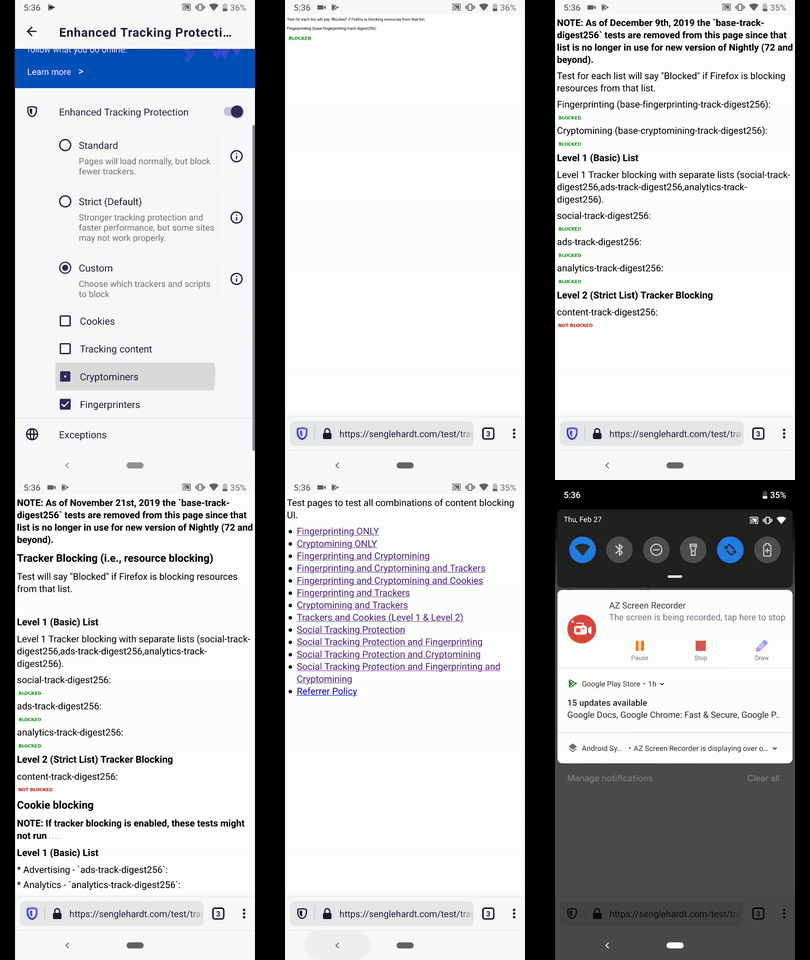
Verified as fixed on the latest Nightly 2/27 and Beta 4.0.0-Beta2 with Google Pixel 3 (A 9), Google Pixel 3a XL (A 10).
Note that A black cat is displayed informing the user that the Tracking Protection is disabled when everything from Custom option is unselected.
And the trackers are blocked when enabling back the options from Custom.
I verified this issue with the following websites:
- https://senglehardt.com/test/trackingprotection/test_pages/
- https://mozilla.github.io/tracking-test/social.html
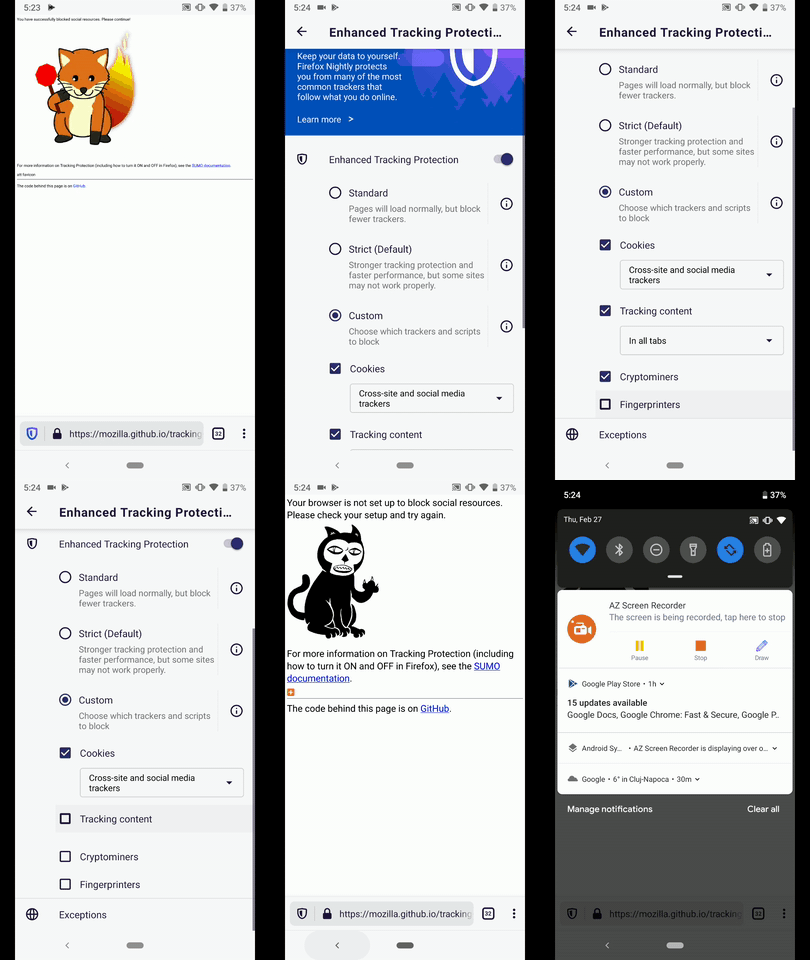
Options disabled
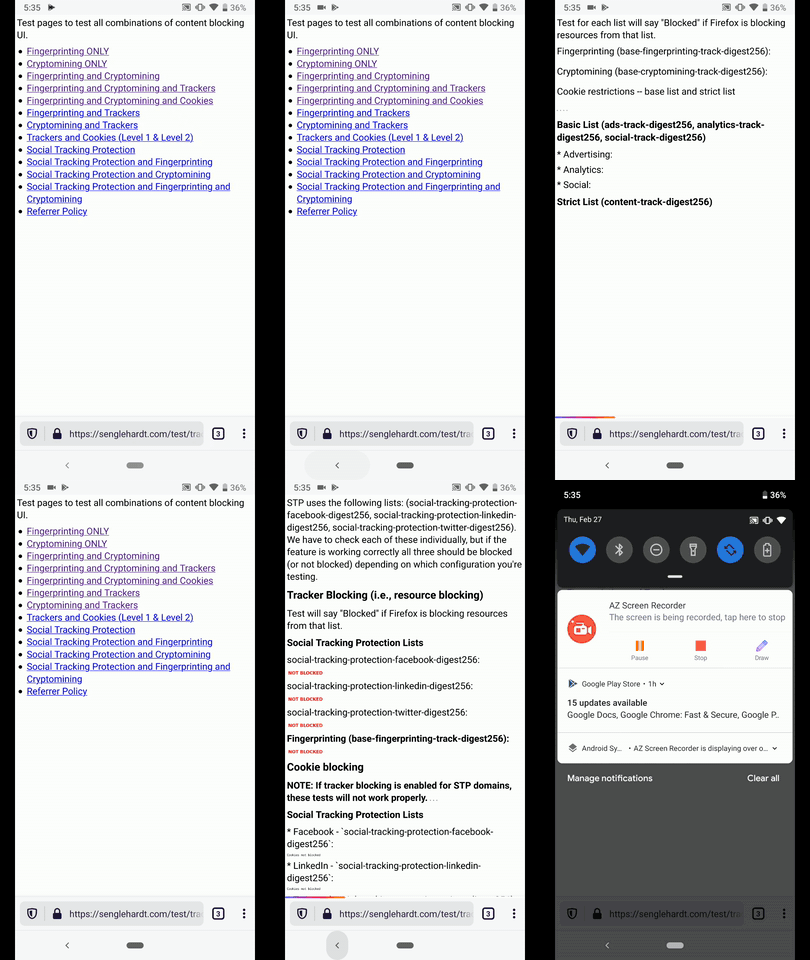
Options enabled
 abodea
on 27 Feb 2020
abodea
on 27 Feb 2020
Related issues
 andreicristianpetcu
·
3Comments
andreicristianpetcu
·
3Comments
 bbinto
·
3Comments
bbinto
·
3Comments
 csadilek
·
3Comments
abodea
·
3Comments
andreicristianpetcu
·
3Comments
csadilek
·
3Comments
abodea
·
3Comments
andreicristianpetcu
·
3Comments