Fenix: [Bug]Fail to remove or uninstall uBlock
Steps to reproduce
- Install uBlock Origin
- Right after the installation is completed open uBlock
- Disable it globally and quickly tap "Remove"
Expected behavior
Based on the confirmation snackbar uBlock should be successfully uninstalled.
Actual behavior
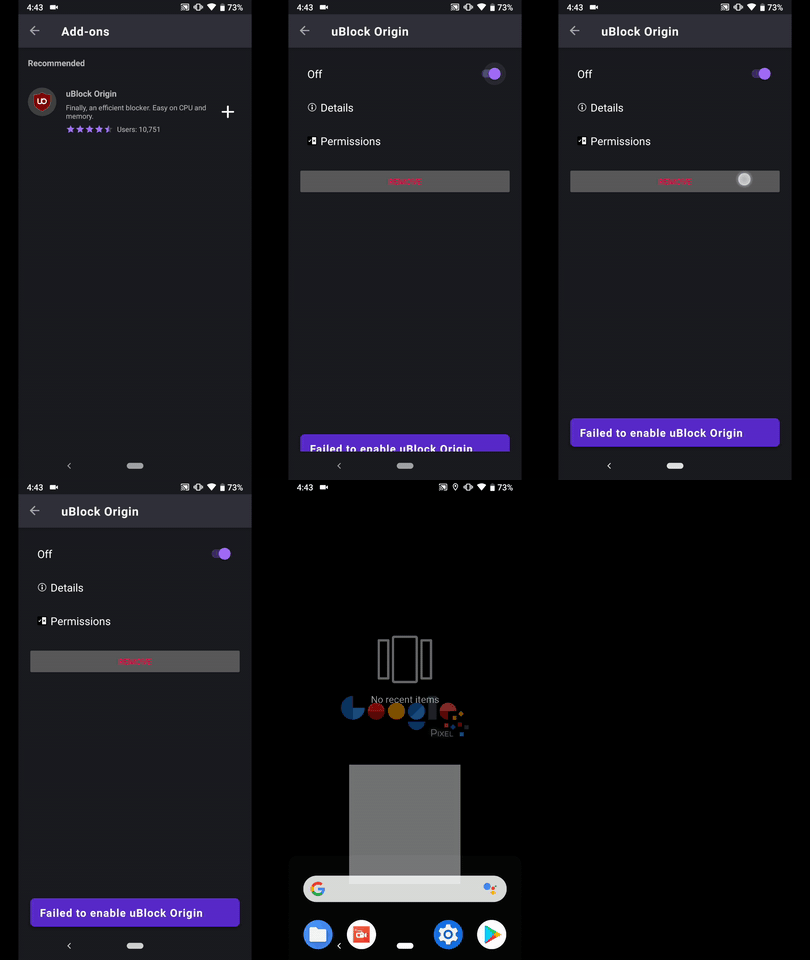
The uninstall confirmation snackbar is displayed but in fact Ublock isn't actually removed.
The user can open uBlock, and when tries to enable/disable it or remove it a failed message is displayed.
If you close and re-open Fenix, uBlock's status is properly updated (removed)
Device information
Android device:
• Google Pixel 3a XL (Android 10)
• Google Pixel 3a (Android 9)
• Huawei Mate 20 Lite (Android 8.1.0)
• Samsung Galaxy S7 (Android 7.0.0)
• OnePlus A3 (Android 6.0.1)Fenix version: Fenix Nighltly #2042611 from 2/11
Notes
❗ Wasn't able to reproduce it on LG Nexus 4 (Android 5.1.1)
► Video
 AndiAJ
All 2 comments
@AndiAJ we landed a fix today to prevent this inconsistent state when quickly tapping enable and uninstall. Can you verify :)
 csadilek
on 12 Feb 2020
csadilek
on 12 Feb 2020
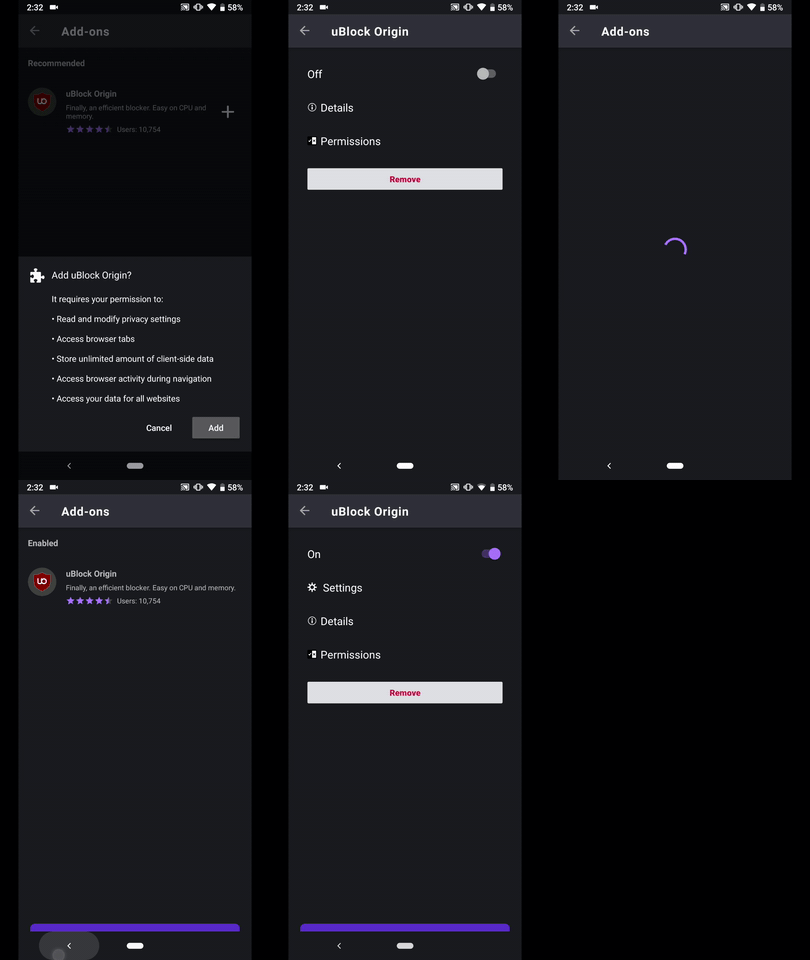
Hi, verified as fixed on the latest Nightly #20430607 from 2/12 using the following devices:
• Google Pixel 3a XL (Android 10)
• Google Pixel 3a (Android 9)
• Huawei Mate 20 Lite (Android 8.1.0)
• Samsung Galaxy S7 (Android 7.0.0)
• OnePlus A3 (Android 6.0.1)
• LG Nexus 4 (Android 5.1.1)
► Video
AndiAJ
on 12 Feb 2020
Related issues
 andreicristianpetcu
·
3Comments
andreicristianpetcu
·
3Comments
 phileastv
·
3Comments
andreicristianpetcu
·
3Comments
phileastv
·
3Comments
andreicristianpetcu
·
3Comments
 thelazyoxymoron
·
3Comments
andreicristianpetcu
·
3Comments
thelazyoxymoron
·
3Comments
andreicristianpetcu
·
3Comments