Fenix: [Bug]uBlock confirmation snackbar isn't displayed is you exit the Add-ons Manager view
Prerequisites
Don't have any Add-on installed
Have an open tab
Steps to reproduce
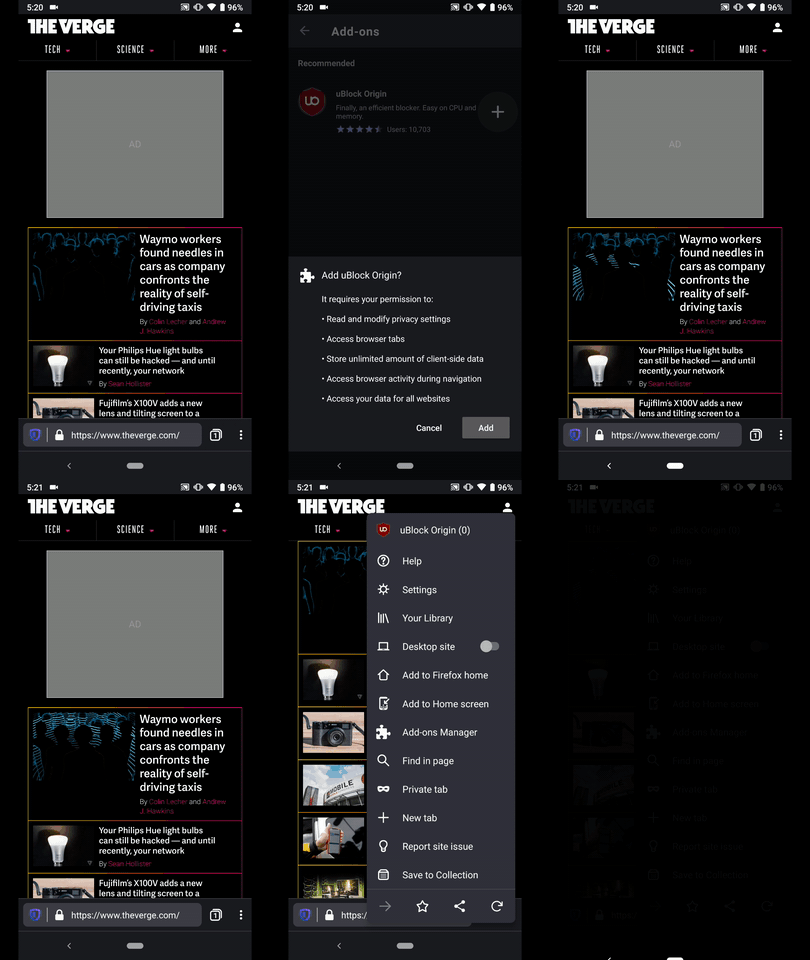
- From the open tab tap on the ⋮ Main menu button
- Tap and open the "Add-ons Manager"
- Install uBlock Origin
- While the installation and verification is performed tap the Device back button.
Expected behavior
The "Successfully installed uBlock Origin" should be displayed even if the user exits the "Add-ons Manager" view.
Actual behavior
No confirmation snackbar is displayed.
Device information
Android device:
• Google Pixel 3a XL (Android 10)
• Google Pixel 3a (Android 9)
• Huawei Mate 20 Lite (Android 8.1.0)
• Samsung Galaxy S7 (Android 7.0.0)
• OnePlus A3 (Android 6.0.1)
• LG Nexus 4 (Android 5.1.1)Fenix version: Nightly Build #20360606 from 2/5
Notes
► Video
 AndiAJ
All 2 comments
@AndiAJ no confirmation snackbar displayed when you press back during the installation is an expected behaviour.
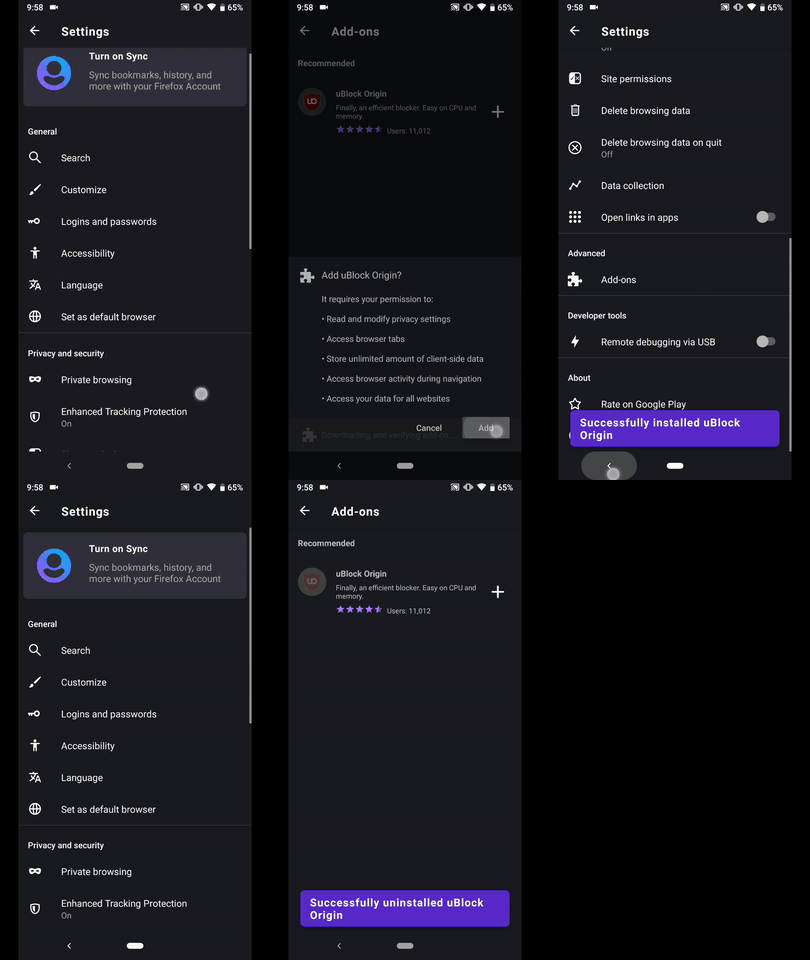
What's fixed and can be confirmed, however, is once the confirmation Snackbar is displayed, pressing back should not dismiss the snackbar.
 psymoon
on 28 Feb 2020
psymoon
on 28 Feb 2020
Hi, verified as fixed on the latest Nightly Build #20620607 from 03/02 using the following devices:
• Google Pixel 3a (Android 9)
• Huawei Mate 20 Lite (Android 8.1.0)
• Samsung Galaxy S7 (Android 7)
• OnePlus A3 (Android 6.0.1)
• LG Nexus 4 (Android 5.1.1)
► Video
AndiAJ
on 2 Mar 2020
Related issues
 andreicristianpetcu
·
3Comments
andreicristianpetcu
·
3Comments
 softvision-miralobontiu
·
3Comments
andreicristianpetcu
·
3Comments
softvision-miralobontiu
·
3Comments
andreicristianpetcu
·
3Comments
 ekager
·
3Comments
ekager
·
3Comments
 csadilek
·
3Comments
csadilek
·
3Comments