Fenix: [Bug] The same site can be added multiple times to home screen
Steps to reproduce
- Browse any site(wikipedia.com).
- Tap on 3dot menu and select "Add to Home screen".
- Tap again on the 3dot menu and select "Add to Home screen".
Expected behavior
The option is greyed out for the pages that are already added to the home screen /or a message is displayed that the page is already added.
Actual behavior
The same page can be added multiple times to the home screen.
Device information
- Android device: Sony Xperia Z5 Premium (Android 7.1.1), Samsung Note 8 (Android 9.0)
- Fenix version: Firefox Nightly 2/5 #20360607
 sflorean
All 8 comments
Reproducible also for Private browsing shortcut, from settings and from the private browsing pop-up.
sflorean
on 5 Feb 2020
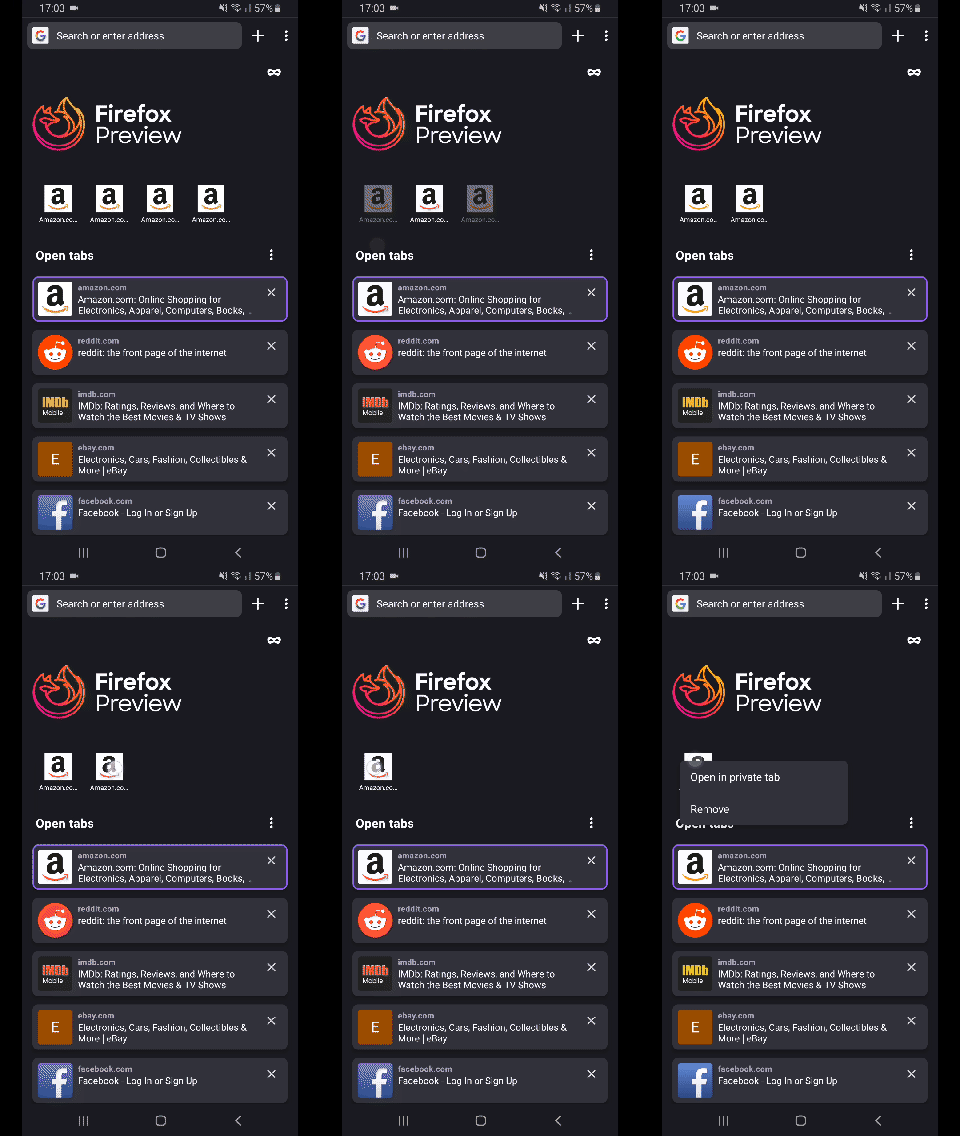
Notes:
- If you have multiple Top Sites from the same page, one of those shortcuts can't be deleted.
Device: Samsung Galaxy S8 (Android 9);
Build: Firefox Preview Nightly 2/7 #20380605.
 sv-sdeiac
on 7 Feb 2020
sv-sdeiac
on 7 Feb 2020
@topotropic How do we want to handle this?
Should we not show the option to add or should we notify that it already exists (text on the Snackbar instead of the confirmation one). IMO the last one is more user friendly. TY!
LE: And maybe a decision for https://github.com/mozilla-mobile/fenix/issues/8312?
 mcarare
on 20 Mar 2020
mcarare
on 20 Mar 2020
@mcarare – @topotropic will make the final decision, but another potential solution would be to rename the menu item to “Remove from Top Sites”.
(Another question: will it be possible to do the same for the home screen, so we have a menu item called “Remove from Home screen”?)
 brampitoyo
on 1 Apr 2020
brampitoyo
on 1 Apr 2020
@brampitoyo There already is a "Remove" menu option for a top site, if that is what you are referring to.
I like your idea with renaming the menu option in the browser! 👍
mcarare
on 1 Apr 2020
@mcarare Correct. Each top site, when long-pressed, shows a context menu with “Remove” in it. This is replicating the same functionality inside the main menu, when the top site is open.
Instead of removing the list item “Add to top sites”, or greying it out, we can rename it to “Remove from top sites”.
I’ll leave the decision to @topotropic :-)
brampitoyo
on 2 Apr 2020
@topotropic to follow-up
 AmyYLee
on 4 Jun 2020
AmyYLee
on 4 Jun 2020
Yes, to what Bram said. Thanks!
 topotropic
on 4 Jun 2020
topotropic
on 4 Jun 2020
Related issues
 phileastv
·
3Comments
phileastv
·
3Comments
 robsmith11
·
3Comments
robsmith11
·
3Comments
 andreicristianpetcu
·
3Comments
andreicristianpetcu
·
3Comments
andreicristianpetcu
·
3Comments
andreicristianpetcu
·
3Comments
 abodea
·
3Comments
abodea
·
3Comments