Fenix: [Bug] Google images, maps and deezer fail with unknown protocol
Steps to reproduce
Open https://images.app.goo.gl/ZQzHfQaLtWvTntNo8
Expected behavior
Show the page like fennec

Actual behavior
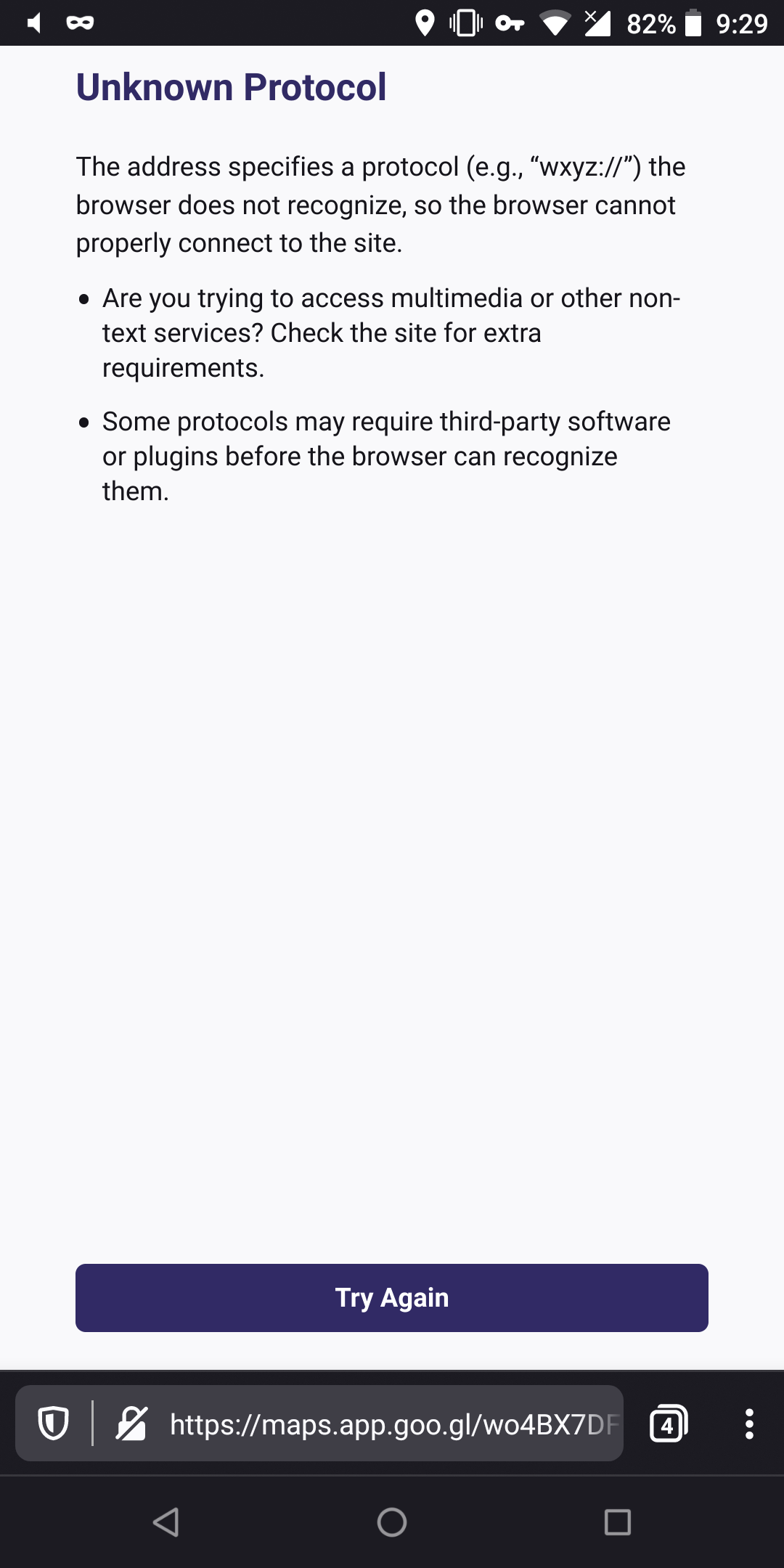
Shows unknown protocol

Device information
- Android device: OnePlus 5t
- Fenix version: Nightly
 andreicristianpetcu
All 16 comments
Hmm.. Are you still able to reproduce?

 boek
on 27 Dec 2019
boek
on 27 Dec 2019
@boek I can still reproduce in Nightly, not in Beta.
Your link is www.google.com/images while mine is https://images.app.goo.gl/ZQzHfQaLtWvTntNo8
A friend sent me this link, I did not search on google for that image. No clue how he got it.
andreicristianpetcu
on 27 Dec 2019

 andreicristianpetcu
on 3 Jan 2020
andreicristianpetcu
on 3 Jan 2020
Same issue when trying to register a Nintendo account from an app (like Super Mario Run). The end of the process uses a custom scheme, presumably to come back to the app with the right information.
 julienw
on 5 Jan 2020
julienw
on 5 Jan 2020
Same issue with the "dexcom" app - we end up on a page with the "dexcom://" protocol, and instead of following an existing "app link" (or whatever mechanism is actually used) we get the "unknown protocol" page. FWIW, this works fine on Fennec (and copy/pasting the URL from Fenix into Fennec still works today)
 mhammond
on 15 Jan 2020
mhammond
on 15 Jan 2020
Can reproduce this on Beta 3.1.0 now, any custom scheme link from http://rpappalax.github.io/testapp returns unknown protocol. The reddit "open in app" button doesn't respond either (no response or error). I've bumped it to an S2, because it might be easier to reproduce than an edge case.
 sv-ohorvath
on 15 Jan 2020
sv-ohorvath
on 15 Jan 2020
Same issue with bilibili://video/84021218?h5awaken=cHZpZD1udWxsXzg0MDIxMjE4XzE1Nzk1OTkwNDU0NTUmdWE9TW96aWxsYSUyRjUuMCUyMChBbmRyb2lkJTIwMTAlM0IlMjBNb2JpbGUlM0IlMjBydiUzQTc0LjApJTIwR2Vja28lMkY3NC4wJTIwRmlyZWZveCUyRjc0LjAmaXNBdXRvT3Blbj10cnVlJmJzb3VyY2U9dW5kZWZpbmVk&page=0 on the 1/20 Nightly build (#20201806).
 softvision-miralobontiu
on 21 Jan 2020
softvision-miralobontiu
on 21 Jan 2020
Most of the issues here can be resolved with two solutions:
- Turn on
Open links in appsin settings. - Fixing https://bugzilla.mozilla.org/show_bug.cgi?id=1600704
 rocketsroger
on 12 Feb 2020
rocketsroger
on 12 Feb 2020
I'll mark this blocked by the GV issue and retest when the issue is fixed.
rocketsroger
on 12 Feb 2020
No, open link in app does not fix it! I don't have apps for any of them. Why would I install a deezer, maps, or google images just to visit a page?
It works fine in Fennec
andreicristianpetcu
on 12 Feb 2020
No, open link in app does not fix it! I don't have apps for any of them. Why would I install a deezer, maps, or google images just to visit a page?
It works fine in Fennec
Yes, not all are fixed with just turning on Open links in apps. There is an on going issue in GV that it tries to open an intent without passing it to AC. Since an intent is unsupported in GV, we see the unsupported protocol.
That said, the image issue is fixed by turning on Open links in apps. (Though there's a crash issue I'm looking into related to this)
Unfortunately, until GV's fix is in, I can't retest and confirm which issue requires a fix. This is why I set it blocked and will revisit when GV's fix is merged.
rocketsroger
on 12 Feb 2020
One important thing to note is that sometimes we're just prevented from doing an action. For example some links in mails from amazon don't work when opened in Fenix, because we got redirected to an intent. I don't know why that happens, especially that I don't have the Amazon app. But I know that this works fine when opened in Fennec, but doesn't when opened in Fenix.
julienw
on 13 Feb 2020
One important thing to note is that sometimes we're just prevented from doing an action. For example some links in mails from amazon don't work when opened in Fenix, because we got redirected to an intent. I don't know why that happens, especially that I don't have the Amazon app. But I know that this works fine when opened in Fennec, but doesn't when opened in Fenix.
This is related to https://bugzilla.mozilla.org/show_bug.cgi?id=1600704. But can you please open an issue for us to track it? The intent should have fallback URL in it so we can open in the browser if no app can open the intent. This can't be tested until the GV fix is in.
rocketsroger
on 13 Feb 2020
same on google earth https://earth.app.goo.gl/?link=https://earth.google.com/web/?fdl%3D1&apn=com.google.earth&ibi=com.google.b612&isi=293622097&ius=googleearth

andreicristianpetcu
on 26 Feb 2020
confirmed all links in this issue is now working correctly. Adding QA to verify.
rocketsroger
on 28 Feb 2020
Works for me also.
Since I reported, I guess it's no need to waste qa time on this.
andreicristianpetcu
on 28 Feb 2020
Related issues
softvision-miralobontiu
·
3Comments
 csadilek
·
3Comments
csadilek
·
3Comments
 AndiAJ
·
3Comments
AndiAJ
·
3Comments
 clitetailor
·
3Comments
andreicristianpetcu
·
3Comments
clitetailor
·
3Comments
andreicristianpetcu
·
3Comments
Most helpful comment
Same issue when trying to register a Nintendo account from an app (like Super Mario Run). The end of the process uses a custom scheme, presumably to come back to the app with the right information.