Fenix: [Bug] Remove line between URL bar and Android gesture bar
Steps to reproduce
- Open Firefox Preview on Android 10 with
Settings > Display > Navigation bar > Full screen gesturesenabled. - There is no line between “Search on enter address” and Android gesture bar on the bottom. It looks clean. ✅
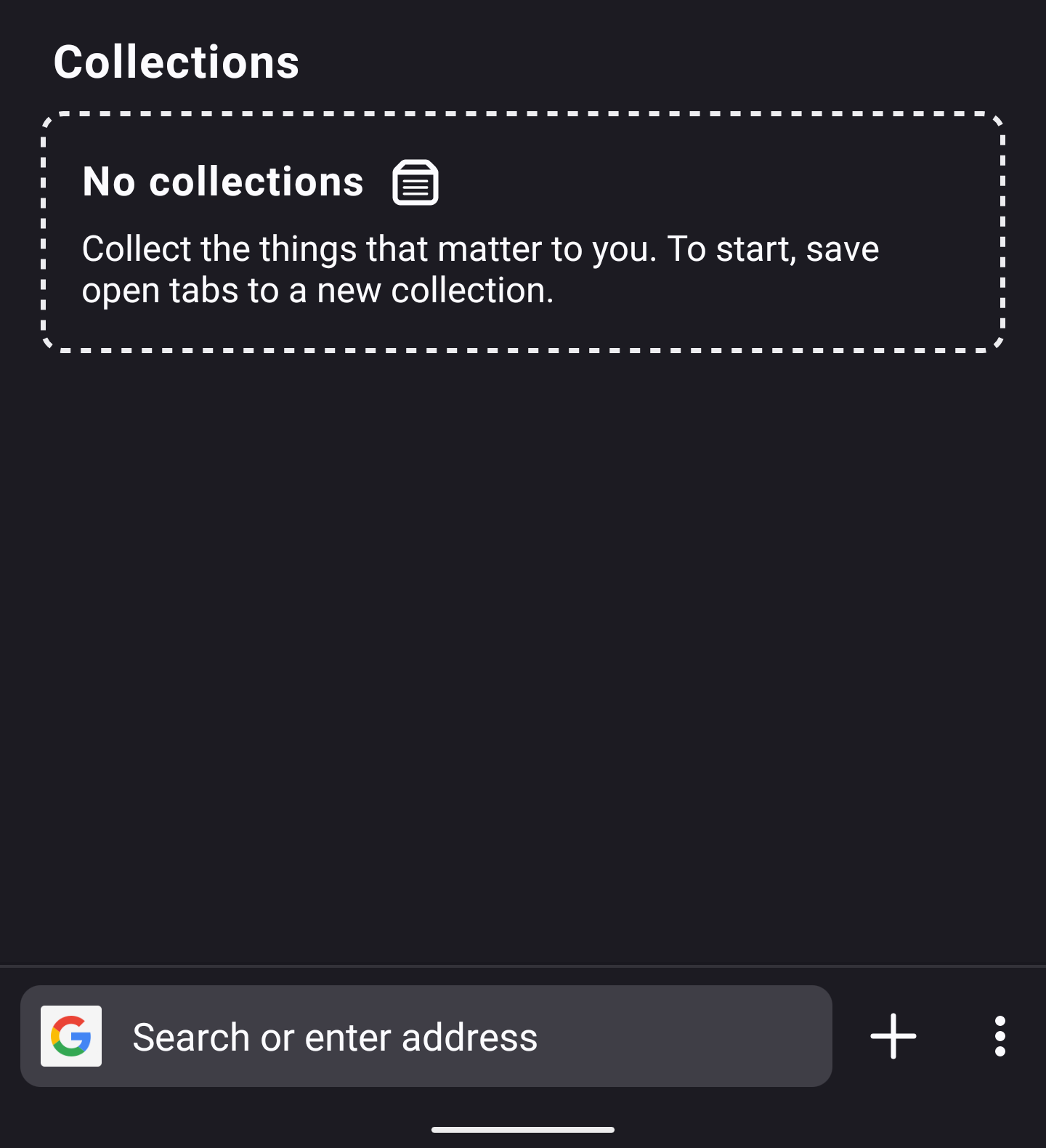
- Open any website
- There is a line between the URL bar and Android gesture bar on the bottom. It looks not clear. ❎
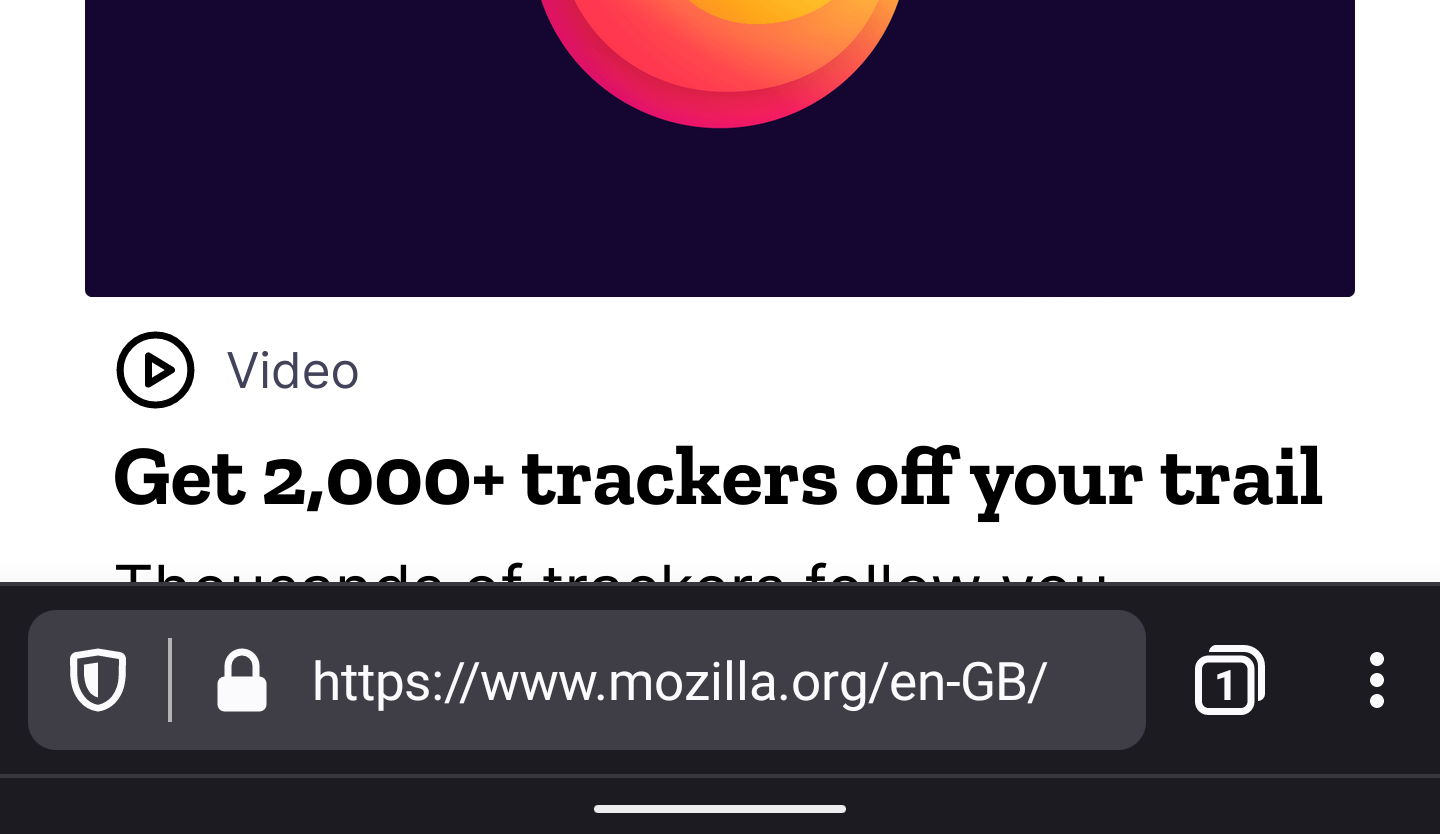
Expected behavior
I think we do not need this extra line between the URL bar and the Android gesture bar. It will be nice if on step 4 we do no have the line as well as we do not have it on step 2.
Actual behavior
There is a line between the URL bar and Android gesture bar
Device information
- Android device: Pixel 4 XL
- Fenix version: 3.0.0 (Build 13431956)
 ai
ai
All 21 comments
@AmyYLee @topotropic Is this a bug?
 boek
on 19 Dec 2019
boek
on 19 Dec 2019
I checked other popular Android applications with the bottom bar, and most of them don’t have a line between the bottom bar and the Android gesture bar. Most of them use a black background for a gesture bar. But some of them use the same color for bottom bar and system gesture bar without line between them.
- Yandex Browser: black gesture bar.
- WhatsApp: black gesture bar.
- WeChat: gesture bar has the same color, no line between the text field and gesture bar.
- Telegram, VK chat: black gesture bar.
ai
on 19 Dec 2019
@AmyYLee @topotropic Is this a bug?
I'm okay with removing the hairline between the URL bar and the gesture bar. We are doing this in PBM https://github.com/mozilla-mobile/fenix/issues/4107. @topotropic What do you think?
 AmyYLee
on 19 Dec 2019
AmyYLee
on 19 Dec 2019
I spoke with @topotropic about this. Can you please set the the android gesture nav bar to black on Light/Dark themes. Thanks
AmyYLee
on 20 Dec 2019
What is the next step for this issue?
ai
on 17 Feb 2020
I spoke with @topotropic about this. Can you please set the the android gesture nav bar to black on Light/Dark themes. Thanks
@ai Please see last comment. Can you set the android navigation bar to black for Light/Dark themes. Please leave Private browsing as is since it's already a dark purple. Thanks.
AmyYLee
on 17 Mar 2020
Sure. Here is the latest stable Firefox Preview on Pixel 4 XL



ai
on 17 Mar 2020
@ai I mean the bottom navigation bar. See below. Thanks
Dark/Light theme

AmyYLee
on 17 Mar 2020
@AmyYLee Google Pixel 4 doesn’t have this navigation bar by default. By default, it uses gesture navigation (similar to iOS) instead of 3-button navigation.
Gesture navigation draws only small navbar with a single dash in the middle.
Do you want me to switch to 3 buttons navigation to show the current Firefox Preview with this mode? (Firefox looks good with 3 buttons mode, the issue only about UX in gesture mode)
ai
on 17 Mar 2020
@AmyYLee Google Pixel 4 doesn’t have this navigation bar by default. By default, it uses gesture navigation (similar to iOS) instead of 3-button navigation.
Gesture navigation draws only small navbar with a single dash in the middle.
Do you want me to switch to 3 buttons navigation to show the current Firefox Preview with this mode? (Firefox looks good with 3 buttons mode, the issue only about UX in gesture mode)
@ai Hi, yeah I think we should still have the navigation bar coloured black (even in gesture mode it will still show a narrower version as shown in the screenshot).
AmyYLee
on 18 Mar 2020
@AmyYLee yeap, it is a nice idea. Most apps with bottom panel do the same black gesture bar (WhatsApp, WeChat).
ai
on 18 Mar 2020
@ai Hi, yeah I think we should still have the navigation bar coloured black (even in gesture mode it will still show a narrower version as shown in the screenshot).
It will be weird to have the status bar translucent (ie, showing app theme color) and the navigation bar black.
Also having the navigation translucent makes the app more integrated and web browsing more immersive.
 Dunexus
on 18 Mar 2020
Dunexus
on 18 Mar 2020
Another way is remove a line between bottom navbar and gestures bar. We already have it in Firefox Preview homepage
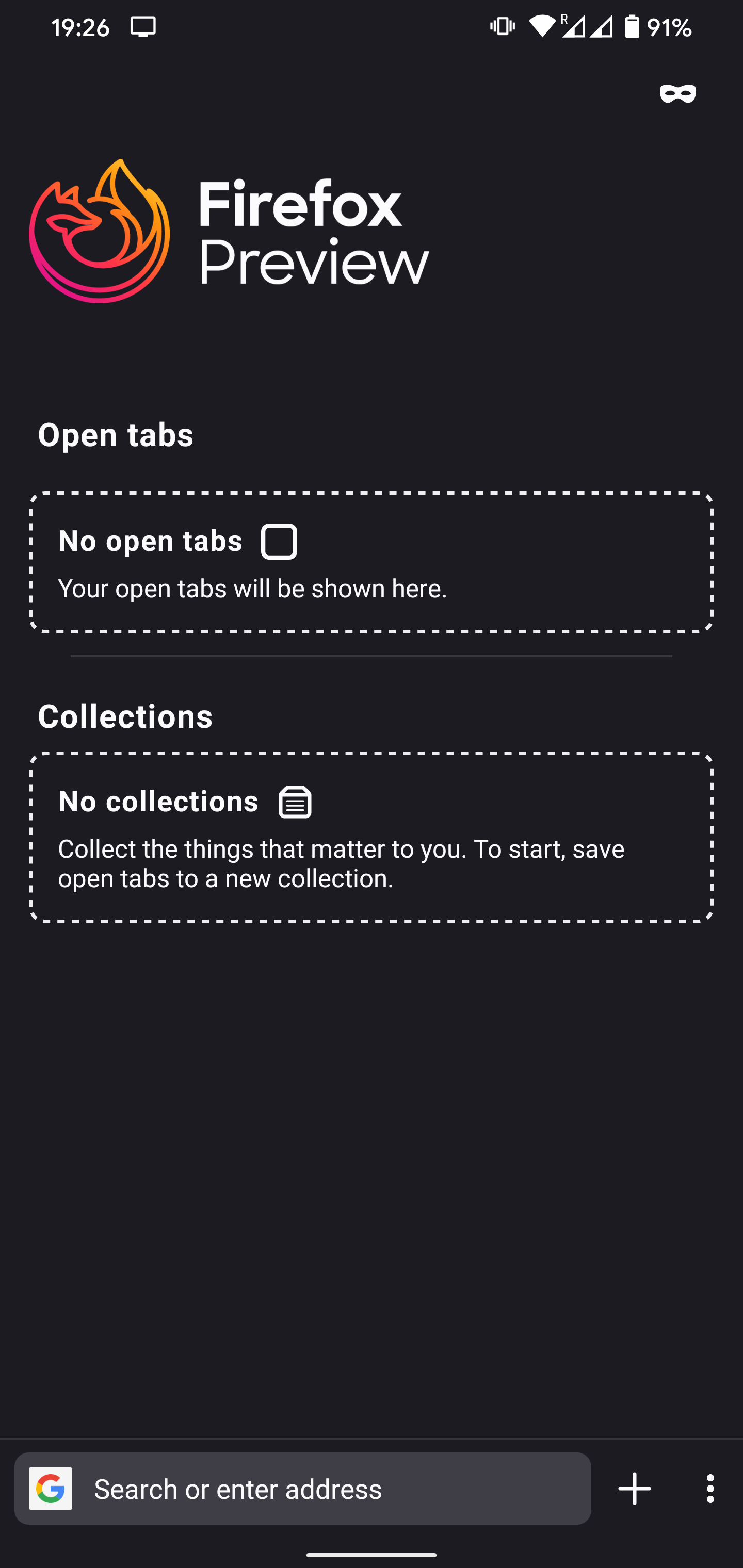
And many Google’s apps integrated gestures bar to their UI
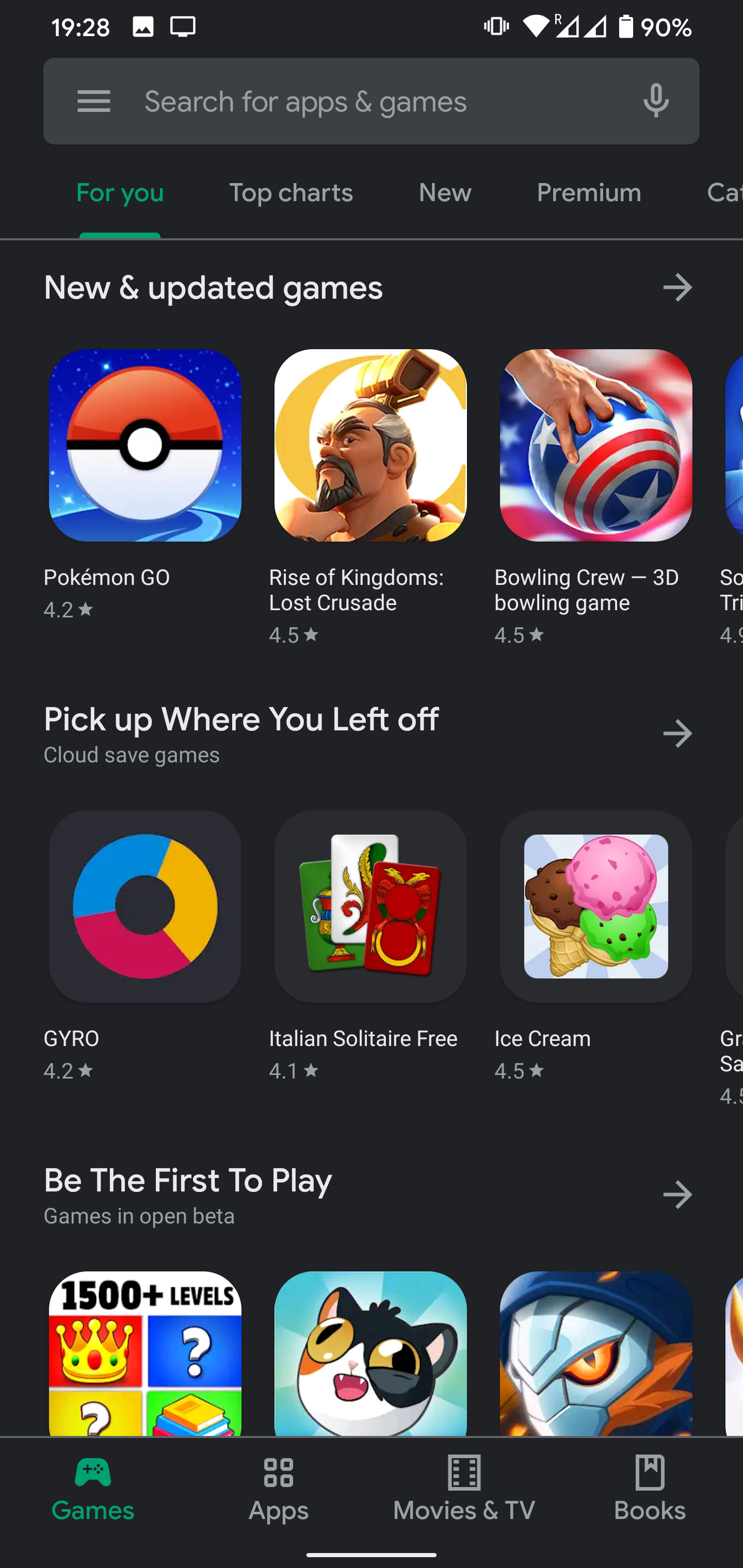
ai
on 19 Mar 2020
Another way is remove a line between bottom navbar and gestures bar. We already have it in Firefox Preview homepage
@ai Works for me. Thanks
AmyYLee
on 19 Mar 2020
@AmyYLee what is the next step? I’d like to help, but not sure that I know the righr programming language
ai
on 19 Mar 2020
So reading this thread it sounds like the action item here is to remove the bottom hairline from the homescreen toolbar? Is that correct @AmyYLee ?
 ekager
on 16 Apr 2020
ekager
on 16 Apr 2020
So reading this thread it sounds like the action item here is to remove the bottom hairline from the homescreen toolbar? Is that correct @AmyYLee ?
Yes. I'm looking at Nightly right now and it seems it's already removed.
AmyYLee
on 16 Apr 2020
@AmyYLee it looks like on the browser screen it is still there in light and dark theme. Should we also remove it there?
ekager
on 16 Apr 2020
@AmyYLee it looks like on the browser screen it is still there in light and dark theme. Should we also remove it there?
Oh I see it now. Yes please!
AmyYLee
on 17 Apr 2020
Our intern will be working on this bug, please don't pick this up
ekager
on 11 May 2020
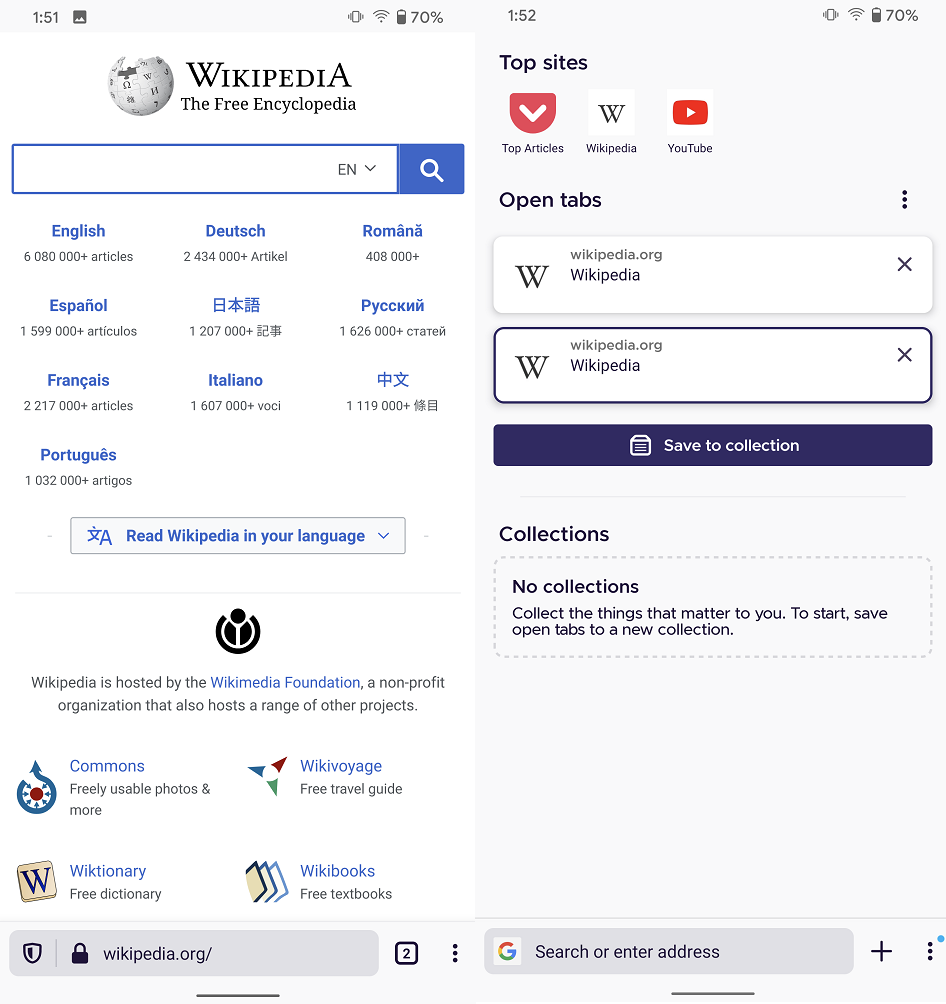
Verified as fixed on Nightly 5/18 with Google Pixel 4 XL (10).
Note that the bottom hairline is no longer displayed in the home screen or browser screen for light and dark themes in Normal and Private browsing.
 abodea
on 18 May 2020
abodea
on 18 May 2020
Related issues
 thelazyoxymoron
·
3Comments
thelazyoxymoron
·
3Comments
 Chris01277
·
3Comments
Chris01277
·
3Comments
 andreicristianpetcu
·
3Comments
ekager
·
3Comments
andreicristianpetcu
·
3Comments
ekager
·
3Comments
 vesta0
·
3Comments
vesta0
·
3Comments
Most helpful comment
Another way is remove a line between bottom navbar and gestures bar. We already have it in Firefox Preview homepage
And many Google’s apps integrated gestures bar to their UI