Fenix: [Bug] QR code scan issues on OnePlus A3
Prerequisites
Log in to Firefox desktop with a valid user and navigate to firefox.com/pair and generate the pairing QR code
Steps to reproduce
- Tap Turn on sync
- Tap Ready to scan
Expected behavior
Scan of the QR code should be performed immediately / reliably.
Actual behavior
Somtimes nothing happens, the camera seems to distort the image
Device information
- Android device: OnePlus A3 (Android 6)
- Fenix version: Latest build from master
Notes
 AndiAJ
All 16 comments
+1 - the camera opens but it is never able to scan the square QR code. I think it's because the camera is squishing the image in the horizontal direction, so the QR code square is taller than it is wide in the image captured by the camera. Please look into this.
 kumarharsh
on 20 Jul 2019
kumarharsh
on 20 Jul 2019
Labeling as a p2 as it could hurt FxA onboarding and turn new users away. Let's investigate if this is device specific.
 sblatz
on 22 Jul 2019
sblatz
on 22 Jul 2019
@sblatz might be worth verifying if this still happens now that https://github.com/mozilla-mobile/fenix/issues/3889 is fixed in Nightly.
 csadilek
on 23 Jul 2019
csadilek
on 23 Jul 2019
@csadilek thanks for that fix! Going to throw a QA needed on this.
sblatz
on 23 Jul 2019
Hi, still no luck, the image seems to be distorted on the latest Nightly Build #190724 from 24/7 using
• OnePlus 6T (Android 9)
• OnePlus 3 (Android 6.0.1)
AndiAJ
on 24 Jul 2019
Hi, the scanning issue is happening when trying to scan a QR code from the URL bar as well using a OnePlus 3 (Android 6.0.1) on:
• Fenix 2.2.0-rc.2
• Nightly Build #12900612 from 17/10
AndiAJ
on 17 Oct 2019
Adding this to the AC board - this is high priority as it impacts a lot of devices and their ability to login to FxA.
 vesta0
on 16 Dec 2019
vesta0
on 16 Dec 2019
Reproducible on Fenix 3.0.2 Build #20081833 from 1/8 using a OnePlus A3 (Android 6)
AndiAJ
on 9 Jan 2020
Which QR Codes can Firefox Preview scan? Almost all codes except the main one in the Wikipedia article are not scannable using a OnePlus 6 device: https://en.wikipedia.org/wiki/QR_code
kumarharsh
on 9 Jan 2020
FWIF I can not reproduce with OnePlus 7T Pro and Android 10.
 cadeyrn
on 10 Jan 2020
cadeyrn
on 10 Jan 2020
@AndiAJ We were able to reproduce this on the OnePlus6T, scanning the code from firefox.com/pair. We've verified and landed a fix, but couldn't get a OnePlus A3 to verify. Can you confirm this is working now (should go out in tonight's build 200219 06...)?
csadilek
on 19 Feb 2020
Hi @csadilek , I've re-checked this matter on the latest Nightly 200219 Build #20500606 from 2/19 using the following devices:
• OnePlus6T (Android 9)
• OnePlus A3 (Android 6)
It still doesn't work properly, 1 out of 10 attempts were successful on each device.
The isolated successful attempt per device happened after I when back to the Fenix Settings screen and afterwards re-tried.
AndiAJ
on 19 Feb 2020
@AndiAJ Sorry for the additional roundtrip. I don't see the fix being applied in latest Fenix either. Will investigate.
csadilek
on 19 Feb 2020
@AndiAJ OK, the fix is now in the latest Nightly "200219 18:01" and I can no longer reproduce the problem on the OnePlus 6T. Can you take another look, please? :)
csadilek
on 19 Feb 2020
Hi @csadilek , I've re-checked this matter on the latest Nightly 200219 Build #20510607 from 2/20 using the following devices:
• OnePlus 6T (Android 9)
• OnePlus A3 (Android 6.0.1)
• OnePlus A2005 (Android 6.0.1)
On both the OnePlus 6T & OnePlus A2005 scan now works flawlessly.
On the other hand on the OnePlus A3 there still seem to be some issues, namely the camera seems to be zooming in too much.
► Video from OnePlus6T
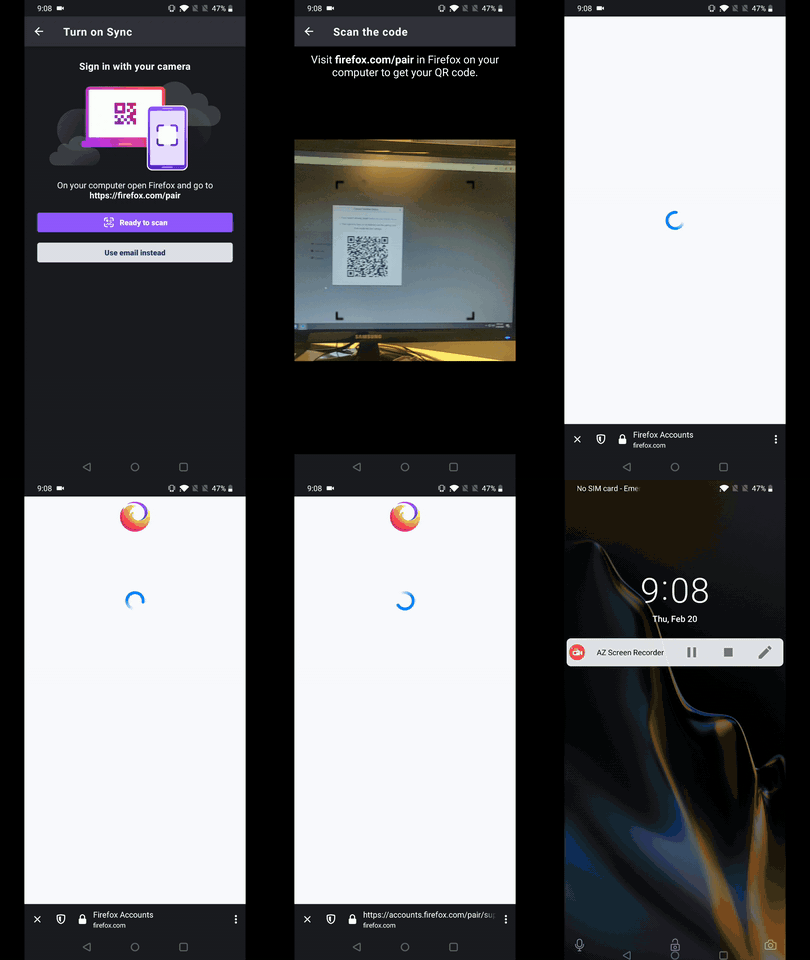
► Video from OnePlus A3

► Video from OnePlus A2005
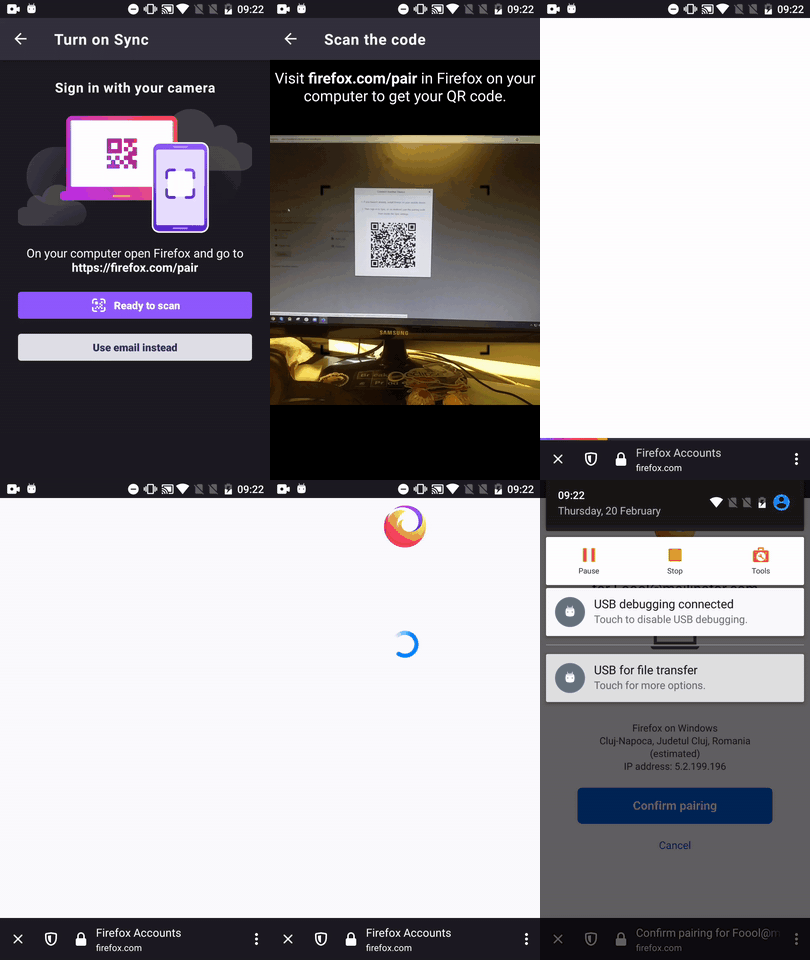
@csadilek - Please review and share your thoughts ☺️
I'll remove the QA needed label until further notice.
AndiAJ
on 20 Feb 2020
Thanks for verifying. As this is working fine now on the OnePlus 6, OnePlus 7T, and A2005 as well as various other devices we tested, I am updating the title here and marking this for triage again and suggest lowering priority.
I'll try and get an A3 to test and we can revisit.
csadilek
on 20 Feb 2020
Related issues
csadilek
·
3Comments
 andreicristianpetcu
·
3Comments
vesta0
·
3Comments
andreicristianpetcu
·
3Comments
vesta0
·
3Comments
 lindongbin
·
3Comments
lindongbin
·
3Comments
 clitetailor
·
3Comments
clitetailor
·
3Comments