Ethminer: does not appear to contain CMakeLists.txt
ethminer@ethminer-System-Product-Name:~$ mkdir build; cd build
mkdir: cannot create directory ‘build’: File exists
ethminer@ethminer-System-Product-Name:~/build$ cmake ..
CMake Error: The source directory "/home/ethminer" does not appear to contain CMakeLists.txt.
Specify --help for usage, or press the help button on the CMake GUI.
ethminer@ethminer-System-Product-Name:~/build$
Can't seem to get passed this part. I looked in the ethminer folder and I DO have the CMakeLists.txt file in there.

 arashghaemi
All 13 comments
You are in the wrong dir.
 chfast
on 22 Nov 2017
chfast
on 22 Nov 2017
@chfast Could you please elaborate?
arashghaemi
on 23 Nov 2017
You must be in /home/ethminer/ethminer dir not /home/ethminer.
chfast
on 23 Nov 2017
What about Windows 10?
I'm in the folder which I download it from the official website and the same error message appears!
 MeqdadDarweesh
on 9 Feb 2018
MeqdadDarweesh
on 9 Feb 2018
Ok, I solved that with OpenCV in win 10
it's in sources folder
MeqdadDarweesh
on 9 Feb 2018
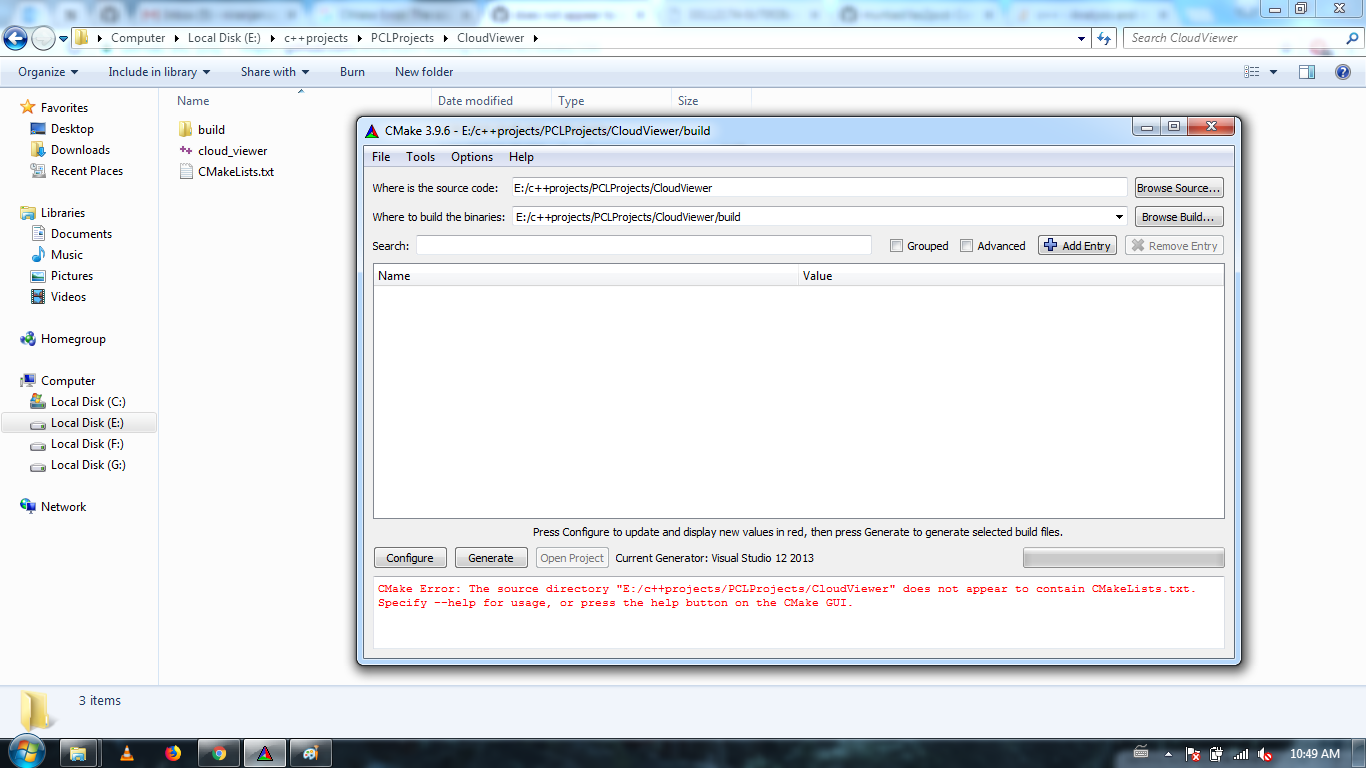
I am having the same issue. I am using windows 7. I am getting the same error which @Arrashg had. please solve the issue. Please go through the image that I have attached.
 niranjanreddy891
on 26 Feb 2018
niranjanreddy891
on 26 Feb 2018
@niranjanreddy891
Try with this link, it could be useful for your case.
https://cmake.org/Wiki/CMake/Tutorials/How_to_create_a_ProjectConfig.cmake_file
My problem was with openCV library.
MeqdadDarweesh
on 26 Feb 2018
Thanks for the response @MeqdadDarweesh . I already tried the link you mentioned, but still i am facing the same issue.
niranjanreddy891
on 26 Feb 2018
Please try the following:
Linux:
git clone https://github.com/ethereum-mining/ethminer.git
cd ethminer
cmake -DETHASHCL=ON -DETHASHCUDA=ON -DAPICORE=ON -H. -Bbuild
cmake --build build --config Release
Windows VS 2017:
````
git clone https://github.com/ethereum-mining/ethminer.git
cd ethminer
set PATH=%PATH%;"c:Program FilesCMakebin"
cmake -G "Visual Studio 15 2017 Win64" -Tv140 -H. -Bbuild -DETHASHCL=ON -DETHASHCUDA=ON -DAPICORE=ON
cmake --build build --config Release
````
Windows VS 2015:
````
git clone https://github.com/ethereum-mining/ethminer.git
cd ethminer
set PATH=%PATH%;"c:Program FilesCMakebin"
cmake -G "Visual Studio 14 2015 Win64" -H. -Bbuild -DETHASHCL=ON -DETHASHCUDA=ON -DAPICORE=ON
cmake --build build --config Release
````
 smurfy
on 26 Feb 2018
smurfy
on 26 Feb 2018
@smurfy. I couldn't understand the link which you mentioned. Can you elaborate it. Also I am using visualstudio 2013.
niranjanreddy891
on 27 Feb 2018

Could you please elaborate? cmake install already.
 askunix
on 28 Dec 2018
askunix
on 28 Dec 2018
@askunix // Please see https://github.com/ethereum-mining/ethminer/issues/394#issuecomment-368547828
 hackmod
on 28 Dec 2018
hackmod
on 28 Dec 2018
this doesnt work for linux
it says errors not complete
and then the last command it doesnt even find the file
wyv
Lisa
 lisawebcoder
on 30 Apr 2020
lisawebcoder
on 30 Apr 2020
Related issues
 unknown2this
·
4Comments
unknown2this
·
4Comments
 Penziplays
·
5Comments
Penziplays
·
5Comments
 krrkrr
·
5Comments
krrkrr
·
5Comments
 gennadiv
·
5Comments
gennadiv
·
5Comments
 moozzee
·
5Comments
moozzee
·
5Comments
Most helpful comment
You are in the wrong dir.