ESPEasy P2P Networking ist not working, even if port is set and controller is enabled. I don't use it since a long while, but it's now not syncing dummy devices to other ESP and in the main view the ESP only see itself. Has something changed or removed?
 fly74
fly74
All 24 comments
Did you reboot the unit after setting the port number?
That's one bug I didn't have time yet to fix.
At least you should see the other nodes in the network when the p2p function is active.
For example:

And in order to 'share' plugins among other nodes, you must make sure to have the p2p controller active and also the same slot (in devices page) free for the plugin to be installed via the other host.
 TD-er
on 30 Jul 2019
TD-er
on 30 Jul 2019
it looks like:





fly74
on 31 Jul 2019
slots free on the other devices
fly74
on 31 Jul 2019
And the other device is also having the p2p network controller active? (not only the port set)
TD-er
on 31 Jul 2019
Yes, all on, maybe another static IP issue?
fly74
on 31 Jul 2019
I have to test it myself to see what's wrong.
I do know that the p2p controller isn't that intuitive. I have to look into the code myself to see how it should be working.
TD-er
on 31 Jul 2019
I think this was looking different as it was working, maybe you can compare it with your setting.

fly74
on 31 Jul 2019
I have tested it and it is working as I thought it should work.
- Make sure both nodes see eachother in the overview page (share the same UDP port and are rebooted after enabling/changing the port)
- Enable p2p networking controller on receiving node
- Make sure the receiving node has the spot free which is being used on the 'sending' node (in my example slot 12)
- Enable p2p networking controller on sending node
- Set the plugin you want to share to use the p2p controller
See the result on the receiving end:
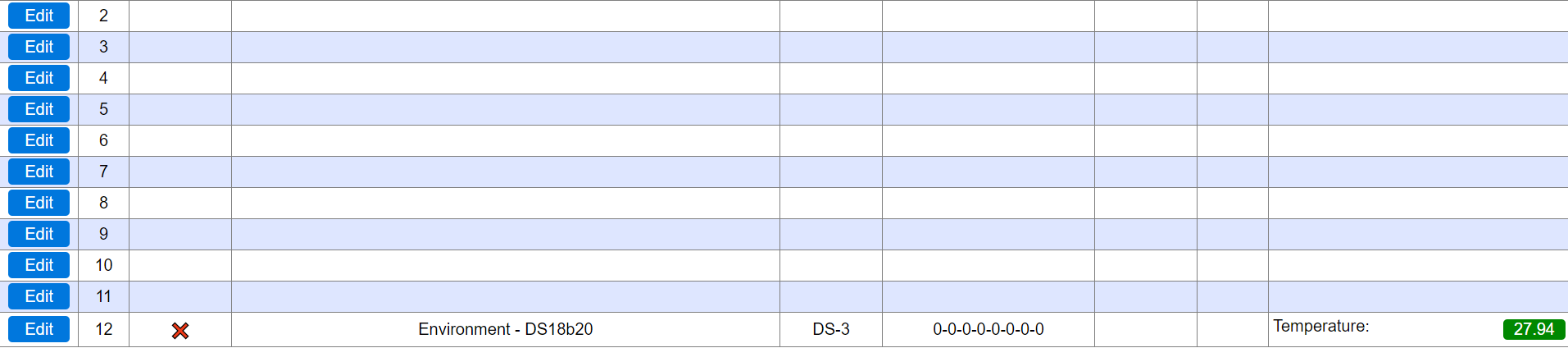
But this is rather counter intuitive, so it definitely must be changed into a more intuitive procedure.
For example by either explicitly sending it to a specific node, or by setting some kind of dummy p2p receive plugin with its own purpose to receive data from another node.
Then you make sure it is only added to the node you want it to have.
TD-er
on 6 Aug 2019
One last note. You must make sure the build on the receiving end also has the plugin included.
Edit:
One last++ note ;)
You also may want to disable ECO mode if you still experience issues.
This is best illustrated in the status page (main page) of the ESP showing all known nodes.
If the time last seen is > 1 you know you're missing UDP packets.
As a test you can also send ping packets to both nodes to force keep their wifi awake.
TD-er
on 6 Aug 2019
It is all set as you described. Can ist be an network-UDP issue? every esp only see itself.
fly74
on 6 Aug 2019
If you set them all to the same UDP port and they are on the same network (subnet) then they should see each other.
A few things that I cannot stress enough:
- Make sure to reboot the node after changing the UDP port
- If you have ArduinoOTA enabled, use another port for ESPeasy p2p UDP (port suggested in most OTA examples use port 8266)
- Ping the nodes from some other host to keep their WiFi awake
- Disable "Eco mode" in the advanced settings
- Sharing a plugin to be auto installed on another node is only sent right after the plugin is set to use the p2p controller. So if you don't see it appear on the other node, save it again on the source node.
TD-er
on 6 Aug 2019
last check - multible boots included
all devices
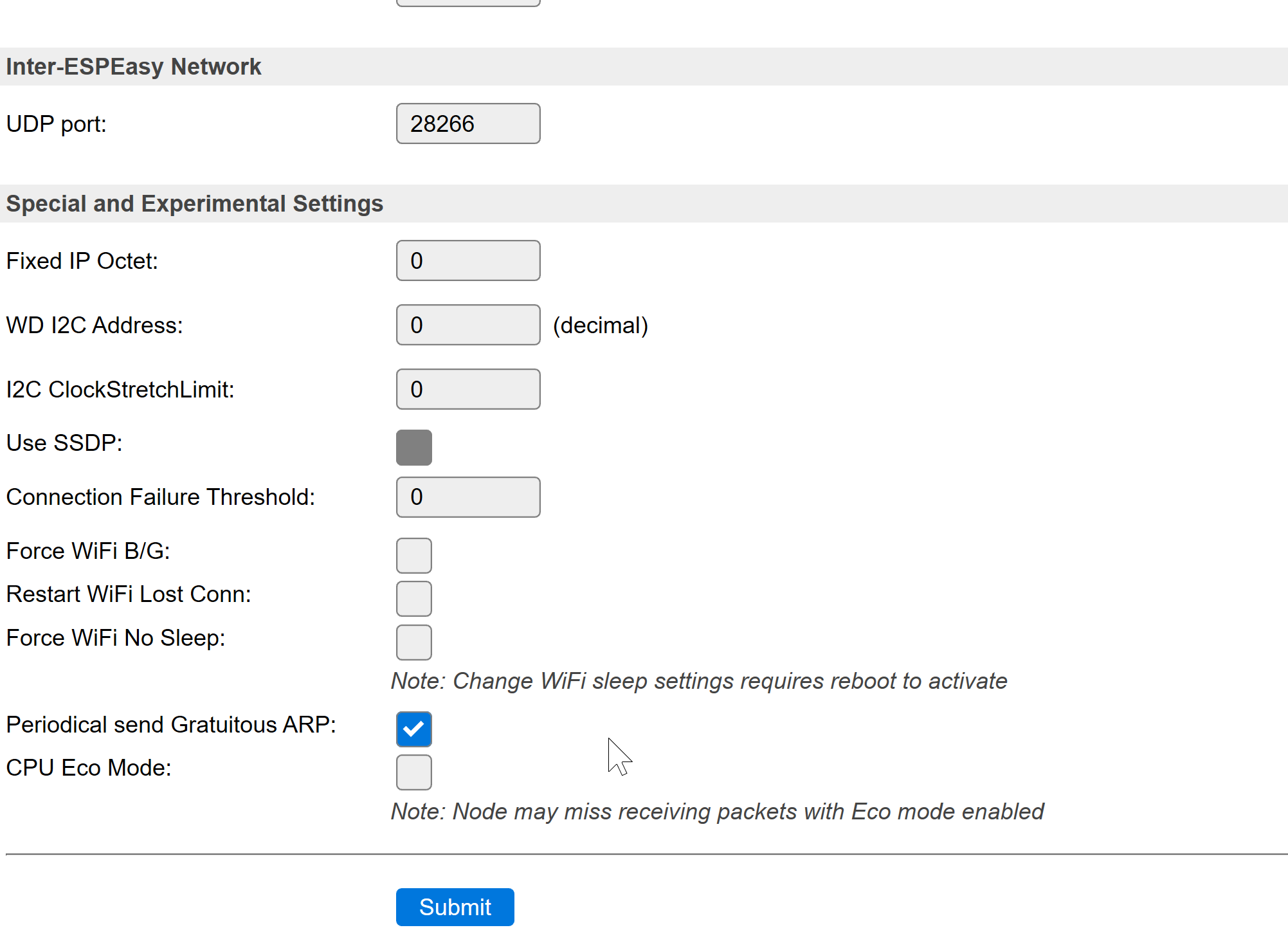

1st dev:

2nd dev:

in mainview all only see itself only, i've no idea whats wrong
fly74
on 8 Aug 2019
28266 is set on both units?
@TD-er this port number option shouldn't go to p2p controller options?
 uzi18
on 8 Aug 2019
uzi18
on 8 Aug 2019
yes all 28266
fly74
on 8 Aug 2019
@fly74 what is dev1 and 2 IP configuration?
paste from sysinfo, please
are they connected to same AP ?
uzi18
on 8 Aug 2019
yes all at the same AP, same subnet with static IPs.
fly74
on 8 Aug 2019
Well we have port 8266 registered for this purpose, but I don't see any reason why any other port should not work.
As long as it is not being blocked by a firewall or some other rule and also isn't being used for something else.
Are the nodes connected to an AP with some kind of "guest network" functionality?
Some AP's do have a guest network feature, but one of the properties of such a feature is that they will not allow communication between clients on the same guest network.
TD-er
on 8 Aug 2019
Ah one other thing you may need to check...
Make sure all units have their own (unique) unit number set.
Not 0, not 255.
TD-er
on 8 Aug 2019

FRITZ!Repeater 3000
I check the unit numbers
fly74
on 8 Aug 2019
Hi folks, it works with unique unit numbers. but how could anyone guess it? Is this written in the documentation.? THANKS a LOT.
fly74
on 8 Aug 2019
Well, not sure, but you can be sure it is documented very soon.
Just about all info is about it is summarized in this issue, so I will write it down now it is still fresh.
TD-er
on 8 Aug 2019
The current documentation on this controller is -to say the least- not written for the average user.
It is more or less a technical summary of its format and not about what you can do with it.
TD-er
on 8 Aug 2019
The webinterface should give some hints, when p2p is going enabled. It saves a lot of time.
fly74
on 8 Aug 2019
just warning about other unit with same address should be enough
uzi18
on 8 Aug 2019
Related issues
 micropet
·
78Comments
TD-er
·
79Comments
micropet
·
78Comments
TD-er
·
79Comments
 Budman1758
·
83Comments
Budman1758
·
83Comments
 clumsy-stefan
·
195Comments
clumsy-stefan
·
195Comments
 TheAppService
·
105Comments
TheAppService
·
105Comments