Esp8266_deauther: Failed to upload the code.
Hardware/Flashing:
Board: ESP8266 MOD
Using OLED: _NoIdea_
Using WebServer: _Noidea_
Using Serial: YES
Installation mode: source
Code/binary version: master copy
Flash size: 1M
Flash method: Arduino IDE
Flash Frequency: 40Mhz
Upload Speed: 9600
Powered by: USB
Other Details on the setting.
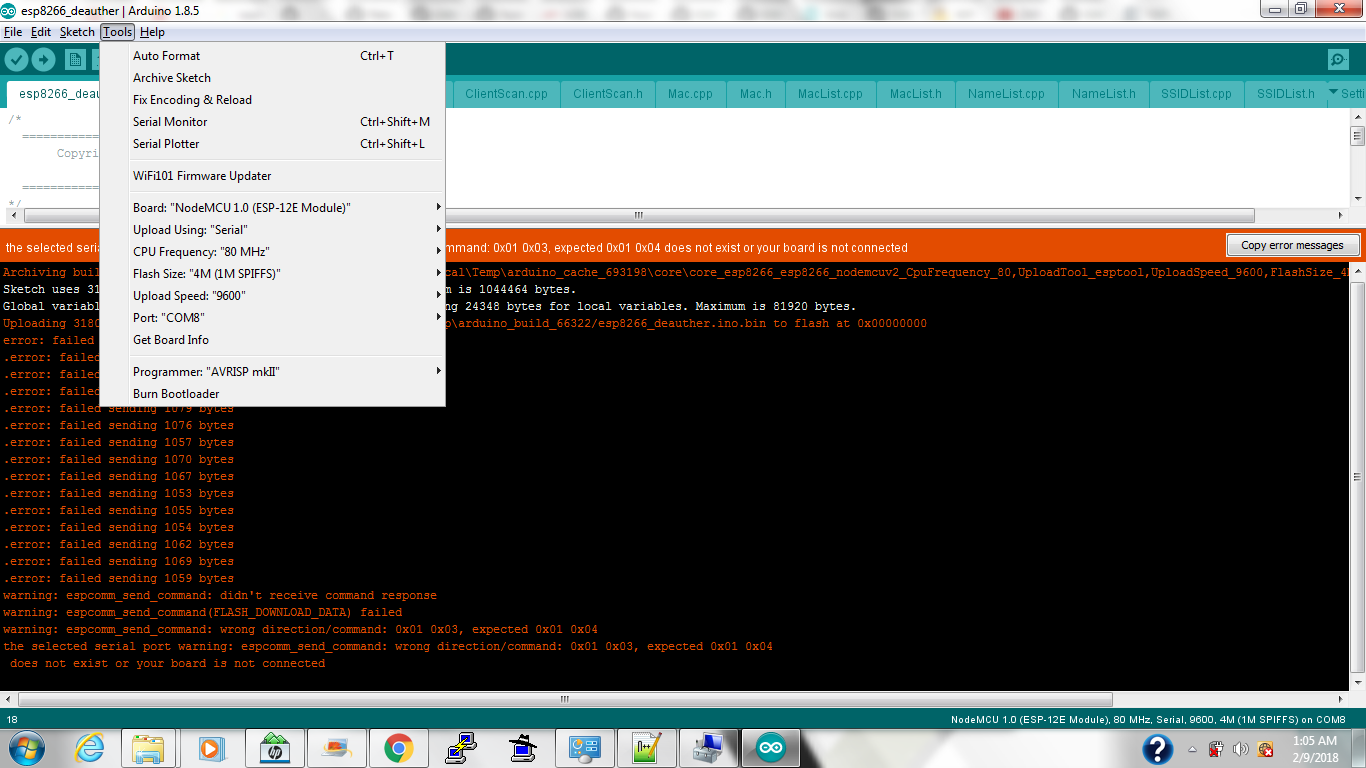
Description:
Trying to upload the current master copy on my device however I getting errors. I also tried to remove some of the vendor on data.h and leave few lines below.
  0x1C, 0x48, 0x40, 0x49, 0x6D, 0x73, 0x4D, 0x65, 0x73, 0x73, 0x73,
  0x1C, 0x48, 0xCE, 0x47, 0x75, 0x61, 0x6E, 0x67, 0x64, 0x6F, 0x6E,
  0x1C, 0x48, 0xF9, 0x47, 0x6E, 0x4E, 0x65, 0x74, 0x63, 0x6F, 0x6D,
  0x1C, 0x49, 0x7B, 0x47, 0x65, 0x6D, 0x74, 0x65, 0x6B, 0x54, 0x65,
  0x58, 0x7F, 0x57, 0x41, 0x70, 0x70, 0x6C, 0x65, 0x00, 0x00, 0x00,
  0x58, 0x7F, 0x66, 0x48, 0x75, 0x61, 0x77, 0x65, 0x69, 0x54, 0x65,
  0x58, 0x7F, 0xB7, 0x53, 0x6F, 0x6E, 0x61, 0x72, 0x49, 0x6E, 0x64,
  0x58, 0x7F, 0xC8, 0x53, 0x32, 0x6D, 0x00, 0x00, 0x00, 0x00, 0x00,
  0x90, 0x97, 0xD5, 0x45, 0x73, 0x70, 0x72, 0x65, 0x73, 0x73, 0x69,
Expected Result: Should compiled and successfully upload/Flash my devicec.
What you get instead: Got error in upload.
Debug Messages:
Arduino: 1.8.5 (Windows 7), Board: "NodeMCU 1.0 (ESP-12E Module), 80 MHz, Serial, 9600, 4M (1M SPIFFS)"

Archiving built core (caching) in: C:\Users\WINZTE~1\AppData\Local\Temp\arduino_cache_693198\core\core_esp8266_esp8266_nodemcuv2_CpuFrequency_80,UploadTool_esptool,UploadSpeed_9600,FlashSize_4M1M_6d08a5713e76d9c95e495df9dde50dc8.a
Sketch uses 313922 bytes (30%) of program storage space. Maximum is 1044464 bytes.
Global variables use 57572 bytes (70%) of dynamic memory, leaving 24348 bytes for local variables. Maximum is 81920 bytes.
Uploading 318064 bytes from C:\Users\WINZTE~1\AppData\Local\Temp\arduino_build_66322/esp8266_deauther.ino.bin to flash at 0x00000000
error: failed sending 1070 bytes
.error: failed sending 1044 bytes
.error: failed sending 1040 bytes
.error: failed sending 1040 bytes
.error: failed sending 1079 bytes
.error: failed sending 1076 bytes
.error: failed sending 1057 bytes
.error: failed sending 1070 bytes
.error: failed sending 1067 bytes
.error: failed sending 1053 bytes
.error: failed sending 1055 bytes
.error: failed sending 1054 bytes
.error: failed sending 1062 bytes
.error: failed sending 1069 bytes
.error: failed sending 1059 bytes
warning: espcomm_send_command: didn't receive command response
warning: espcomm_send_command(FLASH_DOWNLOAD_DATA) failed
warning: espcomm_send_command: wrong direction/command: 0x01 0x03, expected 0x01 0x04
the selected serial port warning: espcomm_send_command: wrong direction/command: 0x01 0x03, expected 0x01 0x04
 does not exist or your board is not connected

This report would have more information with
"Show verbose output during compilation"
option enabled in File -> Preferences.
Hope those messages help me in fixing the upload process.
 winzter143
All 5 comments
try to use NodeMCU 1.1
 XAS-712
on 8 Feb 2018
XAS-712
on 8 Feb 2018
UploadSpeed_9600 but you can go up to 921600
also it's worth trying with another cable if you have a spare one
 tobozo
on 8 Feb 2018
tobozo
on 8 Feb 2018
@tobozo But a not good serial connection may makes it unstable. I always use 115200. It is very stable.
XAS-712
on 8 Feb 2018
Looks like you just selected the wrong port in the upload settings, because I see in the log, that Arduino IDE didn't get a reply from the ESP on the command espcomm_send...
Wait... if IDE started to compile and upload (and you have selected the correct port), then the serial to UART converter is working, but the ESP is not communicating. So here is a short list of what might have happened with your board:
- ESP8266 chip itself is fried (or SPI flash memory)
- PCB trace broke
- ESP8266 is not getting power (maybe because the voltage regulator [most likely AMS1117] blew up)
 marek26340
on 9 Feb 2018
marek26340
on 9 Feb 2018
Marking this to be close. Base on my device to use 9600. But while playing the setting, find-out 115200 works.
As @XAS-712 it work like a charm.
Thanks Guys.
winzter143
on 9 Feb 2018
Related issues
 ghost
·
3Comments
ghost
·
3Comments
 lamkeysing92
·
3Comments
ghost
·
4Comments
lamkeysing92
·
3Comments
ghost
·
4Comments
 avoiceofreason
·
5Comments
avoiceofreason
·
5Comments
 m00n21
·
4Comments
m00n21
·
4Comments
Most helpful comment
@tobozo But a not good serial connection may makes it unstable. I always use 115200. It is very stable.