Data is still successfully captured in the GeoLocation field and stored as a Feature Collection in the database, but the marker / shape disappears from the Leaflet map (on the client side) after clicking.
This error occurs in both the developer and production environment of Version 12.
 megz2020
All 10 comments
Description of the issue
After upgrading to Version 12, the Geolocation field is not showing features on the client-side even though it is captured in the database.
Output of bench version
erpnext 12.3.1
frappe 12.1.0
Steps to reproduce the issue
- Create a new Location
- Draw a marker, polyline or polygon
- Click finish and see how it disappears
Observed result
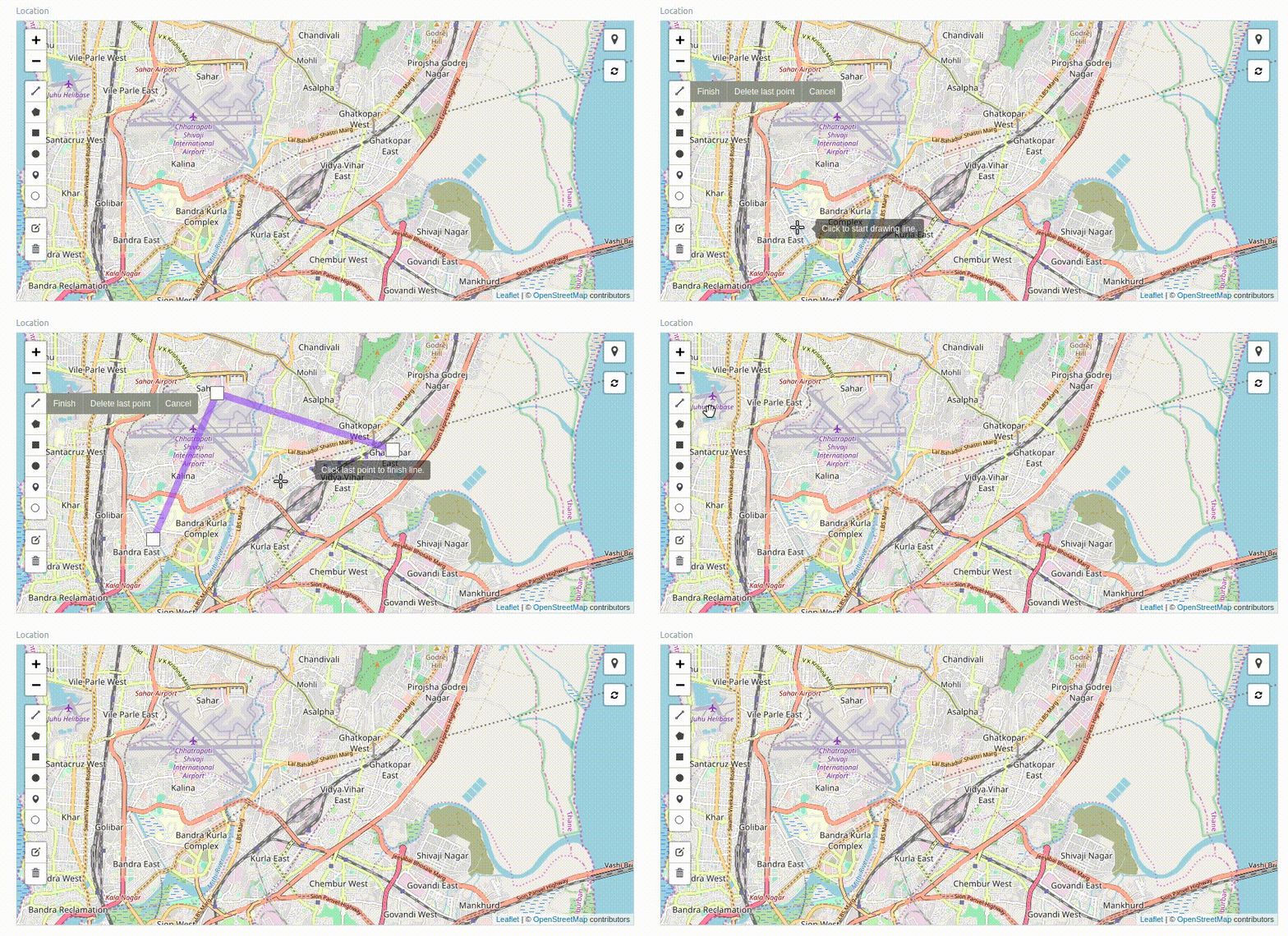
Stacktrace / full error message
code.js:44 Invalid language option provided for field "Location". Valid options are Javascript, JS, HTML, CSS, Markdown, SCSS, JSON.
 marynvdl
on 13 Jan 2020
marynvdl
on 13 Jan 2020
Same issue for me. Original discussion is here
 dvdl16
on 13 Jan 2020
dvdl16
on 13 Jan 2020
code.js:44 Invalid language option provided for field "Location". Valid options are Javascript, JS, HTML, CSS, Markdown, SCSS, JSON.```
That is a warning message.
It happens when option is not set for Code field. Geolocation field inherits from code field.
put JSON in Options of Geolocation Field. The warning will go away. (won't solve issue)
I can't figure out why the layer vanishes after drawing.
 revant
on 13 Jan 2020
revant
on 13 Jan 2020
Thanks, that makes sense!
Looking at the last commits to geolocation.js, I reverted to before the commit of @netchampfaris, but still same issue.
marynvdl
on 13 Jan 2020
does anyone know how to make the field control full width? like the code/text editor field is?
changing the inheritance of geolocation from code to data solves the problem but it makes the field half width.
frappe.ui.form.ControlGeolocation = frappe.ui.form.ControlData.extend({...

revant
on 15 Jan 2020
thanks it's work for me. Apparently, to edit width you should remove input-max-width class from map div.
megz2020
on 15 Jan 2020
i edit input-max-width in frappe-bench/apps/frappe/frappe/public/less/form.less to
// above mobile
@media (min-width: 768px) {
    .layout-main .form-column.col-sm-12 > form > .input-max-width {
        max-width: 100%;
        padding-right: 15px;
    }
and it worked.
megz2020
on 15 Jan 2020
i edit input-max-width in frappe-bench/apps/frappe/frappe/public/less/form.less to
I don't think that is the right way. I sent a PR to make the field working again, did not set the width by editing form.less
revant
on 15 Jan 2020
For reference
does anyone know how to make the field control full width? like the code/text editor field is?
set property horizontal to false
https://github.com/frappe/frappe/pull/9282/commits/039cd2b9207ccf286194295e2a1688c1ef59e400
revant
on 15 Jan 2020
Thanks so much, @revant, it works for me after bench build.
marynvdl
on 15 Jan 2020
Related issues
 raymondliew1992
·
4Comments
raymondliew1992
·
4Comments
 neilLasrado
·
4Comments
neilLasrado
·
4Comments
 rmehta
·
3Comments
rmehta
·
3Comments
 ioweb-gr
·
4Comments
ioweb-gr
·
4Comments
 jboilesen
·
3Comments
jboilesen
·
3Comments
Most helpful comment
For reference
set property
horizontaltofalsehttps://github.com/frappe/frappe/pull/9282/commits/039cd2b9207ccf286194295e2a1688c1ef59e400