The touch bar on my 2016 macbook disabled when EQ2 is running. It's not a new bug. I've experienced this since I've installed 2.0.5. I've kept eq up-to-date and also saw it in 2.0.6 and pre-release of 2.0.7.

 ruzz311
All 26 comments
This was reported many times and obviously I am aware of this. It will be fixed once we switch to a different routing mechanism.
 nodeful
on 10 Sep 2017
nodeful
on 10 Sep 2017
This will be fixed once #51 is done
nodeful
on 10 Sep 2017
Moving to a visible audio device in release of build 2.1
Fixed by issue #62
nodeful
on 12 Oct 2017
This should be reopened since #62 is no longer fixed (and will stop people like me from almost filing a duplicate :)
 Bigtuna00
on 29 Oct 2017
Bigtuna00
on 29 Oct 2017
@Bigtuna00 agreed
nodeful
on 29 Oct 2017
I have the same issue
 easdale
on 22 Nov 2017
easdale
on 22 Nov 2017
Build 2.1 has just been released. You can download it from https://bitgapp.com/eqmac
Could you please update and report if the issue is still relevant. Thanks :)
nodeful
on 26 Nov 2017
Hi
Touch Bar now works and so much easier having everything open in the one window from the top bar.
Its weird though how if you click on the icon in the top of my screen the panel opens as normal but it won’t close when I click on the icon.
The only way to get rid of the emac window is to do like a command/tab and open another application to cancel the opt up of eqmqc at the top.
Every other icon on the top of my screen will close if I click on the I can for a second time.
Thats for updating the Touch Bar glitch so quickly.
Adrian
On 26 Nov 2017, at 18:03, Roman Kisil notifications@github.com wrote:
Build 2.1 has just been released. You can download it from https://bitgapp.com/eqmac https://bitgapp.com/eqmac
Could you please update and report if the issue is still relevant. Thanks :)—
You are receiving this because you commented.
Reply to this email directly, view it on GitHub https://github.com/romankisil/eqMac2/issues/50#issuecomment-347026803, or mute the thread https://github.com/notifications/unsubscribe-auth/AgV4bjgg3JiVijAMuA3i9zUJ_bNN0fk-ks5s6afvgaJpZM4PRSzv.
easdale
on 26 Nov 2017
Yes touch bar issues seem to be fixed. Agree with @easdale about the clicking behavior, it's not "normal" but that should be filed as a separate issue.
Bigtuna00
on 26 Nov 2017
Theres also another issue. I have no bass any more which I noticed on the last version as well. When I use a flat profile with no eq the internal speakers sound very tinny.
On 26 Nov 2017, at 19:01, Bigtuna00 notifications@github.com wrote:
Yes touch bar issues seem to be fixed. Agree with @easdale https://github.com/easdale about the clicking behavior, it's not "normal" but that should be filed as a separate issue.
—
You are receiving this because you were mentioned.
Reply to this email directly, view it on GitHub https://github.com/romankisil/eqMac2/issues/50#issuecomment-347030274, or mute the thread https://github.com/notifications/unsubscribe-auth/AgV4bjiNrFND77SSqQK8HHskIAnMngRmks5s6bWQgaJpZM4PRSzv.
easdale
on 26 Nov 2017
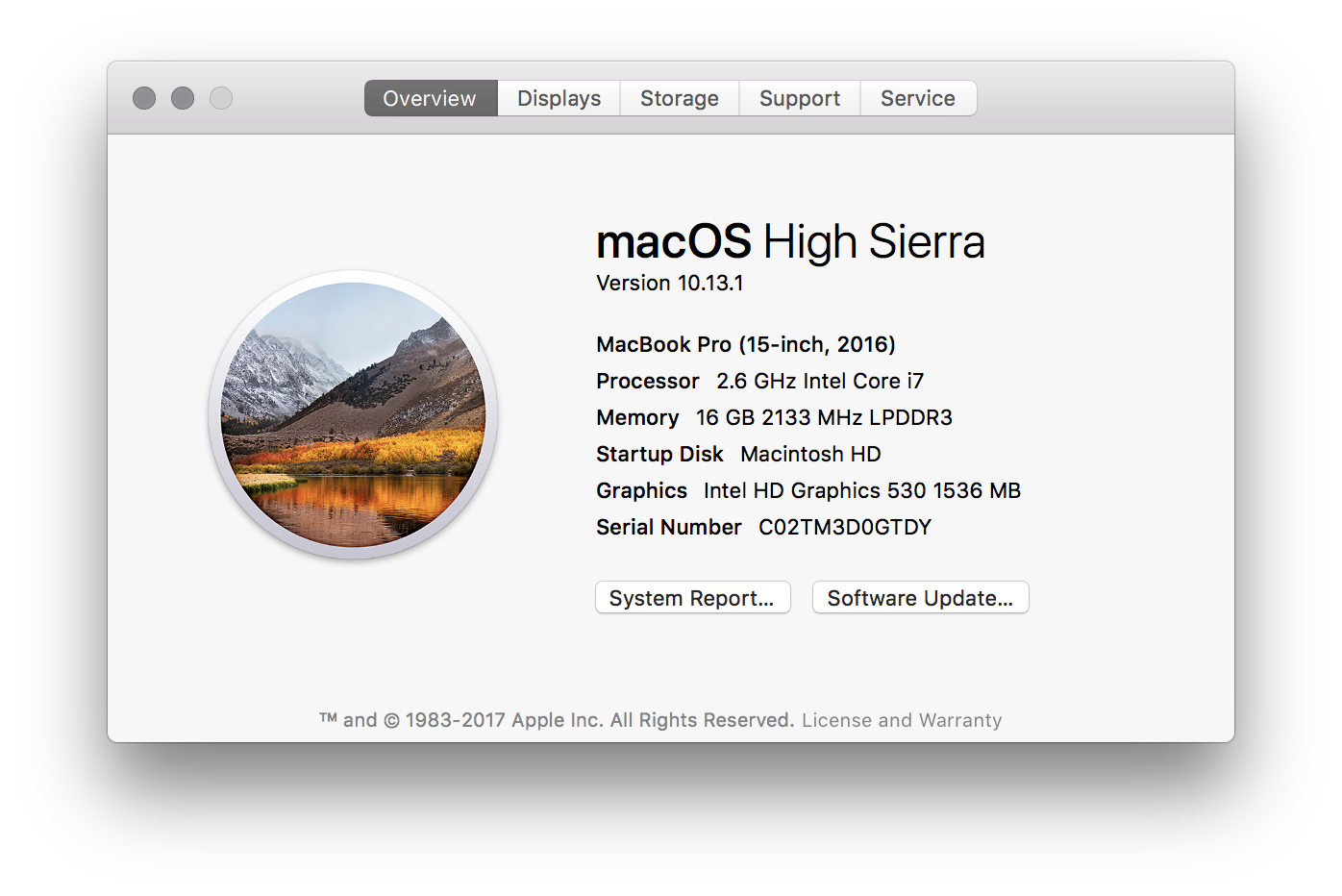
Spoke too soon. Touch bar responds to touch, this is true, but adjusting the volume does nothing. My volume is at 100% no matter where the volume slider is. Luckily the mute function works.
Edit: After uninstalling, things are back to normal too.
Bigtuna00
on 26 Nov 2017
Touch Bar responds on my MacBook Pro
On 26 Nov 2017, at 19:07, Bigtuna00 notifications@github.com wrote:
Spoke too soon. Touch bar responds to touch, this is true, but adjusting the volume does nothing. My volume is at 100% no matter where the volume slider is. Luckily the mute function works.
—
You are receiving this because you were mentioned.
Reply to this email directly, view it on GitHub https://github.com/romankisil/eqMac2/issues/50#issuecomment-347030657, or mute the thread https://github.com/notifications/unsubscribe-auth/AgV4bit58HizsjxsMZafkghW70ISmzZ6ks5s6bbzgaJpZM4PRSzv.
easdale
on 26 Nov 2017
@Bigtuna00 what audio device are you trying to control the volume of?
nodeful
on 26 Nov 2017
I am referring to the sound of the speakers built into my Touch Bar 15” MacBook Pro
On 26 Nov 2017, at 20:45, Roman Kisil notifications@github.com wrote:
@Bigtuna00 https://github.com/bigtuna00 what audio device are you trying to control the volume of?
—
You are receiving this because you were mentioned.
Reply to this email directly, view it on GitHub https://github.com/romankisil/eqMac2/issues/50#issuecomment-347036988, or mute the thread https://github.com/notifications/unsubscribe-auth/AgV4bnfOJmqbCibzR1G7B2PqgM73txTJks5s6c3TgaJpZM4PRSzv.
easdale
on 26 Nov 2017
@romankisil this was with "Internal Speakers".
Bigtuna00
on 26 Nov 2017
My Touchbar controls the internal speakers just fine :( I always suggest people restart their Mac so solve many Sound related issues.
nodeful
on 26 Nov 2017
I did restart as a troubleshooting step prior to posting. Sorry, should have mentioned that. I will try clean installing again. The uninstall from the previous version doesn't appear to have worked. What can/should I delete to clean it all out? Any logs or anything I should attach? Thanks.
Bigtuna00
on 26 Nov 2017
when you install the new build I make sure to clear everything from the old builds, so nothing to delete anymore really
nodeful
on 26 Nov 2017
Do you mean just delete the .app?
Bigtuna00
on 26 Nov 2017
Well, to delete the app it would be recommended to use the Uninstall button within the app
nodeful
on 26 Nov 2017
Here's what I tried:
- Installed the lastest download
- (volume max'd no matter what)
- Ran the uninstall
- Rebooted
- Installed the lastest download
- Rebooted
Volume is still max no matter what.
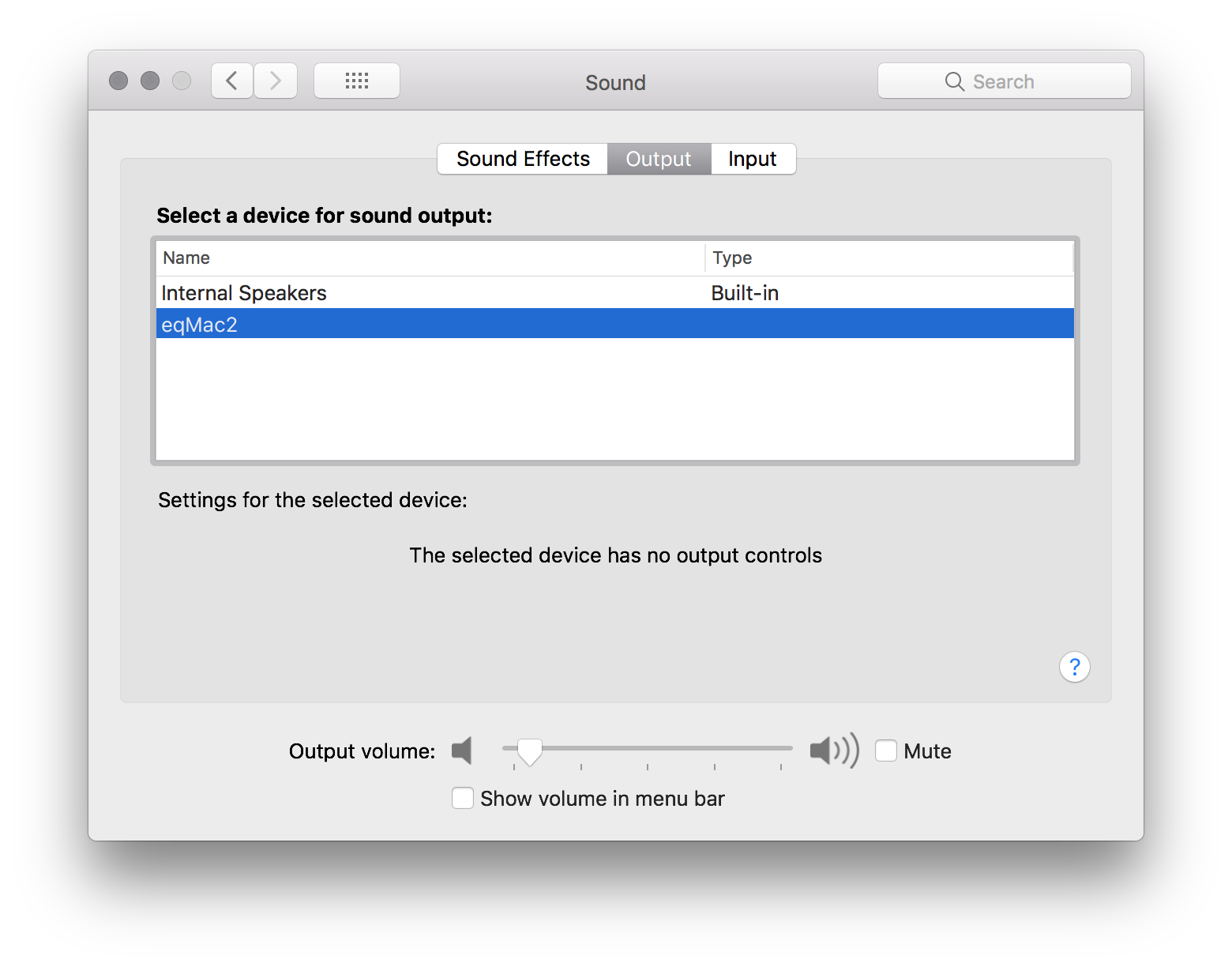
I did note that it used to say "aggregate device" or some such under System Prefs whereas now it doesn't list a Type at all.
Bigtuna00
on 27 Nov 2017
@Bigtuna00 Your case could relate to #103
 psxcode
on 27 Nov 2017
psxcode
on 27 Nov 2017
That's a good point. Sorry @romankisil I should have mentioned I was only testing system sounds, I haven't even tried anything else yet.
Bigtuna00
on 27 Nov 2017
Closing this issue as Touch Bar volume controls are now working
nodeful
on 29 Nov 2017
Hey everyone. Excuse me for the lack of updates. I have been really busy on the new version of eqMac. I am happy to announce an open beta release.
You can download it here: https://eqmac.app
There are a lot of known bugs that I could not fix just yet:
- Driver not installing from the first try. Sometimes need to restart eqMac a couple times.
- Complex Device switching logic is not perfect (for example when switching off the device that's currently playing, plugging in new device etc.)
- UI takes long to load (a lot can be done to improve that)
- UI dimensions are not synching properly
- There's a noticeable audio delay in the playback, so not suitable for video yet (I know where the problem lies just haven't had the time to fix yet)
- Sometimes the playback doesn't start, in that case please try to switch the output to the device you want and eqMac should try and build the audio pipeline again.
So as you can see there's still some work to be done but at least it's a completely modern tech stack that I am fully willing to work on: 100% Swift, User Space driver and a Web UI, instead of C++, Kernel Drivers. As I said, should work on Catalina and should not have any pesky ear drum blasting volume bugs (at least I didn't come across any).
I'm open to feedback and issue reports here: https://github.com/bitgapp/eqmac
That repo will become the main repo for eqMac and this repo will be archived eventually.
And yes it's called just eqMac, not eqMac3 :) And it will stay that way forever.
nodeful
on 8 Jan 2020
Hey everyone 👋
I will be open sourcing the new version of eqMac, therefore, I am closing this issue and repository as I will be transfering nodeful/eqMac2 repo to bitgapp/eqMac
Please bear with me for the next couple of days as I setup that new repo. The eqMac2 code will be living in the old-eqMac2 branch if anyone is interested in referencing it for whatever reason.
Please try out the new version and report bugs to the new repo.
Thanks for using eqMac.
nodeful
on 4 Apr 2020
Related issues
 MiLeung
·
3Comments
MiLeung
·
3Comments
 danialazlee
·
7Comments
danialazlee
·
7Comments
 brian-lamb-software-engineer
·
4Comments
brian-lamb-software-engineer
·
4Comments
 MaLub
·
4Comments
MaLub
·
4Comments
 realies
·
4Comments
realies
·
4Comments