Enterprise: Donut: Legends are NOT appearing at the bottom
Describe the bug
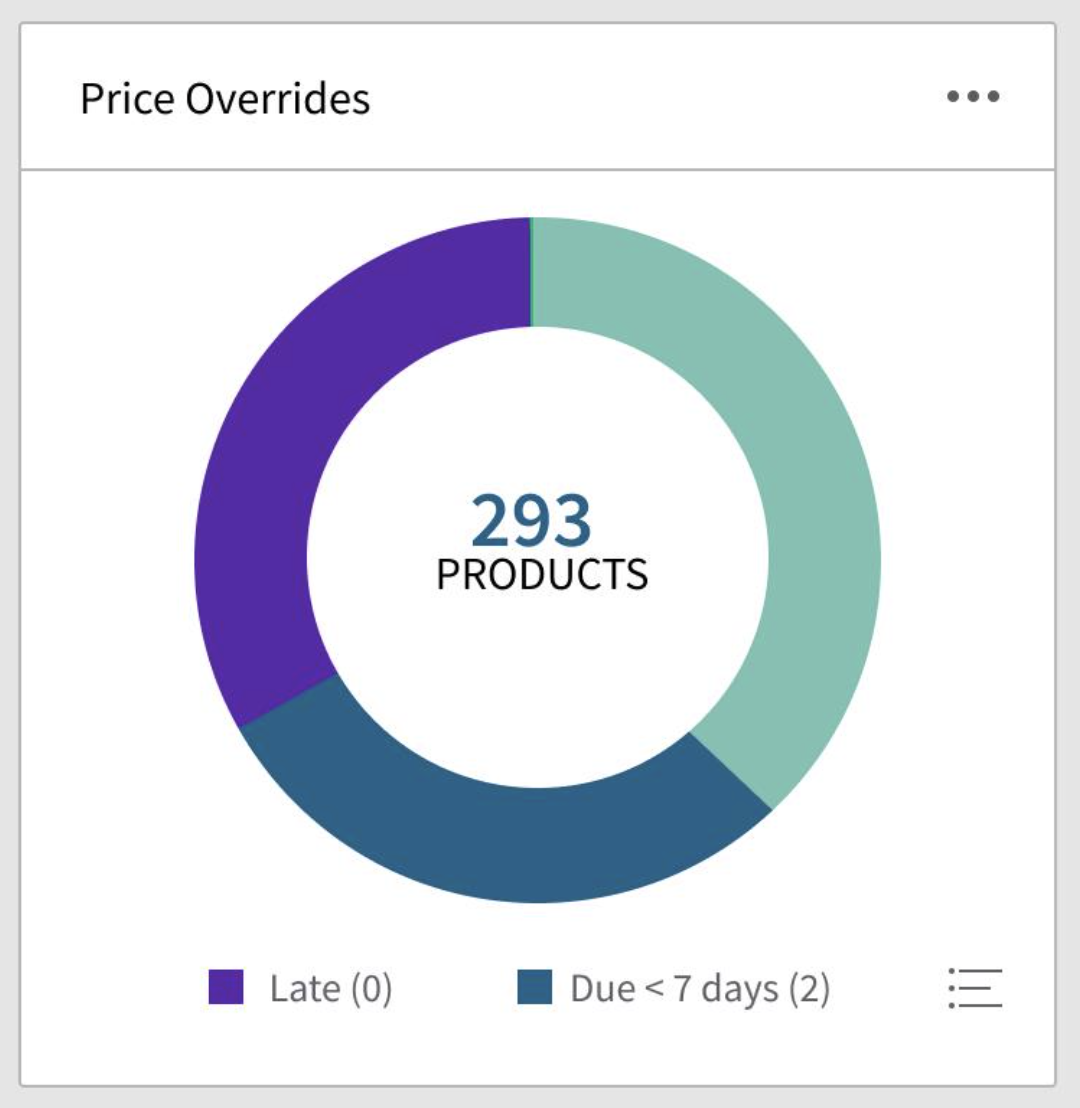
Donut legends are NOT appearing at the bottom when legend Placement is set to bottom.
To Reproduce
Steps to reproduce the behavior:
- Make a component that uses soho-pie as a viewchild
- Use code below
<div class="indicators-chart" soho-pie (selected)="onSelected($event)" [legend]="legendOptions" [isDonut]="true" [dataset]="dataSet" [showLegend]="true" [legendPlacement] ="'bottom'" *ngIf="showDonut">
Expected behavior
Donut legends should appear at the bottom of the chart.
Version
- ids-enterprise-ng : 9.1.1
Screenshots

Platform
OS Version: Windows 10 or iOS 8
Browser Name: Chrome
Browser Version: 91.0.4472.77
 guptaruchi-github
All 8 comments
Did you try [legendPlacement] ="bottom" ? Do you have a stackblitz for this example?
 tmcconechy
on 7 Jun 2021
tmcconechy
on 7 Jun 2021
As an addition to this issue we can make a button that opens a popup to show all the legend items in the case there is so many the legends dont fit
tmcconechy
on 7 Jun 2021
Strangely it started working with [legendPlacement] ="'bottom'" itself. Though legends are not rendered properly. Please see screenshot below:

guptaruchi-github
on 8 Jun 2021
Yes we should look at the legend formatting. This is an accepted bug and we will schedule the work in the future.
tmcconechy
on 8 Jun 2021
@yohannahbautista I guess the only issue now here is the rendering of UI.
 ericangeles
on 15 Jun 2021
ericangeles
on 15 Jun 2021
Yes, the issue is the bottom alignment however its a bit more complicated. When fixing design would like https://github.com/infor-design/enterprise/issues/5292 as well which is a icon menu button that opens a popupmenu that shows the overflow of bottom legend items. So https://github.com/infor-design/enterprise/issues/5292 would go with this fix.
We could even close this one in favor of https://github.com/infor-design/enterprise/issues/5292 as it will solve this. Your welcome to work on this as it was priority.
tmcconechy
on 15 Jun 2021
Will assign to her the #5292.
ericangeles
on 15 Jun 2021
ok lets close this and work off https://github.com/infor-design/enterprise/issues/5292
tmcconechy
on 15 Jun 2021
Related issues
 jbrcna
·
3Comments
jbrcna
·
3Comments
jbrcna
·
3Comments
jbrcna
·
3Comments
 CindyMercadoReyes
·
3Comments
CindyMercadoReyes
·
3Comments
CindyMercadoReyes
·
3Comments
CindyMercadoReyes
·
3Comments
 brianjuan
·
3Comments
brianjuan
·
3Comments