Enterprise: Icons: sorting icons are not consistent
Describe the bug
Sorting icons up/down does not have consistent look. The up direction has bold horizontal lines.
Steps to reproduce the behavior:
- Go to https://design.infor.com/code/ids-enterprise/latest/icons
- See error
Expected behavior
Icons should have same layout except the direction of the arrow.
Version
latest
Screenshots

 hohnzy
All 11 comments
Are you sure maybe this isnt some sort of a cross pixel / zoom effect on your end? As im not seeing it.

What do you think @kevinwhitedesign ?
 tmcconechy
on 15 Apr 2021
tmcconechy
on 15 Apr 2021
I see your screenshot almost the same as mine. Ive noticed earlier that there are differences on macs/windows/linux. I am on linux 4k@60Hz.
hohnzy
on 15 Apr 2021
Ok when i look at them they look different. Yours looks bold and in mine both look identical.
tmcconechy
on 15 Apr 2021
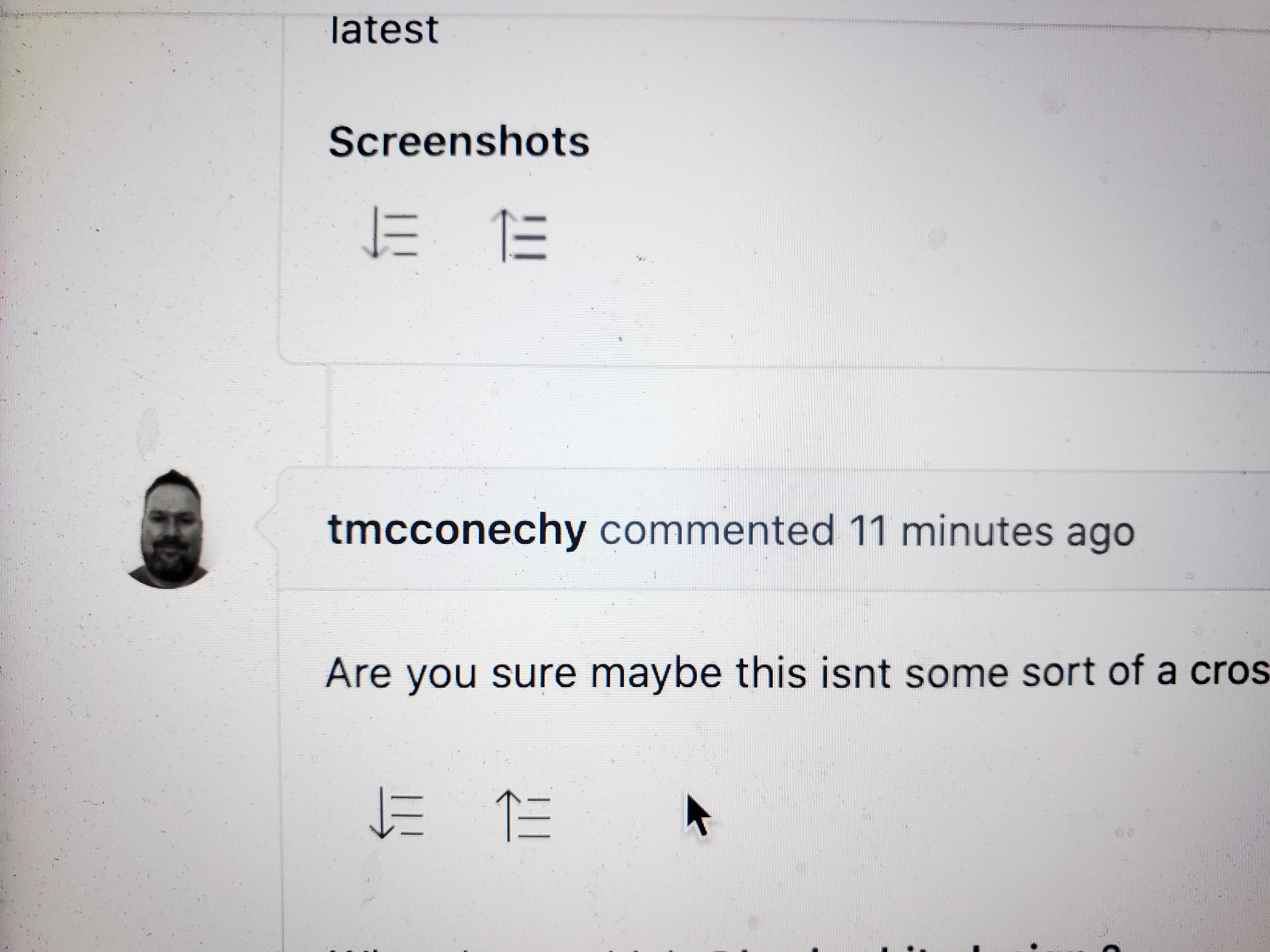
There is some kind of a difference, depending on the screen you're using it seems:
Macbook Retina Monitor (1080p @ 220dpi) | Dell Monitor - 2408WFP (1080p @ 72dpi)
:-------------------------:|:-------------------------:
 |
| 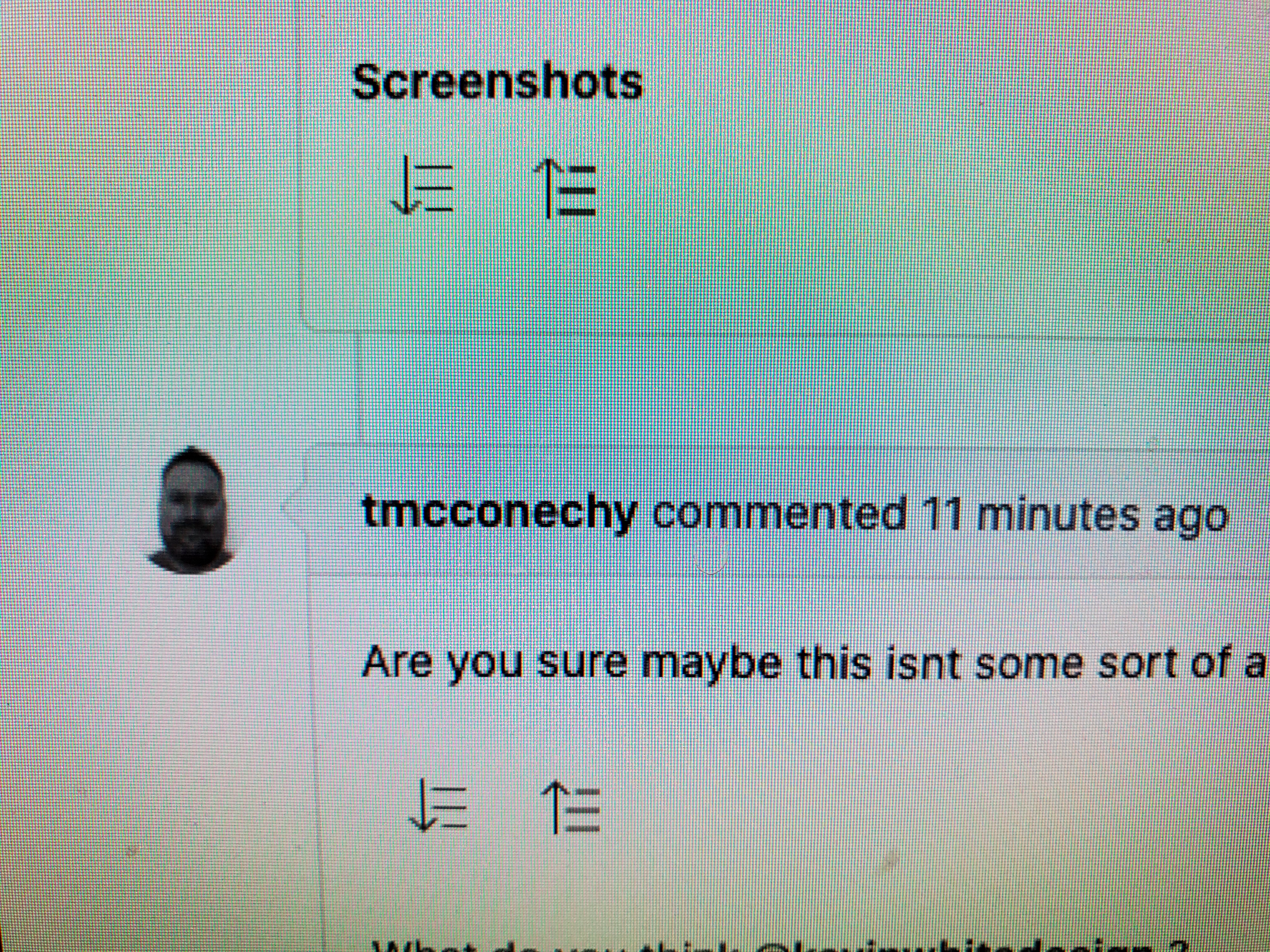
The screenshot on the right is from an older computer monitor at 72dpi. The "up" sort icon is noticeably more blurry compared to the Retina monitor (however, the "down" sort looks good). It's a bit tough to tell from my screenshots (taken from a phone) but there is a difference.
@kevinwhitedesign not sure what implications this has for the icons but it seems at lower resolutions, the thin line art might end up sitting halfway between pixels instead of directly on them. Maybe something that needs to be corrected in the sketch file?
 EdwardCoyle
on 15 Apr 2021
EdwardCoyle
on 15 Apr 2021
When I am looking at other icons quickly I see the same issues with these:
add (and variants - plusminus-folder-closed, sec-menu-expand), caret-down, down-arrow, download, drilldown duplicate (plus inside), export (arrow), info (the i letter looks bold), left-arrow, right-arrow, up-arrow, transfer
My resolution 3840x2160 @ 60 Hz. Not sure about dpi and how to check it.
hohnzy
on 16 Apr 2021
Any progress on this one?
hohnzy
on 13 Jul 2021
We are changing the generation process to a new tool (sketch to figma(. So we can check if we still see if that happens to fix anything when thats done. https://github.com/infor-design/design-system/pull/464
If not can also see if design can look at this and figure out if there is anything wrong on the icon there.
tmcconechy
on 13 Jul 2021
Should note i cant reproduce this myself. So will need assistance there.
tmcconechy
on 13 Jul 2021
thats the thing, usually UI/design ppl are using good screens with high dpi so they do not notice
hohnzy
on 13 Jul 2021
Yeah they will have to try and setup something. Could take some time to figure out @katieinfor can you make a Jira for this for design?
tmcconechy
on 13 Jul 2021
Created ticket in jira: https://jira.infor.com/browse/UXD-2890
 katieinfor
on 13 Jul 2021
katieinfor
on 13 Jul 2021
Related issues
 CindyMercadoReyes
·
3Comments
CindyMercadoReyes
·
3Comments
 jbrcna
·
3Comments
jbrcna
·
3Comments
 pwpatton
·
3Comments
CindyMercadoReyes
·
3Comments
jbrcna
·
3Comments
pwpatton
·
3Comments
CindyMercadoReyes
·
3Comments
jbrcna
·
3Comments