Enterprise: Datagrid: Issue changing selectable when have frozen columns
Describe the bug
We are changing the selection mode between 'single' and 'mixed' on a datagrid with frozen columns. When in 'single' mode the checkbox is not displayed. When in 'mixed' mode the checkbox is displayed. This all works great when frozenColumns do not exist. Meaning in 'single', no checkbox is rendered and the selection model is single and when in 'mixed' mode the checkbox is rendered and the selection model behaves in 'mixed' mode.
With frozenColumns, when changing the selectable from 'single' to 'mixed', the selection model stays in 'single' mode.
Steps to reproduce the behavior:
- Using the attached 'test-change-selectable-with-frozen-columns.html'
- Click on 'Switch Select Mode' button
- Datagrid is not rendered correctly and the selection mode has not changed
Expected behavior
When switching to mixed, the columns array includes the selectionCheckbox so checkbox should be displayed and multiple rows are able to be selected
Version
- ids-enterprise: v4.39.0
 claudenbach
All 8 comments
claudenbach
on 9 Apr 2021
claudenbach
on 9 Apr 2021
@deep7102 we will have to prioritize this one for landmark. So adding to the sprint (to be finished after lawson issues if time)
 tmcconechy
on 30 Apr 2021
tmcconechy
on 30 Apr 2021
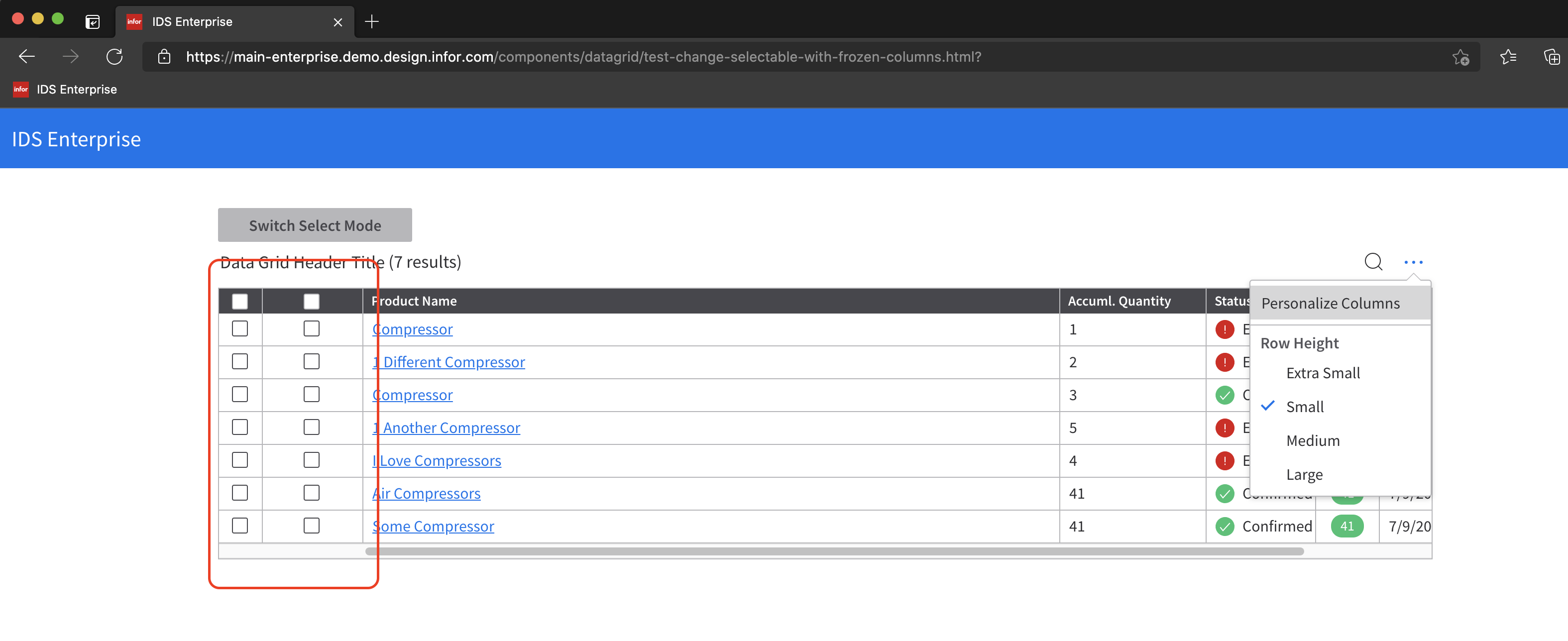
QA Failed
Try to change Datagrid size then click Switch select mode.
v4.52.0-dev
https://main-enterprise.demo.design.infor.com/components/datagrid/test-change-selectable-with-frozen-columns.html
 jbrcna
on 21 May 2021
jbrcna
on 21 May 2021
Can you clarify these steps @jbrcna Im not seeing it unless @ericangeles has an idea how to reproduce?
tmcconechy
on 21 May 2021
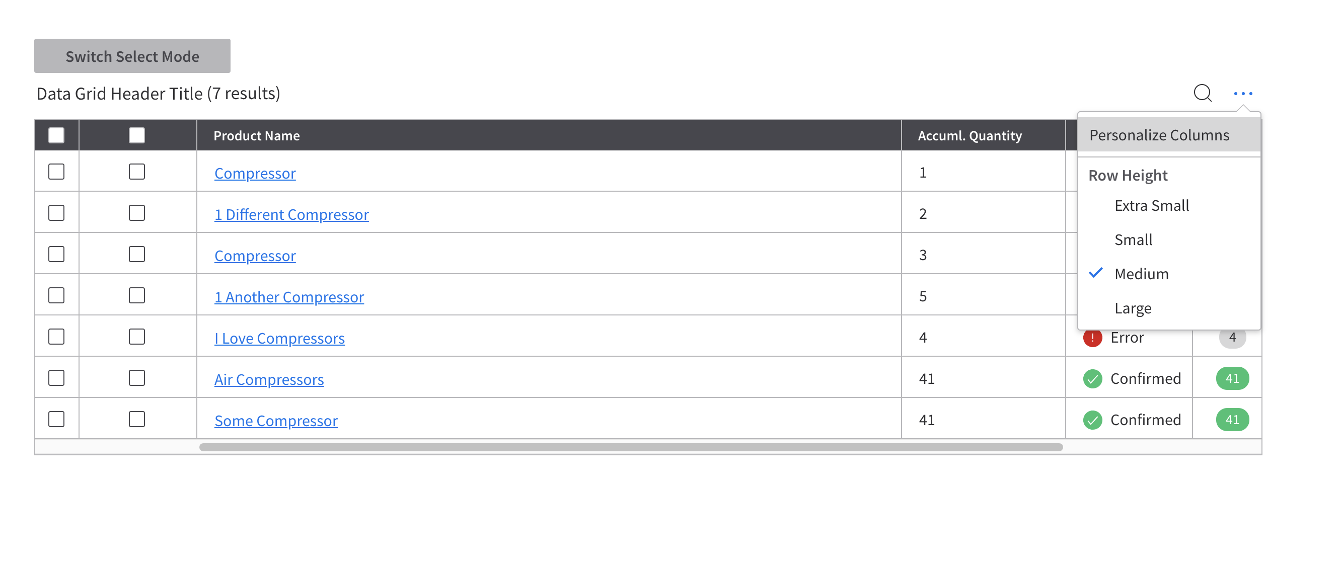
@tmcconechy I just changed the Row height and switch select modes.
Steps to replicate
- Click
...then change row height to Extra small - Toggle
Switch Select Modeon/off - Click
...then change row height to small - Toggle
Switch Select Modeon/off - Repeat steps 1-4 in all Row Height
- Play around with sizes and toggle
Switch Select Modeon/off
jbrcna
on 21 May 2021
@tmcconechy I can verify this one. Will fix this issue. Good catch btw, @jbrcna.
 ericangeles
on 21 May 2021
ericangeles
on 21 May 2021
This issue is now resolved.
 CindyMercadoReyes
on 26 May 2021
CindyMercadoReyes
on 26 May 2021
Related issues
 sanx72
·
3Comments
sanx72
·
3Comments
 pwpatton
·
3Comments
jbrcna
·
3Comments
jbrcna
·
3Comments
pwpatton
·
3Comments
jbrcna
·
3Comments
jbrcna
·
3Comments
 fitzorama
·
3Comments
fitzorama
·
3Comments