Enterprise: Bar/Column: Axes misaligned when there are empty datasets
Describe the bug
When datasets are empty in latest IDS with latest D3 (5.16), the bar chart's y axis is centered instead of left-aligned, and the column chart's x-axis is centered instead of bottom-aligned.
To Reproduce
Create a bar or column chart with an empty dataset. This can be reproduced by setting a breakpoint in the demo examples and zeroing the values of the data.
Expected behavior
Axes should be aligned closely to their labels.
Version
4.38.0
Screenshots
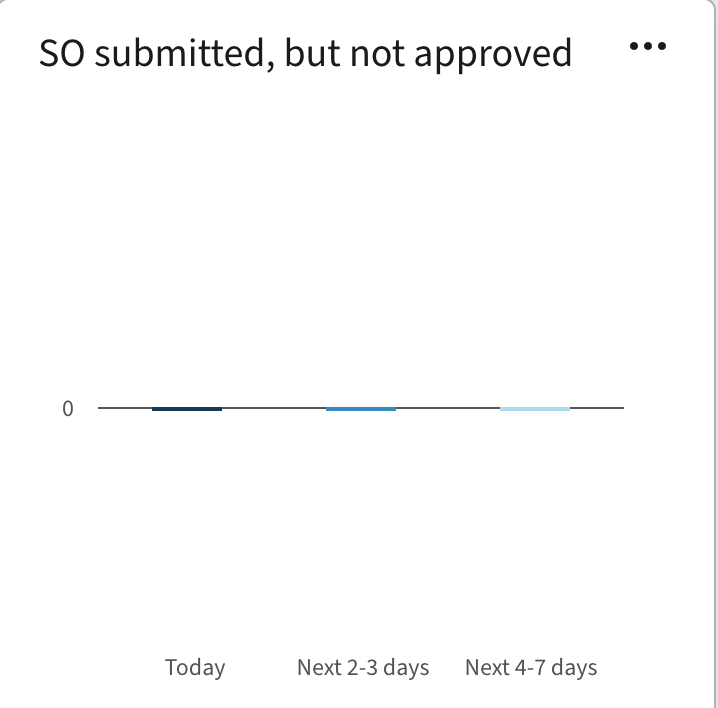
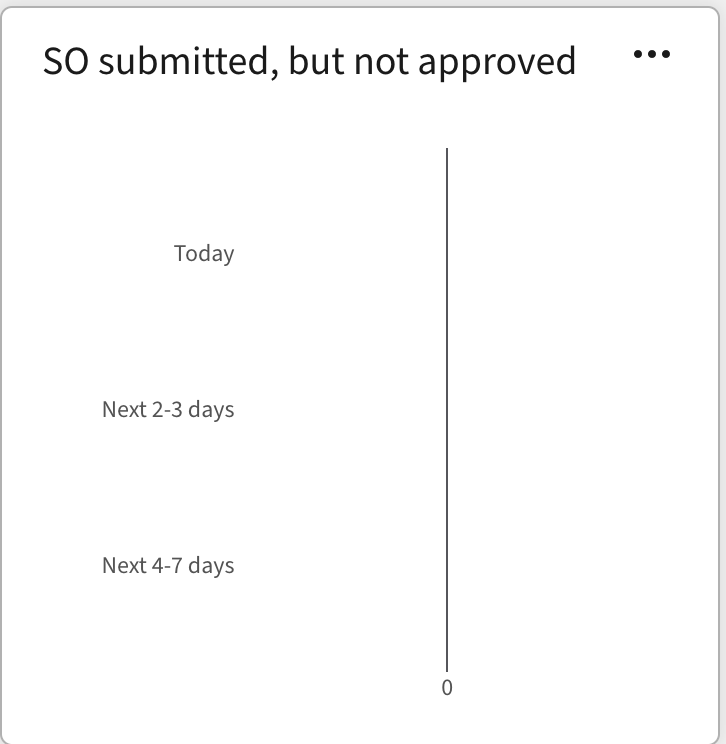
Platform
- Infor Application/Team Name: Infor Nexus
- OS Version: Mac OS X Catalina
- Browser Name: Chrome
- Browser Version: 89
 tfavorite
All 5 comments
I believe there was a change in D3 that might have triggered this regression in IDS: https://github.com/d3/d3-interpolate/commit/4b9001bf02b528bfb004f0e574f4d4424f423118#diff-ce8e9dae47751b378edd0cdc9a341f6a8312ecc5a2e2ef5ead228272e5eb5e8f
But I can't be sure, as I'm not intimately familiar with the D3 API.
tfavorite
on 5 Apr 2021
@tfavorite can you define empty? Maybe post the sample data. As we did this https://master-enterprise.demo.design.infor.com/components/bar/test-empty.html
https://github.com/infor-design/enterprise/blob/main/app/views/components/bar/test-empty.html#L19
Maybe you can try and set the empty text as an actual workaround and get the empty message? Like that example
 tmcconechy
on 5 Apr 2021
tmcconechy
on 5 Apr 2021
Fair point, that was vague. I meant all values in the dataset are 0. If I put a breakpoint on line 77 of bar.js in this demo: https://design.infor.com/code/ids-enterprise/latest/demo/components/bar/example-index?theme=uplift&variant=light
and set all values to 0 I see the same result.
Your suggested workaround might be acceptable, I will follow up with QA and Product on that. Thanks!
tfavorite
on 5 Apr 2021
@tmcconechy the workaround will work for us! Feel free to close this if you like, unless you'd prefer to leave open for the edge case where someone might actually want to see an empty chart.
tfavorite
on 6 Apr 2021
I'll close it for now but will make a note to make a test for it when we work on the new web component charts
tmcconechy
on 6 Apr 2021
Related issues
 pwpatton
·
3Comments
pwpatton
·
3Comments
 guoliang
·
3Comments
guoliang
·
3Comments
 CindyMercadoReyes
·
3Comments
CindyMercadoReyes
·
3Comments
 janahintal
·
3Comments
janahintal
·
3Comments
 jbrcna
·
3Comments
jbrcna
·
3Comments