Enterprise: Datagrid: Hover styles cut off in list style datagrid
Description
Hoover option element in a SohoDataGrid is cut off.
To Reproduce Steps to reproduce the behavior:
- Make a datagrid example that has a isList: true and:
- includes with a column that uses this meta data
javascript
     id: "open",
     name: "Actions",
     width: "5%",
     formatter: Soho.Formatters.Actions,
     icon: "more",
     headerTooltip: "Actions",
     resizable: false,
     menuId: "card-options",
     click: (e, a) => {
         this.onActionHandler(e, a);
     },
- Hover over the option button, you will see that the colors looks cut off.
Expected behavior
Hoover should not be cut off.
Version
- ids-enterprise-ng: v4.37.0
- [email protected]
Screenshots
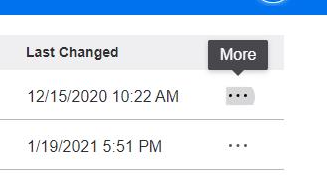
Platform
- Device: Desktop
- OS Version: Windows 10
- Browser Name: Chrome
- Browser Version: 88.0.4324.190 (Official Build) (64-bit)
 arturchilangwa-infor
All 13 comments
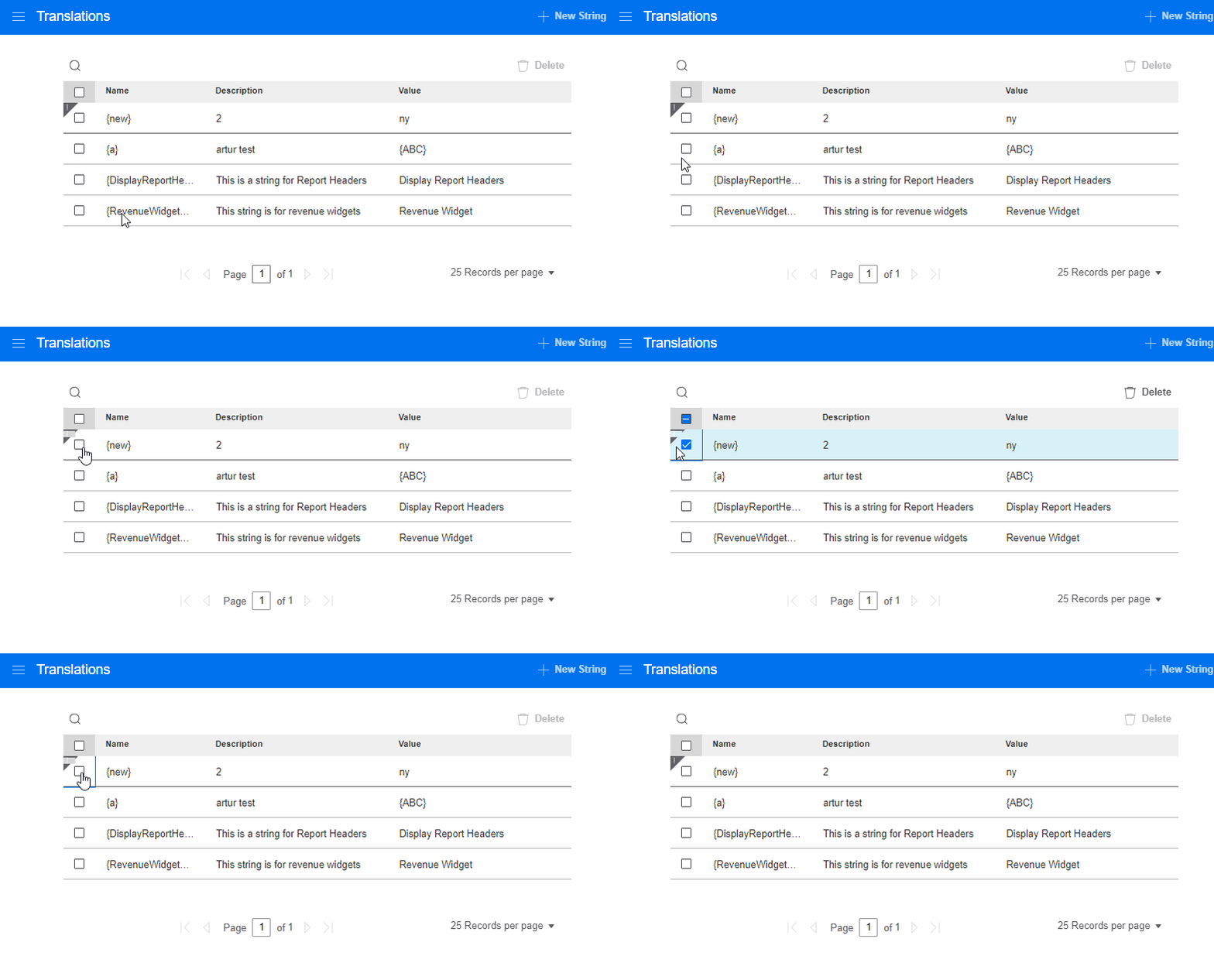
There is also an issue for the hoover on new rows.
arturchilangwa-infor
on 19 Mar 2021
Was looking into this issue to solve, but not quite sure what a hover option element should look like. Is it that the hover is cutting off functionality or the look of something?
@arturchilangwa-infor for the second gif, I think you _may_ be referring to the small square artifact on the row status? this one might have been fixed in PR #4918.
Apologies if this stuff should be obvious; am a bit inexperienced with this library's typical functionality.
 rob2d
on 26 Mar 2021
rob2d
on 26 Mar 2021
Sorry @rob2d i thought this was a bit more fleshed out. But here is how to reproduce it
- edit app/views/components/datagrid/test-actions-reload.html and add this isList option
      grid = $('#datagrid').datagrid({
        columns: columns,
        dataset: res,
        toolbar: { results: true },
        isList: true
      });
- this option means FYI that we apply a second styling for "list" type grids (simpler design for small lists)
- go to example http://localhost:4000/components/datagrid/test-actions-reload.html
- hover the row
- and will see this issue
And i think you fixed the part about the rowStatus already on #4918
 tmcconechy
on 26 Mar 2021
tmcconechy
on 26 Mar 2021
Fingers crossed but looks like am finally in home stretch with other 2 PRs, so migrating to this now.
rob2d
on 31 Mar 2021
@tmcconechy just want to double-check that we should be making this like other grids visually. It seems for some reason or other, on the "list" grids, the hover color not being there was by-design.
See for ref:
https://github.com/infor-design/enterprise/search?q=%24datagrid-list-row-hover-color
I may be missing issue though entirely?
rob2d
on 31 Mar 2021
Yes the list style grid has a "flat" design its for simpler in page lists / no editable.
https://master-enterprise.demo.design.infor.com/components/datagrid/example-index.html
vs
https://master-enterprise.demo.design.infor.com/components/datagrid/example-list.html
So basically:
- in the list example that hover state should not be there on the action button when i hover the row
- in the normal grid the hover state should not bleed through the row status icon
tmcconechy
on 31 Mar 2021
@tmcconechy Thanks for clarification. Just based off chat for follow-up but
in the list example that hover state should not be there on the action button when i hover the row
For this point, we sort of had no choice since the list action button loses it's focusable state completely. I think UI wise, this may look alright? was a simple change once I found out where the styles were.
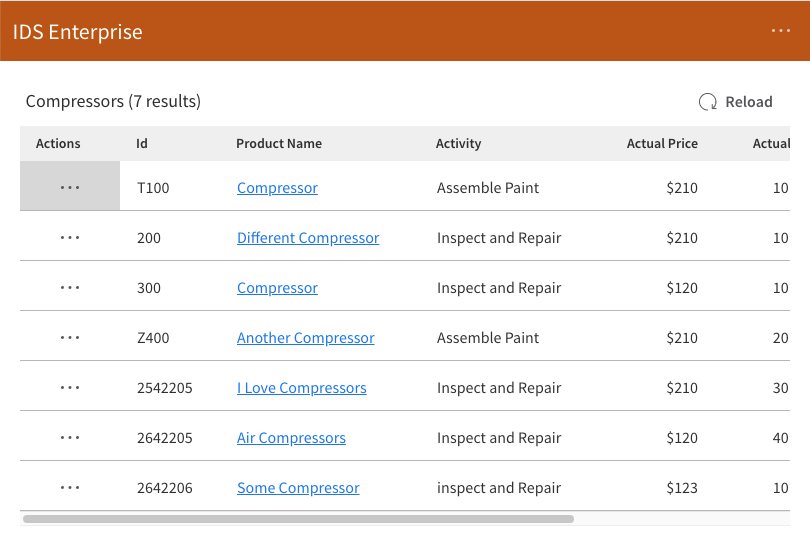
(and now checking if #4918 helped with the first point with row status icon)
rob2d
on 31 Mar 2021
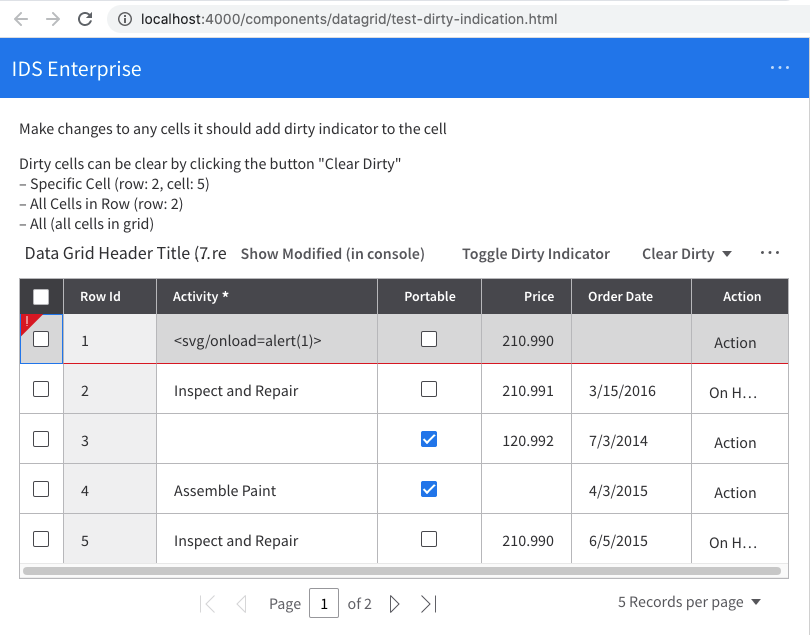
@tmcconechy On the other point, this does not appear unclean anymore. Should the row status indicator be omitted completely? seems may be important but I am not familiar with client use-cases quite yet.
rob2d
on 31 Mar 2021
i think the border should be all around it all the time even during hover. looks a bit wierd that its only on some sides. But that could be considered out of scope unless its simple? or something we fix in the new comps
tmcconechy
on 31 Mar 2021
For the hover state question maybe it could just be on the icon part (like the ... in other places) or like the buttons here https://master-enterprise.demo.design.infor.com/components/datagrid/example-list.html
tmcconechy
on 31 Mar 2021
@tmcconechy for the border, did notice that also but wasn't sure if there was other UI components we were matching hence didn't bring it up. Am looking into #4341 which should be theoretically simple but will check that out shortly as PR failed anyway.
rob2d
on 31 Mar 2021
@tmcconechy currently that's the behavior actually (not sure if this is why closed). I think @arturchilangwa-infor does have a point that it looks a little bit weird floating but it is at least consistent/seemed like in the code was intentional.
rob2d
on 31 Mar 2021
working as expected. moving this to Done
v4.50.0-beta2
https://4500-beta2-enterprise.demo.design.infor.com/components/datagrid/test--actions-reload-list.html
 jbrcna
on 6 Apr 2021
jbrcna
on 6 Apr 2021
Related issues
 pwpatton
·
3Comments
pwpatton
·
3Comments
 CindyMercadoReyes
·
3Comments
pwpatton
·
3Comments
CindyMercadoReyes
·
3Comments
pwpatton
·
3Comments
 EdwardCoyle
·
4Comments
EdwardCoyle
·
4Comments
 SasiPalanati
·
3Comments
SasiPalanati
·
3Comments