Enterprise: Datagrid: Arrow keys cease to work in Dropdown editor when setting focus programatically
Sometimes the Arrow Keys cease to function in the Dropdown control within a Datagrid.
To Reproduce
Steps to reproduce the behaviour:-
- Using Chrome, navigate to
https://design.infor.com/code/ids-enterprise/latest/demo/components/datagrid/example-editable.html - Click dropdown cell on first row (column/cell 9)
- Open up DevTools and in the developer console type:-
$('#datagrid').data('datagrid').setActiveCell(0, 9) - Click back into browser with grid and attempt to use up/down keys. Notice that the cursor is moving in the grid behind the dropdown, but not in the dropdown itself.
Expected behavior
The arrow keys should move up and down within the dropdown control
Version
v4.31.2
Suggested fix
in setActiveCell function
the check
if (!$('input, button:not(.btn-secondary, ...
should be changed to
if (!$('input, select, button:not(.btn-secondary,...
 nbeare-infor
All 8 comments
I guess this is because you set focus on the cell but the list is already open. Can you elaborate on the suggested fix? Are you saying it just just ignore setActive cell when a list is open?
If so you could also like not call setActiveCell when the list is open?
 tmcconechy
on 29 Sep 2020
tmcconechy
on 29 Sep 2020
We are backend driven and there is nothing that our front end can do. We need to put the focus back into the grid which has lost focus.
If the function is checking/handling 'input', can it not do the same for 'select'? The fix works very well for us BTW
nbeare-infor
on 29 Sep 2020
Ok but the fix line seems incomplete? Just add select? And then if i do does it still focus the grid?
tmcconechy
on 29 Sep 2020
The following block in datagrid.js (at line 1035 at time of writing)
if ((!$('input, button:not(.btn-secondary, .row-btn, .datagrid-expand-btn, .datagrid-drilldown, .btn-icon)', self.activeCell.node).length) || (self.activeCell.node.is('.has-btn-actions') && self.activeCell.node.find('.btn-actions').length)) {
      self.activeCell.node.focus();
      if (isGroupRow) {
        self.activeCell.groupNode = self.activeCell.node;
      }
    }
should read
if ((!$('input, select, button:not(.btn-secondary, .row-btn, .datagrid-expand-btn, .datagrid-drilldown, .btn-icon)', self.activeCell.node).length) || (self.activeCell.node.is('.has-btn-actions') && self.activeCell.node.find('.btn-actions').length)) {
      self.activeCell.node.focus();
      if (isGroupRow) {
        self.activeCell.groupNode = self.activeCell.node;
      }
    }
This prevents the cell from stealing focus if the dropdown is present and setActiveCell is called again.
 rvaja-infor
on 29 Sep 2020
rvaja-infor
on 29 Sep 2020
ok, i'll add this then...
tmcconechy
on 29 Sep 2020
Hi @tmcconechy, the up&down arrow is now working in https://master-enterprise.demo.design.infor.com/components/datagrid/example-editable.html?theme=uplift&variant=light&colors=0066D4.
However, when I try this in console, $('#datagrid').data('datagrid').setActiveCell(0, 9) it went Undefined.
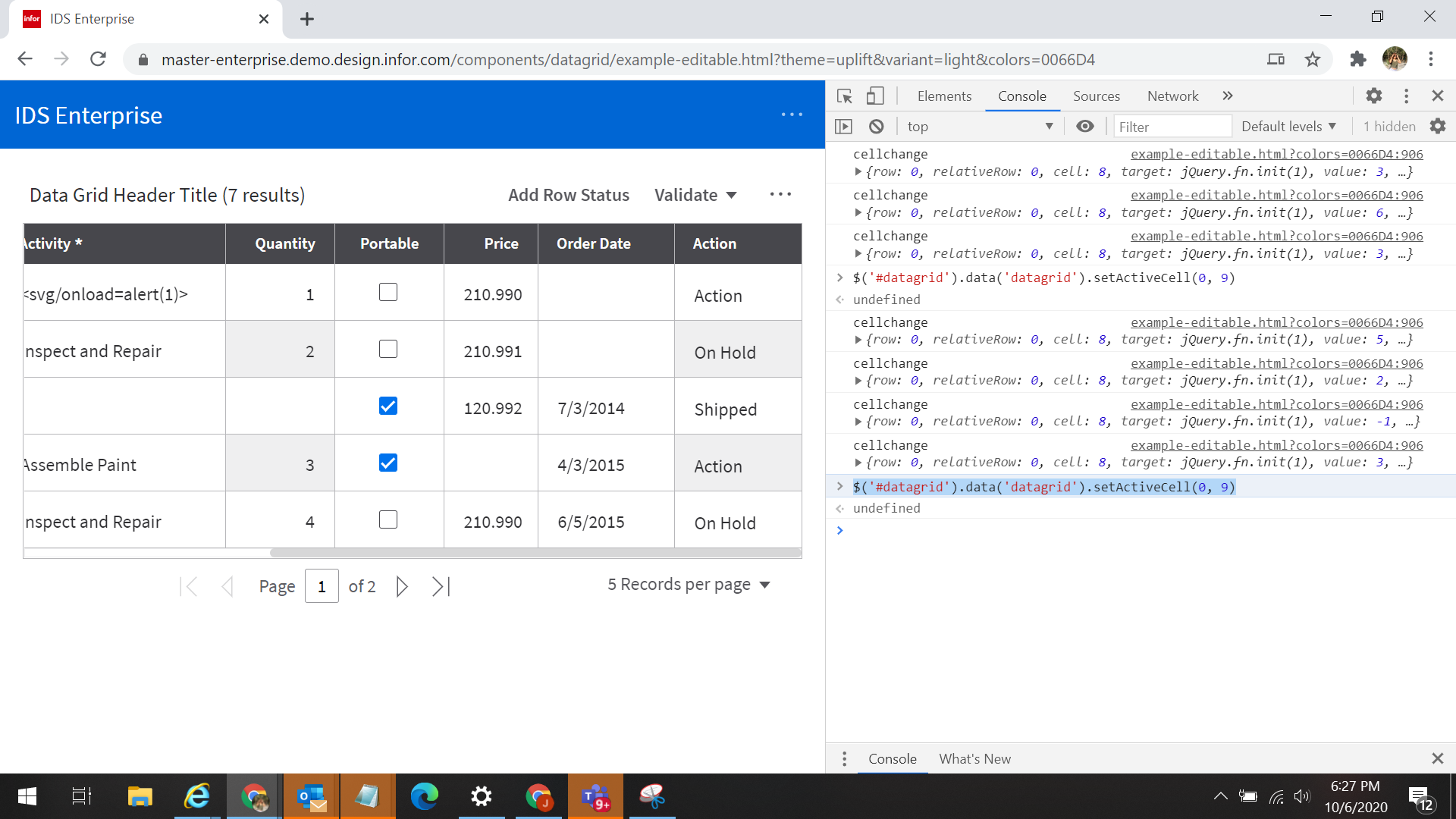 may I know if this is also expected?
 janahintal
on 6 Oct 2020
janahintal
on 6 Oct 2020
Yes, thats correct in this case. The function isnt returning any value.
tmcconechy
on 6 Oct 2020
This issue is now resolved.
 CindyMercadoReyes
on 6 Oct 2020
CindyMercadoReyes
on 6 Oct 2020
Related issues
 SofiK
·
3Comments
SofiK
·
3Comments
 EdwardCoyle
·
4Comments
EdwardCoyle
·
4Comments
 pwpatton
·
3Comments
pwpatton
·
3Comments
 brianjuan
·
3Comments
pwpatton
·
3Comments
brianjuan
·
3Comments
pwpatton
·
3Comments
Most helpful comment
ok, i'll add this then...