Enterprise: Datepicker: Month and year deselection causes error upon reselecting a value
If the value in the datepicker month or year selector becomes unselected, when you try to reselect a new value, you get the JavaScript error shown below:
monthview.js:1062 Uncaught TypeError: Cannot read property 'querySelector' of null
    at selectPicklistItem (monthview.js:1062)
    at setMonthYearPane (monthview.js:1091)
    at HTMLLIElement.<anonymous> (monthview.js:1101)
    at HTMLDivElement.dispatch (jquery-3.5.1.js:5429)
    at HTMLDivElement.elemData.handle (jquery-3.5.1.js:5233)
This is because selectedElem is null due to the fact that no element has the .is-selected class. Actual deselection is tough to reproduce because you have to click right on the edge of when the mouse goes from a pointer to default. I've provided a screencast of the issue below to illustrate what I mean:
https://screencast-o-matic.com/watch/cYjuFAm7mo
I've solved this problem locally by wrapping that logic in a null check like so:
``
const selectPicklistItem = (target, cssClass) => {
    const selectedElem = this.monthYearPane[0].querySelector(
.picklist.${cssClass} .is-selected`);
if (selectedElem) { // Added this
DOM.removeClass(selectedElem, 'is-selected');
selectedElem.querySelector('a').setAttribute('tabindex', '-1');
} // Added this
DOM.addClass(target.parentNode, 'is-selected');
target.setAttribute('tabindex', '0');
};
```
Let me know if you have any questions.
 kvaldillez
All 6 comments
Hi @kvaldillez just need some clarification here as im not seeing it.
1) Can you see it on the latest version https://master-enterprise.demo.design.infor.com/components/datepicker/example-index.html ? What version are you on?
2) i'm trying to click just the edge like the video but that is a bit hard to follow. how many times/things are you clicking
Also we have a template for issues that might help clarify https://github.com/infor-design/enterprise/issues/new/choose
You can edit this issue to follow it by editing into the template markup https://raw.githubusercontent.com/infor-design/enterprise/master/.github/ISSUE_TEMPLATE/bug_report.md
 tmcconechy
on 28 Aug 2020
tmcconechy
on 28 Aug 2020
Hi @tmcconechy,
Yes, I can see it on the latest version (4.31.2) and on the link you posted in 1 (4.32.0-dev).
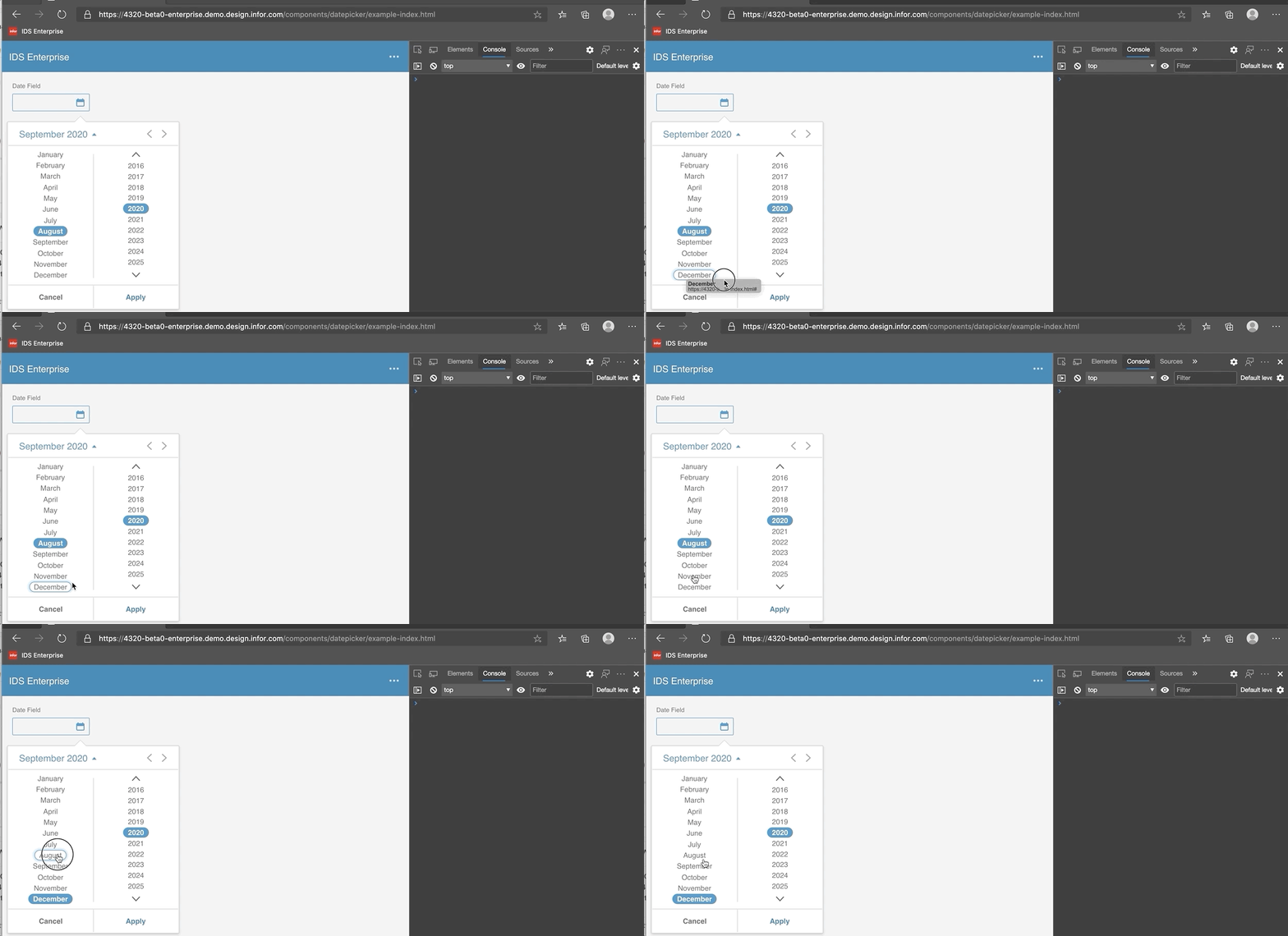
You only need to click once technically but what you can do is what I did in the video and click/drag a different option to get the focus state of let's say December, after it appears, try clicking on the "border" of the focus state (where the cursor is displaying as the default state). If you have clicked the correct spot, it will deselect the currently selected option.
Let me know if you need more information to reproduce.
kvaldillez
on 28 Aug 2020
@EdwardCoyle @deep7102 - you seeing this? The exact clicking sequence is eluding me.
tmcconechy
on 31 Aug 2020
@tmcconechy If you are having trouble reproducing via actual clicking, but still want to see the error, you could directly remove the "is-selected" class from the DOM of the element and then try to reselect a different option. The error should still be visible in the console.
kvaldillez
on 31 Aug 2020
That worked.. Pushing a fix.
tmcconechy
on 31 Aug 2020
QA Passed
v4.32.0-beta0
https://4320-beta0-enterprise.demo.design.infor.com/components/datepicker/example-index.html

 jbrcna
on 2 Sep 2020
jbrcna
on 2 Sep 2020
Related issues
 EdwardCoyle
·
4Comments
EdwardCoyle
·
4Comments
 brianjuan
·
3Comments
brianjuan
·
3Comments
 swetteinfor
·
3Comments
swetteinfor
·
3Comments
 janahintal
·
3Comments
janahintal
·
3Comments
 pwpatton
·
3Comments
pwpatton
·
3Comments
Most helpful comment
That worked.. Pushing a fix.