Enterprise: Sink Page: Charts sinks when switching views mobile to default
Describe the bug
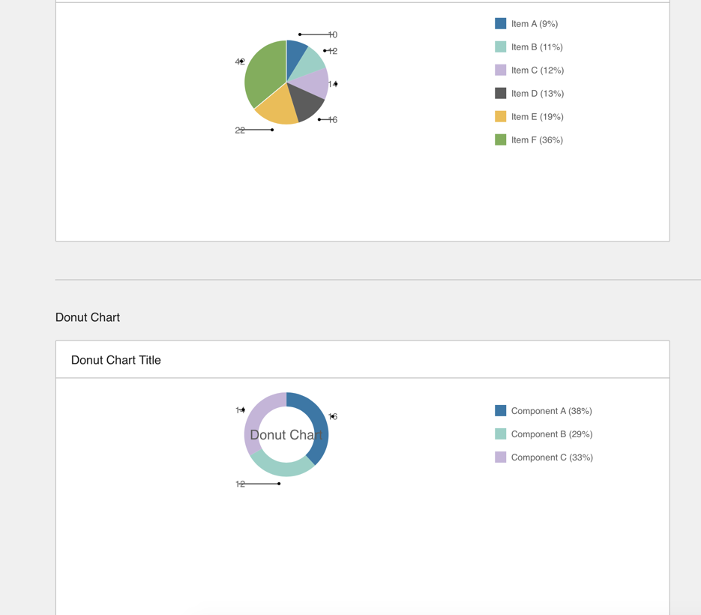
Resizing from default > mobile > default view makes the charts displaced. (i.e. default view resize to mobile view then go back to default view)
To Reproduce
Steps to reproduce the behavior:
- Go to https://4310-rc0-enterprise.demo.design.infor.com/
- Find Charts
- Switch to mobile view
- Scrollto() Charts
- Switch to default view
- Scrollto() Charts
- Notice that the charts shrunk
Expected behavior
should look normal
Version
- ids-enterprise: [e.g. v4.29.0 - v4.31.0-rc0]
Screenshots
Platform
Safari or any
Additional context
 jbrcna
All 5 comments
Can't seem to reproduce this issue. Can you elaborate on the steps?
 tmcconechy
on 6 Aug 2020
tmcconechy
on 6 Aug 2020
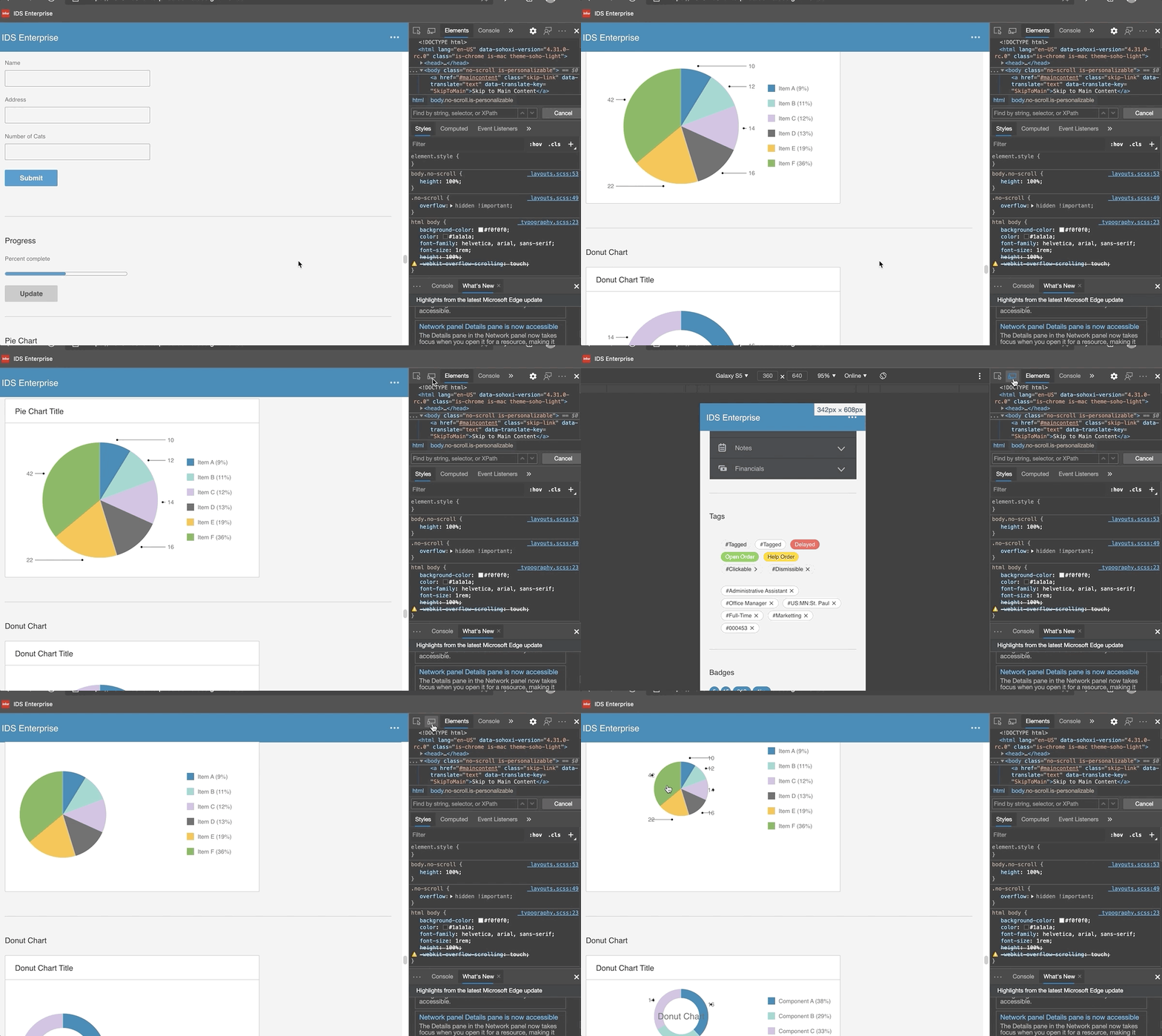
Hi @tmcconechy , kindly toggle the device toolbar.
jbrcna
on 6 Aug 2020
Ok i can see this on https://master-enterprise.demo.design.infor.com/components/pie/example-index.html on galaxy s5 specifically.
I think this is not too important because it specific
tmcconechy
on 6 Aug 2020
descoping this for now
tmcconechy
on 18 Sep 2020
Hi @tmcconechy, I think this issue has been fixed by this https://github.com/infor-design/enterprise/pull/4928. just need to resize the browser gradually or slowly. Thank you.
jbrcna
on 18 Mar 2021
Related issues
 janahintal
·
3Comments
janahintal
·
3Comments
 fitzorama
·
3Comments
fitzorama
·
3Comments
 brianjuan
·
3Comments
jbrcna
·
3Comments
brianjuan
·
3Comments
jbrcna
·
3Comments
 awbuboltz
·
3Comments
awbuboltz
·
3Comments