Enterprise: Datepicker: Disable function is different to other controls
Describe the bug
When you call the disable function on a Datepicker, the input element and the label become greyed out. When you call the disable function on a Dropdown, Input, Textarea (and probably other controls), only the input element becomes greyed out (not the label).
To Reproduce
Steps to reproduce the behavior:
- Go to https://master-enterprise.demo.design.infor.com/components/textarea/example-short.html
- In the console, run: $('#description-max').disable()
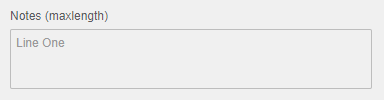
- Note that just the textarea box appears greyed out. The label is unchanged
- Go to https://master-enterprise.demo.design.infor.com/components/datepicker/example-index.html
- In the console, run: $('#date-field-normal').disable()
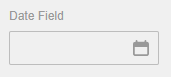
- Note that both the label and the input element appear greyed out
Expected behavior
I would expect the behaviour to be consistent. Whether this means tweaking the disable function for the Datepicker control so that it doesn't disable the label or tweaking the disable function of all the other controls so that it does disable the label.
Version
- IDS Enterprise Components - v4.27.1
Screenshots
When a Textarea is disabled, the label remains unchanged:
When a Datepicker is disabled, the label is greyed out:
Platform
- OS Version: Windows 10
- Browser Name: Chrome
- Browser Version: 81.0.4044.138
Additional context
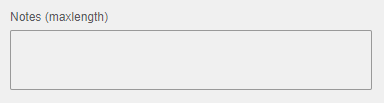
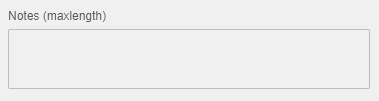
One of our customers has raised that when an empty Input or Textarea is disabled it is difficult to visually identify that it is disabled as the change in styling is very subtle compared to when it is enabled. For example:
Enabled:
Disabled:
This scenario could be improved by having the label greyed out when the control is disabled (like the Datepickers current functionality) as this would help indicate to the user that the control is disabled. As briefly mentioned above in the Expected behaviour, this would mean refactoring the disable function for these two controls and all the other controls so that all controls are consistent. I'm not sure if this minor problem justifies making all those changes, so the easier solution to achieve consistency would be to tweak the disable function on the Datepicker so that it doesn't disable the label.
 victorclisbyinfor
All 4 comments
The idea from design is that the label is also disabled. This will help the scenario mentioned about the text area being hard to distinguish. So for who picks this up, suggest making the disable function dim and the readonly, enable function also enable the label.
 tmcconechy
on 14 May 2020
tmcconechy
on 14 May 2020
Is there a difference between the visual state of a readonly label and a disabled label?
 EdwardCoyle
on 14 May 2020
EdwardCoyle
on 14 May 2020
No @EdwardCoyle the label was only disabled on disabled inputs
tmcconechy
on 6 Jul 2020
QA Passed
v4.31.0-dev
https://master-enterprise.demo.design.infor.com/components/form/example-disabled-field.html
 jbrcna
on 27 Jul 2020
jbrcna
on 27 Jul 2020
Related issues
 swetteinfor
·
3Comments
jbrcna
·
3Comments
swetteinfor
·
3Comments
jbrcna
·
3Comments
 janahintal
·
3Comments
janahintal
·
3Comments
 pwpatton
·
3Comments
pwpatton
·
3Comments
pwpatton
·
3Comments
pwpatton
·
3Comments
Most helpful comment
The idea from design is that the label is also disabled. This will help the scenario mentioned about the text area being hard to distinguish. So for who picks this up, suggest making the disable function dim and the readonly, enable function also enable the label.