Enterprise: Datagrid: display issue with modal dialog containing a datagrid and search form
Describe the bug
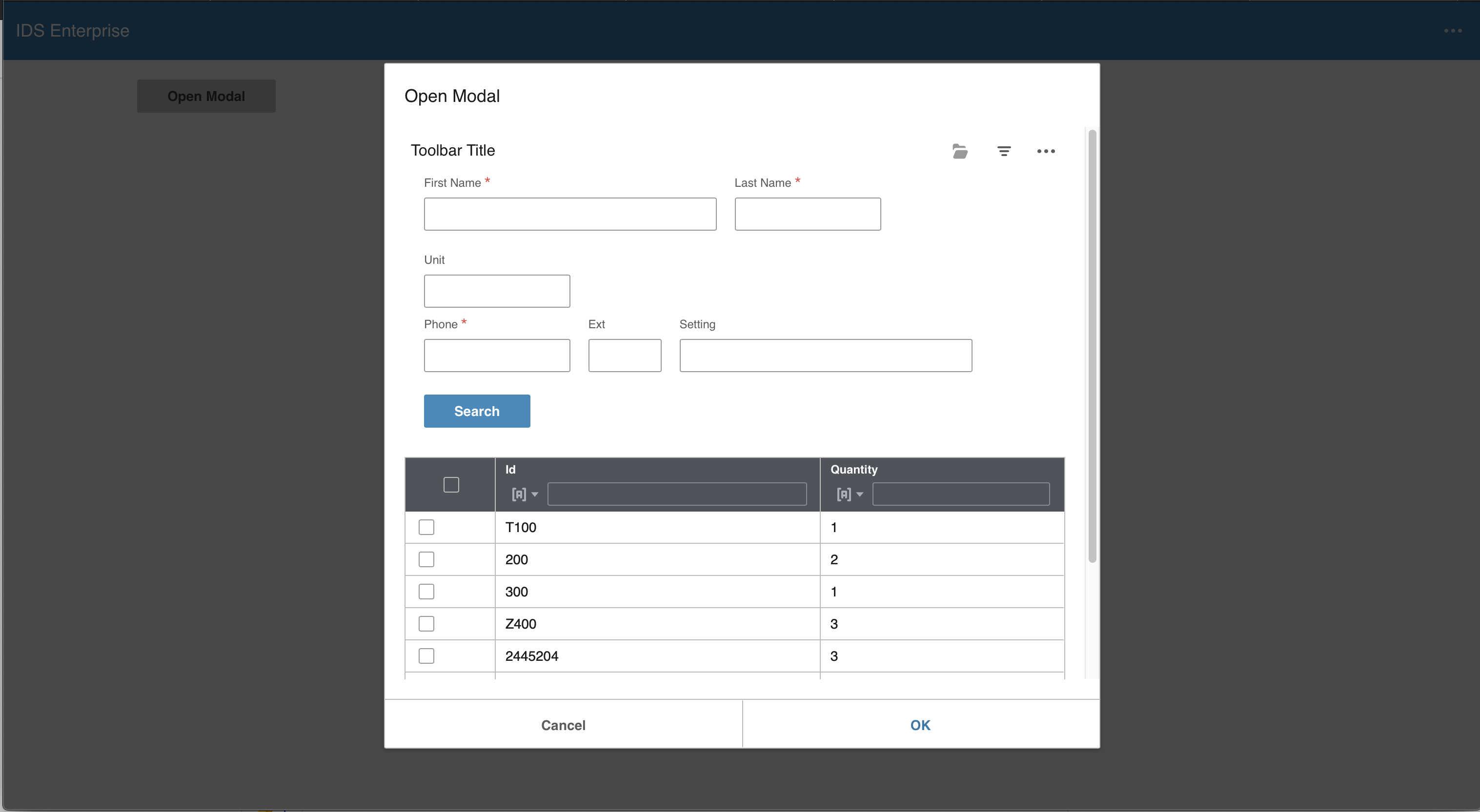
A datagrid doesn't expand to fill the table width when the visibility of a search form within the modal dialog is toggled to show and hide.
To Reproduce
- Using the attached test-modal-datagrid-search-form.html (Git-3897.zip)
- Click the filter icon on the toolbar
- Width of the modal dialog grows - the grid table doesn't expand
- Click the filter icon on the toolbar
Version
v4.29.0-dev
Screenshots
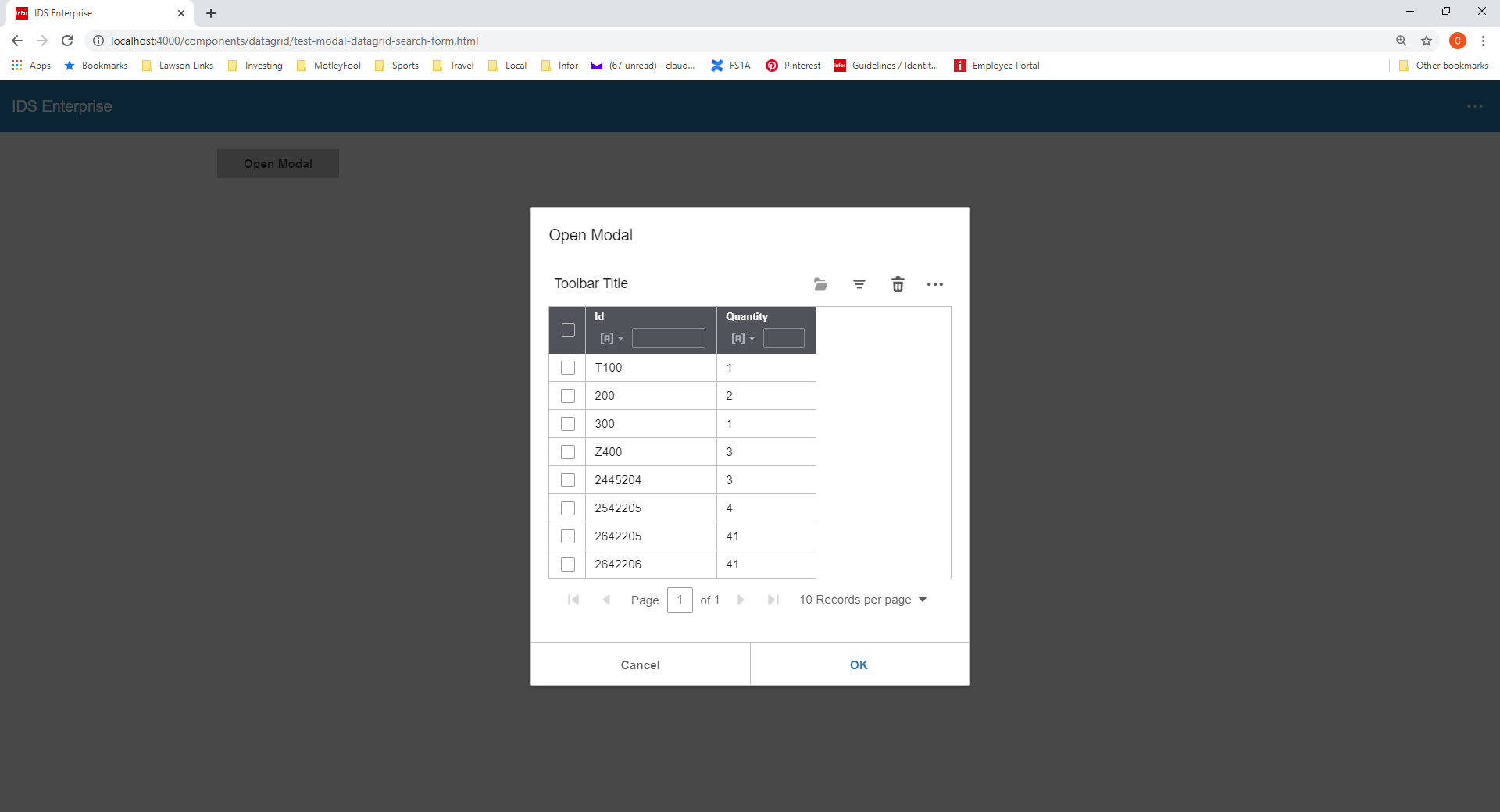
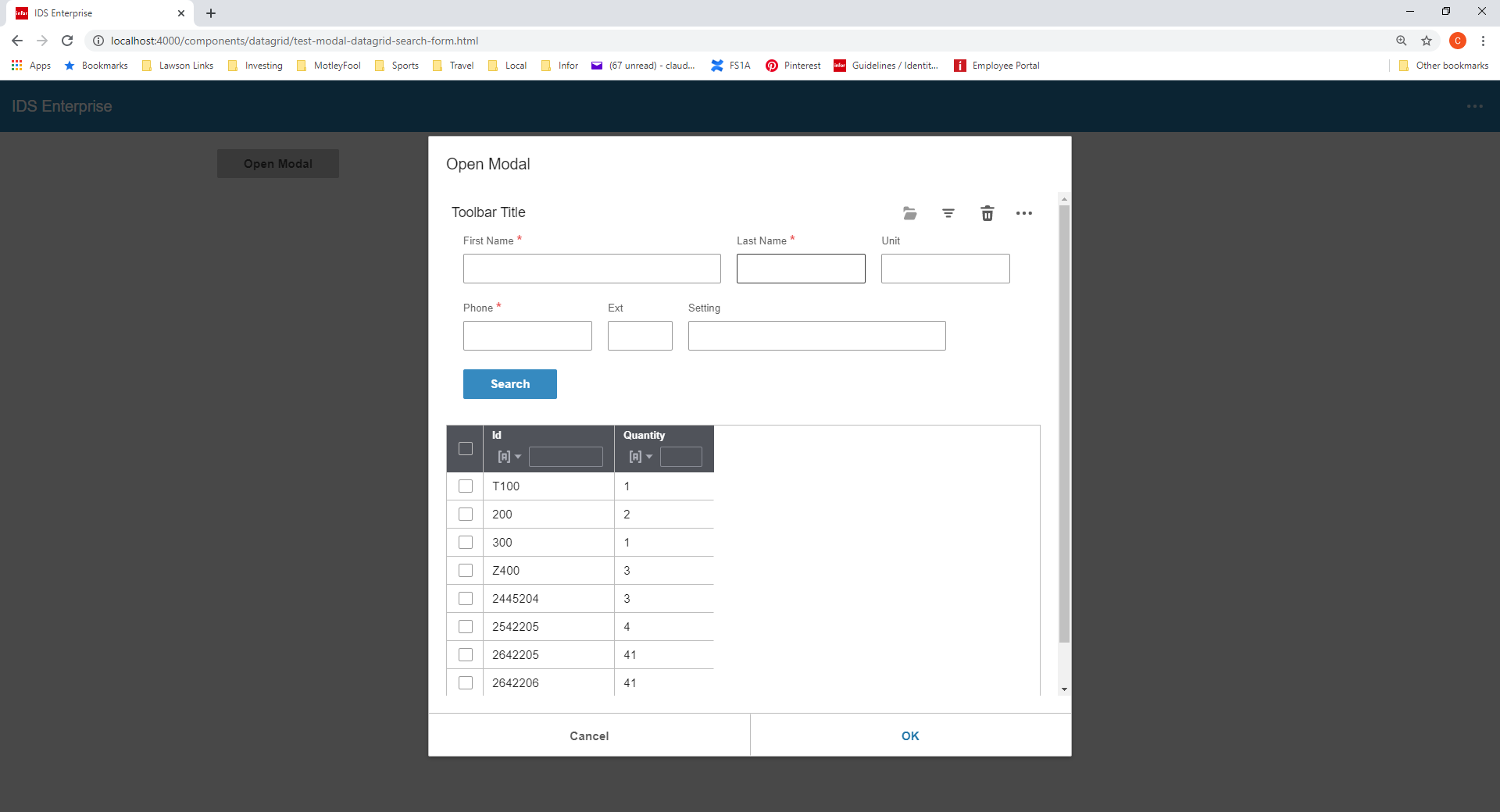
 claudenbach
All 7 comments
claudenbach
on 8 May 2020
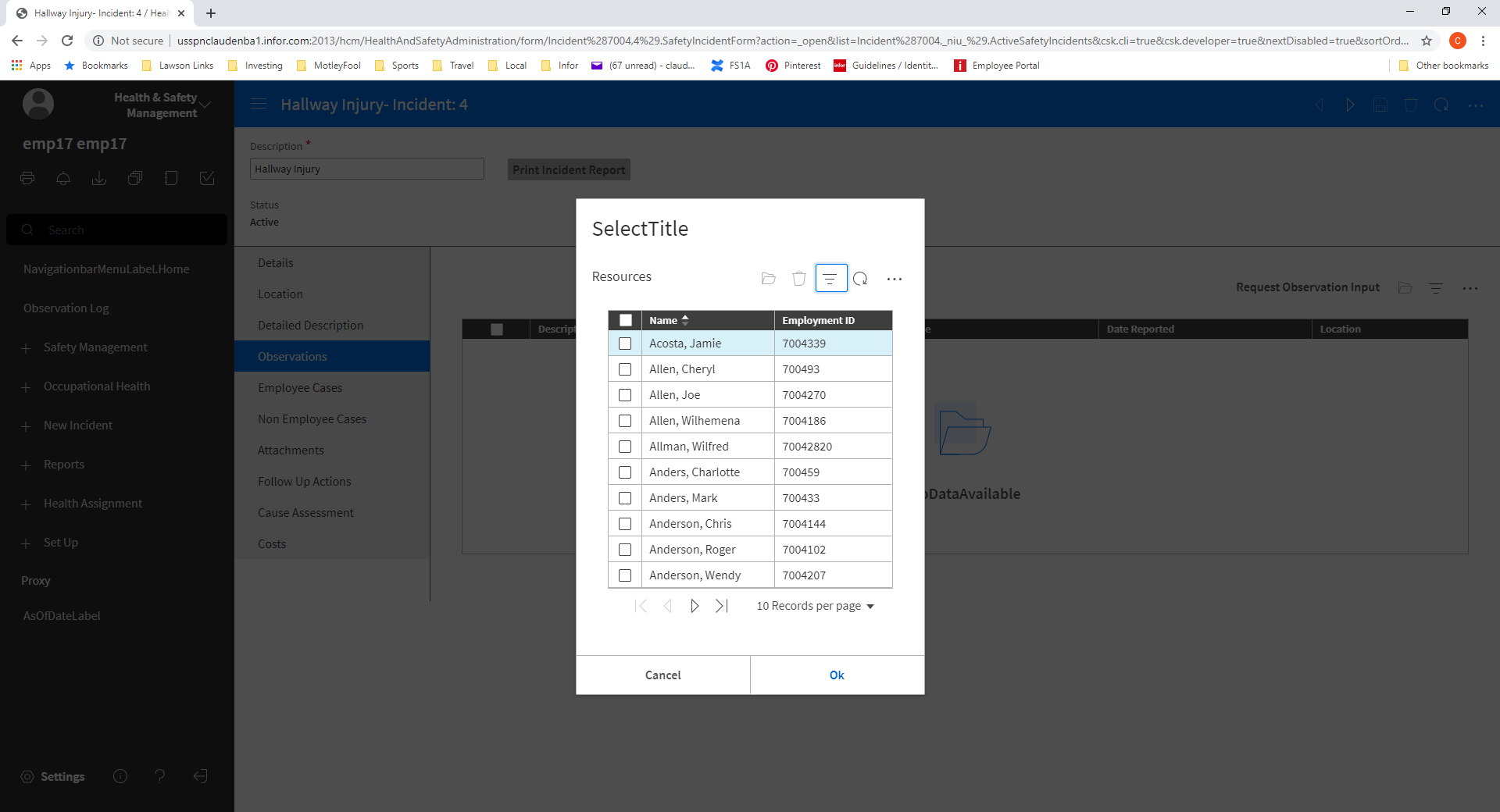
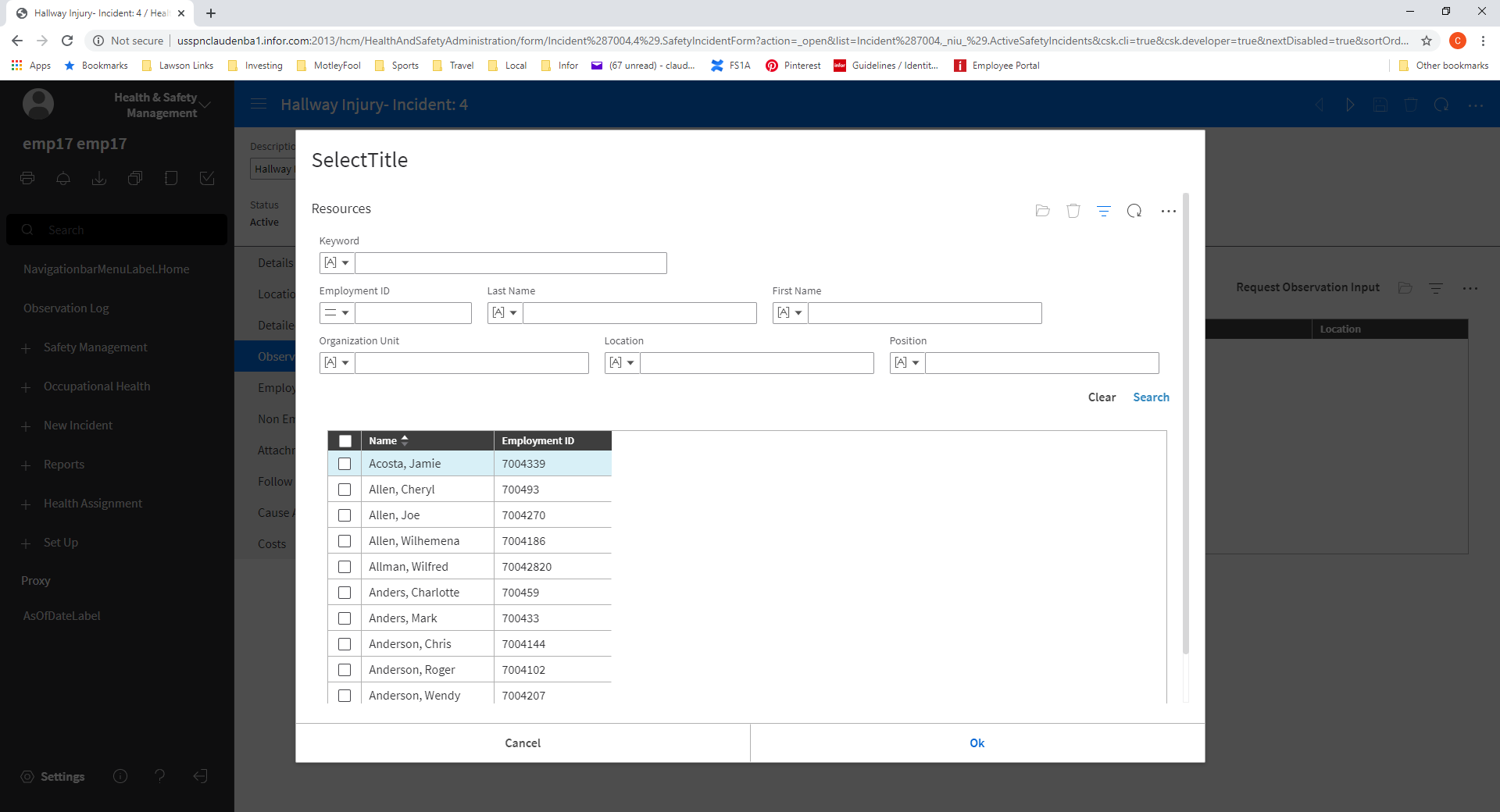
This is how it looks in Landmark...
claudenbach
on 8 May 2020
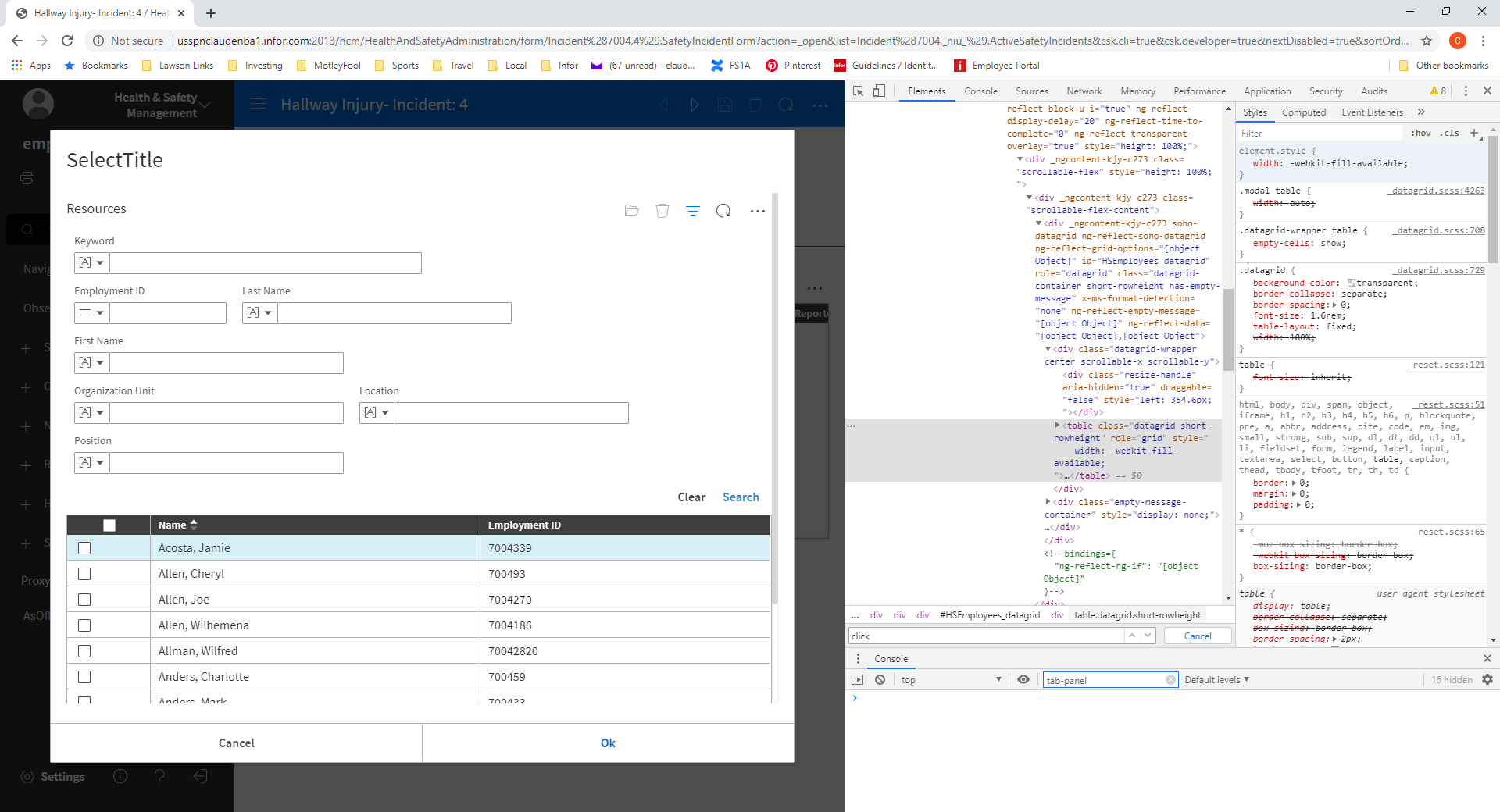
Possible solution at least for Chrome, on the table element setting the width to -webkit-fill-available vs auto seems to work.
claudenbach
on 8 May 2020
Have to test -webkit-fill-available out thats a neat idea i hadn't considered.
 tmcconechy
on 8 May 2020
tmcconechy
on 8 May 2020
Looks like the IDS team is moving this into the current sprint. We continue to hear more noise and bugs written against this (in HCM and in Landmark), so I appreciate the focus on this issue.
 jamie-norman
on 11 Jun 2020
jamie-norman
on 11 Jun 2020
Seeing noise on the rendering of a lookup select list in a modal dialog were the last column doesn't stretch to fill the space. A separate issue is when the modal dialog containing a lookup select has a search form.
claudenbach
on 11 Jun 2020
QA Passed with observation
v4.30.0-dev
Tested in all major browsers (Chrome, Firefox, Safari, Edge etc)
https://master-enterprise.demo.design.infor.com/components/datagrid/test-modal-datagrid-search-form.html
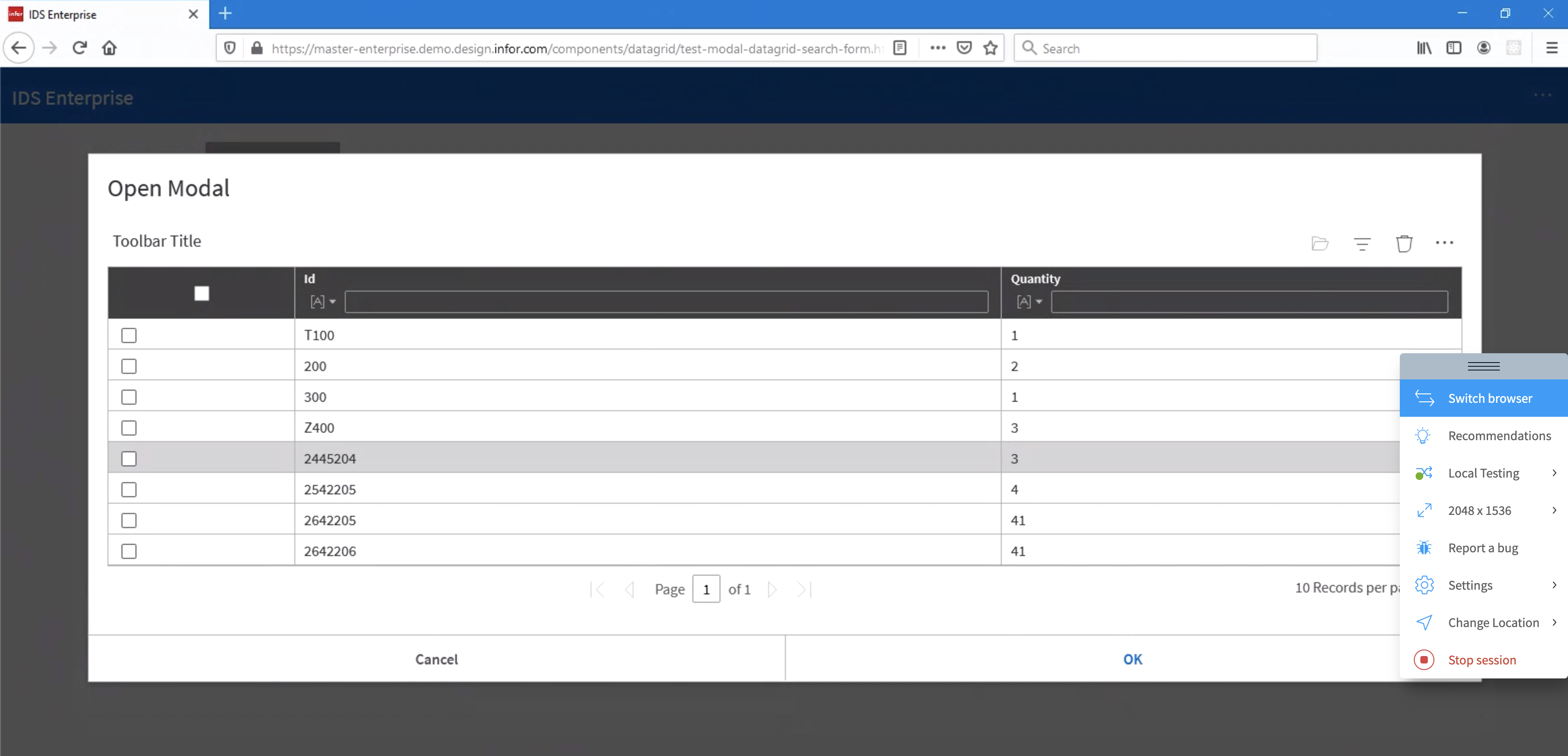
Observation
In Firefox, the modal looks big
 jbrcna
on 25 Jun 2020
jbrcna
on 25 Jun 2020
Related issues
 CindyMercadoReyes
·
3Comments
CindyMercadoReyes
·
3Comments
 pwpatton
·
3Comments
pwpatton
·
3Comments
 brianjuan
·
3Comments
brianjuan
·
3Comments
 guoliang
·
3Comments
jbrcna
·
3Comments
guoliang
·
3Comments
jbrcna
·
3Comments
Most helpful comment
Possible solution at least for Chrome, on the table element setting the width to -webkit-fill-available vs auto seems to work.